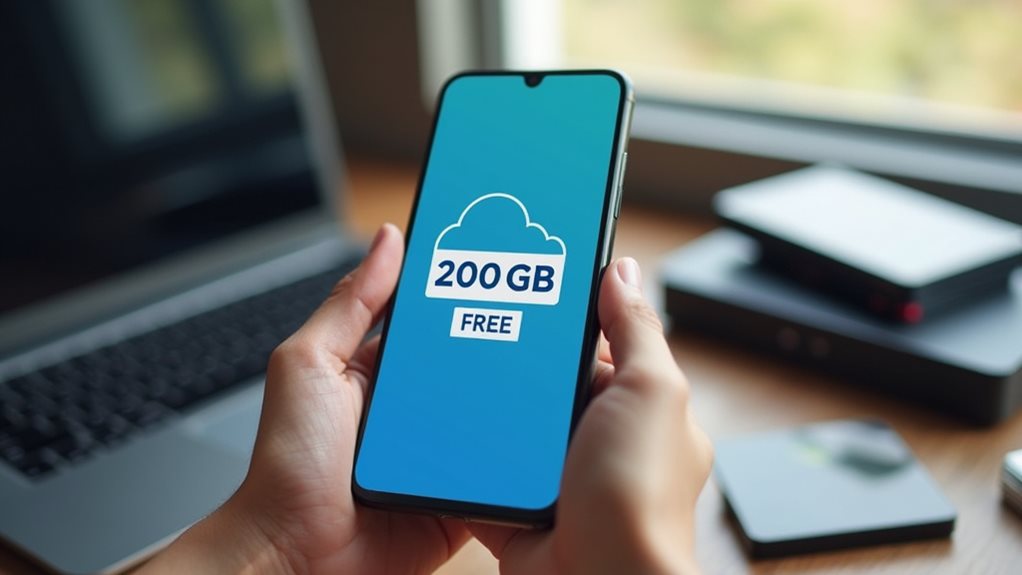
You can accumulate nearly 200GB of free cloud storage by combining multiple services. Start with Google Drive’s 15GB, add MEGA’s 20GB, Blomp’s 20GB, pCloud’s 10GB, and Icedrive’s 10GB. Create accounts with lesser-known providers like Degoo (100GB free) and MediaFire (10GB). Use each platform for specific file types—Google Docs for documents (they don’t count against storage) and dedicated services for photos or media. Proper organization across platforms will help maximize your free storage potential.
Understanding Free Cloud Storage Options in 2023
While many cloud storage providers advertise “free” options, the reality in 2023 is quite different from what you’ll find in clickbait headlines. Most legitimate services offer limited free storage ranging from 2GB to 15GB, not 200GB as some misleading titles suggest.
Popular providers like Google Drive currently offer 15GB free storage shared across their services, while Dropbox provides only 2GB for basic accounts. Microsoft OneDrive includes 5GB with free accounts, and Apple’s iCloud offers just 5GB before requiring payment.
To maximize your free cloud storage, you’ll need to combine multiple services. This approach requires managing several accounts and applications, which can become cumbersome.
Some services may also reduce features for free users, including limited bandwidth, file size restrictions, and fewer collaboration tools.
Google Drive: Maximizing Your 15GB Allocation
Google Drive’s free 15GB allocation can be maximized through strategic file organization, which includes sorting documents into logical folders and regularly removing duplicates.
You’ll get more from your storage by utilizing shared folder options, where files owned by others don’t count against your quota.
Recovering space from inactive accounts is also worthwhile, as Google allows you to reclaim storage from services you no longer use, such as Gmail accounts with large attachments or abandoned Google Photos.
Efficient File Organization
To maximize the 15GB of free storage that comes with your Google Drive account, you’ll need to implement efficient file organization strategies.
By properly structuring your files, you’ll optimize your available space and find documents more easily.
- Create a logical folder hierarchy with main categories (Work, Personal, Projects) and specific subfolders to prevent file clutter.
- Regularly delete unnecessary files such as duplicate photos, outdated documents, and large files you no longer need.
- Convert space-consuming file formats to more efficient ones (HEIC to JPG for photos, or DOCX to PDF for text documents).
- Use Google’s native formats (Docs, Sheets, Slides) which don’t count toward your storage limit, allowing you to preserve space for files that must remain in their original format.
Shared Folder Strategies
Because shared folders don’t always count against your personal storage quota, they represent a strategic opportunity to extend your available space beyond the standard 15GB limit.
When someone shares a folder with you in Google Drive, its contents typically don’t consume your storage allocation. This creates an effective way to access more files without using your limited space. You can request collaborators to share documents rather than sending attachments.
For project teams, establish a central shared folder structure where one person hosts the main directories. This approach distributes storage requirements across multiple accounts.
Remember to organize shared content methodically with clear naming conventions. Consider creating dedicated shared folders for different projects or departments to maintain easy navigation.
This strategy helps everyone locate files quickly while maximizing the collective storage available to your team.
Inactive Account Recovery
While shared folders help you bypass storage limits through collaboration, understanding inactive account recovery adds another dimension to managing your Google Drive space.
Google has policies regarding dormant accounts that can impact your storage strategy.
Here’s what you need to know about inactive account recovery:
- Google may delete content from accounts that haven’t been accessed for at least 24 consecutive months.
- Before deletion, you’ll receive multiple notifications to your email address and recovery contacts.
- You can prevent account inactivity by signing in periodically, reading or sending emails, using Google Drive, watching YouTube videos, or sharing photos.
- If you have multiple Google accounts, consider consolidating your important files to your primary account to avoid losing access to files in inactive secondary accounts.
Understanding these policies helps you maintain access to your important files long-term.
Combining Multiple Cloud Services for Maximum Storage
You can considerably expand your free cloud storage by strategically combining the free tiers offered by multiple providers.
By creating accounts with Google Drive (15GB), Dropbox (2GB), OneDrive (5GB), Box (10GB), and other services, you’ll quickly accumulate ample storage without paying anything.
Managing multiple accounts might require some organization, but tools like MultCloud or odrive can help you access all your cloud storage services from a single interface.
Stacking Free Tiers
Once you understand how individual free cloud tiers work, combining multiple services becomes a strategic approach to maximize your storage capacity.
By carefully selecting complementary cloud providers, you can accumulate considerable storage without paying subscription fees.
- Sign up with different email addresses – Create separate accounts for each cloud service using unique email addresses to qualify for free tier offerings.
- Organize files by provider strengths – Store photos on Google Drive, documents on OneDrive, and backups on Dropbox to leverage each platform’s advantages.
- Use synchronization tools – Implement tools like MultCloud or rclone to manage files across different cloud platforms.
- Track expiration dates – Monitor trial periods and free tier limitations to avoid unexpected charges when promotional periods end.
This approach requires some management effort but yields markedly more storage than using a single provider.
Multi-Account Strategy
Taking the stacking approach to the next level, a multi-account strategy maximizes your free cloud storage by systematically creating accounts across multiple services.
This approach requires using different email addresses to register for separate accounts on the same platforms.
You can create multiple Gmail accounts using the “+” sign trick. For example, yourname+dropbox@gmail.com and yourname+onedrive@gmail.com will register as distinct email addresses while delivering messages to your main inbox.
Remember to track your login credentials with a password manager to avoid confusion.
Many services detect duplicate accounts from the same device, so consider using different browsers or privacy modes for each registration.
This strategy requires more maintenance but can effectively double or triple your available free storage when managed properly.
Lesser-Known Cloud Providers With Generous Free Tiers

While major cloud services like Google Drive and Dropbox dominate the market, several lesser-known cloud providers offer surprisingly generous free storage tiers that many users overlook.
These alternatives can greatly expand your free cloud storage portfolio:
- pCloud offers 10GB of free storage that doesn’t expire, with opportunities to earn additional space through referrals and completing simple tasks.
- Mega provides 20GB of free storage with strong encryption features, making it suitable for users concerned with privacy.
- Icedrive includes 10GB in their free tier with a clean interface and lifetime storage guarantee, unlike many competitors.
- Blomp delivers 20GB of free cloud storage without requiring credit card information, though with slightly fewer features than mainstream providers.
Security Considerations When Using Multiple Cloud Services
As you build your collection of free cloud storage accounts across different providers, the security implications become increasingly important. Managing multiple passwords and access points creates potential vulnerabilities in your overall security posture.
Consider using a password manager to create and store unique, strong passwords for each cloud service. This prevents the catastrophic domino effect that occurs when one compromised password affects all your accounts.
Enable two-factor authentication whenever available, adding a crucial extra layer of protection beyond your password. Some providers offer this through text messages, while others use authentication apps.
Be mindful of what data you store where. Sensitive personal information warrants stronger security measures than general files.
Review each provider’s encryption standards before uploading confidential documents or financial information.
Best Practices for Organizing Files Across Different Cloud Platforms

Once you’ve accumulated storage across multiple cloud platforms, establishing a consistent organization system becomes essential for efficient file management.
Dividing your files strategically across services helps maximize free storage while maintaining accessibility.
- Create platform-specific categories – Store photos on Google Drive, documents on OneDrive, and media files on Dropbox based on each service’s strengths.
- Implement a consistent naming convention – Use prefixes like “DOC_” or “IMG_” followed by dates (YYYY-MM-DD) for easy searching across platforms.
- Utilize color-coding or tagging systems – Apply the same tag categories across different cloud services to maintain organizational consistency.
- Document your storage system – Maintain a master spreadsheet tracking which files are stored where, including links to important folders for quick reference.
Regular maintenance of your cloud organization system prevents duplicates and guarantees you can locate files efficiently.
Frequently Asked Questions
Can I Maintain These Free Cloud Storage Options Permanently?
You can’t maintain most free cloud storage permanently. They’re usually time-limited trials or have conditions that may change. Consider using multiple services or paying for a subscription for guaranteed long-term access.
How Quickly Can Files Be Transferred Between Different Cloud Services?
You’ll find transfer speeds vary based on your internet connection, file sizes, and the services involved. Some transfers happen in minutes, while larger files can take hours or days to complete.
Will Using VPNS Affect My Access to These Free Cloud Services?
Yes, VPNs might affect your access to free cloud services. Some providers restrict VPN usage or flag it as suspicious activity. You’ll want to check each service’s terms before connecting through a VPN.
Do Cloud Storage Providers Scan or Analyze My Uploaded Content?
Yes, most cloud providers scan your content for malware, illegal material, and copyright violations. They’ll also analyze your data to improve services, though encrypted files offer more privacy when you’re concerned about security.
Can I Recover Accidentally Deleted Files From These Free Cloud Services?
Yes, you can recover deleted files from most free cloud services. They typically have a trash/recycle bin where files remain for a limited time (usually 30 days) before permanent deletion. Check your service’s recovery options.
Final Thoughts
By combining free tiers from Google Drive (15GB), Dropbox (2GB), OneDrive (5GB), MEGA (20GB), and other lesser-known services, you’ll reach your 200GB goal without paying a cent. Remember to organize your files logically across platforms using consistent folder structures. Always enable two-factor authentication on each service, and consider using a password manager for security. With careful planning, you can maximize free cloud storage while keeping your data secure and accessible.