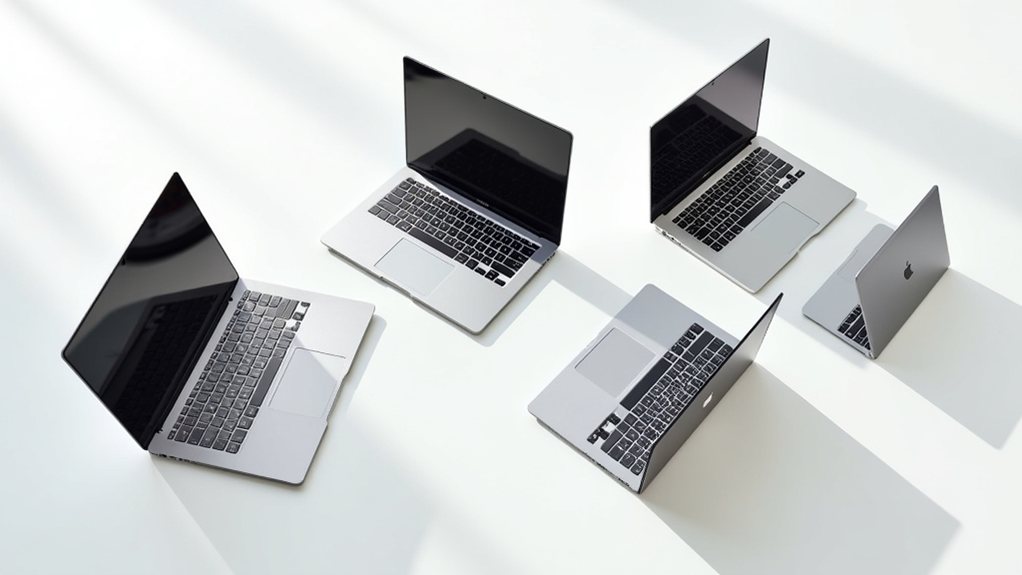
You’ve probably wondered which Chromebook will give you the best bang for your buck. Finding the perfect balance of performance, battery life, and features can feel like searching for a needle in a haystack. We acknowledge this challenge, which is why we’ve tested and compared dozens of models to narrow down the five best options available today. Each one brings something special to the table, from touchscreens to all-day batteries. Ready to discover which Chromebook might be your ideal digital companion?
HP Chromebook 14 Laptop with Intel Celeron N4120 (14a-na0226nr)


Students and budget-conscious professionals will find a reliable companion in the HP Chromebook 14. With its Intel Celeron N4120 quad-core processor and 4GB of RAM, you’ll handle everyday tasks with ease. The 14-inch HD display gives you plenty of workspace, while weighing just 3.24 pounds for easy portability.
You’ll appreciate the impressive 14-hour battery life that gets you through a full day of classes or meetings. When power runs low, HP Fast Charge brings you from 0% to 50% in just 45 minutes. Chrome OS keeps everything secure and updated automatically, while giving you access to thousands of Android apps through Google Play.
Best For: Students, budget-conscious professionals, and casual users who need a lightweight, long-lasting laptop for everyday tasks like web browsing, document editing, and streaming.
Pros:
- Impressive 14-hour battery life with fast charging capability (0-50% in 45 minutes)
- Lightweight and portable design at just 3.24 pounds with a 14-inch display
- Chrome OS provides automatic updates, security, and access to Android apps via Google Play
Cons:
- Limited 4GB RAM may struggle with more demanding multitasking
- 64GB eMMC storage is relatively small compared to traditional laptops
- 1366 x 768 HD display resolution is below Full HD standard found in many modern laptops
Lenovo Flagship 14″ FHD Touchscreen Chromebook

The Lenovo Flagship 14″ FHD Touchscreen Chromebook offers an impressive combination of portability and performance that’s perfect for anyone who needs a reliable device for everyday tasks. At just 2.86 pounds, this sleek Abyss Blue laptop won’t weigh down your backpack while you’re heading to class or the library.
You’ll appreciate the MediaTek Kompanio processor paired with 4GB RAM, which handles multiple browser tabs and basic applications with ease. The touchscreen functionality makes maneuvering through Chrome OS intuitive, while the 13.5-hour battery life means you can work all day without hunting for an outlet. With Wi-Fi 6 connectivity and a 720p webcam, you’re all set for Zoom classes and Google Classroom assignments.
Best For: Students and casual users who need an affordable, portable Chromebook with excellent battery life for web browsing, online classes, and basic productivity tasks.
Pros:
- Impressive 13.5-hour battery life allows for all-day use without needing to recharge
- Lightweight design at just 2.86 pounds makes it highly portable for students on the go
- Touchscreen functionality provides intuitive navigation through Chrome OS
Cons:
- Limited 4GB RAM may struggle with intensive multitasking or more demanding applications
- 64GB storage capacity is relatively small for storing large files or many applications
- Integrated ARM Mali graphics aren’t suitable for gaming or graphic design work
Lenovo IdeaPad 3i Chromebook, 15.6″ FHD Display (8GB RAM, 64GB)

Digital learners and budget-conscious professionals will find their perfect match in the Lenovo IdeaPad 3i Chromebook. This powerful device features a stunning 15.6-inch Full HD display that brings your schoolwork and projects to life with vibrant colors.
You’ll appreciate the impressive 8GB of RAM that lets you multitask without frustrating slowdowns. With up to 10 hours of battery life, you won’t need to worry about finding an outlet during your busy day. The Intel Celeron processor handles everyday tasks effortlessly, while the 64GB storage gives you plenty of space for assignments and photos. For added security, you’ll love the privacy shutter on the 720p webcam.
Best For: Students, casual users, and budget-conscious professionals seeking an affordable, lightweight Chromebook with good multitasking capabilities and all-day battery life.
Pros:
- Generous 8GB RAM provides smooth multitasking performance for web browsing, document editing, and video streaming
- Impressive 15.6″ FHD display delivers crisp visuals and comfortable viewing for productivity tasks and entertainment
- Long 10-hour battery life keeps you productive throughout the day without needing to search for an outlet
Cons:
- Limited 64GB eMMC storage may require reliance on cloud storage for larger files and applications
- Intel Celeron N4500 processor isn’t powerful enough for resource-intensive tasks like video editing or gaming
- Relatively heavy at 5.49 pounds, making it less portable than many competing Chromebooks
HP 15.6 HD Premium Chromebook with Intel Celeron Processor

Modern professionals and students alike will appreciate the HP 15.6 HD Premium Chromebook with Intel Celeron Processor, a powerhouse in a sleek, arctic silver design. You’ll love how the 3.7GHz turbo speed processor and 8GB DDR5 RAM handle multiple tasks simultaneously without slowing down.
The vibrant 15.6-inch display brings your content to life with crisp visuals that make everything from homework to streaming videos more enjoyable. With 64GB of storage, you’ve got plenty of space for documents and photos. Don’t worry about battery life—this Chromebook keeps going through your longest days. Plus, Chrome OS updates automatically, guaranteeing you’re always working with the latest features.
Best For: Students and professionals who need a reliable, portable computer for everyday tasks like web browsing, document editing, and light multitasking at an affordable price point.
Pros:
- Impressive 8GB DDR5 RAM allows for smooth multitasking and responsive performance for everyday computing tasks
- Lightweight design with long battery life makes it ideal for on-the-go productivity without constantly searching for outlets
- Chrome OS provides automatic updates and access to Google Play Store apps, eliminating manual maintenance concerns
Cons:
- 64GB eMMC storage may be insufficient for users who need to store large files or numerous applications locally
- Intel Celeron processor, while adequate for basic tasks, may struggle with resource-intensive applications or heavy multitasking
- Limited functionality when offline compared to traditional laptops running Windows or macOS
Acer Chromebook Plus 515 Laptop with Google AI (CB515-2HT-33M4)

Power users who need a versatile, high-performance laptop without breaking the bank will find their match in the Acer Chromebook Plus 515. With its impressive 15.6″ Full HD touchscreen display, you’ll enjoy crisp visuals whether you’re working on documents or streaming videos.
The Intel Core i3 processor runs twice as fast as typical Chromebooks, making multitasking seamless and efficient. You’ll appreciate the 10-hour battery life that keeps you productive all day. The 256GB SSD storage gives you plenty of space for files, while Google’s AI features help with everything from converting handwriting to answering complex questions. Plus, you’re protected by Chrome OS’s renowned security that hasn’t experienced documented virus attacks.
Best For: Students, professionals, and everyday users seeking a powerful, secure Chromebook with touchscreen capabilities, ample storage, and AI-enhanced productivity features at a moderate price point.
Pros:
- The Intel Core i3-1305U processor delivers twice the speed of typical Chromebooks, making it excellent for multitasking and more demanding applications
- 10-hour battery life combined with a 15.6″ Full HD touchscreen provides all-day productivity with an immersive viewing experience
- Includes Google AI features and security benefits of Chrome OS with no documented virus attacks, making it both innovative and secure
Cons:
- Some productivity software like Microsoft 365 and Adobe Photoshop require additional paid subscriptions
- Limited gaming capabilities compared to traditional laptops, despite GeForce NOW support
- Chrome OS may present a learning curve for users accustomed to Windows or macOS environments
Factors to Consider When Choosing a Chromebook
When you’re ready to choose your perfect Chromebook, you’ll need to evaluate several key factors that will impact your daily experience. Performance, display quality, memory, battery life, and available ports will all determine how well your Chromebook meets your specific needs. Taking time to understand these important elements will help you find a device that you’ll love using for schoolwork, entertainment, and everything in between.
Performance and Processor Speed
Understanding a Chromebook’s performance capabilities might seem tricky at first, but it’s actually quite straightforward once you break it down. The processor is like the brain of your device—Intel Celeron models work well for everyday tasks, while Intel Core processors tackle harder jobs without breaking a sweat.
For effortless multitasking, look for multi-core processors (quad-core or better). They’ll help you juggle homework, music, and YouTube without frustrating slowdowns. RAM matters too! While 4GB works for basic use, you’ll appreciate having 8GB when you’ve got twenty browser tabs open.
Don’t forget about storage type—SSD storage gives you faster startup times than eMMC. Just remember, more powerful processors use more battery power, so consider what’s most important for your daily needs.
Display Type and Size
The display on your Chromebook serves as your window to the digital world, making it one of the most important features to contemplate before purchasing. Screen sizes typically range from 11 to 15.6 inches, and your choice depends on how you’ll use your device. For streaming videos or multitasking, you’ll appreciate a larger display.
Resolution matters too! While budget models often offer HD displays (1366 x 768), you’ll enjoy sharper images with Full HD (1920 x 1080) screens. If you like hands-on interaction, consider a touchscreen model for direct manipulation of apps and content. Features like anti-glare coating help reduce eye strain when you’re working in bright environments, while micro-edge designs maximize your viewing area. Some Chromebooks offer a 16:10 aspect ratio, giving you extra vertical space for documents and websites.
RAM and Storage Capacity
Two critical components—RAM and storage capacity—determine how efficiently your Chromebook handles daily tasks. For seamless multitasking, consider at least 4GB of RAM for basic needs, while 8GB will give you extra breathing room when juggling multiple applications. The newer DDR5 RAM performs better than DDR4, making your experience quicker.
Storage choices typically range from 64GB to 256GB. If you’re primarily using cloud services, 64GB might suffice, but you’ll appreciate more space for offline work and media. Whenever possible, choose SSD storage over eMMC—it’s considerably faster for booting and loading apps.
Battery Life Duration
Battery life represents the true mobility factor in your Chromebook selection, ultimately determining how long you’ll stay productive without hunting for an outlet. Most Chromebooks offer impressive endurance, typically ranging from 10 to 14 hours on a single charge, giving you freedom throughout your school day and beyond.
If you need maximum unplugged time, consider models like the HP Chromebook 14, which delivers up to 14 hours of battery life. Chromebooks with quad-core or octa-core processors often manage power more efficiently, extending your usage time between charges.
Don’t overlook fast charging capabilities—some models can reach 50% battery in just 45 minutes. Remember that your actual battery performance will vary depending on brightness settings, apps you’re running, and your specific tasks.
Port Selection Options
Modern connectivity options make your Chromebook truly versatile, so don’t overlook the significance of port selection when choosing your device. You’ll want to check for USB-A ports for connecting traditional devices, while newer USB-C ports offer faster data transfer and charging capabilities. Having multiple USB ports means you won’t need to constantly swap devices or buy an extra hub.
For school presentations or home entertainment, an HDMI port lets you easily connect to external monitors or TVs. A microSD card slot can be a lifesaver when you need extra storage for photos or documents. Don’t forget about the headphone jack—it’s crucial for video calls and online classes when you need privacy or a quieter environment. The right combination of ports will make your Chromebook experience much more seamless!
Operating System Updates
While port selection helps you physically connect to the world, your Chromebook’s operating system is what truly keeps you connected to the digital world. Chrome OS shines in this department, automatically updating every six weeks without any effort on your part. This means you’ll always have the latest security patches and newest features at your fingertips.
You don’t have to worry about your Chromebook becoming outdated quickly. Even older models stay relevant longer because Chrome OS is lightweight and designed for continuous support. If you’re ever curious about whether you have the most current version, you can easily check for updates manually in the settings menu. Plus, with access to the Google Play Store, you’ll enjoy thousands of Android apps that expand what your Chromebook can do.
Budget Vs Value
Three key factors determine whether your Chromebook will be a budget-friendly disappointment or a value-packed digital companion. First, consider RAM—while 4GB might seem sufficient, investing in 8GB will greatly improve your multitasking experience. You’ll thank yourself when you’re running multiple tabs without frustrating slowdowns.
Second, don’t overlook storage type. Many budget Chromebooks offer 64GB eMMC storage, but models with SSD storage provide noticeably faster performance that you’ll appreciate daily.
Finally, battery life and display quality greatly impact your experience. Budget options typically offer 10-13 hours, while mid-range models can reach 14 hours. Similarly, a full HD display (1920 x 1080) delivers sharper images and text compared to lower resolutions, making reading and viewing more enjoyable.
Final Thoughts
You’ve got great options to choose from in the Chromebook world! Whether you’re drawn to HP’s long-lasting battery, Lenovo’s responsive touchscreen, or Acer’s speedy performance, there’s a perfect match for your needs. Remember to reflect on what matters most to you—storage, display quality, or processing power. With these top five choices, you’ll find a reliable companion for school, work, or everyday browsing that won’t let you down.