
Why ad creative is the bottleneck (and how to fix it)
Coming up with effective Facebook ad creatives is one of the most time-consuming parts of running campaigns. Good ideas, eye-catching visuals, and tight copy all need to come together — and that usually means multiple tools, iterations, and fiddly design work.
Skaler aims to simplify that process. It combines an ad template library, AI-driven cloning, image and video generation, a hook writer, and analytics into one interface so you can go from inspiration to an ad ready to run in minutes.
Quick tour: what Skaler does
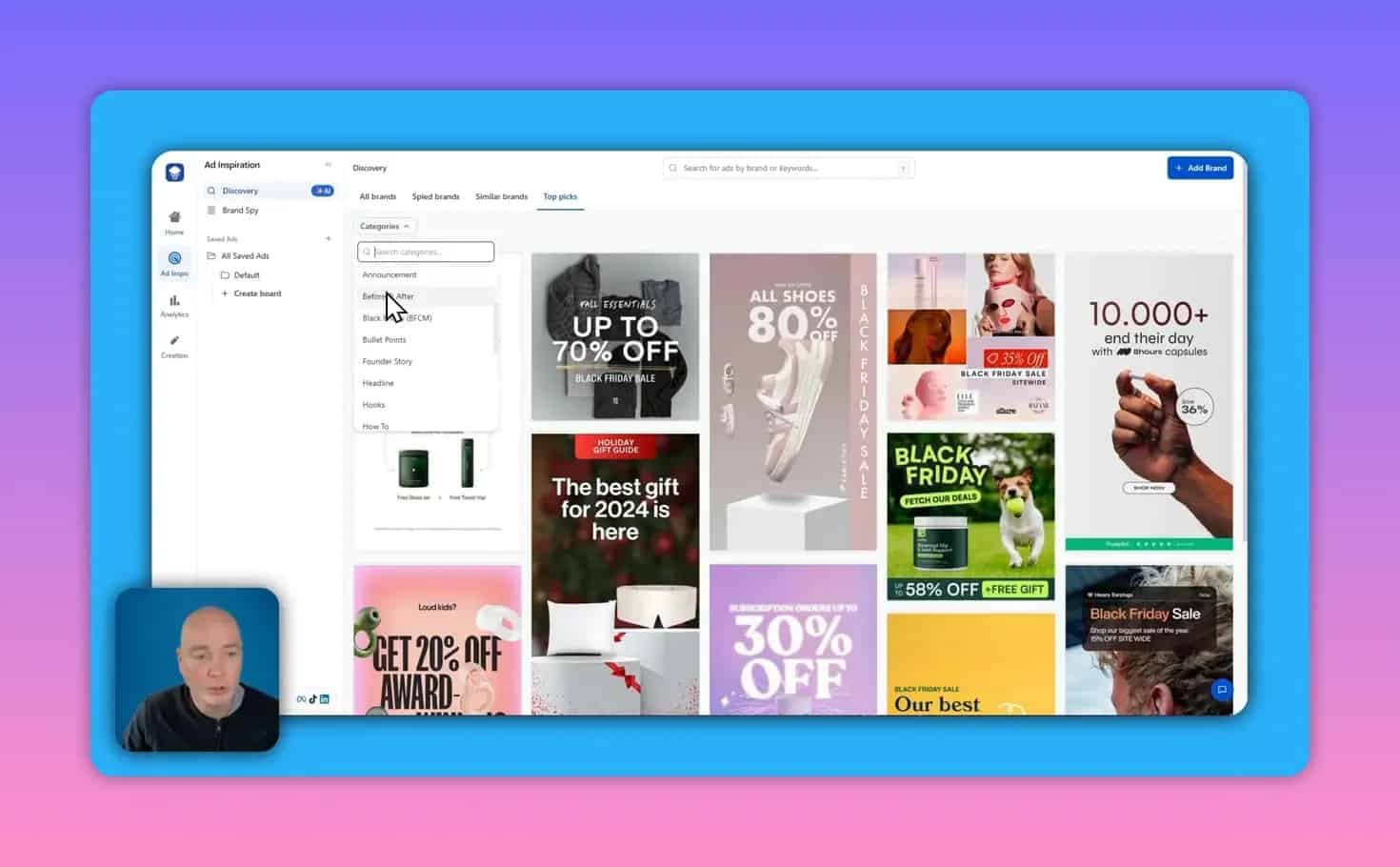
- Ad template library — a searchable gallery of ad layouts and styles to use as inspiration or clone.
- Ad cloning and creative rebuilds — import a reference, let the tool analyse the copy, then regenerate visuals that match your brand.
- Product shots and image generation — upload a mockup and receive multiple professional product photos.
- Video generation — script-driven short clips with generated talent and voiceovers.
- Hook generator — instant attention-grabbing openers for ad copy.
- Spy and analytics — pull current ads from competitor brands and connect your ad account for campaign insights.
Getting started and the setup flow
Setup is straightforward: add your product, optionally connect an ad account for analytics, and browse the ad library for inspiration. You can save templates to boards or clone an ad directly to start a creative rebuild.
From template to branded ad: the workflow
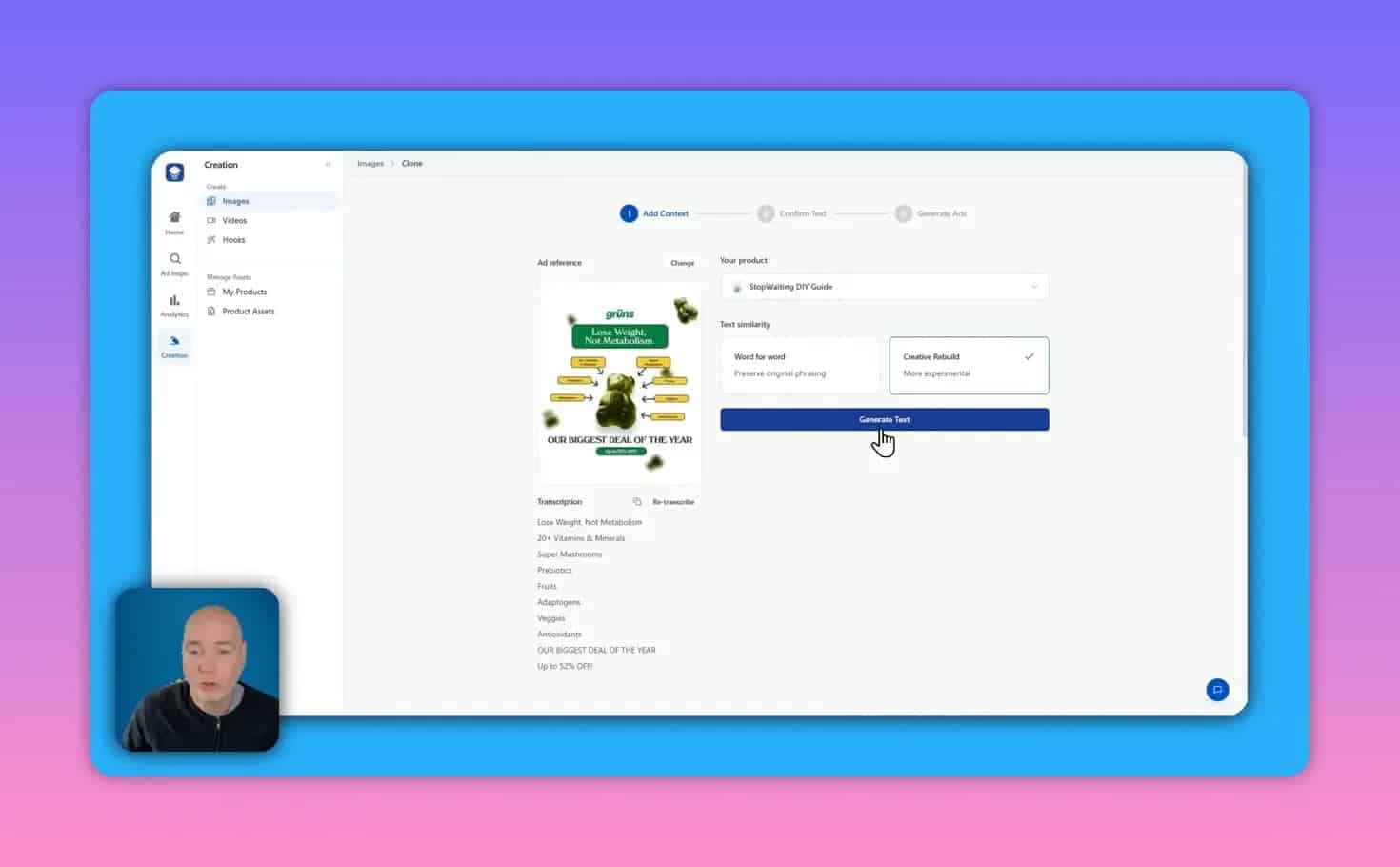
When you clone a template, Skaler first analyses the reference ad. It extracts the text and offers two approaches:
- Word-for-word — keep the original text as-is.
- Creative rebuild — let the system reinterpret the layout and text for your product.
The rebuild can be hit-or-miss depending on how niche your product is. If the AI suggestions miss the mark, it’s easy to edit the copy manually and add your own call-to-actions. After confirming the text, the tool uses your product images and brand colours to generate new creatives.
What the generated results look like
Generations produce multiple variations so you can choose the best direction. In practice this often means a bold header, swapped brand colours, background elements replaced with neutral icons, and the call-outs or microcopy you specify. Downloads are straightforward and ready to upload to ad platforms.

Inspiration without imitation
Skaler uses reference ads for inspiration but does not simply copy them pixel-for-pixel. The output tends to blend the reference style with the product details and brand identity you provide, which reduces the risk of producing throwaway knock-offs while still speeding the creative process.
Spy on brands and competitor creative
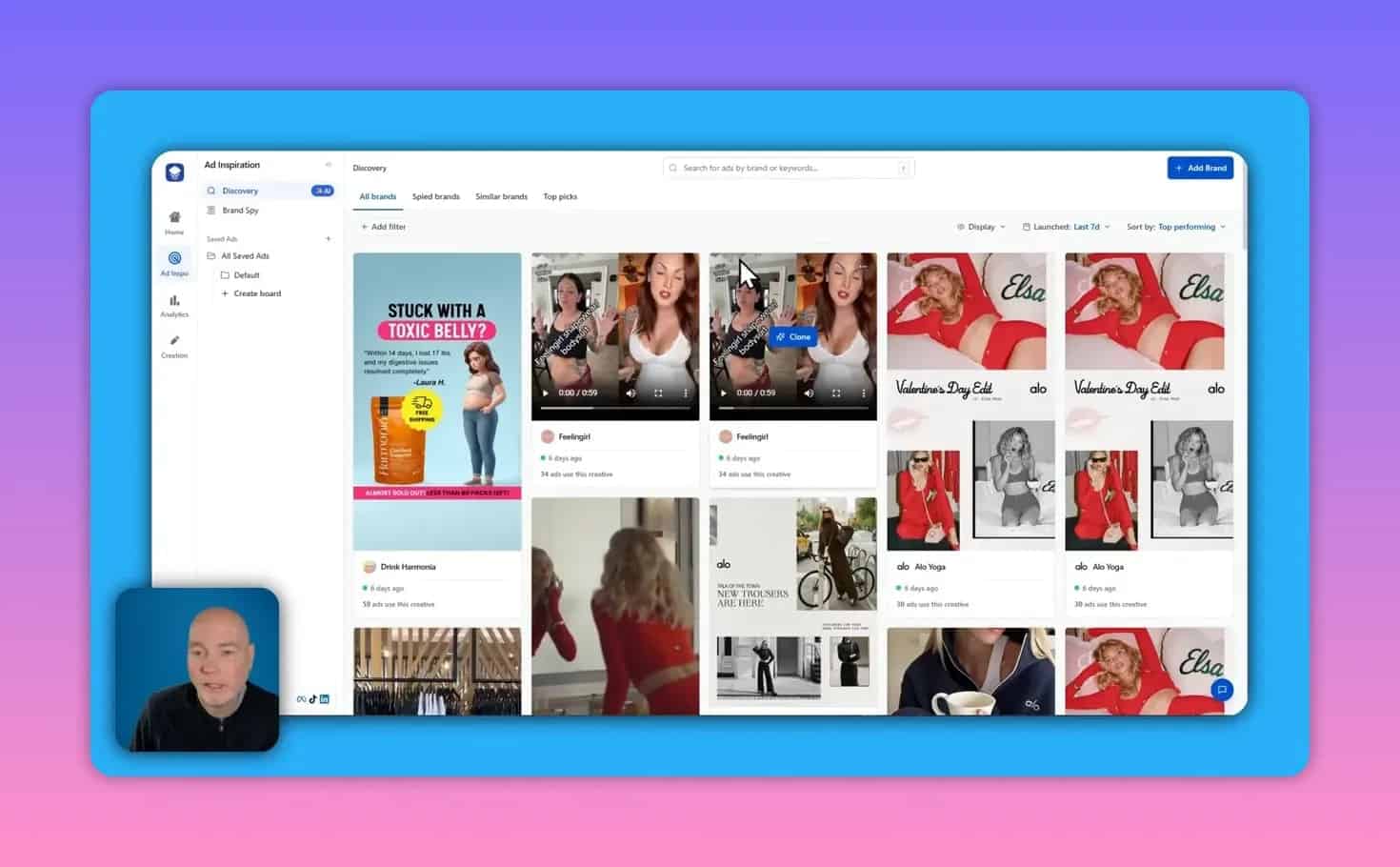
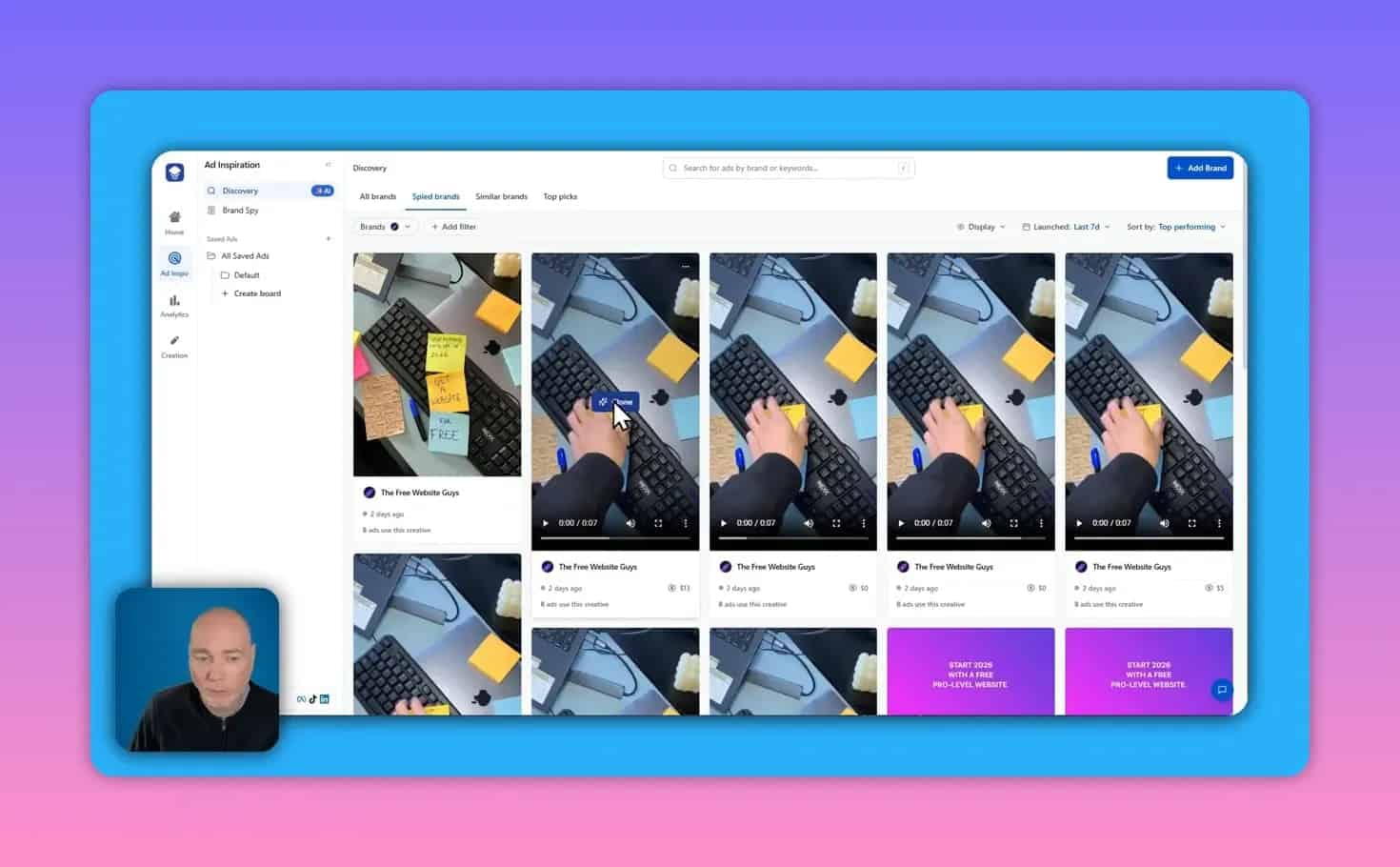
The spy module pulls up live ads a brand is running — videos, image ads, and variations over time. You can filter by recent runs or look at all-time creative to spot trends and creative themes. If you like a competitor’s layout, you can import it as a reference and run it through the cloning workflow.
Product shots: quick professional images
Upload a mock-up or product image, add up to four style instructions (for example, clean white background, luxury presentation), and generate multiple product shots. Results are generally strong when you have a physical product. For digital products the tool will try to simulate real-world placements, which can still be useful for landing pages and ads.
Video generation: useful but still early
Video generation accepts a person description, environment, and a script. It can create short clips with on-screen talents and voice. In practice the image generation is more reliable than voice and lip-sync at present. Voice clips can cut off if the requested duration doesn’t match the script length, and the synthetic voice can sound odd on occasion.
Credits are consumed based on length: for example, a 4-second clip might cost 10 credits, 8 seconds 20 credits, and 12 seconds 30 credits. Expect some trial-and-error while refining prompts for believable dialogue and timing.
Hook generator: one-click copy starters
The built-in hook generator is handy for overcoming writer’s block. Select your product, optionally add ad context, and generate multiple openers that follow different tones — negative, humorous, contrast, or announcement.
Examples include:
- Negative/contrast: Most business owners sink 5K into random ads and still get crickets while smart ones invest in an all-in-one team and watch their calendars fill up.
- Humour: My dog asked me today why our social feels like a ghost town until I got a team that handles everything for me.
- Announcement: Introducing a proven done-for-you marketing system that frees you from DIY chaos and drives your local customers straight to your door.
Practical tips and best practices
- Use AI for inspiration and production, not deception. Avoid passing off AI-generated user testimonials or client videos as real. If you can, gather actual customer UGC — it will always convert better and feels honest.
- Edit generated copy. The AI can give you a fast starting point, but manual tweaks to tone and specifics will improve relevance and CTR.
- Iterate across variations. Run a few different generations to surface the strongest layouts and headlines. Small changes often reveal big lifts.
- Watch credits and costs. Image generation, product shots, and especially video use credits. Choose the right length and number of variations to stay efficient.
- Leverage spying responsibly. Use competitor creative as inspiration, not as a blueprint. Let the system infuse your brand so ads remain original and compliant.
Verdict
Skaler is a solid tool for marketers who want to speed up ad creative production. Image-based cloning and the template library are particularly valuable: they turn ideas into ready-to-run assets quickly. Video generation still needs refinement, especially for voice and natural delivery, so use it with caution.
Overall, the platform works best when you combine AI output with real product photography and human edits. Use Skaler to inspire new creative directions and then polish the results for authenticity and performance.
Try it (availability and links)
Skaler is currently available on AppSumo as part of AI Week. If you decide to explore the deal, there’s typically an affiliate option that supports creators who demo the tool.