
Postiz (often referred to as Postits) is an agentic social media management platform built around AI automation. It is designed to help you create posts, schedule them across multiple networks, and automate parts of your content pipeline without setting up servers or container tooling.
This guide explains what the platform does, how the core workflow works, and which features matter most if you want automated posting, AI-assisted creation, integrations, and analytics. It also covers practical pitfalls to watch for, especially around platform character limits and automation safety.
What Postiz is (and who it is for)
Postiz is a social media scheduler and content system with “agentic” AI features. It supports a fully managed service option where your AI credits and setup are included, as well as a self-hosting approach (the platform supports both models).
It is aimed at creators and teams who want to:
- Schedule content to multiple social accounts from one dashboard.
- Generate copy and media using AI-assisted tools.
- Use AI agents to ideate, refine, and add content to a calendar.
- Automate growth actions like auto-plugging promotional messages on high-performing posts.
- Repurpose content via RSS feeds into social posts.
- Connect external systems through MCP server and API tooling.
If you do not want to manage servers, Docker, or infrastructure, the managed service is the more attractive path.
Key features at a glance
- Multi-channel scheduling: connect many social platforms and manage posting from a shared calendar.
- AI post creation: generate short-form, long-form, and thread-style content, plus optional media creation.
- Built-in media/design tools: create or generate images in the workflow and apply templates.
- AI agent interaction: chat-style co-pilot behavior to help generate ideas and schedule them.
- MCP server integration: connect external AI systems so scheduling and generation can be driven via chat.
- Analytics and media library: see performance signals and reuse AI-generated or uploaded images.
- Auto-plug and auto-repost: automatically add engagement and promotional follow-ups based on like thresholds.
- RSS automation: turn new feed items into social posts and optionally generate the related media.
- Team and developer tools: roles for team members plus API key and settings.
- External video tools integration: includes integrations with video generation platforms (named in the platform materials).
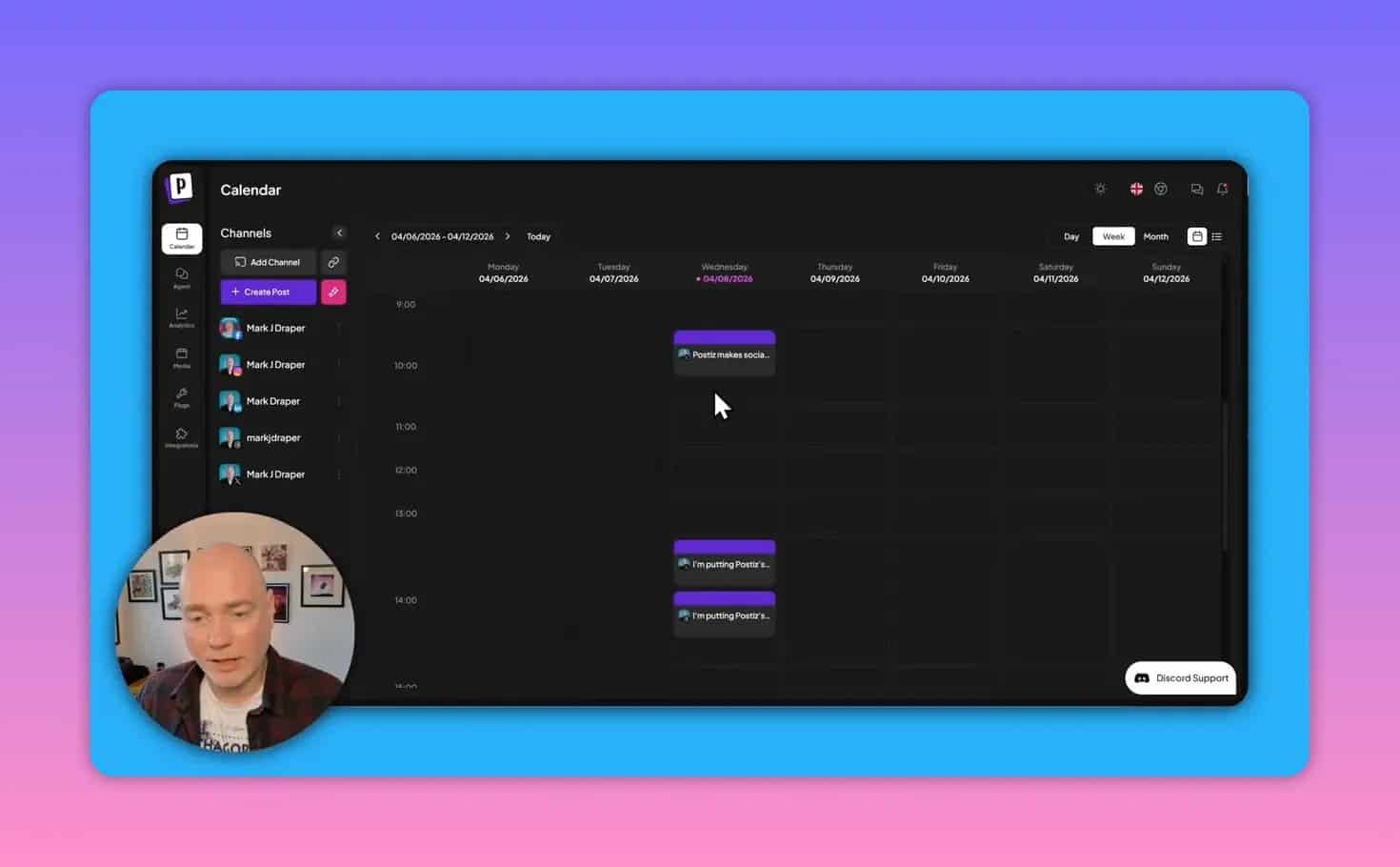
How to set up channels and post scheduling
1) Log in and connect your social accounts
After signing in, you land on a dashboard where you can add accounts by selecting the channel. The platform includes support for a wide set of networks, and you can then connect each one individually so it can schedule and track content.
2) Use the calendar to plan posts
The core day-to-day workflow happens in the content calendar.
- Create a post entry quickly using a plus action.
- Choose which connected accounts should receive the post.
- Schedule for specific days and adjust later.
The calendar is also designed for manual edits. Posts can be rearranged by dragging them to different dates, including alternating schedules across platforms.
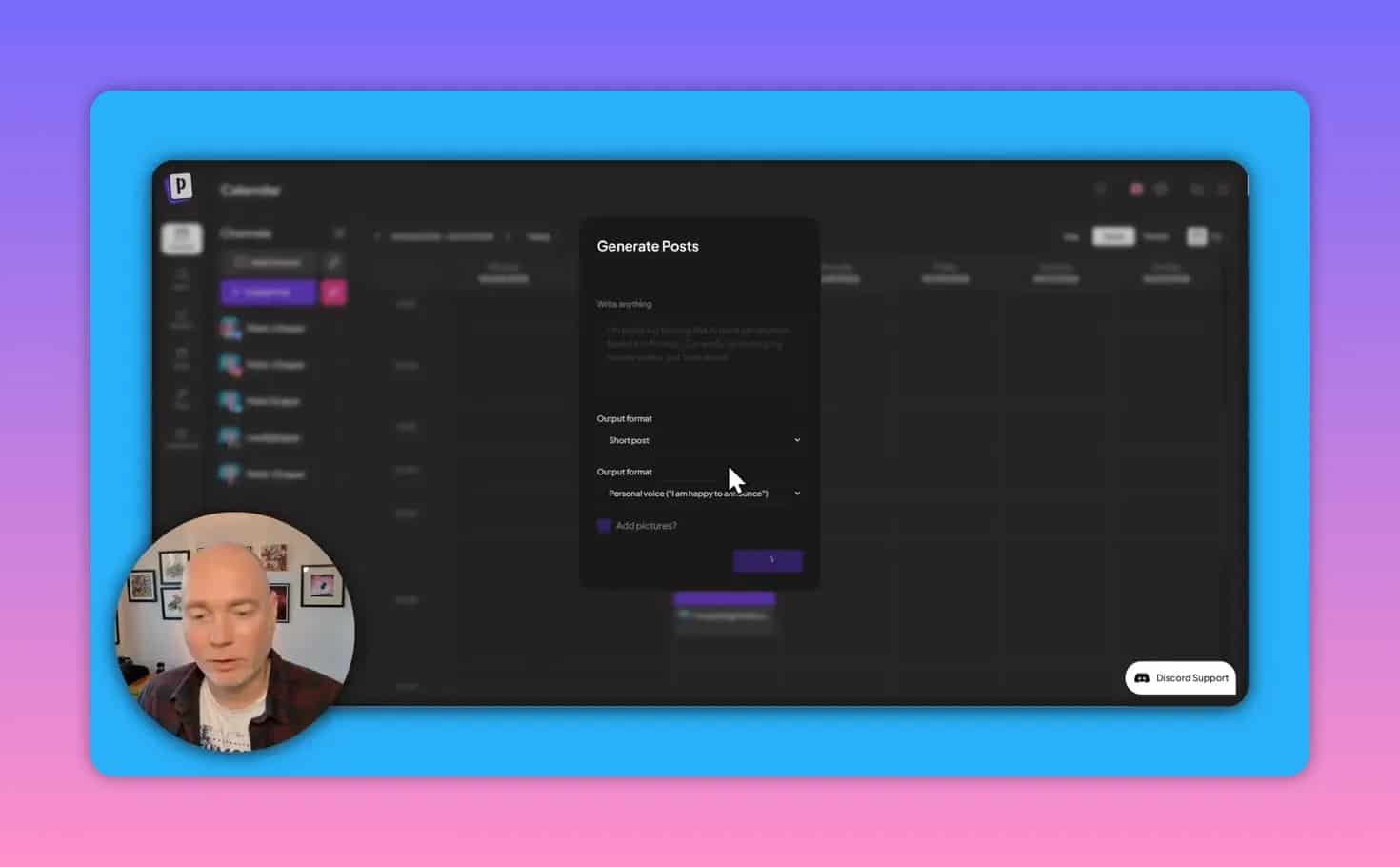
AI-assisted content creation: copy, threads, and platform controls
Postiz includes AI writing assistance inside the posting workflow. When you choose AI help, you can specify the output format such as:
- Short post
- Long post
- Thread with short posts
- Thread with long posts
You can also provide a brief describing your topic and preferred voice, then generate the draft. After generation, you can place the result onto the calendar for the accounts you selected.
Optional platform media and design tools
When creating posts, the platform can also help with media. It includes a design-like editor that resembles a template-driven creator flow (for example, you can generate or design images and reuse templates).
There is also AI image generation in the workflow with options that focus on style selection rather than detailed prompt control in that particular mode.
Important pitfall: character limits may require manual tuning
Even when the tool knows which networks you are using, it may not always keep generated text strictly within each platform’s character constraints. In practice, you may need to:
- Manually adjust the content length.
- Verify character counts for the target network.
- Use small tweaks so posts meet platform rules.
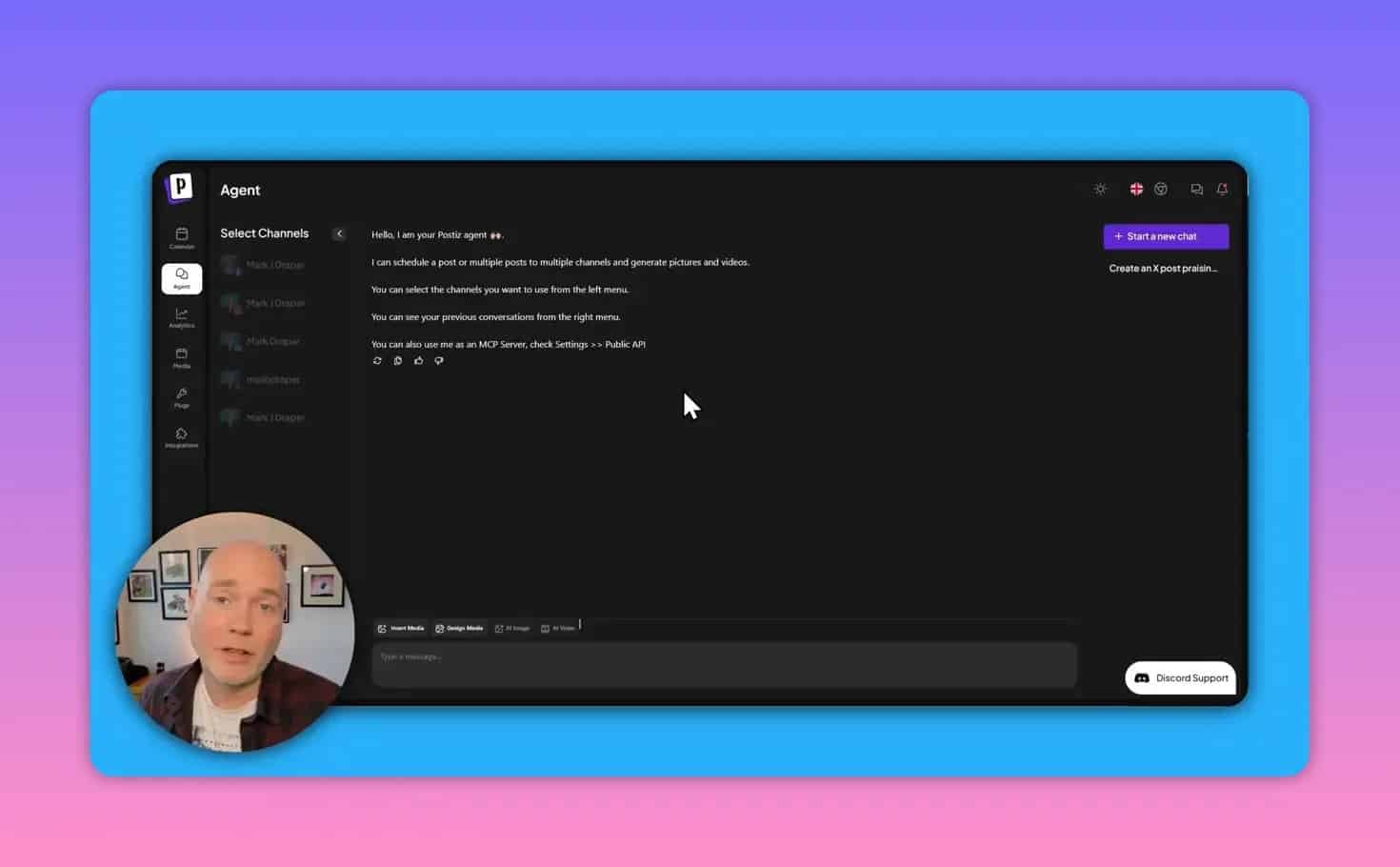
AI agents and MCP server integration (chat-driven scheduling)
One of the more advanced capabilities is the platform’s support for agentic workflows. The platform is built to support a chat-like co-pilot experience where you can:
- Ask for ideas
- Refine drafts
- Generate supporting media requests
- Add content directly into your schedule
It also includes an MCP server built in. If you already use an external AI system (for example, Claude is referenced in the platform materials), you can connect it so that the external AI can help generate and insert content into your content calendar without logging into the scheduling UI for every step.
In practical terms, the MCP-style approach supports workflows like:
- Generate multiple content ideas from a prompt
- Pick one or more items to refine
- Request images or other assets
- Schedule the result for one or more platforms
Analytics, performance tracking, and media library
Once accounts are connected, Postiz provides an analytics dashboard. The platform’s analytics are meant to reflect how content performs after posting.
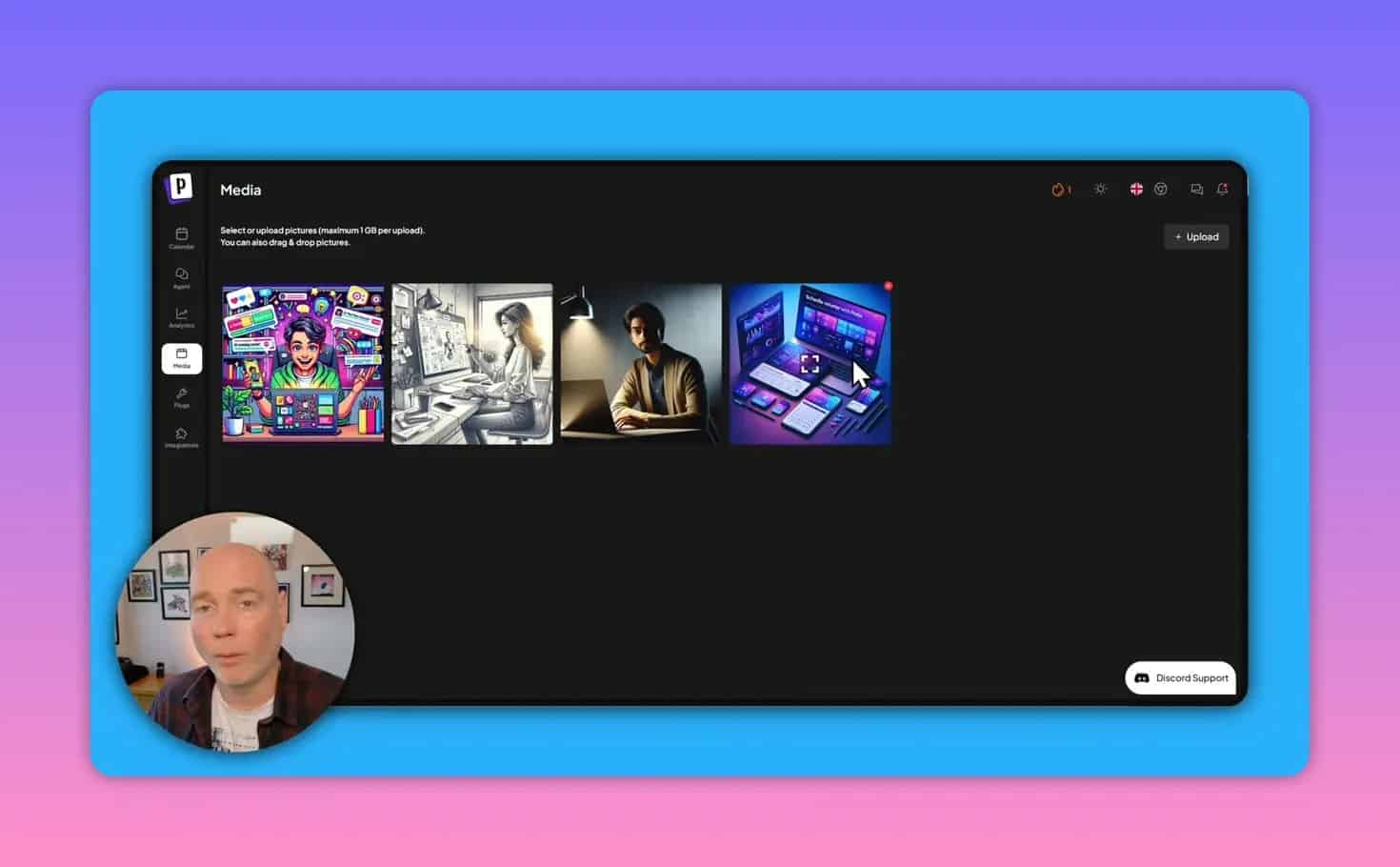
In addition, there is an in-built media library that:
- Stores AI-generated images used in campaigns
- Lets you upload your own images (useful if you prefer your own branding or personal photos)
- Allows selecting the correct media while creating posts
Note about media quality (and why model choice can matter)
In testing, the image generation output for text rendering was described as not particularly strong. That can happen when an older or different image model is used. If your brand depends on crisp text in images, plan to review and adjust outputs, and consider uploading your own assets when necessary.
Auto-plug and auto-repost: growth automation rules
Postiz includes growth-focused automation features that react to engagement thresholds.
Auto-plug (add promotional comments when a post performs)
The auto-plug feature is designed to automatically add another piece of content when a post reaches a specific like count.
How it works conceptually:
- Set a threshold such as “after X likes” (an example like counts is mentioned).
- Define the promotional follow-up message to use (for example, referencing a YouTube page or a downloadable media kit).
- When the threshold is met, the system adds the follow-up.
Auto-repost (engagement-driven republishing)
There is also an auto-repost behavior intended to boost engagement by reposting older posts after they reach a like threshold.
In the platform materials, the behavior is described as applying to posts around a one-week-old window, with like thresholds configured to trigger the repost.
Practical safety tips
- Start with conservative thresholds to avoid excessive promotional activity.
- Test on a single account before enabling across multiple channels.
- Review the promotional message so it aligns with the target network’s culture and your brand tone.
RSS automation: posting from your blog or feed
Another useful automation is RSS-based posting.
With the RSS feature, the platform can:
- Monitor an RSS feed
- Detect new items published via that feed
- Automatically generate and post content to your connected accounts
- Optionally generate images to accompany the post
You can choose which connected accounts receive posts from a specific feed. That allows different feeds to target different networks.
Integrations, team support, and developer access
Team members and roles
Depending on plan tier, you can add team members. Team members can be assigned roles, which is useful for agencies or collaborators managing multiple accounts.
API key, skills, and MCP settings
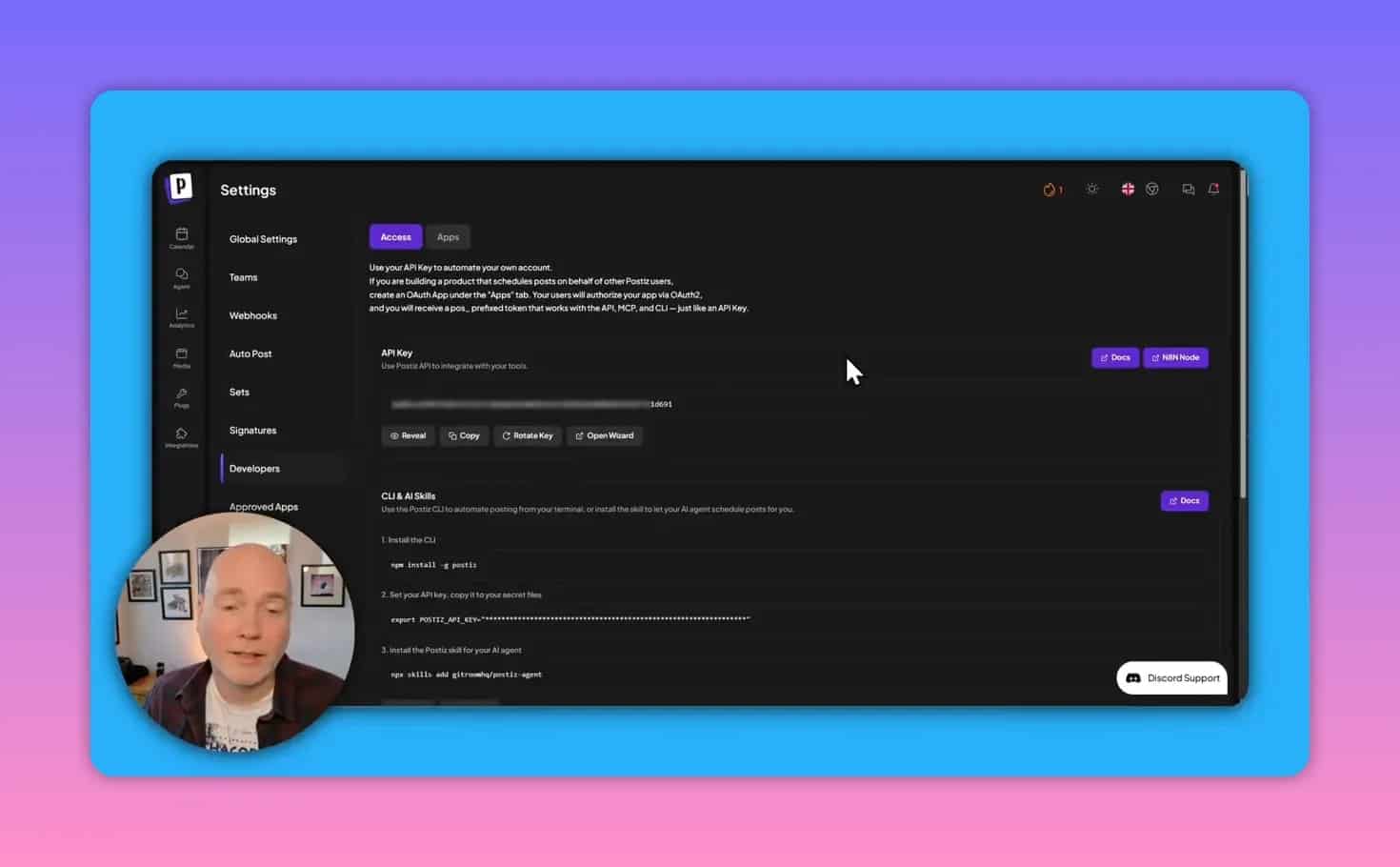
In developer settings, you can access an API key and configuration including skills and MCP server settings. This is aimed at users who prefer to connect Postiz into a broader system rather than doing everything inside the dashboard.
Named integrations with video generation tools
The platform materials mention integrations with video generation providers (named in the feature list). These integrations can be useful if your workflow includes generating short-form video assets, though you should validate fit based on your specific output needs.
Common questions and mistakes
Does AI fully handle platform formatting?
Not reliably. Generated text may require manual edits to satisfy each platform’s character limits. Always verify formatting and compliance per network before posting.
Will auto-plug and auto-repost create spam?
They can if you configure aggressive thresholds and unreviewed messages. Use conservative like thresholds, test one channel, and keep promotional copy on-brand.
Is this only for people who want to self-host?
No. The managed service option is positioned as the easier route because it avoids server and container setup. Self-hosting is available, but the managed approach is the more straightforward path for most users.
Can external AI systems generate content for my calendar?
The platform supports MCP server integration and developer settings that allow connecting external AI workflows so content can be generated and scheduled via chat-style interactions.
Next steps: how to evaluate Postiz for your workflow
- Connect one core channel (for example, the network you post to most) to validate linking and analytics.
- Create a small batch (a week of posts) using AI copy generation plus manual checks for character limits.
- Test media quality for your needs. If text-in-image is important, plan to review outputs or upload your own assets.
- Enable growth automation cautiously by starting with higher thresholds and reviewing the first triggered promotions.
- Set up one RSS feed so content can flow from your publishing pipeline into social scheduling automatically.
- If you use external AI tools, explore the MCP integration and developer settings to see how much scheduling you want to delegate.
Takeaway
Postiz is built for automated social media: AI-assisted drafting, multi-channel scheduling, a calendar-based workflow, media generation and a media library, engagement-driven auto-plug and auto-repost features, and RSS-driven publishing. Its MCP and developer tooling also make it compelling for advanced users who want to orchestrate scheduling through external AI systems.
If your goal is to reduce manual posting work while keeping control over quality, focus on the calendar workflow, verify platform constraints, and start growth automation and RSS automation with conservative configurations.