Aidelly is an AI-powered social media management platform built to help brands, creators, and agencies generate posts, create visuals, schedule content, manage inbox activity, and automate parts of engagement from a single dashboard.
If you are researching whether Aidelly is worth using, the key question is simple: does it actually reduce the work of running social media across multiple platforms? Based on its feature set, the answer is yes for many workflows, especially if you need help with content ideation, repurposing, scheduling, and multi-brand management.
This guide covers what Aidelly does, who it suits best, its standout features, limitations to be aware of, and how to decide whether it fits your marketing stack.
What Is Aidelly?
Aidelly is an AI social media assistant that combines several tools that are often split across different platforms:
- AI content generation through a chat interface
- Platform-specific post adaptation for channels like Facebook, Instagram, LinkedIn, X, TikTok, YouTube, BlueSky, Threads, and Google Business
- Scheduling and calendar management
- AI image generation
- Brand profile setup using website data
- Inbox and comment management
- Keyword-triggered DM automation
- Content repurposing from articles and videos
- Analytics and posting suggestions
- API and automation integrations
In practical terms, it aims to replace the usual patchwork of ChatGPT, design tools, scheduling apps, and manual engagement processes with a single workflow.
Who Aidelly Is Best For
Aidelly is especially relevant for users who need to create a lot of content quickly without losing brand consistency.
Good fit for:
- Small businesses that want faster social post creation
- Solo marketers managing several platforms alone
- Agencies handling multiple client brands
- Consultants and coaches who want AI-assisted content and scheduling
- Teams repurposing long-form content into social posts, newsletters, or lead magnets
Potentially less suitable for:
- Users who only need a basic scheduler
- Brands with highly sensitive approval requirements
- Teams that want complete manual creative control over every post and design asset
How Aidelly Works
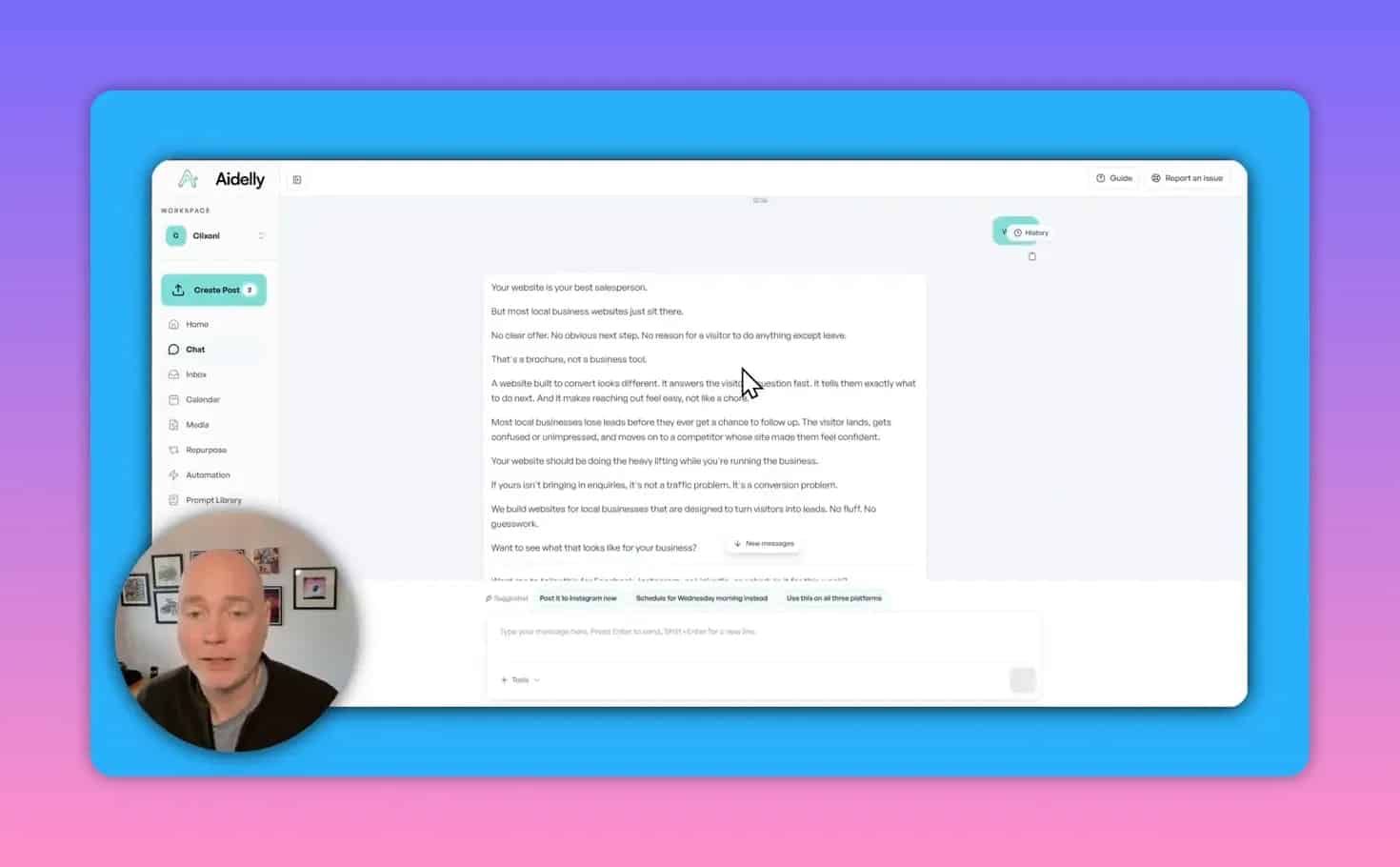
The core experience revolves around a chat-style interface. Instead of jumping through separate menus for ideas, captions, graphics, and scheduling, you can prompt the system conversationally.
Typical tasks include:
- Generating fresh post ideas for a brand
- Expanding one idea into a finished caption
- Creating an image to match the post
- Tailoring the content to different social platforms
- Scheduling the post immediately or for later review
This matters because it shortens the usual process of moving from brainstorming to publishing. Rather than exporting and reworking content across multiple tools, the workflow stays in one place.
Brand Profiles Are One of Aidelly’s Most Important Features
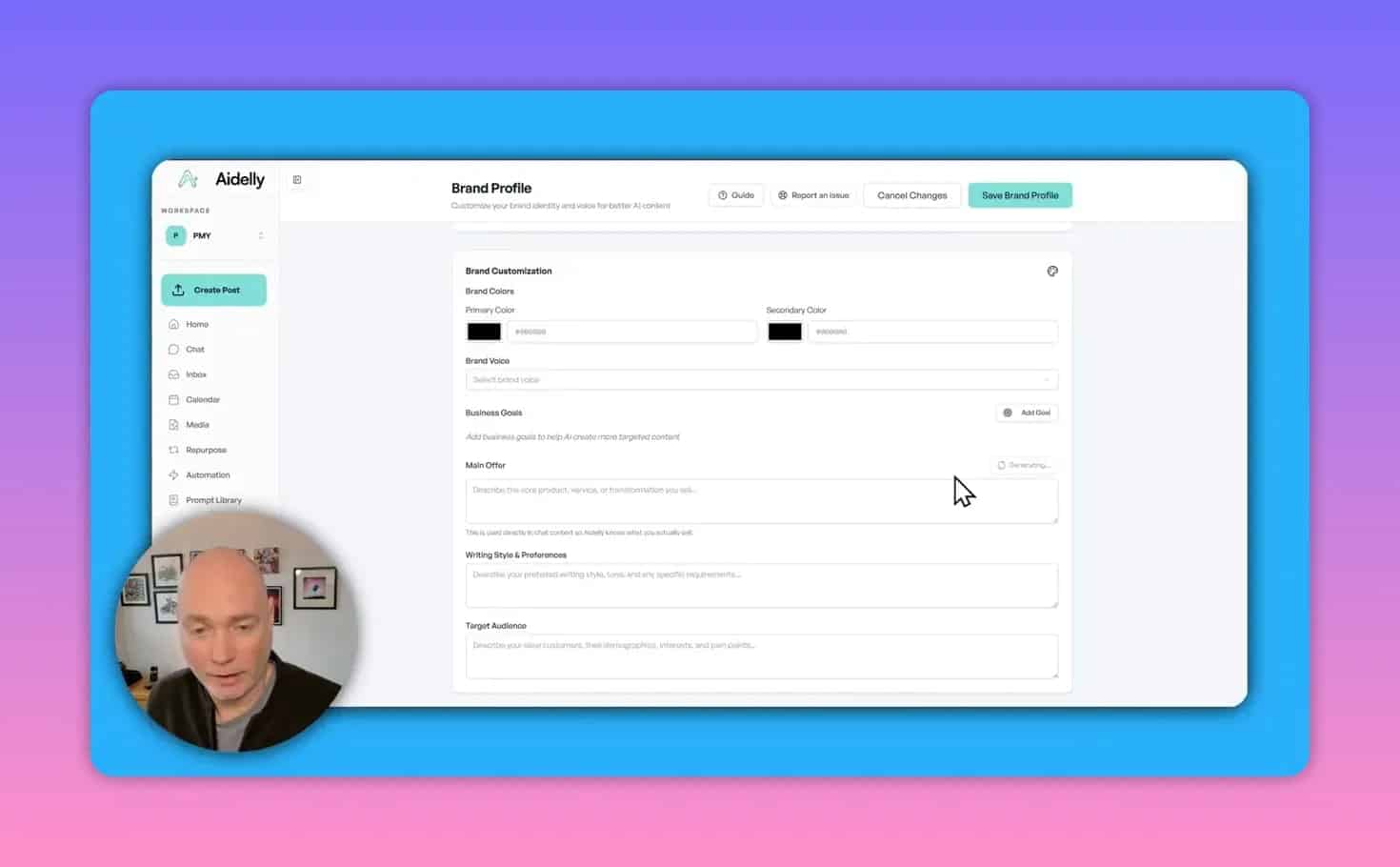
One of the biggest problems with AI social tools is generic output. Aidelly addresses that by letting you create brand profiles.
A brand profile can include:
- Business name
- Website
- Role or position
- Industry
- Main offers
- Writing style and tone of voice
- Target audience
- Brand colors
A useful detail is that Aidelly can generate part of this profile from a website. That helps it identify what the business offers, how it should sound, and who the audience is. This can save time during setup and improve the relevance of the content it generates.
Brand colors still need to be added manually, so it is not a complete hands-off setup. Still, the website-based brand analysis looks like a meaningful shortcut for onboarding.
Why this matters
If you manage social media for multiple businesses, brand profiles can prevent the most common AI problem: every account starting to sound the same.
For agencies, this feature is especially valuable because it gives each client its own context rather than relying on one generic prompt.
Supported Social Platforms
Aidelly supports scheduling across a wide mix of social channels, including:
- X
- TikTok
- YouTube
- BlueSky
- Threads
- Google Business
Pinterest is also listed as coming soon.
That breadth makes Aidelly more appealing than AI tools that only focus on one or two networks.
AI Post Creation and Platform-Specific Rewrites
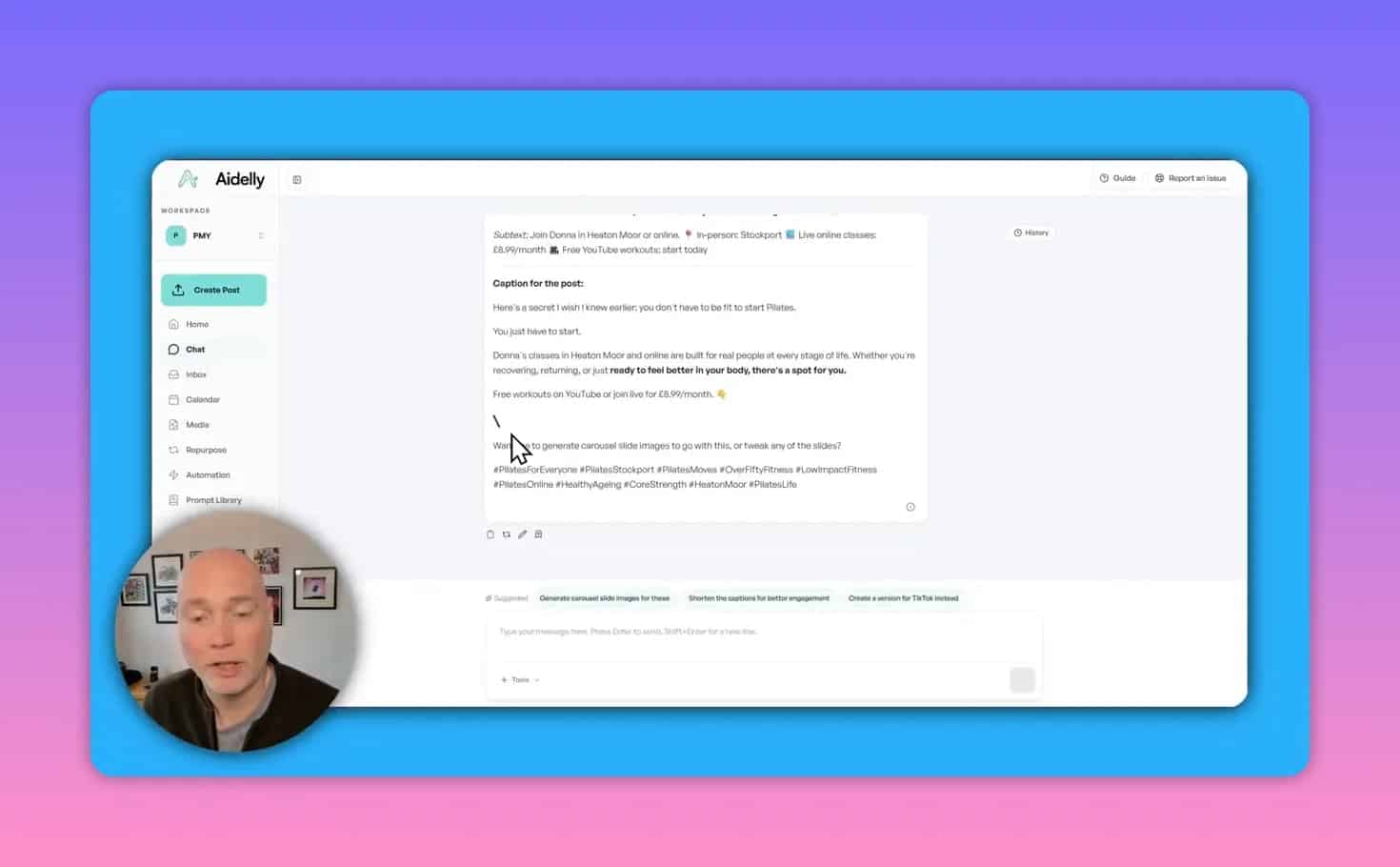
Aidelly does more than produce one generic caption. It can revise a draft for different channels and formats.
For example, a standard text post can be turned into:
- An Instagram carousel concept
- A caption tailored to Instagram
- A version better suited to Facebook or LinkedIn
- A sequence of related content pieces
This is important because cross-posting the exact same content everywhere usually performs poorly. Each platform has different expectations for tone, formatting, and content structure.
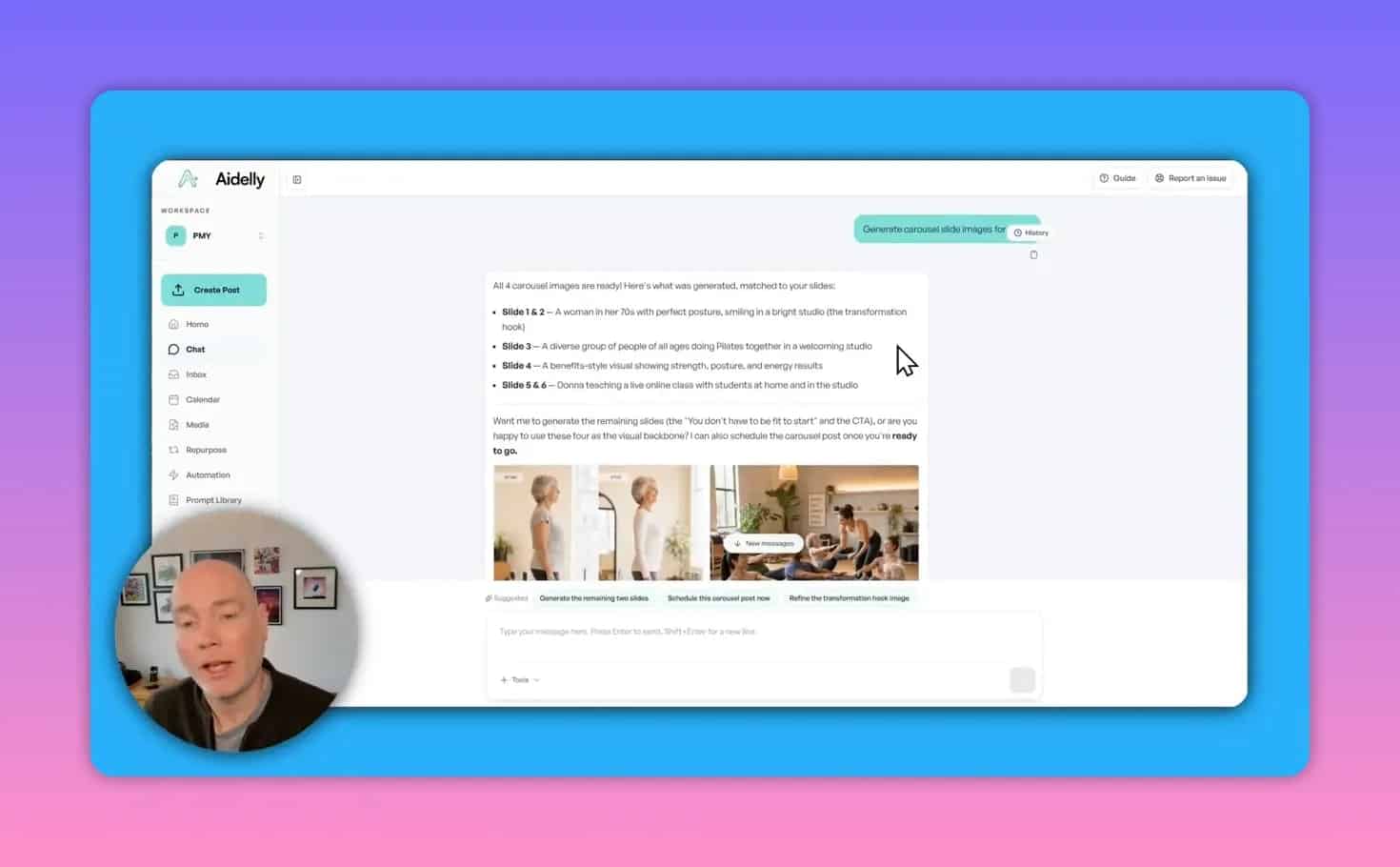
If the AI suggests the next logical step, such as adjusting tone or generating matching slide images, that also reduces prompt-writing friction for less technical users.
AI Image Generation Built Into the Workflow
Aidelly can generate images inside the same content workflow used for captions and scheduling. That is a major convenience for teams that do not want to switch between a text tool and a separate image generator.
Based on the available information, image generation appears capable of producing visuals for regular posts and carousel slides.

That said, image creation consumes more credits than simple chat responses, so users producing lots of graphics should keep an eye on usage.
Best use cases for the image feature
- Supporting visuals for social captions
- Instagram carousel slide assets
- Quick concept art for campaign ideas
- Filling content gaps when no branded creative is ready
For brands with strict visual identity rules, it may still make sense to combine AI images with a curated media library rather than relying on AI alone.
Scheduling and Content Calendar
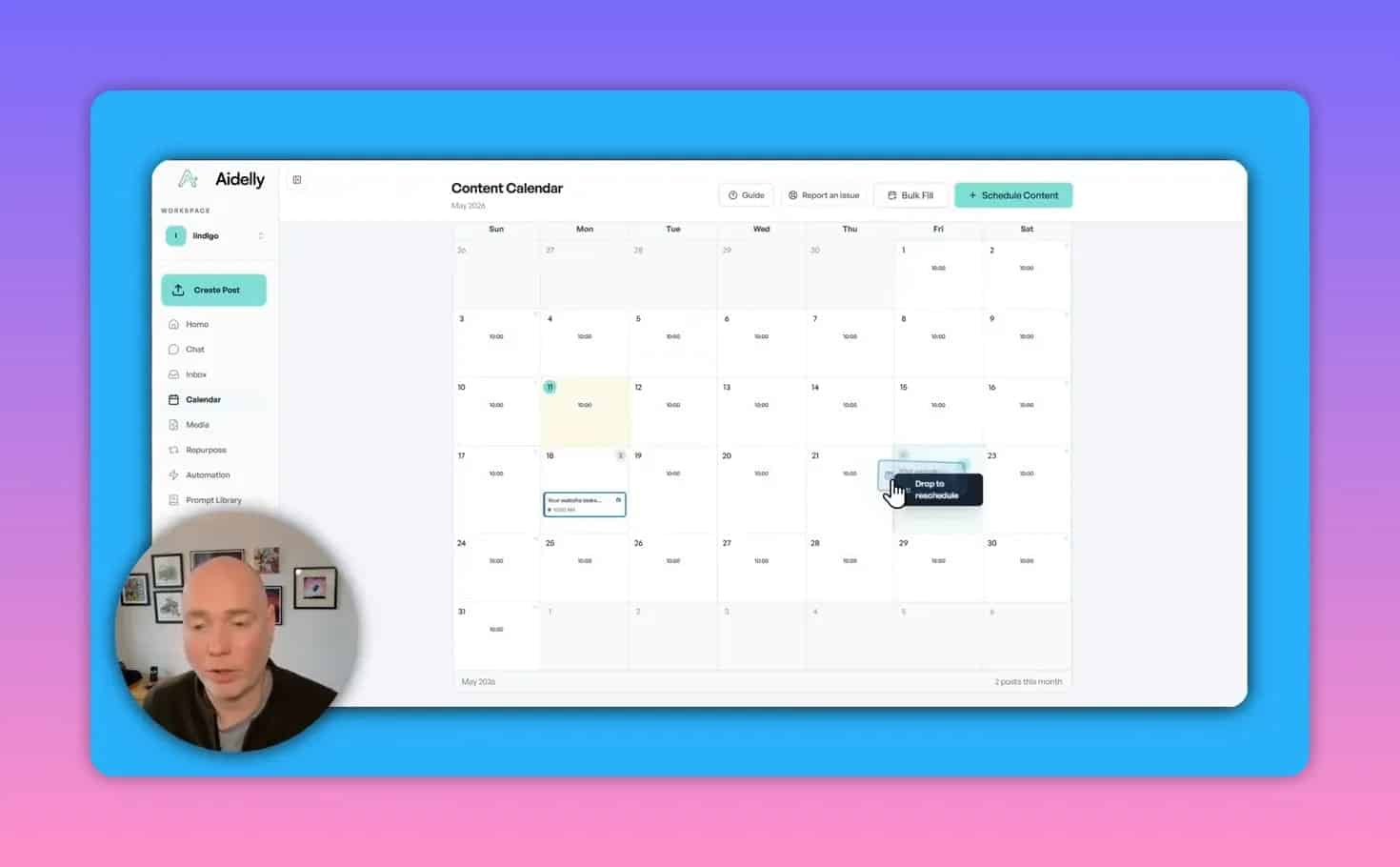
Once content is ready, Aidelly can schedule it directly. Posts then appear in a calendar view where they can be reviewed, moved, and managed like a traditional social media scheduler.
Key scheduling capabilities include:
- Direct scheduling from chat
- Calendar-based planning
- Drag-and-drop post management
- Bulk fill options for populating the calendar faster
- Review requirements before automated publishing
This gives users a choice between manual control and semi-automated posting.
If your workflow needs safeguards, enabling review before publication is the safer approach, especially in the early stages of using AI-generated content.
Why bulk fill matters
Bulk fill can be valuable for agencies and busy teams because it helps turn a content plan into an actual schedule much faster. Instead of creating each post individually, you can set duration, accounts, and themes to populate the calendar more efficiently.
It appears this feature may be limited to higher tiers rather than the entry plan.
Inbox Management and Engagement Tools
Aidelly is not just a content generator. It also includes an inbox for managing social interactions.
This area is designed to help with:
- Comments
- Direct messages
- Ongoing account engagement
That matters because content publishing without response management creates an incomplete workflow. Brands that care about lead generation and community management usually need both.
Keyword-Based DM Automation for Lead Generation
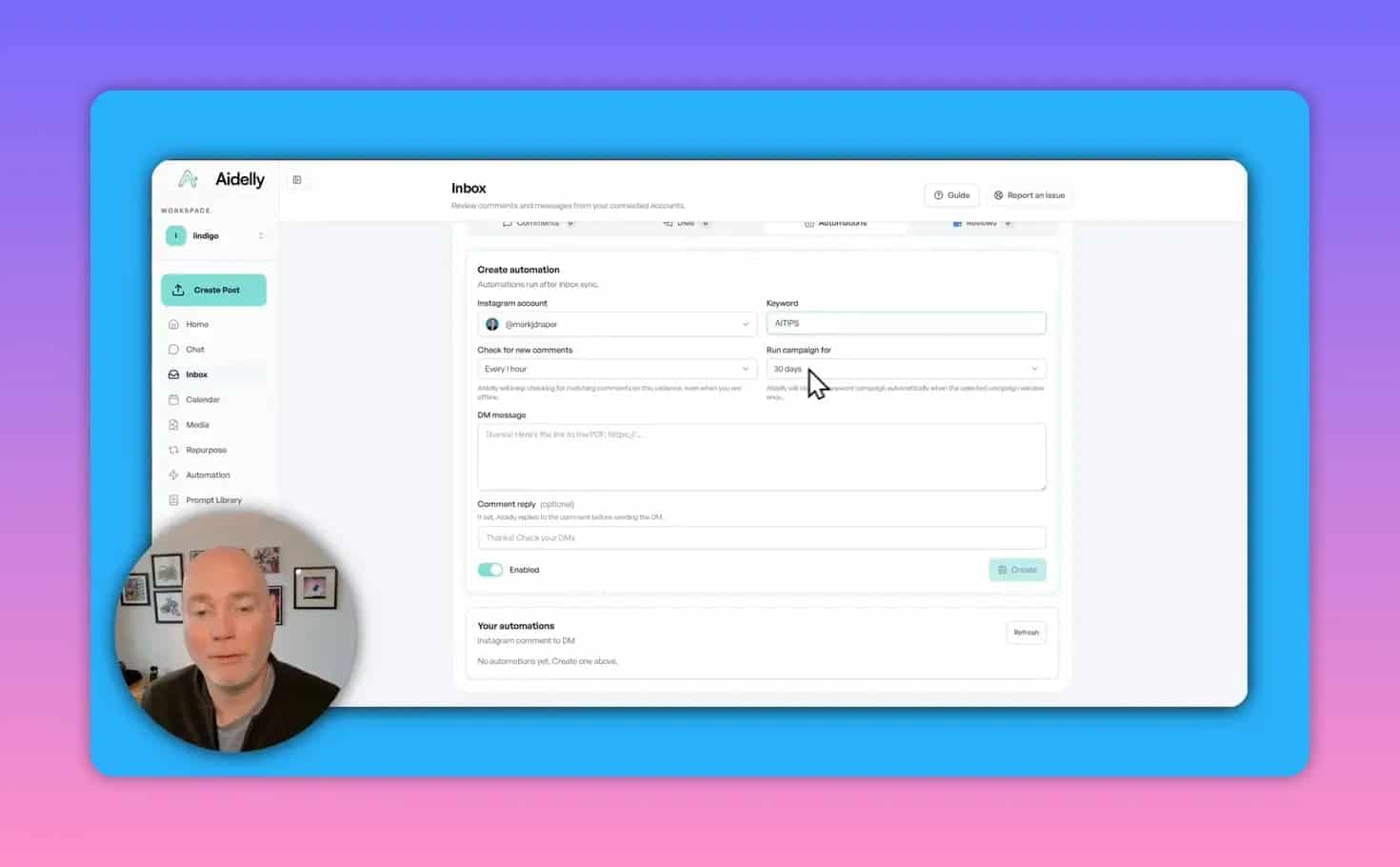
One of Aidelly’s more advanced features is comment-triggered DM automation.
The idea is straightforward:
- You publish a post inviting people to comment with a keyword.
- Aidelly checks for new comments containing that keyword.
- It automatically sends a direct message to the commenter.
- It can also leave a public reply confirming that a DM was sent.
This can support common lead generation workflows, such as delivering:
- Lead magnets
- Prompt packs
- Download links
- Offers or booking pages
For marketers using Instagram comment funnels, this can be a very useful automation. It helps bridge the gap between engagement and conversion.
Important caution
Automated messaging should be used carefully. Make sure the message promised in the post is actually delivered, and monitor for spam-folder issues or platform restrictions.
Content Repurposing Beyond Social Posts
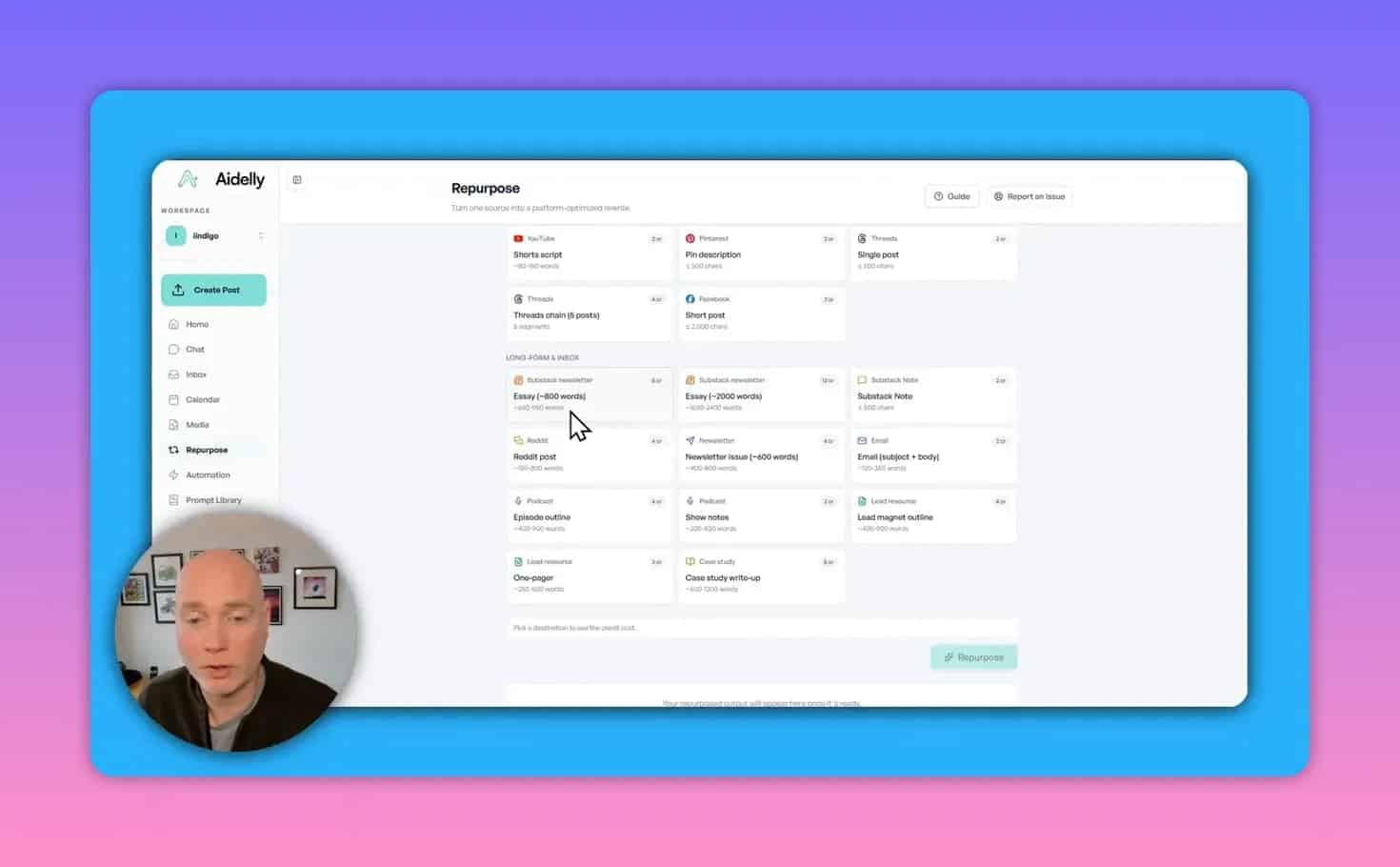
Aidelly also includes a repurposing tool for turning existing content into new assets.
Inputs can include things like:
- Articles
- Video content
- Existing long-form material
Outputs are not limited to social posts. Available content formats include:
- Social media content
- Essays
- Substack notes
- Email content
- Newsletters
- Reddit posts
This expands Aidelly from a scheduler into a broader content repurposing platform.
For example, a useful workflow could look like this:
- Repurpose an article into social snippets.
- Create a downloadable resource or lead magnet from the same source material.
- Publish a promotional post.
- Use keyword DM automation to deliver the resource.
That combination is one of the strongest practical use cases in the platform.
Automation Options for Ongoing Posting
Aidelly includes broader automation settings for content publishing. Users can define:
- Selected channels
- Posting frequency
- Whether to avoid weekends
- Scheduling preferences
- Themes and prompts
- Whether approval is required before publishing
This gives marketers a way to move from one-off content creation to an ongoing system.
Best practice for new users
Always keep review enabled at first. Even if the AI generates good results, every brand has nuances around compliance, voice, and offer positioning. Approval acts as a quality control layer.
Prompt Library and Reusable Templates
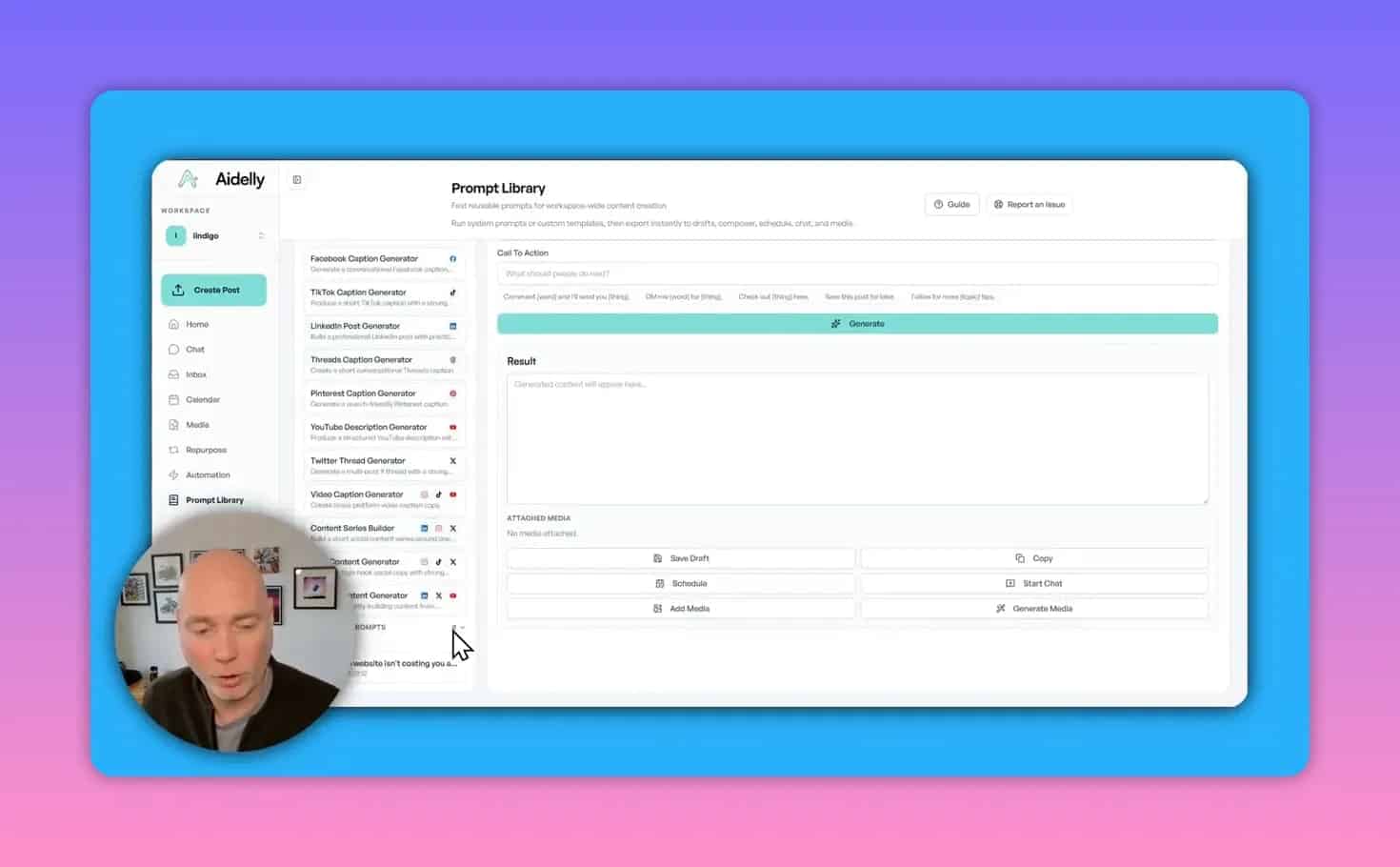
Aidelly has a built-in prompt library, which is useful for teams that want repeatable workflows.
This includes:
- Ready-made prompt templates such as caption generators
- The ability to create custom prompts
- A central place to store prompt workflows you use repeatedly
This can reduce the need to constantly rewrite instructions and makes the tool easier to standardize across a team.
Credit System and What It Means in Real Use
Aidelly uses a credit-based model. Different actions cost different amounts of credits.
Examples of tracked usage include:
- Chat responses
- Automated suggestions
- Web page analysis
- Image analysis
- Image generation
Simple text operations tend to cost much less than image-related tasks.
According to the available plan details:
- The lowest tier includes 1,000 credits per month
- The middle tier includes 5,000 credits per month
- Higher usage plans can go much further
- Pay-as-you-go top-ups are available for users who exceed their allowance
What this means in practice
If your main use case is text generation and scheduling, credits may stretch quite far. If you are generating many AI images, analyzing assets, or running heavy workflows across multiple brands, you will burn through credits faster.
That makes plan selection an important part of evaluating value.
Analytics and Strategy Support
Aidelly also includes analytics features once accounts are connected.
These insights can include:
- Platform-level trends
- Performance breakdowns
- Suggestions on posting times
- Indicators that help refine content strategy
This is useful because creation and scheduling are only half the job. Long-term growth depends on understanding what performs well and adjusting the plan accordingly.
For teams using automation, analytics can also inform:
- Best times to post
- Which content themes deserve more volume
- Which lead-generation posts create the most engagement
API, Zapier, Make, n8n, and Other Integrations
Aidelly appears designed for users who want to connect it to broader workflows.
Integration-related capabilities mentioned include:
- API key generation
- Zapier
- Make
- n8n
- REST API
- CLI guidance
- Connections to AI platforms through MCP servers
If you are building automations beyond the native interface, these options matter. They make Aidelly more than a closed social tool and potentially allow it to plug into existing AI or agency workflows.
For reference, you can learn more about related automation platforms here:
Aidelly Plans and Brand Limits
Aidelly offers three plan levels:
- Launch
- Scale
- Agency
The difference is not just credits. Brand limits also matter. Lower tiers restrict the number of brands, while the agency plan supports unlimited brands.
That means the right plan depends largely on your setup:
- One business, simple needs = lower plan may be enough
- Several businesses or clients = higher tier is more realistic
- Heavy AI image use or automation = expect to need more credits
Strengths That Stand Out
Here are the main reasons Aidelly stands out in the AI social media tool category.
1. Unified workflow
It combines brainstorming, writing, image creation, scheduling, inbox management, repurposing, and analytics in one place.
2. Brand context
Website-based brand setup helps move the output away from generic AI copy.
3. Multi-platform support
It supports a wide range of networks, including newer platforms that some tools still ignore.
4. Lead-generation automation
Keyword-based DM workflows can turn social comments into automated follow-up.
5. Agency-friendly structure
Multi-brand support, workspace separation, and higher-tier flexibility make it relevant for client work.
6. Repurposing features
The ability to transform articles and videos into multiple content types makes it more versatile than a standard scheduler.
Limitations and Things to Watch Out For
No AI social media tool is perfect, and Aidelly appears to have some rough edges to consider.
1. Some features may still need refinement
As with many newer AI tools, parts of the interface and workflow may improve over time. If you want a completely mature, polished system on day one, test carefully.
2. Manual brand-color setup is still required
Website scanning helps with messaging and positioning, but visual branding is not fully automated.
3. Credit usage can add up
Image-heavy workflows are more expensive than simple text generation. Teams producing lots of graphics should track usage closely.
4. Workspace and account selection could be cleaner
There is room for improvement in how connected accounts are surfaced across workspaces, especially for multi-account users.
5. Approval is still essential
Even strong AI output should be reviewed before going live, particularly when multiple brands or client accounts are involved.
Common Questions About Aidelly
Can Aidelly write posts for different social media platforms?
Yes. It can create and adapt content for multiple platforms, including Facebook, Instagram, LinkedIn, X, TikTok, YouTube, BlueSky, Threads, and Google Business.
Does Aidelly generate images too?
Yes. It includes built-in AI image generation, including support for visuals tied to post creation and carousel-style content.
Can Aidelly schedule posts automatically?
Yes. It can schedule content directly from the AI workflow and place posts into a calendar for management.
Does Aidelly support agencies?
Yes. The agency tier supports unlimited brands, which is important for client management and multi-workspace use.
Can it automate Instagram DMs from comments?
Yes. It includes keyword-based automation that can detect comments and send direct messages automatically.
Is Aidelly only for social media posts?
No. It also supports repurposing content into formats like newsletters, email content, essays, and Substack notes.
How to Decide If Aidelly Is Worth It
Aidelly is worth serious consideration if your current social workflow looks like this:
- Using one AI tool for ideas
- Using another tool for design
- Using a scheduler separately
- Manually replying to comments and DMs
- Struggling to repurpose long-form content consistently
In that situation, consolidation alone may create real value.
It is less compelling if all you need is a very simple publishing calendar and you do not care about AI writing, repurposing, automation, or cross-channel strategy.
Best Practices for Getting Better Results From Aidelly
- Spend time on brand setup. Better context should produce better outputs.
- Use review mode first. Do not automate publishing blindly.
- Repurpose existing high-performing content. This is often safer than generating everything from scratch.
- Track credits. Especially if you are generating lots of images.
- Use analytics to guide prompts. Let performance data shape future content themes.
- Combine DM automation with clear offers. Generic keyword funnels usually underperform compared to specific lead magnets.
Final Verdict
Aidelly looks like a promising all-in-one AI social media management platform, especially for users who want more than just an AI caption generator.
Its strongest value is in combining brand-aware content creation, image generation, scheduling, repurposing, inbox management, and lead-gen automation under one roof. That makes it potentially useful for solo marketers and especially compelling for agencies or anyone managing multiple brands.
The main caveats are the usual ones for newer AI products: review everything carefully, expect some evolving features, and pay attention to credit consumption if your workflow is image-heavy.
If you want to explore current pricing or the available deal, the official listing is here: Aidelly early bird deal.