LightX is an AI-powered creative platform that combines image editing, design generation, mockups, animation, and a built-in video editor in one place. If you are comparing AI design tools or trying to decide whether LightX is worth using, the key question is simple: can it replace several separate tools for day to day creative work?
Based on the available feature set, LightX is strongest for people who want fast AI-assisted content creation without jumping between multiple apps. It covers practical photo tasks, creative generation, ecommerce mockups, and basic video production, all inside one interface.
What LightX does well
LightX sits somewhere between a traditional editor and an AI-first design suite. Instead of adding a few AI extras on top of a standard design app, it appears built around AI generation from the start.
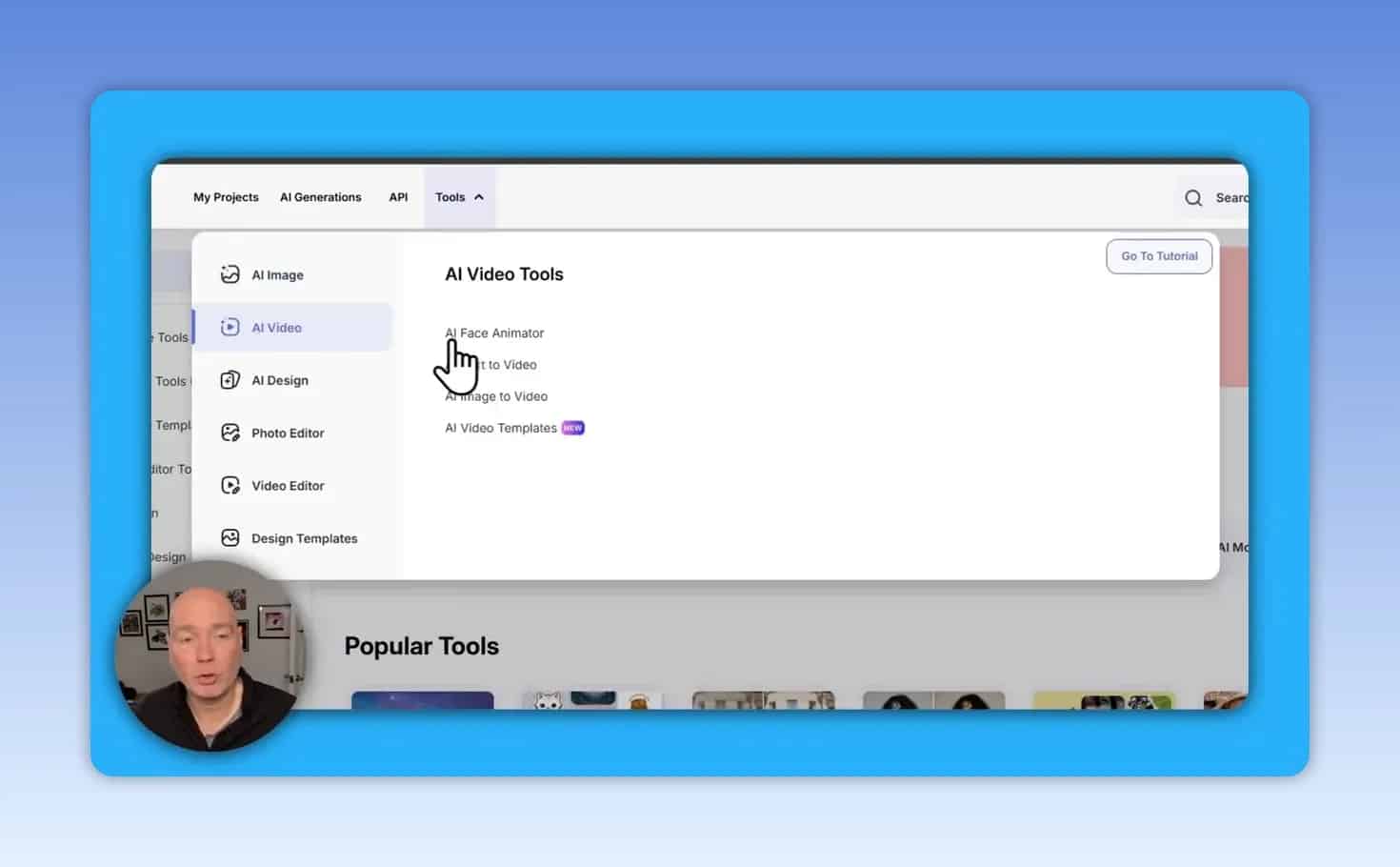
Its toolset spans several categories:
AI image editing such as colorization, retouching, background removal, resizing, and cutouts
Practical cleanup tools like watermark removal
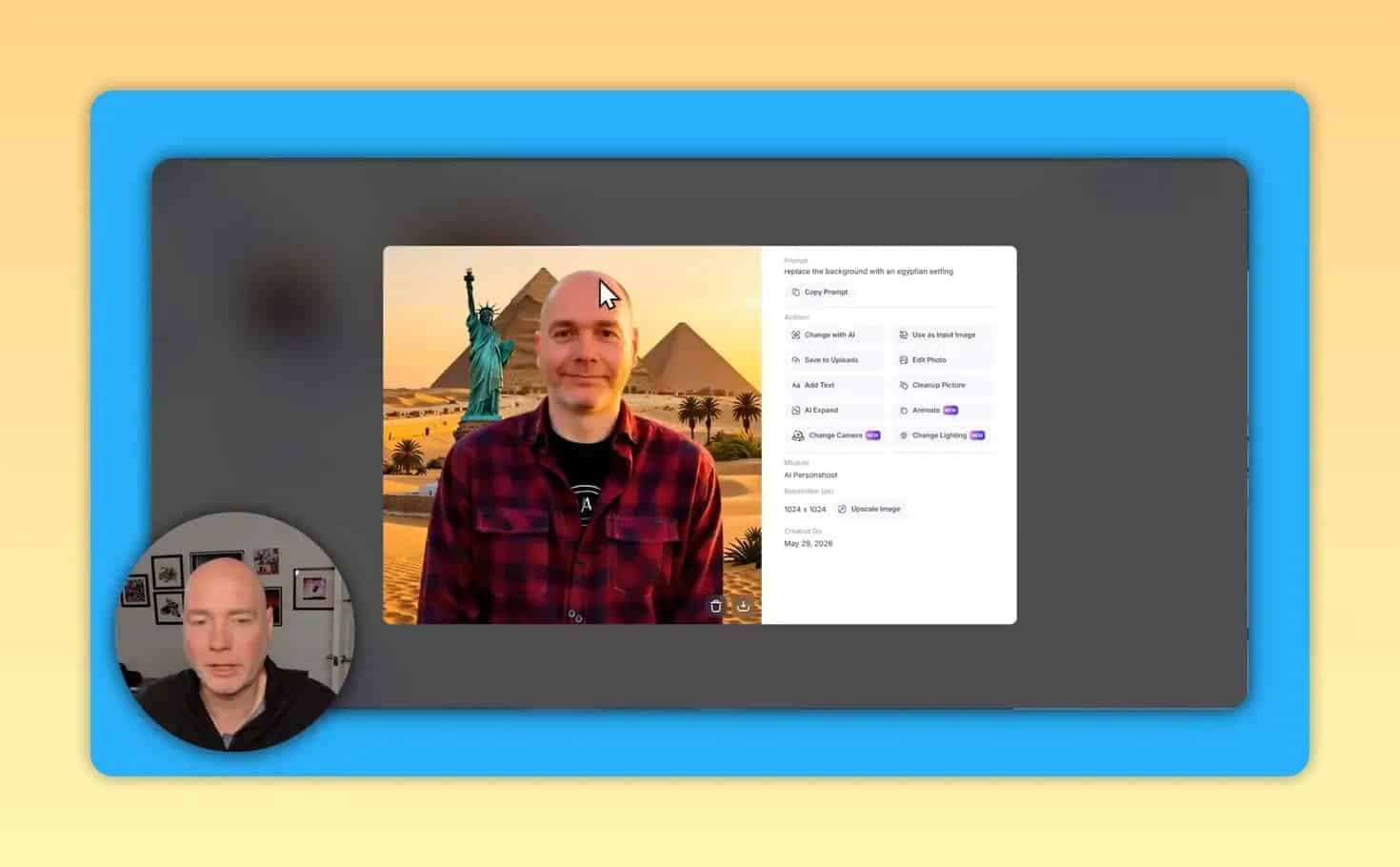
AI photo shoot tools for changing backgrounds, styles, and outfits with prompts or presets
Product mockups for ecommerce and marketing visuals
Image-to-video animation for turning a static visual into a short clip
Timeline-based video editing with titles, media, graphics, and music
Design generation and templates for logos, posters, ebook covers, social posts, and more
That breadth is the main selling point. It is not just for one narrow use case.
Who LightX is best for
LightX looks most useful for:
Content creators who need images, short videos, and quick social graphics
Ecommerce sellers who want product mockups without a full photo shoot
Marketers creating ads, promos, covers, and campaign assets
Small businesses that want an all in one creative workflow
Designers and non-designers who want templates plus AI tools in the same platform
If your workflow includes both image and video work, LightX has more appeal than a tool focused only on AI art or only on photo retouching.
Core LightX features explained
1. Photo colorization
One of the more practical features is AI photo colorization. This is aimed at older black and white images, where the platform generates color automatically and lets you export the result as a JPEG.
For anyone digitizing family archives or restoring historical photos, this can be a useful time saver. The output shown handled grass, buildings, clothing, and machinery in a believable way, which suggests the tool can be effective for basic restoration work.

2. Watermark removal
LightX also includes a watermark remover. This is one of those features people either urgently need or never think about, but when you need it, it matters.
It is positioned as a practical cleanup tool for images where text or marks cover the photo. In testing, it removed a large visible watermark from an image and produced a cleaner version.
Use this responsibly and only where you have the right to edit the image.

3. AI photo shoots and background changes
This is one of the more flexible parts of the platform. You can start from a portrait and either:
choose from built-in presets
write your own prompt
change the setting or style of the image
experiment with outfit and background variations
Preset categories include themes such as fitness, maternity, baby, wedding, birthday, destination, and more. That makes it useful for people who want speed and do not want to craft prompts from scratch.
Custom prompting is where you can push it further. For example, you can ask for a different location or atmosphere. Results may still need prompt refinement, especially if parts of the original image are unintentionally preserved.
That is fairly normal for generative editing. The main takeaway is that LightX gives you both a preset path and a prompt-based path.
4. AI product mockups
For ecommerce users, this is one of the standout features. You can upload a product image, select a mockup style, and generate a polished presentation scene without setting up props, lighting, or a full studio environment.
The workflow is simple:
Upload the original product photo.
Choose a preset or custom concept.
Generate the mockup.
Optionally add text, expand the design, clean it up, or download it.
This can be especially useful for:
storefront images
social media promos
landing pages
ad creatives
seasonal campaign visuals

5. Image animation
After generating a product mockup, LightX can animate it into a short video clip. You can prompt the animation, such as asking for camera motion around the product.
The generated clip in the example was about five seconds long. This is a useful feature for creating quick motion assets from static images, although the exact result may vary depending on your prompt.
For ecommerce and social content, even a short animated clip can add more impact than a still image.
6. Built-in video editor
LightX does not stop at generating the animated clip. It also includes a video editor with a timeline, which makes the platform more complete than many AI image tools.
The editor supports:
titles
extra media
graphics
music
export up to 1080p
That means you can create a mockup, animate it, then finish the clip without leaving the platform. For short promotional content, that is a strong convenience advantage.

7. AI design generation and templates
LightX also covers broader design tasks. You can generate assets like:
logos
posters
text monograms
product packaging
birthday cards
ebook covers
When the first output is not ideal, the platform gives you ways to regenerate, edit, or crop the result. That is important because AI-generated designs often need a second pass.
If you prefer a more manual route, there are also built-in design templates for social graphics, invitations, posters, and video content.

How the credit system works
Credits are central to using LightX, so this is the part many people will care about most.
From the details shown:
many image actions cost 2 credits per generation
video generation can cost 20 credits per generation
generated items are stored so you can revisit previous outputs
This means still image work is relatively affordable in credit terms, while AI video will consume credits much faster.
A practical way to think about it:
Image-heavy users will likely stretch credits much further.
Video-heavy users may need a larger plan or extra credits sooner.
If most of your work is product shots, background swaps, design covers, or cleanup edits, the credit model looks far more forgiving than if you plan to create frequent animated outputs.
One-time credits, not unlimited monthly use
An important detail is that the deal discussed used one-time credits, not recurring monthly credits. So if you buy a bundle with a set number of credits, those credits are meant to be spent down rather than refreshed every month.
That distinction matters. It makes LightX potentially attractive for occasional or project-based use, but less ideal if you expect endless daily generation without buying additional credits.
LightX pricing mentioned in the available details
The pricing details shown were:
$39 for lifetime access with 4,000 credits
$99 for a higher tier with 12,000 credits
Additional one-time credits could also be purchased separately, either via the deal source or directly on the platform.
If you want to check the current offer page, the referenced listing is available on AppSumo.
As with any deal platform, prices and terms can change, so confirm the latest details before buying.
Desktop, mobile app, and API differences
There are some important usage differences across versions.
Desktop experience
The desktop version appears to be the main environment for the full workflow shown, including image editing, generation, templates, animation, and video editing.
Mobile app
The mobile app was reported to show a pro account, but the same credit allocation did not carry over in the same way. Clarification indicated that the deal credits did not include mobile app credits.
So if you plan to work primarily on mobile, check that limitation carefully.
API
LightX also has an API option for workflow integration. However, the API credits were described as separate from the credits used inside the main platform, and not included in the same deal credits.
For developers and automation-focused teams, that means the API may need to be evaluated as a separate purchase decision.
What LightX feels like compared with Canva-style tools
A useful way to frame LightX is this: it behaves like a broad design platform, but with stronger emphasis on AI generation from the start.
That does not automatically make it better than a tool like Canva for every person. It depends on your needs.
LightX may be a better fit if you want:
more AI-driven creative generation
image-to-video animation
integrated mockup workflows
a mix of design templates and generative editing
A more traditional design suite may still suit you better if you mostly want manual layout control and a very mature template workflow with minimal credit-based usage.
Common limitations and things to watch out for
No AI creative tool is perfect, and LightX has some tradeoffs to keep in mind.
1. Prompting still matters
Background swaps and AI photo shoots can produce imperfect details if the prompt is too vague. If an unwanted object or visual element remains, you may need to refine the instructions and regenerate.
2. Video uses credits much faster
The jump from 2-credit image actions to 20-credit video generations is significant. This is probably the biggest practical consideration for regular users.
3. Some AI-generated designs may need cleanup
Covers, posters, and promotional visuals can look good quickly, but not every output will be production-ready on the first try. Regeneration, cropping, or editing may still be needed.
4. Mobile and API usage are separate considerations
If you assume your desktop credits automatically cover everything else, that could lead to confusion. The available details specifically noted differences for mobile and API credits.
Best use cases for LightX
LightX makes the most sense when you want speed and variety more than deep specialist control.
It is especially well suited for:
Restoring old photos with colorization and retouching
Cleaning up images with watermark removal and editing tools
Creating polished portraits with AI photo shoot presets and prompts
Generating product visuals for ecommerce listings and ads
Turning static images into short promos using animation plus the video editor
Designing quick marketing assets like posters, covers, and social graphics
Is LightX worth it?
LightX looks worthwhile if you want an all in one AI image and video editor and your workflow spans multiple content types. Its main strength is convenience. You can generate, edit, animate, and export without constantly switching platforms.
It is likely a better value for people who focus mostly on image generation and editing, because those actions appear relatively cheap in credit terms. If your main goal is frequent AI video generation, the credit cost becomes a much bigger factor.
For creators, marketers, and ecommerce sellers who want one workspace for fast visual production, LightX has a compelling feature mix.
Quick verdict
Best for: creators, ecommerce sellers, marketers, and small teams needing image plus video tools
Biggest strengths: broad AI toolset, product mockups, built-in video editor, templates, practical image tools
Main caution: video generation burns through credits much faster than image tasks
Worth considering if: you want a Canva-style creative platform with heavier AI capabilities
For broader context on AI image editing and generative media, Adobe also provides useful background on AI photo editing tools and how these workflows are evolving.