A NAS can replace a file server for small teams or home offices with basic file-sharing needs. You’ll benefit from lower power consumption, simplified management, and reduced upfront costs. However, NAS devices typically offer less processing power and fewer configuration options than traditional servers, creating performance bottlenecks with more than 25 concurrent users. For mission-critical environments requiring robust redundancy, complex permissions, or handling thousands of simultaneous connections, a dedicated file server remains the superior choice.
The Evolution of NAS: From Simple Storage to Server-Like Functionality
Network Attached Storage (NAS) devices have transformed dramatically since their introduction in the 1980s. What began as basic file storage appliances has evolved into sophisticated systems with advanced capabilities.
Early NAS units offered simple file sharing across networks, typically with limited capacity and performance. They served primarily as centralized storage locations for small teams or home users.
Today’s NAS devices function more like servers, offering virtualization support, application hosting, and robust security features. You’ll find modern NAS systems powering surveillance systems, media streaming services, and business applications.
The processing power in current NAS devices rivals entry-level servers, with multi-core CPUs, expandable RAM, and specialized operating systems. Many now include built-in backup solutions, cloud synchronization, and remote access capabilities.
Today’s NAS systems pack server-grade computing power while delivering seamless backup, cloud integration, and anywhere access.
This evolution has blurred the traditional boundary between dedicated file servers and NAS systems.
Understanding the Core Differences Between NAS and File Servers
While both solutions provide networked storage, NAS devices and file servers differ fundamentally in their design, capabilities, and intended use cases.
NAS units are purpose-built appliances optimized for file storage, featuring specialized operating systems that require minimal configuration. You’ll find they consume less power and occupy less physical space than traditional servers.
File servers, by contrast, are full-fledged computers running standard server operating systems like Windows Server or Linux. They offer greater flexibility for running applications, databases, and services beyond simple file storage.
The processing power also differs markedly. Most NAS devices use energy-efficient processors designed for specific storage tasks, while file servers typically feature server-grade CPUs capable of handling multiple workloads simultaneously.
Your choice between them should depend on your specific needs for customization, performance, and additional services beyond storage.
Performance Comparison: NAS vs. Dedicated File Server

When comparing performance between NAS devices and dedicated file servers, you’ll find considerable differences in processing capabilities and throughput capacity.
Dedicated file servers typically offer superior performance with more powerful CPUs, greater RAM capacity, and expanded I/O capabilities. They can handle multiple simultaneous users more efficiently during peak workloads.
NAS systems, while continually improving, generally provide lower processing power and fewer configuration options. Most NAS devices use ARM or lower-end Intel processors, whereas file servers can utilize enterprise-grade components.
The performance gap becomes most apparent in environments with more than 25 concurrent users. For small teams, a quality NAS provides adequate speed, but larger organizations requiring intensive database operations or virtualization will benefit from a file server’s improved throughput and reduced latency.
Cost Analysis: Total Ownership Expenses for Both Solutions
Although the upfront cost of a NAS system is typically lower than a traditional file server, you’ll need to evaluate the total cost of ownership over the entire lifecycle of your storage solution.
When calculating expenses, consider hardware acquisition, licensing fees, power consumption, cooling requirements, and physical space utilization. NAS solutions generally consume less electricity and require minimal licensing costs compared to servers running Windows Server.
Maintenance expenses also differ greatly. File servers often demand more IT staff hours for updates, patches, and hardware maintenance. A NAS system typically requires less technical expertise to maintain, potentially reducing your ongoing labor costs.
Don’t overlook scalability costs. Expanding a NAS often means simply adding drives, while scaling a file server might require additional RAM, processors, or complete hardware replacements.
Security Considerations When Replacing Servers With NAS Devices
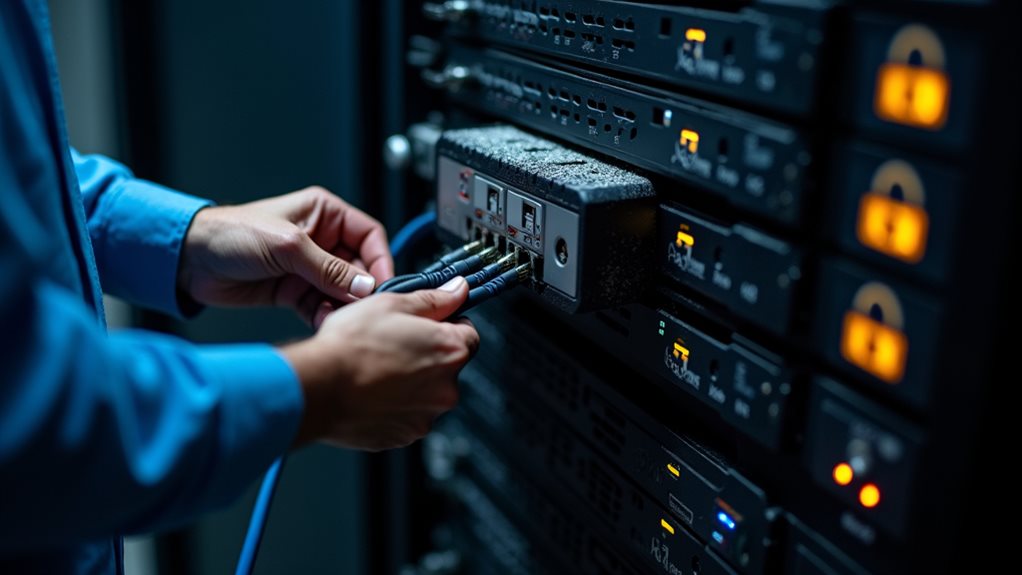
Since security remains a critical factor in any storage solution decision, you’ll need to carefully evaluate the protection capabilities of NAS devices compared to traditional file servers.
Modern NAS systems offer robust security features including user authentication, encryption, and access controls. However, they may lack some of the advanced security capabilities found in enterprise file servers.
When evaluating NAS security, examine whether the device supports data-at-rest encryption, secure remote access protocols, and integration with your existing authentication systems like Active Directory.
File servers typically provide more granular permission settings and can implement complex security policies. They’re also regularly updated with security patches through standard operating system updates.
Your decision should balance convenience against security requirements, especially if you’re handling sensitive data that requires compliance with regulations like GDPR or HIPAA.
Scalability Factors: How NAS Handles Growing Data Needs
When considering a NAS for growing data needs, you’ll want to evaluate its storage expansion options, which typically include adding drives to empty bays or connecting external expansion units.
You’ll find that NAS performance under load varies greatly between consumer and enterprise models, with higher-end systems maintaining speed even as user counts and file operations increase.
Your long-term data strategy should account for both immediate storage requirements and future growth patterns, guaranteeing your NAS solution won’t become a bottleneck as your organization expands.
Storage Expansion Options
As your organization’s data grows, scalability becomes a crucial factor in determining whether a NAS can truly replace a traditional file server. Both solutions offer expansion options, but they differ greatly in approach.
NAS systems typically provide expansion through additional drive bays, volume expansion capabilities, and scale-out architectures. Many modern NAS devices support hot-swappable drives, allowing you to replace smaller drives with larger ones without downtime.
File servers often enable more flexible expansion through direct-attached storage, SAN integration, and clustering options. They can typically accommodate more specialized storage configurations when needed.
When evaluating scalability, consider both your immediate storage needs and long-term growth projections. Some enterprise NAS solutions now offer virtually unlimited scalability through modular designs, while others may impose limitations that could require costly migrations as your data footprint increases.
Performance Under Load
While storage capacity remains important, a NAS system’s performance under increasing user and data loads often determines its long-term viability as a file server replacement.
NAS systems generally handle moderate workloads efficiently, but their performance can degrade when numerous users simultaneously access large files. Enterprise-grade NAS solutions incorporate more powerful processors, expanded RAM, and link aggregation to maintain responsiveness under heavier demands.
You’ll find that traditional file servers typically outperform consumer NAS devices when supporting more than 25 concurrent users. However, mid-tier and premium NAS offerings narrow this performance gap considerably.
Your workload patterns matter greatly. NAS devices excel at sequential data operations but may struggle with random I/O intensive tasks that traditional servers handle more efficiently through dedicated hardware and optimized operating systems.
Enterprise Use Cases: When NAS Makes Perfect Sense

For large organizations with complex data storage requirements, NAS solutions offer compelling advantages over traditional file servers.
Enterprise-level NAS devices excel in situations requiring centralized file sharing across multiple departments. You’ll find them particularly valuable for collaborative workflows, where teams need simultaneous access to large media files or project documents.
NAS systems shine in data protection scenarios, offering built-in redundancy through RAID configurations and automated backup solutions that guarantee business continuity. They’re also ideal for organizations with limited IT staffing, as they typically require less maintenance than traditional servers.
Many enterprises deploy NAS solutions for specialized applications such as video surveillance storage, virtualization environments, and tiered archiving systems.
With their scalability and ease of integration, NAS devices can effectively serve as the foundation for growing enterprise storage infrastructure.
Limitations of NAS in Mission-Critical Environments
While NAS systems offer remarkable flexibility for many scenarios, they face considerable limitations in mission-critical environments that demand absolute reliability.
Your enterprise-grade applications might struggle with NAS redundancy constraints, which often can’t match the robust failover capabilities of dedicated file servers with advanced clustering options.
Additionally, as your organization scales to thousands of simultaneous connections or requires guaranteed performance levels, NAS solutions might hit scaling ceilings that purpose-built file servers are specifically designed to overcome.
Redundancy Constraints
Despite their many advantages, NAS systems face considerable limitations when deployed in mission-critical environments that require absolute reliability.
These constraints become particularly evident when examining their redundancy capabilities compared to enterprise-grade file servers.
Your organization should be aware of these key redundancy limitations:
- NAS systems typically offer fewer redundant power supply options, creating potential single points of failure during power fluctuations.
- Many consumer and prosumer NAS devices lack hot-swappable system components beyond hard drives, complicating maintenance without downtime.
- NAS solutions generally provide more limited failover clustering capabilities than dedicated file servers, reducing their suitability for environments requiring 99.999% uptime.
These constraints don’t necessarily disqualify NAS for all business applications, but they warrant careful consideration when absolute reliability is paramount to your operations.
Enterprise Scaling Challenges
Another critical consideration beyond redundancy capabilities is how NAS solutions handle large-scale enterprise environments.
While NAS devices work well for small to medium businesses, they often struggle with mission-critical enterprise workloads. You’ll find that many NAS solutions hit performance bottlenecks when handling thousands of simultaneous connections or petabytes of data.
Enterprise file servers typically offer more robust authentication integration with Active Directory and support for complex permission structures. Your NAS mightn’t provide the same level of security policy enforcement or compliance features needed in regulated industries.
The management interface of a NAS is designed for simplicity, which becomes a limitation when you need granular control over resource allocation.
Enterprise environments require advanced monitoring, reporting, and troubleshooting capabilities that go beyond what consumer and prosumer NAS devices can deliver.
Migration Strategies: Transitioning From Servers to NAS

Once you’ve decided to migrate from traditional file servers to a NAS solution, planning a careful shift becomes essential for minimizing disruption to your operations.
Successful migrations require methodical preparation and execution to guarantee data integrity throughout the process.
When moving to NAS storage, follow these key steps:
- Conduct a complete inventory of existing data, applications, and access permissions to understand what needs to be migrated and in what priority order.
- Implement a phased migration approach, moving non-critical data first before transferring mission-critical files during planned maintenance windows.
- Test thoroughly in a parallel environment before cutting over completely, allowing you to identify and resolve compatibility issues or performance concerns.
Remember to communicate the migration timeline with all stakeholders and provide training on any new access methods required for the NAS environment.
Future-Proofing Your Storage: Emerging NAS Technologies
As technology continues to evolve at a rapid pace, your storage infrastructure must keep up with increasing data demands and emerging capabilities.
Modern NAS systems are incorporating several forward-looking technologies that extend their usefulness well beyond traditional file servers.
AI-powered data management is becoming standard in premium NAS devices, automatically categorizing files and optimizing storage allocation based on usage patterns. This intelligence helps manage growing data volumes efficiently.
Edge computing integration allows your NAS to process data locally before sending it to the cloud, reducing bandwidth requirements and improving response times for critical applications.
Containerization support is another notable advancement, enabling your NAS to run applications directly on the storage device. This capability transforms your NAS from simple storage into a versatile computing platform that can adapt to future needs.
Frequently Asked Questions
Can I Run Virtual Machines Directly on a NAS Device?
Yes, you can run virtual machines on some NAS devices. High-end NAS systems with sufficient CPU power and RAM often include VM capabilities through their operating systems like QNAP’s Virtualization Station or Synology’s Virtual Machine Manager.
What Happens to NAS Performance During Power Outages?
During power outages, your NAS will shut down immediately without a UPS, potentially causing data corruption or loss. You’ll lose all access to stored files until power’s restored and the system reboots completely.
How Do NAS Devices Handle File Version Control?
NAS devices typically handle file versioning through built-in snapshot features. You’ll find some models offer automatic version history, letting you recover previous file states. For advanced version control, you might need additional software or enterprise-level NAS solutions.
Can NAS Systems Integrate With Cloud Backup Services?
Yes, most NAS systems integrate seamlessly with cloud backup services. You’ll find built-in apps that connect with Dropbox, Google Drive, Amazon S3, and others, providing hybrid storage solutions for your data protection needs.
Are NAS Operating Systems Upgradable Without Hardware Replacement?
Yes, most NAS operating systems are upgradable through firmware updates. You’ll typically receive these updates automatically or can manually install them through your device’s admin interface without replacing any hardware components.
Final Thoughts
You’ve seen that NAS devices can effectively replace file servers in many environments, especially for small to medium businesses with standard file sharing needs. They offer cost savings, simpler management, and increasingly robust features. However, for mission-critical applications requiring maximum performance or specialized functionality, dedicated file servers still have their place. Your specific requirements should ultimately determine which solution best fits your organization’s needs.