
Yes, you can host a website from a NAS device that supports web server functionality. You’ll need sufficient processing power (dual-core CPU minimum), adequate RAM (1GB+), a static IP address or dynamic DNS service, and proper router configuration for port forwarding. While NAS hosting offers cost savings and complete control, it comes with limitations in bandwidth, performance, and potential security risks. Residential ISPs may also restrict web hosting activities. The following guide explores everything needed to successfully implement and maintain your NAS-hosted site.
What Is a NAS and How Does It Work?
Before diving into website hosting, you’ll need to understand what a Network Attached Storage (NAS) device actually is. A NAS is fundamentally a specialized computer designed for storing and managing data across a network.
Unlike external hard drives that connect directly to your computer, a NAS connects to your router, making its storage accessible to multiple devices on your network simultaneously. It contains one or more hard drives and runs its own operating system, typically optimized for file management and storage tasks.
Most NAS devices function through a simple principle: they create a centralized location for your files that’s accessible over your local network. You can store documents, media files, backups, and other data on your NAS, then access everything from computers, phones, or tablets connected to your network.
Technical Requirements for Hosting a Website on NAS
While setting up a website on your NAS isn’t overly complex, you’ll need to meet several technical requirements to guarantee everything operates seamlessly.
First, your NAS device must support web server functionality, typically through applications like Apache, Nginx, or built-in web server packages. Most modern NAS systems from Synology, QNAP, and Asustor include these options.
You’ll need sufficient processing power and RAM to handle visitor traffic. For small personal sites, 1GB RAM and a dual-core processor will suffice, but business sites require more robust specifications.
A static IP address is crucial for reliable website accessibility. Contact your internet service provider to obtain one, or use a dynamic DNS service as an alternative.
Adequate storage space for your website files and regular backups is also necessary to maintain site integrity.
Step-by-Step Guide to Setting Up Web Hosting on Your NAS

Now that you understand the technical foundations, let’s examine the actual setup process.
First, access your NAS control panel through your web browser and proceed to the app center. Most NAS devices offer web server applications like Nginx or Apache that you can install with a single click.
Begin your web server setup by accessing the NAS control panel and installing Nginx or Apache from the app center.
Once installed, configure your web server by setting the document root directory where your website files will be stored. This is typically found in the web server’s settings menu.
Next, upload your website files to the designated folder using FTP or the NAS file manager.
Configure port forwarding on your router to direct incoming traffic on port 80 (HTTP) and 443 (HTTPS) to your NAS’s local IP address.
Finally, set up a domain name that points to your home IP address using a DDNS service.
Performance Considerations and Limitations
When hosting a website from your NAS, you’ll need to take into account its hardware limitations, particularly processor capabilities and RAM that mightn’t match dedicated hosting solutions.
Your home internet connection imposes bandwidth constraints and traffic limits that could affect website performance, especially during peak visitor periods.
As visitor numbers grow, your NAS may struggle to scale properly under increased load, potentially causing slower page loading times and reduced responsiveness.
Processor and RAM Constraints
Although NAS devices offer convenient website hosting options, they typically come with considerable processor and RAM constraints that can impact your site’s performance.
Most consumer-grade NAS units feature ARM processors or lower-powered Intel Celeron chips, which can struggle with multiple concurrent website connections. These processors simply don’t match the capabilities of dedicated hosting servers, especially when handling dynamic content or database operations.
RAM limitations present another notable hurdle. Many entry-level NAS devices include only 1-2GB of RAM, which quickly becomes insufficient when running a web server alongside file-sharing functions. Your website might experience slow load times or complete crashes during traffic spikes.
Higher-end NAS models offer quad-core processors and expandable RAM up to 16GB, but they’re still fundamentally designed for file storage rather than web hosting.
Consider these hardware constraints carefully when determining if a NAS will meet your hosting needs.
Bandwidth and Traffic Limits
Home internet connections can greatly limit your NAS website’s performance due to asymmetrical upload speeds that typically range from 5-50 Mbps, far below commercial hosting standards.
These constraints become particularly problematic when multiple users access your site simultaneously, causing potential slowdowns or timeouts.
Your Internet Service Provider (ISP) may also impose data caps or traffic limits that affect your website’s availability.
Most residential connections aren’t designed for constant server traffic, and excessive bandwidth usage might trigger throttling or additional charges.
Consider that dynamic content like databases and video streaming demands considerably more bandwidth than static HTML pages.
During peak usage periods, your website’s responsiveness will depend entirely on your connection’s upload capacity.
For context, a single HD video stream requires 5-8 Mbps, potentially consuming your entire upload bandwidth with just one visitor.
Scaling Under Load
Unlike commercial hosting solutions, NAS-hosted websites often struggle with handling multiple concurrent users.
Most consumer NAS devices contain limited CPU and RAM resources that quickly become overwhelmed when traffic spikes occur.
Your NAS might perform adequately with 5-10 simultaneous visitors, but performance degrades notably as this number increases.
Page load times can extend from milliseconds to several seconds when under pressure from multiple connections.
Unlike dedicated hosting platforms, NAS systems typically lack load balancing capabilities and advanced caching mechanisms that distribute traffic efficiently.
The server software running on your NAS won’t automatically scale resources when demand increases.
For websites expecting growth or occasional traffic surges, you’ll need to evaluate hardware upgrades or potentially shifting to a hybrid solution that offloads some processing to cloud services.
Security Implications of Self-Hosting
When you decide to host a website from your NAS, you’re opening a direct connection between the internet and your home network that creates considerable security considerations.
This exposure makes your personal data vulnerable to potential attackers who may attempt to exploit vulnerabilities in your NAS software.
You’ll need to implement several security measures to protect yourself. These include configuring a proper firewall, keeping your NAS firmware updated, using strong passwords, and enabling two-factor authentication where possible.
It’s also crucial to understand port forwarding risks. When you open ports to allow web traffic, you’re creating potential entry points for hackers.
Consider setting up a DMZ (demilitarized zone) or using a reverse proxy to add an extra layer of protection between the internet and your personal files.
Domain Configuration and Dynamic DNS Solutions
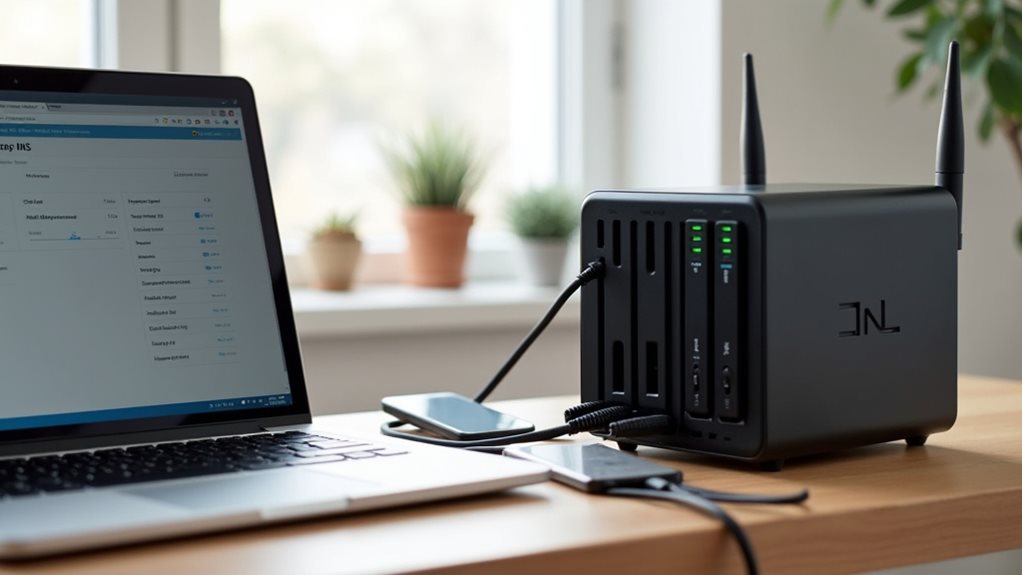
To connect your NAS website to the internet, you’ll need to understand domain names and how they direct visitors to your server.
You can overcome the challenge of changing home IP addresses by using Dynamic DNS services, which automatically map your domain to your current IP address.
These services offer simple clients that run on your NAS to detect IP changes and update your domain records, guaranteeing your website remains accessible even when your internet provider assigns you a new IP address.
Domain Name Basics
Once you’ve set up your NAS hardware and software for web hosting, establishing a proper domain name becomes essential for visitors to easily access your website. A domain name serves as your site’s address on the internet, replacing the complex IP address with something memorable.
Domain names function through the Domain Name System (DNS), which translates user-friendly names into machine-readable IP addresses.
You’ll need to understand three fundamental components:
- Registration – Purchase your domain through registrars like GoDaddy, Namecheap, or Google Domains for $10-15 annually.
- DNS records – Configure A records (pointing to your IP) and CNAME records (for subdomains) to direct traffic correctly.
- TTL settings – Time-to-Live values determine how quickly DNS changes propagate across the internet.
With home connections, you’ll likely need a dynamic DNS service to handle IP address changes automatically.
Dynamic DNS Services
Since most home internet connections use dynamic IP addresses that change periodically, you’ll need a dynamic DNS service to maintain consistent website access.
These services link your changing IP address to a fixed domain name, guaranteeing visitors can always find your website.
Popular dynamic DNS providers include No-IP, DynDNS, and Duck DNS, many offering free basic plans.
Some NAS manufacturers like Synology and QNAP include built-in support for these services, simplifying the setup process.
To configure dynamic DNS, you’ll create an account with a provider, select a domain name, and install their update client on your NAS.
This client automatically detects IP address changes and updates your DNS records accordingly.
Many NAS devices also offer automatic DDNS updates through their operating system, eliminating the need for separate software installation.
Updating IP Changes
Dynamic IP address changes represent a critical challenge when hosting websites from your NAS, requiring proper configuration to maintain uninterrupted access.
Most residential internet connections use dynamic IPs that change periodically, breaking your domain-to-IP mapping.
To solve this problem, implement one of these solutions:
- Configure your NAS to automatically update your DNS records whenever your IP address changes using compatible services like No-IP, DynDNS, or Duck DNS.
- Install a dynamic DNS client directly on your NAS that runs periodic checks and updates your DNS provider when changes occur.
- Set up scheduled scripts that detect IP changes and trigger update notifications to your domain registrar via their API.
These methods guarantee visitors consistently reach your website even when your ISP assigns you a new IP address, minimizing potential downtime and maintaining seamless connectivity.
Bandwidth Concerns and Internet Service Provider Restrictions
When hosting a website from your NAS, you’ll need to take into account potential bandwidth limitations and ISP restrictions that might affect your site’s performance.
Most residential internet plans provide asymmetric connections, with upload speeds considerably slower than download speeds. This creates a bottleneck for website visitors requesting data from your NAS. Your site may load slowly during peak traffic periods if you exceed available upload bandwidth.
Many ISPs explicitly prohibit hosting web servers on residential connections through their terms of service. They might block common web server ports or throttle your connection if they detect server traffic. Some providers offer business-tier services that permit hosting but at higher monthly costs.
You should check your ISP’s acceptable use policy before proceeding.
Consider monitoring your bandwidth usage to guarantee you don’t exceed monthly data caps that could result in additional fees.
Comparing NAS Hosting to Traditional Web Hosting Services
How does hosting your website on a NAS compare to using traditional web hosting services?
While NAS hosting offers full control over your hardware and potential cost savings over time, it typically lacks the optimized infrastructure of commercial providers.
When comparing NAS hosting to traditional services, consider these key differences:
- Performance – Traditional hosting services offer specialized server hardware, redundant connections, and global content delivery networks that most home NAS setups can’t match.
- Reliability – Commercial hosting provides guaranteed uptime, professional maintenance, and automatic backups that require considerable effort to replicate on a NAS.
- Support – Web hosting companies offer technical assistance and troubleshooting, while NAS hosting relies entirely on your technical knowledge to resolve issues.
Your NAS can be suitable for low-traffic personal websites, but may struggle with business applications requiring consistent performance.
Best Practices for Maintaining Your NAS Web Server

Once you’ve set up your NAS as a web server, regular maintenance becomes the foundation of keeping it running efficiently and securely.
Implementing a consistent backup schedule should be your first priority, with both local and cloud backups to protect your data.
Backup your NAS data both locally and in the cloud—it’s not just recommended, it’s essential for survival.
Monitor your system resources regularly to prevent performance bottlenecks.
Your NAS has limited processing power compared to dedicated servers, so watch CPU, RAM, and bandwidth usage closely.
Keep all software updated, including the NAS firmware, web server software, and any content management systems you’ve installed.
Security patches are critical to protect against vulnerabilities.
Set up automated monitoring tools to alert you of any downtime or suspicious activities.
Services like Uptime Robot can notify you when your website becomes inaccessible.
Frequently Asked Questions
Can I Run Custom Server-Side Applications Like PHP or Node.Js?
Yes, you can run PHP and Node.js on many NAS devices. They often include support for these languages, allowing you to develop and deploy custom server-side applications directly on your network storage system.
How Does NAS Website Hosting Affect My Home Electricity Bill?
Running a NAS for website hosting will increase your electricity bill slightly. Most modern NAS devices are energy-efficient, consuming 10-30 watts continuously, costing roughly $2-$7 monthly depending on your electricity rates.
What Happens to My Website During NAS Firmware Updates?
Your website will go offline during firmware updates as your NAS needs to restart. Schedule updates during low-traffic periods and consider setting up notifications to alert visitors about planned maintenance windows.
Can I Host Multiple Websites With Different Domains Simultaneously?
Yes, you can host multiple websites with different domains on your NAS simultaneously. You’ll need to set up virtual hosts in your web server configuration and manage separate DNS records for each domain you’re hosting.
Are There Legal Implications for Hosting Websites From Home?
Yes, there are legal implications. You’ll need to comply with ISP terms, copyright laws, and local regulations. Consider privacy laws if collecting user data. Residential hosting may violate some service agreements.
Final Thoughts
You’ve seen that NAS hosting is indeed possible but requires careful consideration. Weigh the technical requirements, security challenges, and performance limitations against your specific needs. While a NAS offers an affordable self-hosting option, it can’t match dedicated hosting services for high-traffic sites. If you decide to proceed, implement strong security measures, maintain regular backups, and monitor your system consistently for peak performance.