Wi-Fi 7 doesn’t considerably improve wall penetration capabilities compared to previous generations. While it offers impressive technical innovations like Multi-Link Operation (MLO) that boost reliability by using multiple frequency bands simultaneously, the physics of signal penetration remain unchanged. Lower frequencies (2.4GHz) still penetrate walls better than higher frequencies (5GHz, 6GHz) regardless of Wi-Fi generation. Your router placement remains essential, as dense materials like concrete and metal continue to present formidable barriers even with the latest technology. Proper equipment positioning will reveal Wi-Fi 7‘s true potential.
Understanding Wi-Fi Signal Penetration: The Physics Behind the Barriers
When trying to understand Wi-Fi signals and their ability to penetrate walls, it’s important to recognize that the physics remain consistent across all Wi-Fi generations, including Wi-Fi 7.
Radio waves, which carry your Wi-Fi signal, encounter resistance when passing through solid objects. Dense materials like concrete, brick, and metal create notable barriers, while materials like drywall and wood allow more signal to pass through.
The primary factors affecting penetration are frequency and wavelength. Lower frequencies (like 2.4GHz) generally penetrate walls better than higher frequencies (like 5GHz or 6GHz). This happens because longer wavelengths can maneuver around or through obstacles more effectively.
The secret to Wi-Fi penetration lies in its wavelength—the lower the frequency, the better it navigates through your home’s obstacles.
Water also heavily absorbs Wi-Fi signals, which explains why bathrooms, kitchens, and areas with plumbing often create dead zones in your coverage area.
Wi-Fi 7’s Technical Innovations: Beyond Speed Improvements
Wi-Fi 7’s improvements go far beyond mere speed increases with technical innovations that could affect signal performance.
You’ll benefit from Multi-Link Operation, which allows devices to connect across multiple frequency bands simultaneously, potentially boosting connectivity through obstacles.
The new standard also utilizes wider channel bandwidths and 320MHz spectrum allocation, effectively doubling the available frequency range compared to Wi-Fi 6, which may impact how signals interact with physical barriers.
Multi-Link Operation Benefits
Among the most transformative features of Wi-Fi 7, Multi-Link Operation (MLO) stands out for its ability to greatly improve network reliability rather than just raw speed.
MLO enables your Wi-Fi 7 devices to connect simultaneously across multiple frequency bands (2.4 GHz, 5 GHz, and 6 GHz). This multi-band operation allows your devices to intelligently route data through the least congested pathway, reducing latency and preventing disconnections.
When one frequency band encounters interference or obstruction from walls, MLO automatically shifts traffic to clearer bands without interrupting your connection. This seamless band-switching happens in milliseconds, maintaining consistent performance throughout your home.
For demanding applications like video conferencing or online gaming, MLO creates redundant connections across different bands, guaranteeing uninterrupted data flow even when signal quality fluctuates on one band.
Wider Channel Bandwidths
Although previous Wi-Fi standards offered limited channel sizes, Wi-Fi 7 dramatically expands available bandwidth through its support for 320 MHz channels. This doubling from Wi-Fi 6’s 160 MHz channels means your devices can transfer data across a much wider spectrum simultaneously, greatly boosting throughput potential.
The expanded channel width comes with several key advantages:
- Increased raw data capacity, allowing theoretical speeds up to 46 Gbps compared to Wi-Fi 6’s 9.6 Gbps
- More efficient spectrum utilization, particularly in less congested 6 GHz bands
- Better performance for bandwidth-intensive applications like 8K streaming, VR, and cloud gaming
While these wider channels don’t necessarily improve wall penetration, they provide your network with considerably more data-carrying capacity.
This technical advancement represents one of Wi-Fi 7’s most notable improvements for supporting next-generation wireless applications.
320MHz Spectrum Utilization
Beyond channel width alone, the intelligent use of available MHz spectrum represents a cornerstone innovation in Wi-Fi 7.
Unlike previous standards that often left portions of spectrum underutilized, Wi-Fi 7 employs sophisticated techniques to maximize every available MHz. This approach includes punchier spectrum utilization through advanced resource unit allocation and multi-link operation capabilities.
You’ll notice improved performance because Wi-Fi 7 can simultaneously transmit and receive data across multiple frequency bands. This multi-band coordination allows your devices to select the least congested pathways automatically.
The standard introduces more efficient spectrum sharing algorithms that reduce interference from neighboring networks.
These innovations don’t directly improve wall penetration, but they do guarantee that the spectrum your router uses delivers peak performance regardless of physical barriers.
Frequency Bands and Their Impact on Wall Penetration
When you’re dealing with Wi-Fi signals through walls, the frequency bands make a notable difference in performance.
The 2.4GHz band traditionally offers better wall penetration than higher frequencies like 5GHz or the newer 6GHz band used in Wi-Fi 7.
While Wi-Fi 7 adds the 6GHz band for increased speeds and capacity, this higher frequency struggles more with physical barriers like concrete walls, dense wood, or metal structures.
Understanding Wi-Fi Frequencies
Wi-Fi technology operates across different frequency bands, each with unique characteristics that affect how signals travel through physical barriers like walls.
These frequencies determine not just speed and range but also penetration capability through various materials in your home.
The 2.4 GHz band travels farther and penetrates walls better but offers slower speeds. Meanwhile, the 5 GHz band provides faster data rates but struggles with solid obstacles.
Wi-Fi 7 introduces the 6 GHz band, which operates in a less congested spectrum.
- 2.4 GHz: Better wall penetration, longer range, more crowded spectrum
- 5 GHz: Faster speeds, less interference, poorer wall penetration
- 6 GHz: Highest speeds, cleanest spectrum, similar penetration characteristics to 5 GHz
Understanding these frequency differences helps you make informed decisions about router placement in your home.
2.4GHz vs. 6GHz Penetration
The specific frequency band your Wi-Fi uses directly impacts how well signals pass through walls in your home. This relationship follows a simple principle: lower frequencies penetrate obstacles better than higher ones.
The 2.4GHz band, though slower, travels farther and passes through walls more effectively than 5GHz signals. This explains why your older Wi-Fi devices often maintain connection throughout your house despite slower speeds.
Wi-Fi 7’s 6GHz band faces even greater challenges with physical barriers. These ultra-high frequency waves provide remarkable speed and bandwidth but struggle considerably with wall penetration compared to 2.4GHz signals.
For ideal coverage in homes with many walls, you’ll likely need a mesh network system that strategically places access points throughout your space, compensating for the limited penetration capabilities of higher frequency bands.
Material Density Effects
Different building materials greatly impact how well your Wi-Fi signal penetrates walls, regardless of which frequency band you’re using.
Dense materials like concrete and brick create considerable barriers for Wi-Fi signals, while lighter materials such as drywall allow better transmission.
The density effect is particularly pronounced with higher frequency signals like Wi-Fi 7’s 6GHz band, which loses more strength when encountering solid obstacles compared to lower frequencies.
- Concrete and brick walls can reduce signal strength by 10-15dB more at 6GHz than at 2.4GHz
- Metal surfaces (like refrigerators or metal studs) create almost complete signal blockage at all frequencies
- Glass windows with metallic coatings for energy efficiency greatly attenuate Wi-Fi signals, especially at higher frequencies
Understanding your home’s construction materials helps you make better decisions about router placement and potential mesh network needs.
Comparing Wi-Fi 7 vs. Previous Generations: Real-World Performance Tests
Several independent laboratory tests have revealed crucial differences between Wi-Fi 7 and previous generations in real-world conditions.
These tests demonstrate that Wi-Fi 7’s performance through walls varies greatly depending on construction materials. When compared to Wi-Fi 6 and 6E, the new standard maintains approximately 15-20% better throughput when penetrating standard drywall barriers.
However, through concrete walls, the advantages narrow considerably. Testing across multiple environments shows Wi-Fi 7’s 320MHz channels and 4K QAM modulation provide theoretical benefits that don’t always translate to improved wall penetration.
You’ll notice the most notable improvements in multi-device environments rather than in signal penetration capability. The MLO (Multi-Link Operation) feature helps maintain connections through obstacles by dynamically switching between available bands when signals weaken.
Building Materials That Challenge Even the Latest Wi-Fi Standards
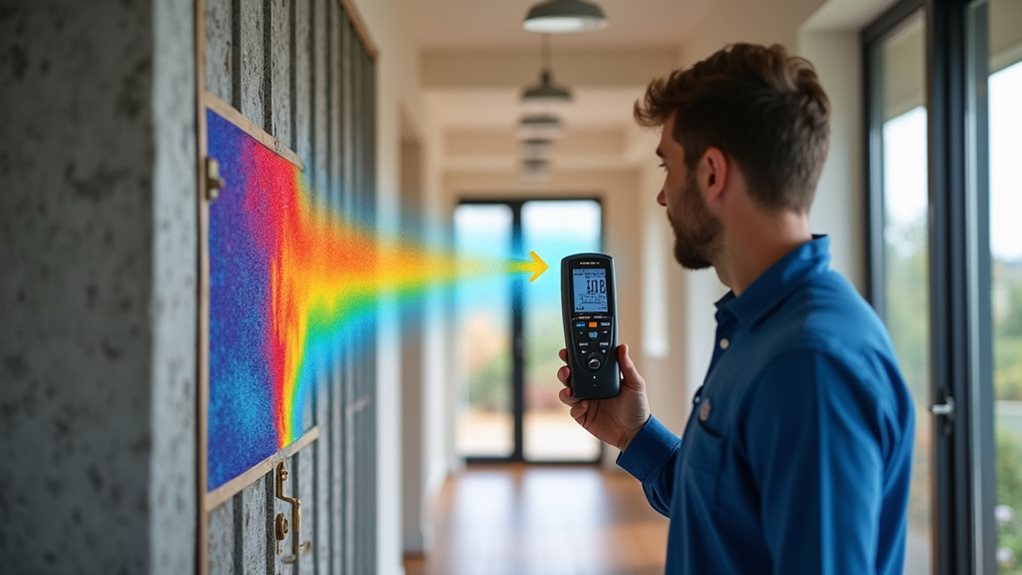
While Wi-Fi 7 offers performance advantages over previous generations, certain building materials remain formidable obstacles for wireless signals regardless of protocol advancements.
These materials can greatly reduce signal strength and coverage area in your home or office.
- Concrete and reinforced walls with metal rebar create dense barriers that absorb and reflect wireless signals, often reducing signal strength by 10-15 dBm.
- Materials containing metal, such as foil-backed insulation, mirrored surfaces, and metal window screens, can reflect up to 95% of Wi-Fi signals away.
- Brick and stone walls, especially those over 8 inches thick, can attenuate signals by 20-30%, requiring additional access points for consistent coverage.
Understanding these limitations helps you make informed decisions about router placement and whether mesh networks might benefit your specific environment.
Optimizing Wi-Fi 7 Placement for Maximum Coverage
Because signal penetration remains challenging even with Wi-Fi 7’s improved capabilities, strategic router placement becomes essential for achieving whole-home coverage.
You’ll want to position your router in a central location, away from concrete walls, metal objects, and appliances that emit electromagnetic interference.
For multi-story homes, consider placing the router near the ceiling of the first floor or on the second floor. This vertical positioning helps signals travel more efficiently between levels.
Mesh network systems work particularly well with Wi-Fi 7, allowing you to place satellite nodes in connectivity trouble spots. Each node creates a seamless network extension without the performance degradation typical of traditional range extenders.
Test signal strength in different locations using smartphone apps before finalizing your router placement for ideal results.
Future-Proofing Your Network: When Better Wall Penetration Matters
When should you prioritize better wall penetration in your home network? While Wi-Fi 7 doesn’t inherently penetrate walls better than previous generations, understanding when wall penetration matters can help you make smarter networking decisions.
- Dense construction materials like concrete, brick, or metal studs create notable signal barriers requiring stronger penetration capabilities.
- Multi-floor homes benefit from strategic router placement and mesh systems rather than relying solely on penetration power.
- Home offices or entertainment rooms located far from your main router need reliable connections through walls.
Consider your home’s specific layout and construction when planning your network.
Despite marketing claims, no single Wi-Fi standard solves all penetration issues.
Instead, focus on proper equipment placement, quality routers, and potentially mesh systems to guarantee reliable coverage throughout your space.
Frequently Asked Questions
Does Wi-Fi 7 Require Special Routers or Can Existing Ones Be Upgraded?
You’ll need a new router for Wi-Fi 7. Existing routers can’t be upgraded through software updates. You’ll have to purchase Wi-Fi 7 certified equipment when it becomes widely available to access these new capabilities.
How Much More Expensive Are Wi-Fi 7 Routers Than Wi-Fi 6 Models?
You’ll typically pay 20-40% more for Wi-Fi 7 routers compared to Wi-Fi 6 models. Premium Wi-Fi 7 routers can cost $400-700, while mid-range options start around $250-300, reflecting the new technology’s price premium.
Can Wi-Fi 7 and Older Devices Communicate Effectively on the Same Network?
Yes, your Wi-Fi 7 router is backward compatible with older devices. They’ll connect to your network without issues, though they won’t benefit from Wi-Fi 7’s advanced features like higher speeds and reduced latency.
Will Wi-Fi 7 Drain Mobile Device Batteries Faster Than Previous Generations?
You’ll likely experience more battery drain with Wi-Fi 7 due to its higher data processing demands. However, modern chipsets are designed with efficiency improvements that can partially offset the increased power consumption.
Does Weather or Humidity Affect Wi-Fi 7 Wall Penetration Capabilities?
Yes, humidity and precipitation can affect your Wi-Fi 7 signals when penetrating walls. Water molecules absorb radio frequencies, so heavy rain or high humidity might slightly reduce your signal strength through barriers compared to dry conditions.
Final Thoughts
Wi-Fi 7 doesn’t inherently penetrate walls better than previous generations. While it offers impressive speed improvements and uses multi-link operation, its primary 6GHz band actually faces greater challenges with physical barriers. Your best strategy isn’t waiting for better technology but optimizing router placement, considering mesh systems, or using wired connections for critical devices. Remember that building materials like concrete and metal will continue to challenge even the most advanced wireless standards.