Scalic is a LinkedIn automation platform that pairs lead sourcing with an autonomous AI agent to manage connection outreach, follow-up messaging, and lead nurturing. It is built for people who want to grow their LinkedIn network and book more conversations without spending hours manually searching for prospects and writing the same messages repeatedly.
This guide explains what Scalic does, how it works end to end, how to set up campaigns, and what to watch out for so your outreach stays effective and compliant.
What is Scalic (and who is it for)?
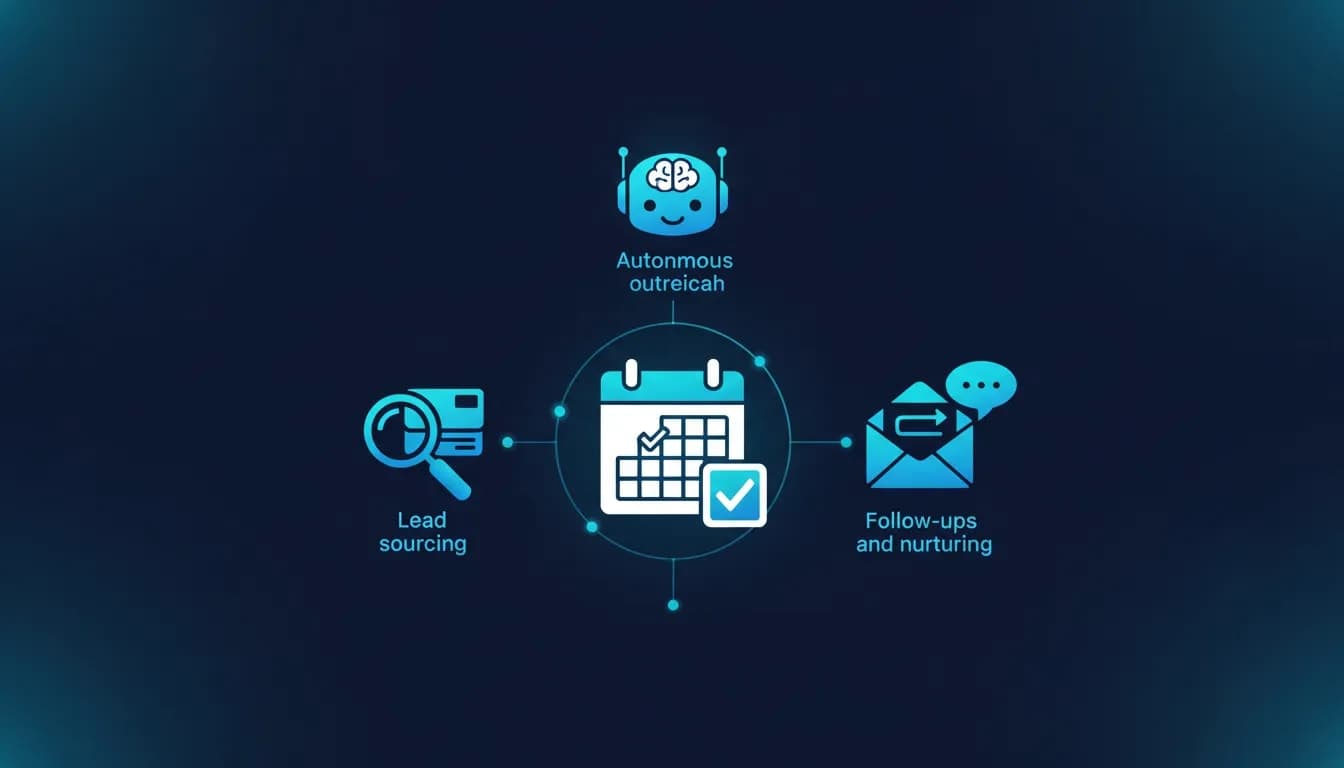
Scalic combines three core capabilities:
- Lead collection from LinkedIn using searches and import options.
- AI-driven outreach through an autonomous agent that handles connection requests and subsequent messaging.
- Lead nurturing toward a call or conversion using a configurable call-to-action link, such as a Calendly-style booking URL or a landing page signup link.
It is best suited for:
- Founders and B2B sellers who prospect on LinkedIn at scale
- Agencies managing outreach for clients
- Teams that want consistent follow-up without increasing headcount
- Anyone who wants an “always-on” outreach motion that still feels targeted
How Scalic works: the outreach and nurturing flow
A typical Scalic campaign is built around two building blocks: leads and an AI agent. Once you connect these to a campaign, Scalic runs the outreach loop.
1) Add leads (scrape or import)
Scalic can generate a list of LinkedIn prospects based on criteria. Depending on your setup, you can either:
- Search and scrape using a LinkedIn post group or profile URL, or use a classic search approach to pull matches based on traits.
- Import leads if you already have a dataset from another source.
2) Create an AI agent with your offer details
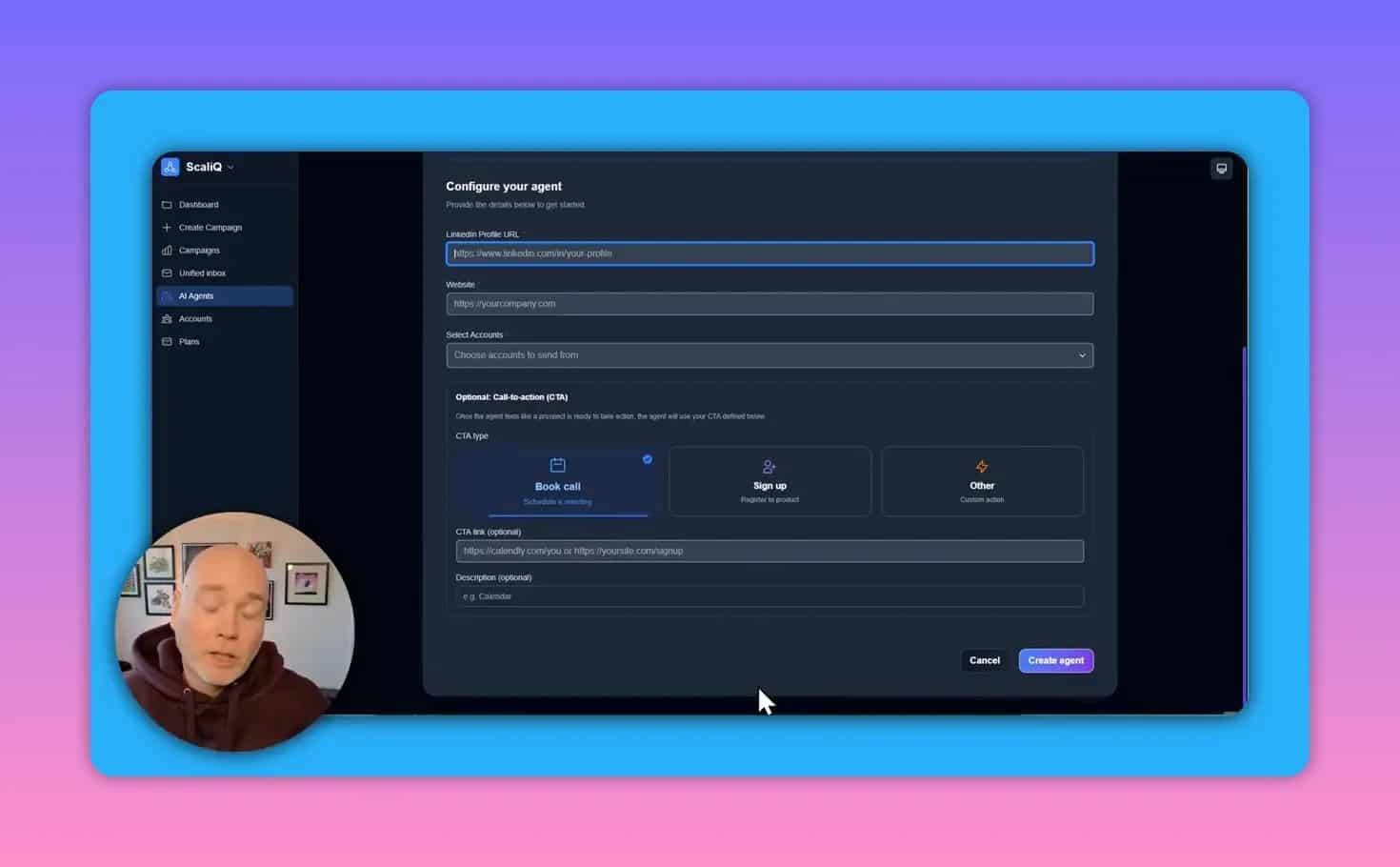
The autonomous AI agent needs enough information to represent your business and guide prospects to the next step. You typically provide:
- Your LinkedIn profile context
- A URL that contains information about your offer (for example a booking page or landing page)
- A campaign call-to-action destination, such as a calendar link
3) Launch a campaign and let messaging happen
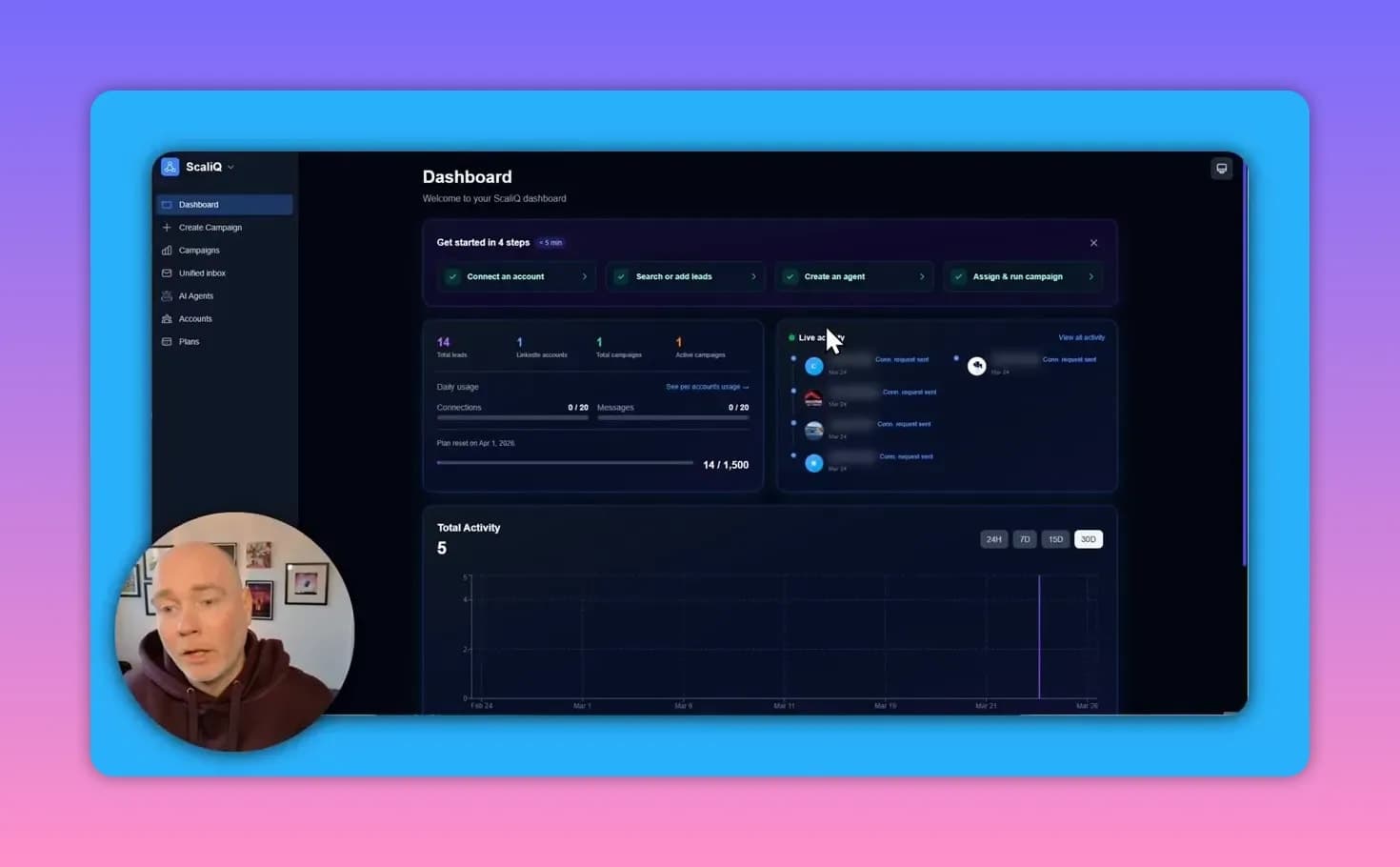
After launching, the platform starts the outreach sequence. Connection requests go out first. When prospects accept, the system can follow up with messages. If prospects respond, replies are consolidated into a unified inbox for handling conversations.
For analytics, you can monitor ongoing activity such as connection requests and general performance signals over time.
Setting up Scalic: a practical checklist
Scalic is designed to be straightforward to configure. Use this checklist to avoid common setup problems.
Before you start
- Decide how many LinkedIn accounts you will use (for example: your account, plus accounts for team members or clients).
- Define your target audience (titles, geography, industry, seniority level, and any other filters you care about).
- Prepare your CTA link (booking calendar or signup/landing URL).
Step-by-step setup
- Connect your LinkedIn account(s). If the product supports proxy configuration during linking, complete it as recommended in the platform documentation.
- Create or select leads. Use a LinkedIn-based search approach or import a lead list if you have one.
- Create an autonomous AI agent. Provide your offer context and the CTA destination.
- Create a campaign. Assign leads to the agent and start the campaign.
Once live, review activity periodically and respond to replies promptly to maximize conversion rates.
Lead sourcing options: what to use and when
Lead quality determines whether automated outreach produces booked calls or just more noise. Scalic supports both lead scraping and importing.
Scraping leads from LinkedIn searches
If you want to build a fresh list quickly, scraping based on LinkedIn post groups, profile URLs, or classic search criteria can be efficient.
Tip: Start narrow. For example, choose a specific job title in a specific region and industry. Smaller sets often outperform broad ones in both engagement and reply rates.
Importing leads you already collected
If you have lead sources from other tools or manual research, importing can help you stay consistent with existing targeting strategies.
Tip: Normalize your imported data and include enough fields so the AI can reference the right context during outreach.
Call-to-action configuration: booking calls vs. signup pages
Scalic’s outreach works best when prospects have a clear next step. Most campaigns use a booking link, but signup links can work just as well for certain offers.
Common CTA types
- Book a call using a calendar booking link
- Register or request access using a landing page URL
- Download or sign up for a lead magnet or product page
When configuring your agent, include the CTA destination and a short description of what happens next. This helps the agent phrase follow-ups clearly and reduces friction for the prospect.
Using personalized videos alongside Scalic (optional but powerful)
Scalic can work with personalized video workflows to improve perceived relevance. In practice, you generate personalized video assets using a video personalization tool and then use those generated results as part of your lead flow.
The workflow is not always “plug and play” as a single integrated system. Instead, you typically create personalized video outputs first, then upload or import them as the lead source so the outreach messaging can incorporate the video elements.
Why it matters: Video personalization can increase engagement because the content feels tailored to each prospect, not just mass-produced outreach.
Pricing and limits: understanding lead credits and tiers
Scalic uses a credit-based approach for lead sourcing. Each lead generally consumes a lead credit, and the available credits depend on your plan tier.
How to estimate usage
- Decide how many prospects you want to add per campaign
- Estimate the number of leads per month you plan to target
- Choose a tier that matches your lead credit needs
Account and campaign structure
You may be able to connect multiple LinkedIn accounts, then run separate campaigns per account. This is useful for agencies or teams where each account should use different targeting and messaging.

LinkedIn safety and compliance: what to watch out for
Automating outreach can increase risk if done carelessly. Scalic includes guidance and safety considerations, and it may support proxy usage during LinkedIn account setup.
Safety best practices
- Use proxies if recommended in the platform setup documentation.
- Keep targeting realistic and avoid overly broad campaigns.
- Use consistent, brand-aligned messaging so outreach looks legitimate.
- Respond quickly to inbound replies from prospects to maintain momentum.
- Review activity regularly and pause or adjust if performance drops.
Because LinkedIn enforcement varies and policies can change, treat automation as a controlled process, not a “set and forget” system.
Common mistakes that reduce results
1) Sending the wrong CTA
If prospects must jump through unnecessary steps, reply rates and bookings fall. Match the CTA to the lead intent. For example, if your pitch is “short intro call,” use a calendar link. If the pitch is “learn more first,” use a landing page signup.
2) Targeting too wide
Big lead lists can overwhelm your outreach quality. Narrow targeting by job function, geography, and industry often produces better engagement.
3) Not monitoring conversations
Even good automated outreach needs human follow-up. Consolidated inboxes help, but responses should still be handled promptly.
4) Using low-quality or irrelevant “offer” URLs
If your URL does not clearly explain the value proposition, the AI agent cannot represent the offer effectively. Use a page that explains who it is for, what the benefit is, and what action to take.
Is Scalic worth it? A quick decision framework
Scalic is likely a strong fit if you want:
- Automation for connection requests and initial follow-ups
- An autonomous agent to nurture prospects and guide them to booking
- A structure that supports multiple campaigns and lead sourcing
- A way to scale outreach while still using clear CTAs and contextual offer information
It may not be ideal if:
- You only need occasional outreach (manual messaging may be enough)
- You cannot provide accurate offer details and a strong CTA page
- You cannot commit to monitoring replies and adjusting targeting
Frequently asked questions
Can Scalic handle both connections and messaging?
Yes. A campaign typically starts with connection requests. After acceptance, the system can send follow-up messages and route replies to a unified inbox.
Do I need to write outreach messages manually?
Scalic’s autonomous agent is designed to generate strategy and outreach messaging based on your provided business context. You still need to supply key inputs like your offer URL and call-to-action destination.
What if I already have leads?
You can import your leads and run campaigns using that dataset, which is useful if you have lead lists from CRM exports or other prospecting tools.
How do personalized videos fit in?
Personalized videos can be used to improve response rates, but the workflow may involve generating video assets in a separate step and then using the generated outputs as part of the lead source for outreach.
Is proxy usage required?
Proxy support may be available during setup. Whether you need it depends on the platform guidance and your specific LinkedIn account situation. Follow the documentation and FAQs provided by the tool.
Key takeaways
- Scalic automates LinkedIn outreach using an autonomous AI agent that can manage connections, follow-ups, and nurturing.
- Successful campaigns depend on high-quality leads, a clear call-to-action, and accurate offer information via your URL.
- Use safety best practices such as proxy configuration when recommended and monitor replies to keep conversations moving.
- Personalized videos can boost engagement, though they may require a complementary workflow.
Next steps
Start by choosing one focused audience, set a single primary CTA (booking link or signup page), and launch a small campaign to validate response quality. From there, refine lead criteria and messaging inputs based on reply behavior and conversion to booked conversations.
Want to compare with a similar tool?
If you’re evaluating alternatives to Scalic, you may also want to check out ScaliQ. Like Scalic, it focuses on automating LinkedIn outreach end-to-end (lead sourcing, connection requests, and follow-ups) while emphasizing safety-oriented throttling and account management. Reviewing an alternative can help you validate which approach fits your team’s volume, compliance needs, and reporting expectations.