Deal status (checked 24 November 2026): the Visby AppSumo deal is live, open to everyone, with an extra 10% off Black Friday products until 1 December, noon US Central Time. It has six tiers. It is for brand-new Visby users only: AppSumo says there must be “no previous accounts, trials, or paid plans with this partner”. Visby offers a free trial on its own site, and starting it could make you ineligible for the deal. Buy first, or skip the trial.
Visby (visby.ai, not the similarly named Visiby) combines AI visibility tracking with practical SEO work: it scans a website, suggests prompts to monitor, identifies improvement tasks and generates article drafts. It also brings Google Search Console and Bing reporting into the same workspace.
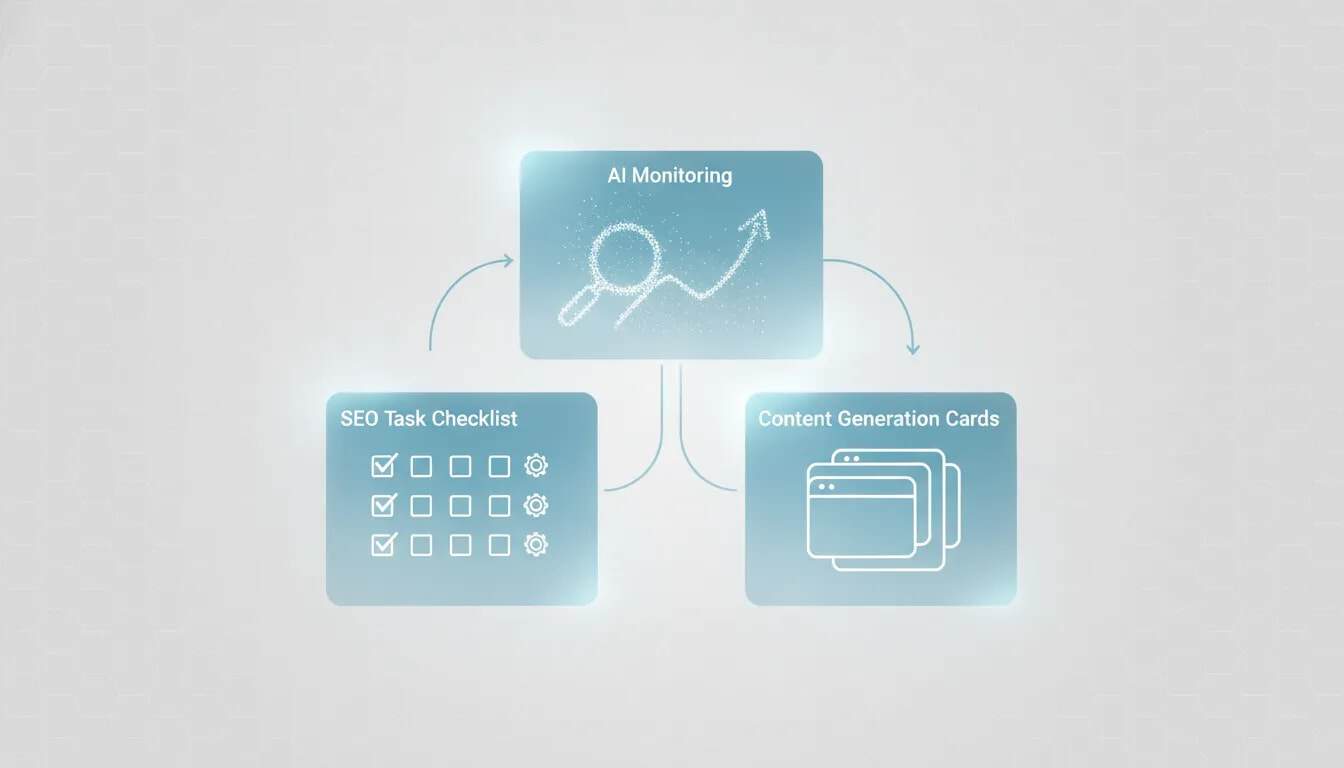
Its strongest appeal is the connection between monitoring and action. Rather than stopping at visibility scores, Visby gives teams tasks with instructions and acceptance criteria, then lets them run a validation check after the work is done. The main trade-offs I found are limited article export options, a report builder still in beta, and plan limits that matter if you manage several websites.
This is a first look, not a long-term test, so I can’t show ranking, traffic or AI-mention gains. AppSumo supplied me with Tier 2 access for this first look. The deal details come from AppSumo’s and Visby’s own pages, checked on 24 November 2026.
What Is Visby, and Who Is It For?
Visby is a website visibility tracker and improvement assistant. Its setup starts with a domain scan, which helps it suggest relevant prompts and set up a dashboard for the site.
It brings several related activities together:
- AI visibility monitoring: Track how often a site appears for monitored prompts, with visibility broken down by AI model.
- Competitive research: Explore competitors, share of voice and citation sources.
- Search reporting: Connect Google Search Console and Bing data.
- SEO task management: Turn scan findings into assignable work with completion checks.
- Content creation: Generate article drafts with metadata and internal links.
In our researched view, that makes it worth considering for solo site owners who want a more organised optimisation process, small teams sharing SEO work, and businesses that want AI visibility and conventional search data in one place. Multi-site users need to look closely at domain allowances.
What Are the Current Visby AppSumo Tiers?
Prices are in US dollars, with the Black Friday 10% discount applied. Source: AppSumo’s Visby listing, checked 24 November 2026.
| Tier | Price now | List price | Seats | Domains | Tracked prompts | Articles per month | AI models |
|---|---|---|---|---|---|---|---|
| 1 | $71.10 | $79 | 1 | 1 | 10 | 2 | ChatGPT; Gemini and Claude unclear for Tier 1 |
| 2 | $161.10 | $179 | 3 | 1 | 15 | 5 | ChatGPT, Gemini, Claude |
| 3 | $332.10 | $369 | 6 | 3 | 60 | 10 | ChatGPT, Gemini, Claude |
| 4 | $548.10 | $609 | 10 | 6 | 150 | 20 | ChatGPT, Gemini, Claude |
| 5 | Not shown in the page text | — | — | — | — | — | — |
| 6 | Not shown (a founder post says it tracks 20 domains) | — | — | 20 | — | — | — |
The deal terms, from the listing:
- Activate your licence within 60 days; you can only downgrade within 60 days of purchase.
- Refundable up to 60 days under AppSumo’s guarantee.
- New users only (see above).
- You get “all future Starter (Tiers 1, 2), Growth (Tiers 3-5) plan updates”. Tier 6 isn’t named, so ask which plan it follows.
- Future AI models “may be provided at a discounted rate” or “may require an add on”. Perplexity isn’t currently monitored; the listing says it is under review.
AppSumo shows 4.9 from 174 reviews and about 2,200 purchases. Those are hosted by AppSumo, so they aren’t independent. You can check the live listing at the Visby AppSumo listing (this is an affiliate link). For the wider sale, see our AppSumo Black Friday 2026 guide.
Practical check: Seats and domains are different limits. Three seats let more people work on an account, but don’t let you monitor more websites. If you manage two sites, start at Tier 3.
What Can You Learn From Visby’s Visibility Reports?
AI visibility, prompts and funnel coverage
The dashboard shows high-level scores alongside prompt ideas, funnel information, top keywords and visibility by AI model, so you can see where a site appears and where it needs attention.
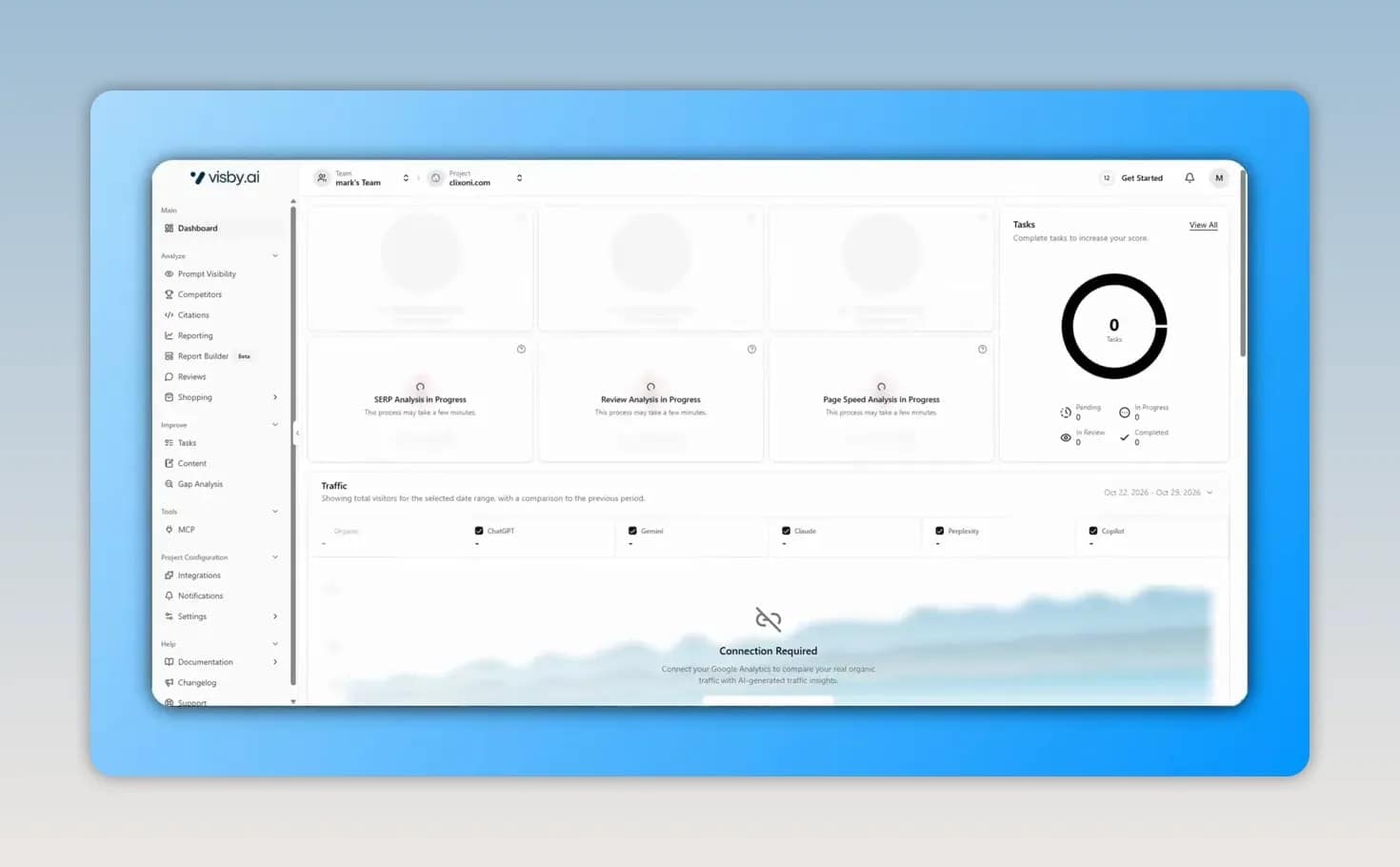
The suggested prompts are a starting point. Check whether they reflect questions your customers actually ask, then monitor the ones that matter to the business.
Keep AI visibility and website traffic separate when you read the results. A prompt appearance answers a different question from a search click or a visit. Visby puts the reports side by side, but they aren’t interchangeable measures of success.
Competitors, share of voice and citations
Visby has a competitor area with direct and indirect competitor classifications, plus share-of-voice information. Its citation tools let you explore the sources behind AI responses. That gives you context beyond a single score: which competing sites appear, and which sources are cited. Review the suggested competitors and add relevant businesses yourself, because an incomplete set limits what you can infer.
Google Search Console and Bing reporting
Visby supports Google Search Console, Bing and an analytics connection. Including Bing is useful if you want to assess search performance beyond Google.
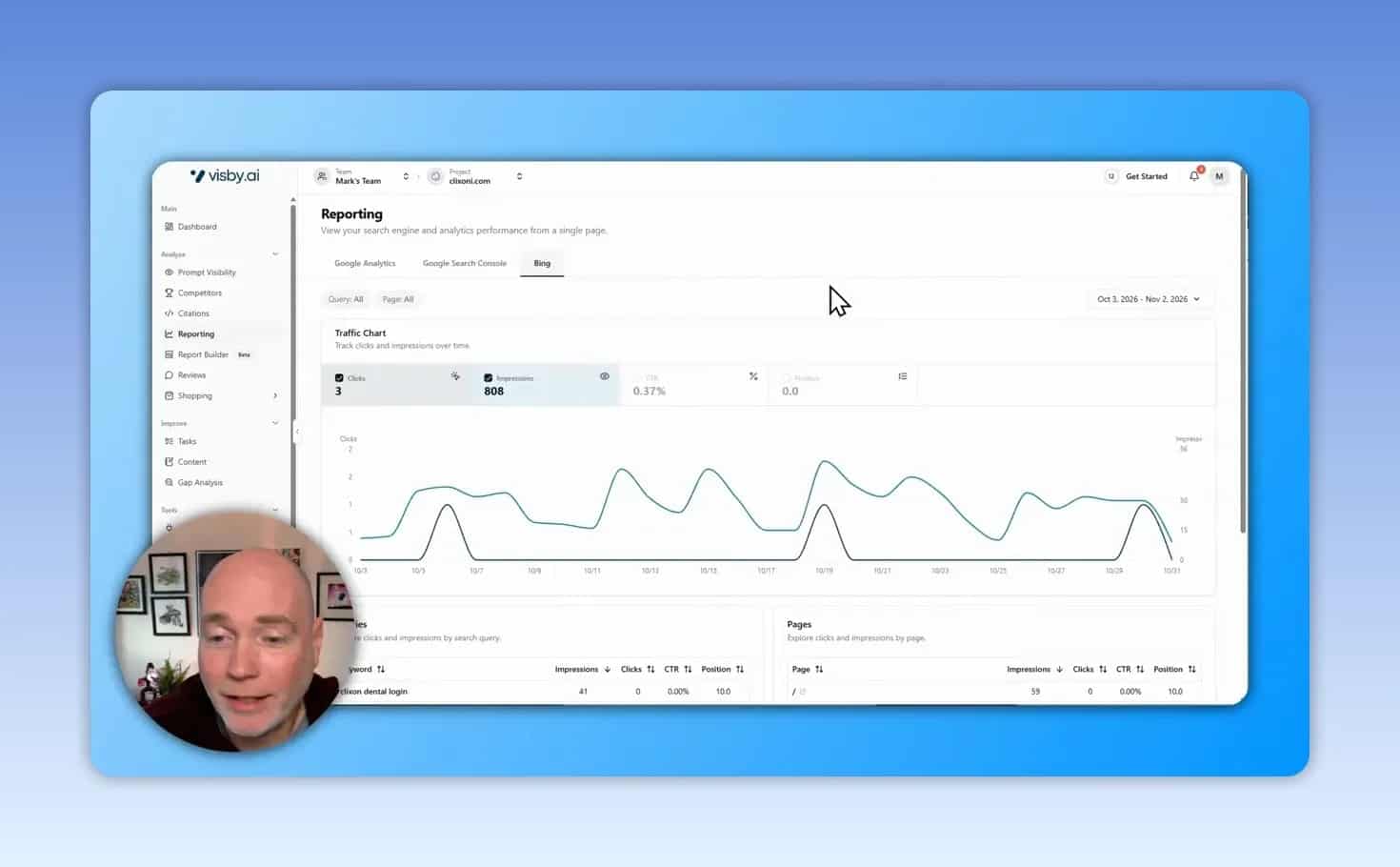
In my set-up, Google Search Console was connected but analytics was not, so I didn’t assess the analytics reporting or its part in the report builder. If Search Console data is new to you, Google’s Search Console performance report documentation explains the metrics.
How Does Visby Turn Website Findings Into SEO Tasks?
The task system is one of Visby’s more practical features. After scanning a site, it creates recommendations that explain both the issue and the work required. Task details include:
- Objective: the change the task is meant to achieve.
- Reason: why the recommendation matters.
- Instructions: what needs to be done.
- Acceptance criteria: the conditions for calling the work complete.
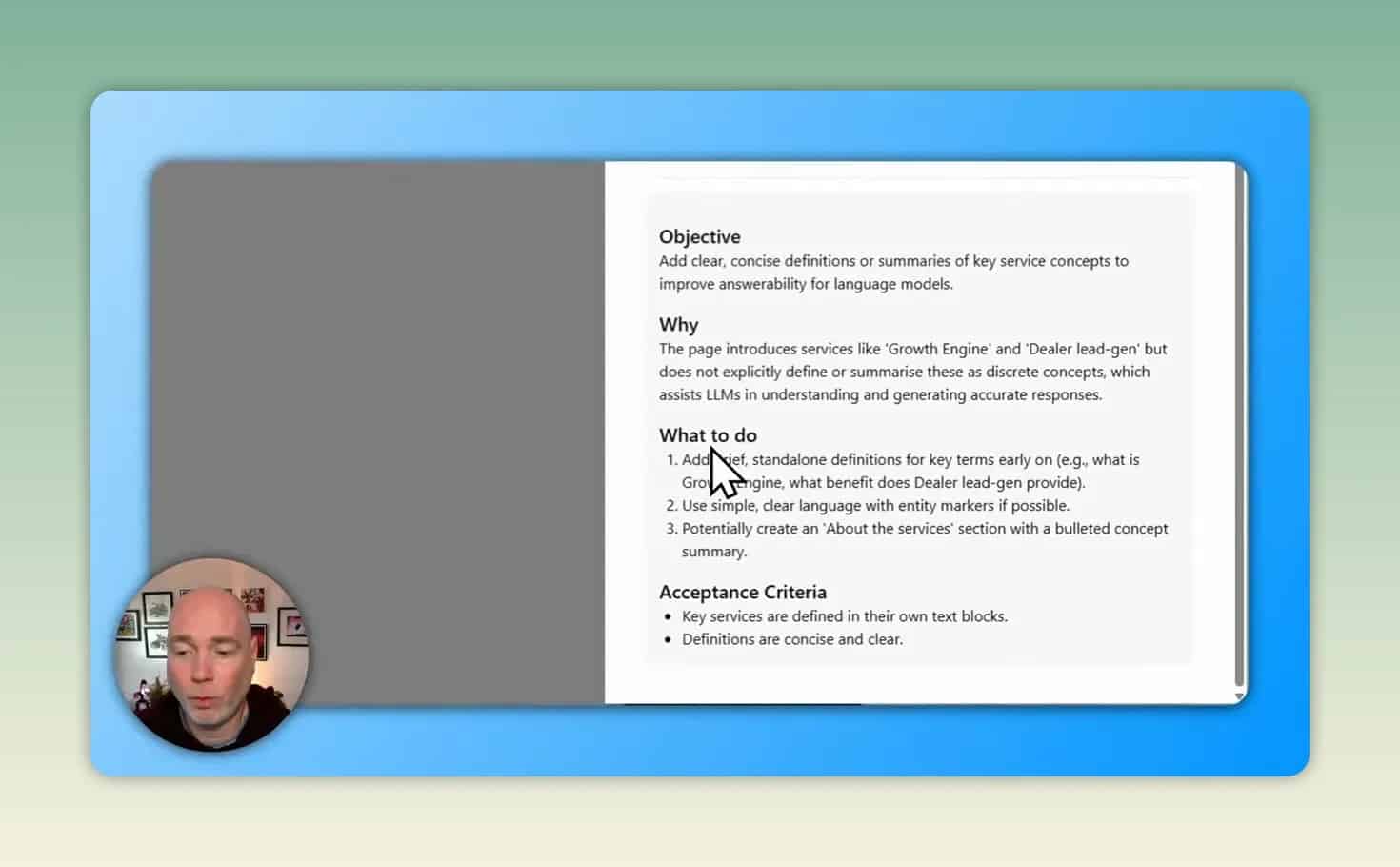
This bridges the gap between an audit finding and a brief someone can act on. On plans with several seats, tasks can be assigned to different team members. Visby’s pricing page lists two new automated tasks a week.
A practical task workflow
- Review the recommendation. Check that the objective and instructions suit the affected page or site.
- Assign an owner. If several people are involved, make responsibility clear.
- Move the task into progress. Make the recommended changes on the website.
- Review the implementation. Compare the work with the acceptance criteria before marking it done.
- Run validation. Once the task is in the Done column, use Validate to trigger another check.
Moving a task to Done does not fix the website. The changes still have to be made. Validation checks whether the highlighted issue has been addressed; it isn’t proof of better rankings or AI visibility.
AI Article Generation: Useful Drafts, Limited Publishing Options
Visby includes an article generator and a basic editor. The article I generated contained text, a meta title, a meta description and internal links.
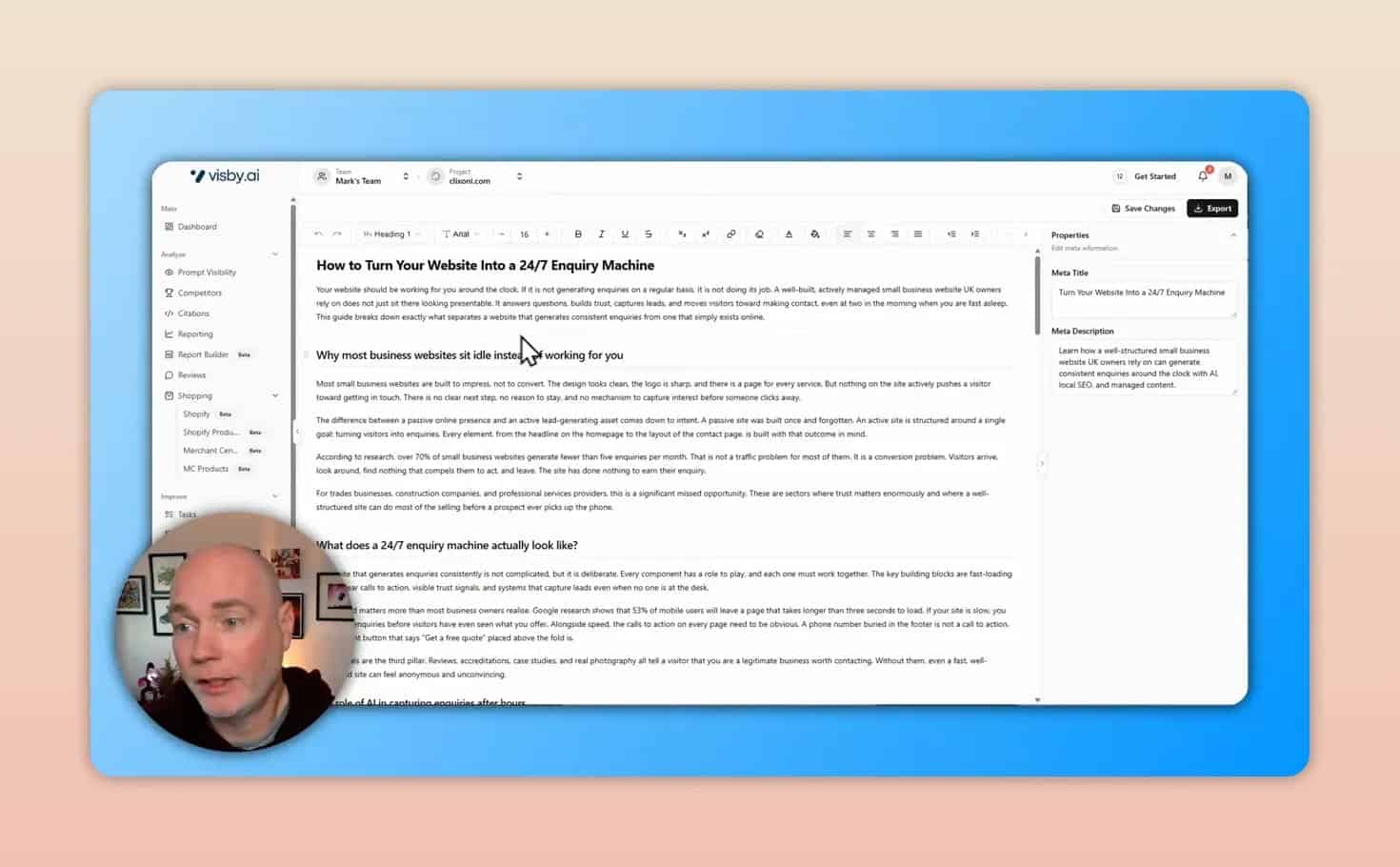
That makes it more than a plain text generator, but publishing is still manual work.
What it includes:
- Editable article drafts.
- A generated meta title and meta description.
- Internal links within the content.
- DOC and PDF export.
What to allow for when I recorded the video (check these against the current product, as they may have changed):
- No generated images in the article workflow I looked at.
- No direct WordPress publishing integration.
- No Markdown or HTML export in the export menu.
- Manual transfer: copy the content into your publishing system or work from an exported document.
Treat the output as a draft. Before publishing, check factual claims, internal-link destinations, metadata, formatting and whether the article answers the search query. Add images separately. The missing integrations matter most if you publish often: a draft may be quick to generate, but editing, transferring and formatting remain part of the job.
Reports, Integrations and Additional Features
Beta report builder
The report builder offers a page-based editor with widgets, themes and PDF export. Background options include a soft gradient, a paper texture, a blueprint style and none.
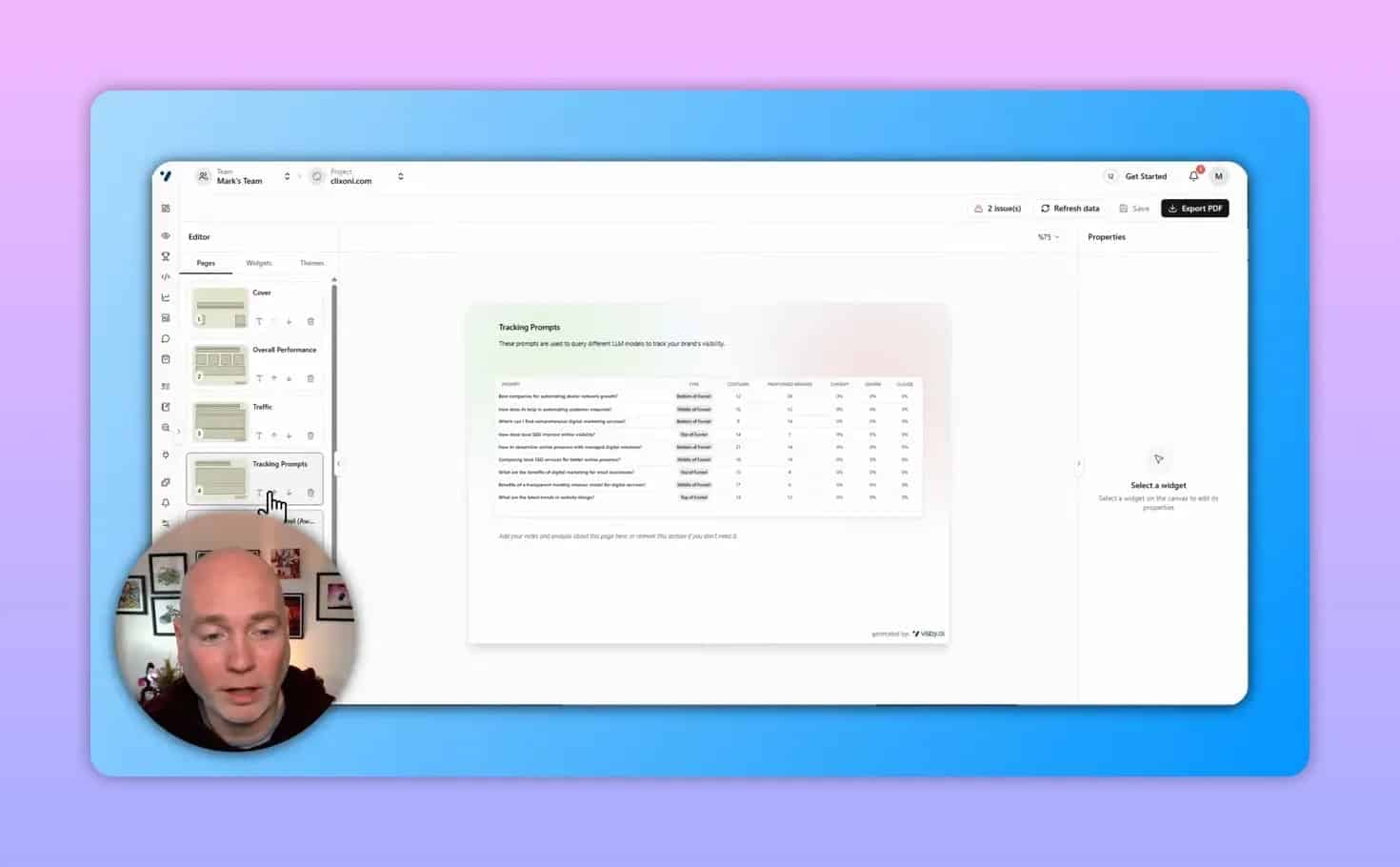
A decorative background suits a digital report; a plain one is more practical for printing.
The key limitation is data completeness. The builder appeared to depend heavily on a connected analytics account for a complete report, and it was labelled beta when I recorded the video. Before using it for client or internal reporting, connect the relevant sources, inspect every page and check the exported PDF.
MCP connections
Visby provides MCP connection instructions for Claude, ChatGPT, Gemini and Copilot. That is separate from connecting search and analytics accounts, and from choosing which AI models your plan monitors. The Model Context Protocol documentation explains what MCP is for. I haven’t shown every possible assistant workflow.
Shopify and brand reviews
A Shopify connection is available, but I didn’t test it. Visby also has a brand-review area intended to surface reviews when available. Check how both work with your own data before buying for either.
Is the Lifetime Deal Cheaper Than Visby’s Subscription?
Visby’s own pricing (checked 24 November 2026; “$”, currency not named on the page):
| Starter | Growth | Enterprise | |
|---|---|---|---|
| Price | $79 a month | $199 a month | Custom |
| AI engines | Any 3 of ChatGPT, Claude, Gemini, AI Overviews | Same | Same |
| Domains | 1 | 3 | 5+ |
| Tracked prompts | 15 | 90 | 250+ |
| Articles per month | 5 | 15 | 25 |
| Seats | 1 | 3 | 10+ |
You can cancel at any time. The page shows a free trial of Starter but gives no length and no refund policy, and lists no annual price. The subscription lets you choose any three engines, including Google AI Overviews. The AppSumo tiers list ChatGPT, Gemini and Claude, and we couldn’t confirm AI Overviews tracking is in the deal.
Our arithmetic:
- Tier 2 ($161.10: 3 seats, 1 domain, 15 prompts, 5 articles) equals about two months of Starter ($79).
- Tier 3 ($332.10: 3 domains, 60 prompts) is under two months of Growth ($199), but Growth gives 90 prompts against Tier 3’s 60.
The tiers don’t map exactly onto the plans, and any lifetime deal depends on the company continuing to operate. Visby’s Trustpilot profile was only claimed in November 2025, so it is a young product.
Visby vs Otterly.AI and Peec AI
Official prices, checked 24 November 2026:
| Tool | Entry price | Prompts | Engines | Trial |
|---|---|---|---|---|
| Visby | $79 a month (Starter) | 15 | Any 3 of ChatGPT, Claude, Gemini, AI Overviews | Free trial (length not stated) |
| Otterly.AI | €29 a month (Lite, excluding tax) | 16 | “4 of 7 AI engines” (not named) | Free trial (length not stated) |
| Peec AI | $95 a month (Starter) | 50 | Choose 3 of ChatGPT, Perplexity, AI Overview, AI Mode, Gemini, Naver, ERNIE, Bing AI Mode | Free trial (terms not stated) |
Visby’s distinct angle is the task board and article generation alongside tracking. Peec covers Perplexity and Google AI Mode, which Visby’s deal doesn’t. Per tracked prompt, Visby is dearer than both; you’re paying for the tasks and content tools.
What Do Other Users Say?
Trustpilot shows 4.8 from 68 reviews (96% five-star, all within the last year, checked 24 November 2026), and Trustpilot notes no recent history of invited reviews. We couldn’t confirm that profile is the same visby.ai product, though the features reviewers describe (a task board and a Validate step) match. Reviewers praise a clean dashboard, quick onboarding, prioritised tasks and a responsive team. Complaints are few: a reported single sign-on problem, and a recommendation list that can feel overwhelming. Almost all reviews are five-star and the product is young, so read this as early, positive feedback, not a settled verdict. We couldn’t retrieve a G2 score.
Who Should (and Shouldn’t) Buy It?
It may suit you if you want monitoring and a to-do list in one place, you run one to a few sites, and you’re happy to publish by copy and paste. Agencies managing several domains should look at Tier 3 or higher.
Skip it if you need automatic WordPress publishing or Markdown export, you need Perplexity or Google AI Mode tracking, you already used a Visby trial or account (you’re not eligible), or you need a finished reporting product today. If you’re comparing other marketing tools, see our Fraud Blocker review and the best AppSumo alternatives.
What to Check Before You Buy
- That you’re a brand-new Visby user. No previous accounts, trials or paid plans.
- The deadline: 1 December, noon CT, and activation within 60 days.
- Domains you need to monitor, and seats for your team.
- Which AI models are included, and that Perplexity isn’t monitored.
- Tracked-prompt and article allowances against your needs.
- Whether DOC, PDF or copy-and-paste suits your publishing process.
- The add-on risk for future AI models.
- Tiers 5 and 6, which we couldn’t see in full.
Visby FAQs
Is the Visby AppSumo deal still available? Yes, at the time of writing (24 November 2026). It’s open to everyone and the extra 10% Black Friday discount runs until 1 December, noon CT.
Can I try Visby free before buying the deal? The deal is for brand-new users only, and AppSumo excludes previous trials. Starting Visby’s own free trial could make you ineligible.
Does Visby publish to WordPress? Not when I recorded the video. Export was DOC and PDF only.
Does Visby track Perplexity? Not currently; the AppSumo listing says it is under review.
Is Visby Worth Considering? Our Verdict
Visby is most compelling as a combined monitoring and implementation workspace. The visibility reports show where to look, while tasks, assignments and validation give you a way to organise the work. Search Console and Bing reporting add context. In our researched view, the lifetime deal pays back quickly against the monthly plan for light use, and the main risks are a young product, limited export and gaps in engine coverage. If you aren’t a new user, or you need WordPress publishing or Perplexity tracking, it’s a less obvious fit.
The sensible next step is to test one complete workflow: connect a site and its reporting sources, review the suggested prompts and competitors, complete a task, run validation and move an article draft into your publishing system. Do it inside the 60-day refund window.
Sources
Checked 24 November 2026.
- AppSumo, Visby listing: https://appsumo.8odi.net/1GY9mx
- Visby pricing: https://visby.ai/pricing
- Trustpilot UK, visby.ai: https://uk.trustpilot.com/review/visby.ai
- G2, Visby AI (fetch blocked; no score retrieved): https://www.g2.com/products/visby-ai/reviews
- Otterly.AI pricing: https://otterly.ai/pricing
- Peec AI pricing: https://peec.ai/pricing
- Google, Search Console performance report: https://support.google.com/webmasters/answer/7576553
- Model Context Protocol introduction: https://modelcontextprotocol.io/introduction
- Payback figures: Reviewify’s own arithmetic from items 1 and 2.