
TrueNAS CORE is completely free and open-source, built on FreeBSD with the ZFS file system. You’ll get enterprise-level features like data protection, snapshots, and flexible storage management without licensing costs. However, while the software costs nothing, you’ll need to budget for hardware (minimum 8GB RAM and 64-bit processor), potential support packages, maintenance, and staff training. The total investment depends on your storage needs and implementation scale. Further details reveal important cost considerations for different deployment scenarios.
Understanding TrueNAS CORE: The Free Open-Source Version
When exploring TrueNAS operating systems, it’s important to understand that TrueNAS CORE is indeed completely free and open-source. This version gives you full access to enterprise-level storage capabilities without any licensing costs or subscription fees.
TrueNAS CORE represents the community edition of the platform, built on FreeBSD and the powerful ZFS file system. You’ll benefit from features like data integrity protection, snapshot capabilities, and flexible storage pool management.
TrueNAS CORE delivers enterprise ZFS storage with robust data protection and flexible management—all free and community-supported.
The software originated as FreeNAS before iXsystems rebranded it as part of their TrueNAS product line. While CORE remains free, iXsystems offers premium versions with additional features and support.
You can download TrueNAS CORE directly from the official website and install it on your own hardware, making it accessible for home labs and small businesses.
TrueNAS SCALE and Enterprise: Costs and Licensing Models
Unlike the free CORE edition, TrueNAS SCALE and Enterprise editions operate under specific licensing models with associated costs.
TrueNAS SCALE follows a subscription-based model, with pricing determined by your storage capacity and support level requirements.
TrueNAS Enterprise, aimed at businesses needing mission-critical storage solutions, comes with higher costs but offers thorough technical support and advanced features.
When considering these paid options, you’ll find:
- Subscription fees typically range from hundreds to thousands of dollars annually based on deployment size
- Enterprise licenses include priority support with guaranteed response times
- Both options provide access to exclusive features not available in the free CORE version
The investment in these paid versions is justified for organizations requiring improved reliability, security features, and professional technical assistance for their storage infrastructure.
Hardware Requirements and Their Financial Impact
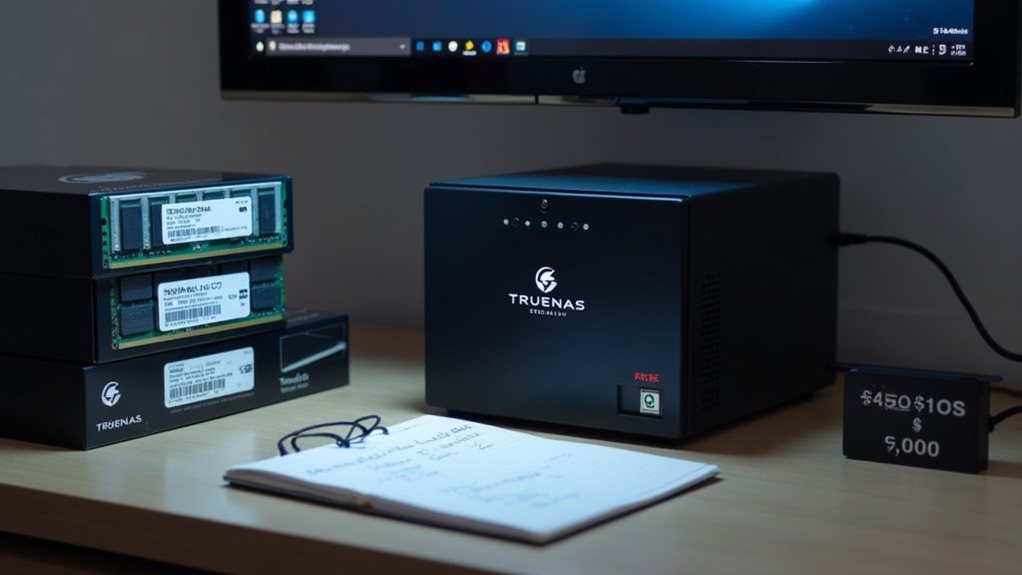
While TrueNAS software may be free, you’ll need to evaluate the hardware costs that come with running the system effectively.
The minimum specifications for TrueNAS CORE include at least 8GB RAM, a 64-bit processor, and sufficient storage drives, which can start around $500 for a basic home setup.
Enterprise implementations typically require server-grade hardware with ECC memory, redundant power supplies, and enterprise-class storage drives, potentially pushing costs into the thousands or tens of thousands of dollars depending on your storage and performance requirements.
Minimum Specs Cost
The minimum hardware requirements for TrueNAS represent a considerable financial consideration for potential users.
While the software itself is free, the hardware needed to run it effectively requires investment.
Basic TrueNAS Core deployments typically need:
- CPU: 64-bit x86-64 processor (minimum dual-core) costing $100-200
- RAM: 8GB minimum (16GB+ recommended) ranging from $40-100
- Storage: At least two drives for redundancy starting at $100+
Even with entry-level components, you’re looking at approximately $250-400 minimum investment before accounting for a chassis, power supply, and networking equipment.
This cost increases markedly for enterprise deployments requiring ECC memory and server-grade components.
The hardware investment might seem substantial compared to consumer NAS solutions, but provides superior flexibility, performance, and data protection capabilities that justify the upfront expense.
Enterprise Hardware Pricing
For enterprises considering TrueNAS deployment, hardware costs increase considerably compared to home or small business implementations.
Enterprise-grade hardware often starts at $10,000 and can exceed $100,000 for high-capacity storage solutions.
You’ll need to budget for server-class processors, ECC RAM (typically 8GB minimum plus 1GB per TB of storage), and enterprise-grade drives.
A proper enterprise setup includes redundant power supplies, hardware RAID controllers, and 10Gb networking equipment.
Many organizations opt for certified TrueNAS hardware from iXsystems to guarantee compatibility and support.
Their enterprise offerings include the TrueNAS M-Series and R-Series, which provide scalable solutions with official support contracts.
While the hardware investment is considerable, it’s proportional to the reliability, performance, and capacity requirements of enterprise-level deployments.
Hidden Expenses: Support, Maintenance, and Training
While TrueNAS OS itself is free, you’ll encounter several hidden expenses that impact your total cost of ownership.
Enterprise support packages from iXsystems range from $250-$2,000 annually, depending on your deployment scale and required response times.
Beyond support costs, you must also budget for ongoing maintenance resources and staff training investments to guarantee your team can properly manage and troubleshoot the system.
Enterprise Support Costs
Although TrueNAS CORE is free to download and use, prospective users should carefully consider the potential enterprise support costs that aren’t immediately apparent.
When deploying TrueNAS in business environments, official technical support becomes a considerable expense.
Enterprise support packages from iXsystems typically include:
- 24/7 priority technical assistance with guaranteed response times
- Hardware replacement services with various SLA options
- Access to senior engineers for complex troubleshooting and optimization
These enterprise support contracts can range from several thousand to tens of thousands of dollars annually, depending on your deployment size and required service level.
The cost increases with the number of storage nodes, total capacity, and response time guarantees.
For mission-critical systems, this expense becomes necessary to guarantee minimal downtime and proper system maintenance, effectively transforming the “free” OS into a paid enterprise solution.
Maintenance Resource Requirements
Beyond the software’s free price tag, TrueNAS CORE demands considerable maintenance resources that constitute hidden expenses many users don’t anticipate.
While the operating system costs nothing to download, you’ll need to allocate time for regular system updates, performance monitoring, and troubleshooting when issues arise.
Hardware maintenance represents another notable requirement, as you’ll need to check drive health regularly and plan for component replacements.
Many users report spending 3-5 hours weekly managing their TrueNAS systems.
Additionally, you should budget for learning resources. The complexity of TrueNAS means you’ll likely invest time in forums, documentation, and possibly online courses to optimize your setup.
For businesses, these maintenance demands often translate to dedicated IT staff time, representing a real cost despite the free software.
Staff Training Investment
Implementing TrueNAS CORE requires a considerable staff training investment that extends the true cost beyond the free software download.
While the software itself costs nothing, your team needs specialized knowledge to manage it effectively.
Training expenses typically include:
- Formal courses ranging from $1,500-$3,000 per staff member for extensive ZFS and TrueNAS administration
- Time investment of 40-80 hours per employee during the learning phase
- Potential productivity losses during the implementation period
You’ll need to budget for both initial and ongoing training as new features are released.
Most organizations find they need at least one dedicated specialist who thoroughly understands storage management principles and TrueNAS-specific configurations.
Consider creating internal documentation to preserve institutional knowledge when trained staff members leave, reducing future training costs.
Free Alternatives to TrueNAS for Budget-Conscious Users
For those seeking free NAS solutions beyond TrueNAS, several viable alternatives exist that won’t strain your budget.
OpenMediaVault stands as a popular Debian-based option with a clean web interface and extensive plugin support.
OpenMediaVault delivers Debian-powered NAS functionality through an intuitive interface while supporting extensive customization via plugins.
It’s particularly well-suited for single-drive setups and home users with modest storage needs.
Rockstor delivers a CentOS-based solution with its BTRFS file system integration, offering snapshot capabilities and data integrity features without cost for personal use.
FreeNAS 11.3, the last community version before the TrueNAS rebrand, remains available for download and provides stable ZFS functionality for those willing to use slightly older software.
XigmaNAS (formerly NAS4Free) continues the original FreeNAS legacy with regular updates and thorough documentation, making it accessible to networking beginners.
Cost-Benefit Analysis: When Is TrueNAS Worth the Investment?

While TrueNAS Core remains completely free to download and use, determining whether you should invest in a TrueNAS setup requires careful consideration of your specific storage needs and resources.
The hardware costs for a reliable TrueNAS system can range from several hundred to thousands of dollars depending on your storage requirements.
Consider these factors when evaluating TrueNAS as an investment:
- Storage capacity needs – TrueNAS becomes more cost-effective as your data storage requirements increase
- Technical expertise – You’ll need basic system administration skills or time to learn them
- Reliability requirements – If data integrity is critical, TrueNAS’s ZFS advantages may justify the investment
For small personal projects, free alternatives might suffice.
However, for businesses or users with notable data protection needs, TrueNAS offers enterprise-level features that typically provide excellent value compared to commercial alternatives.
Frequently Asked Questions
Can Truenas Be Installed on Virtual Machines?
Yes, you can install TrueNAS on virtual machines. It works well in virtualized environments like VMware, VirtualBox, or Proxmox. You’ll need to allocate sufficient resources and properly pass through storage devices for ideal performance.
Does Truenas Support Docker Containers Natively?
TrueNAS SCALE supports Docker containers natively, but TrueNAS CORE doesn’t. Instead, on CORE you’ll need to use jails or VMs to run containers. SCALE’s Docker implementation uses Kubernetes for orchestration.
How Often Are Security Updates Released for Truenas CORE?
TrueNAS Core typically receives security updates monthly, though critical patches can be released more frequently. You’ll get these updates through the web interface, where you can choose to install them automatically or manually.
Can Truenas Be Used for Cloud Backup Integration?
Yes, you can use TrueNAS for cloud backup integration. It supports various cloud storage services like Amazon S3, Google Cloud, Backblaze B2, and others through its built-in Cloud Sync feature for seamless offsite data backup.
Is Truenas Suitable for Small Business Environments?
Yes, TrueNAS is excellent for small business environments. You’ll benefit from its robust file sharing, data protection features, and scalability. It’s cost-effective while providing enterprise-level storage capabilities your business can rely on.
Final Thoughts
You’ve now explored the nuances of TrueNAS costs. While TrueNAS CORE remains completely free, other versions require payment. Your total investment will depend on which version you choose, hardware requirements, and additional expenses like support. For many home users, CORE offers an excellent cost-free solution. However, businesses might find the paid versions worthwhile for their added features and support options.