QNAP NAS devices aren’t inherently safe without proper security measures. They’ve experienced serious security incidents like the Qlocker and DeadBolt ransomware attacks in recent years. To protect your data, you’ll need to change default passwords, keep firmware updated, implement two-factor authentication, and maintain offline backups. While QNAP has improved their security response, their systems require more active management compared to competitors like Synology. The following sections explore crucial protection strategies for your valuable data.
Recent Security Incidents Involving QNAP Devices
While QNAP Network Attached Storage (NAS) devices offer convenient data storage solutions, they’ve experienced several notable security vulnerabilities in recent years.
In 2020, the Qlocker ransomware attack targeted thousands of QNAP systems worldwide, encrypting user files and demanding Bitcoin payments for decryption keys. Many users lost valuable data when they couldn’t pay the ransom.
The DeadBolt ransomware campaign struck QNAP devices in early 2022, exploiting zero-day vulnerabilities to bypass security measures. This attack affected both home and business users with internet-exposed NAS units.
QNAP has also faced multiple critical vulnerabilities, including CVE-2021-28799, which allowed remote attackers to gain administrator access without authentication.
These security incidents highlight the importance of keeping your firmware updated and disabling remote access features when not needed.
Common Vulnerabilities in QNAP NAS Systems
Despite QNAP’s popularity among home and business users, these NAS devices contain several security weaknesses that hackers frequently exploit.
Default credentials remain a notable vulnerability, as many users don’t change the factory-set admin passwords. This creates an easy entry point for attackers who can simply try common default combinations.
Attackers exploit unaltered factory passwords, gaining access through predictable credential combinations.
Outdated firmware represents another critical weakness. QNAP regularly releases security patches, but many devices run outdated versions that contain known vulnerabilities.
Unpatched services, particularly those exposed to the internet through port forwarding, create additional attack vectors. Services like SMB, SSH, and FTP can become entry points when not properly secured.
Weak encryption implementations have also been documented in older QNAP models, potentially compromising data integrity even when security features appear to be enabled.
QNAP’s Response to Security Threats

QNAP’s response to security threats involves structured crisis management protocols that activate immediately when vulnerabilities are discovered.
You’ll notice their vulnerability disclosure timeline typically includes initial private notification, followed by development of patches, and culminating in public disclosure once fixes are available.
Their approach balances transparency with users against the need to protect systems from exploitation during the remediation process.
Crisis Management Protocols
In response to escalating cybersecurity threats, effective crisis management protocols have become essential for NAS manufacturers.
QNAP has established a Security Response Team that monitors threats 24/7 and coordinates rapid response when vulnerabilities are identified. Their protocol includes immediate assessment, development of security patches, and prompt distribution to affected devices.
You’ll receive notifications through the QNAP Security Advisories page and direct alerts to your NAS dashboard when new threats emerge. The company typically releases patches within 14-30 days of discovering vulnerabilities, depending on severity.
QNAP’s crisis management also includes a detailed knowledge base with step-by-step remediation guides.
During major security events, they activate emergency response procedures, including dedicated support channels and temporary security measures to protect your data until permanent solutions are implemented.
Vulnerability Disclosure Timeline
Understanding the timeline for vulnerability disclosure provides insight into how quickly your QNAP device will be protected when security flaws emerge.
QNAP typically follows a structured disclosure process when security vulnerabilities are discovered. The company receives reports from security researchers or identifies issues through internal testing. They’ll then investigate the severity and scope of the vulnerability.
Critical security issues generally receive patches within 30-90 days of discovery. Once a fix is developed, QNAP releases security advisories through their Security Advisories page and pushes updates to affected devices.
You can monitor QNAP’s response effectiveness by checking their security bulletin history.
While some users have criticized certain delayed responses to critical vulnerabilities, the company has improved their notification systems and patch delivery processes in recent years.
Essential Security Measures for QNAP Owners
You must implement two critical security measures to protect your QNAP NAS system from potential threats.
First, regularly check for and install firmware updates, which contain patches for known vulnerabilities that hackers actively exploit.
Enabling two-factor authentication adds a vital second layer of protection, requiring both a password and a verification code when you log in to your NAS device.
Firmware Updates Matter
While many NAS owners focus primarily on storage capacity and file organization, regular firmware updates represent the cornerstone of QNAP security. Firmware updates deliver crucial security patches that protect your device from emerging threats and vulnerabilities.
QNAP regularly releases updates to address security issues, with critical patches sometimes arriving multiple times per month. You should enable automatic updates in your QNAP control panel to guarantee you’re always protected against the latest threats.
Outdated firmware creates considerable security risks, as hackers specifically target known vulnerabilities in unpatched systems. Many successful attacks against QNAP devices have exploited security holes that were already fixed in newer firmware versions.
Remember that firmware updates also introduce performance improvements and new features, making regular updates beneficial beyond just security considerations.
Enable Two-Factor Authentication
Because cybercriminals frequently target NAS devices with password attacks, enabling two-factor authentication (2FA) provides a crucial second layer of defense for your QNAP system.
2FA requires users to verify their identity through two separate methods: something they know (password) and something they possess (like a smartphone).
Setting up 2FA on your QNAP is straightforward through the Security section in the Control Panel. You can choose between hardware security keys, authenticator apps like Google Authenticator, or SMS verification methods.
Even if attackers somehow obtain your password through phishing or data breaches, they’ll still need your physical authentication device to access your system.
This simple security measure dramatically reduces the risk of unauthorized access to your valuable data and connected devices.
Comparing QNAP’s Security to Competing NAS Brands
When comparing NAS security features across major brands, QNAP’s approach differs markedly from competitors like Synology, ASUSTOR, and Western Digital.
QNAP systems typically offer extensive security tools but have faced more publicized vulnerabilities compared to Synology, which has maintained a stronger security reputation in recent years.
While QNAP provides frequent security updates, Synology’s DSM operating system is often regarded as more secure out-of-the-box.
ASUSTOR falls somewhere between these two, offering solid security but with less robust implementation.
Western Digital’s My Cloud devices target more casual users and consequently offer simplified security features compared to the business-oriented brands.
All manufacturers provide firmware updates, but QNAP and Synology lead in security innovation with advanced features like malware detection, network monitoring, and sophisticated access controls that better protect your valuable data.
Risk Assessment: Who Should Use QNAP Products
Understanding which users are best suited for QNAP products requires a realistic assessment of security considerations. Your specific needs and technical capabilities should determine whether QNAP is right for you.
Choosing QNAP requires honest evaluation of your security needs and technical abilities.
QNAP systems may be appropriate for:
- Small businesses with dedicated IT staff who can implement proper security protocols and stay updated on patches.
- Tech-savvy home users willing to perform regular maintenance and security updates.
- Users who don’t plan to store sensitive personal or financial information on their NAS.
- Organizations that will implement additional security layers like VPNs and firewalls.
Before choosing QNAP, consider your comfort level with technology and willingness to maintain security measures. If you lack technical skills or don’t have time for regular maintenance, you might want to explore alternative storage solutions with simpler security requirements.
Real-World User Experiences With QNAP Security
How have actual QNAP owners fared when it comes to security issues? Based on user reports, experiences have been mixed across the QNAP community.
Many users report successful implementation of security measures, with proper configuration providing adequate protection against common threats. Regular firmware updates and enabling two-factor authentication have proven effective for numerous owners.
However, some users have experienced ransomware attacks despite following recommended security practices. These incidents often occurred during periods of known vulnerabilities before patches were available.
Long-term QNAP users frequently note that security has improved considerably in recent years. They emphasize that maintaining offline backups remains crucial regardless of security measures implemented.
User forums reveal that those with IT backgrounds generally report fewer security incidents, suggesting that technical knowledge greatly impacts successful QNAP deployment.
Future Security Roadmap and QNAP Improvements
QNAP’s security evolution continues beyond the user experiences shared above, with the company outlining a robust roadmap for future protection upgrades.
These planned improvements demonstrate QNAP’s commitment to addressing previous vulnerabilities.
The company’s security roadmap includes:
- Implementation of advanced threat detection systems that identify suspicious activities before they compromise your system
- Regular firmware updates delivered through a new automated patching system
- Improved encryption protocols for both data at rest and in transit
- Expanded security partnership program with third-party cybersecurity firms for independent testing
While QNAP’s history includes security challenges, these upcoming advancements signal a shift toward proactive rather than reactive security measures.
You’ll benefit from these changes as they roll out over the next 18 months, potentially resolving many of the concerns raised by current users.
Alternative Backup Solutions for Security-Conscious Users
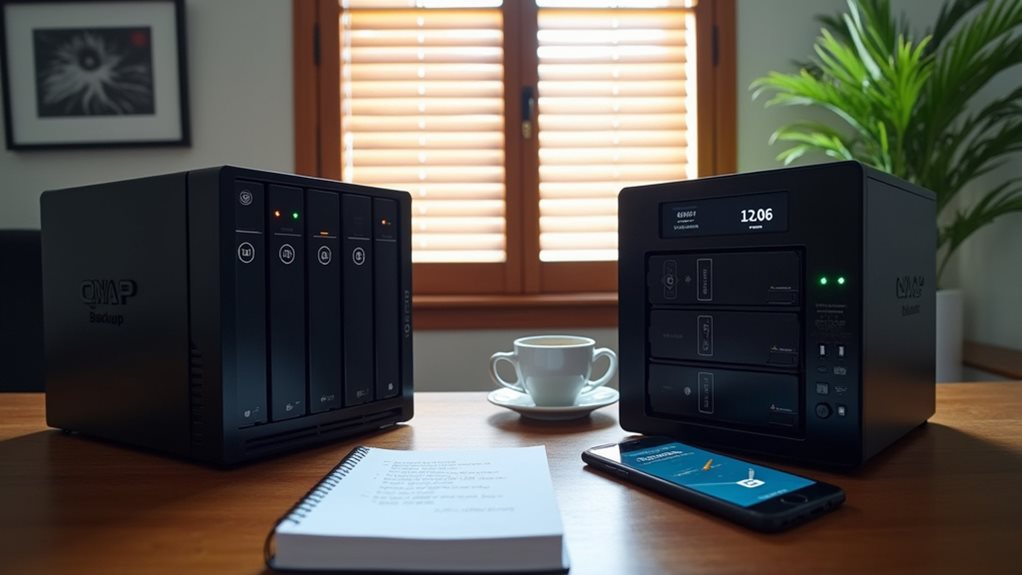
While QNAP NAS devices offer extensive storage capabilities, many security-minded users prefer implementing additional backup strategies to protect their critical data.
The 3-2-1 backup approach remains one of the most effective methods. You should maintain three copies of important data: the original file, a local backup, and an offsite copy stored in a physically different location or trusted cloud service.
For maximum security, consider encrypted external hard drives from brands like Samsung T7 or WD My Passport. These devices offer hardware encryption and portability for offline storage.
Cloud services such as Backblaze B2, Wasabi, or Amazon S3 provide affordable off-premises storage with strong encryption options and automatic versioning.
These services enable recovery from both local disasters and ransomware attacks.
Frequently Asked Questions
Does QNAP Offer Professional Installation Services With Security Configuration?
Yes, QNAP offers professional installation services that include security configuration. You’ll find these services through their authorized partners and resellers. They’ll set up your NAS with proper security measures for ideal protection.
How Long Does QNAP Provide Security Updates for Older NAS Models?
QNAP typically provides security updates for older NAS models for 4-6 years after release. You’ll want to check their End-of-Life policy for your specific model as support duration varies by product line.
Can QNAP Devices Be Insured Against Ransomware Attacks?
You can insure your QNAP device against ransomware through cyber insurance policies that cover data recovery and ransom payments. Check with insurance providers for specific coverage options customized to NAS devices.
What Security Certifications Does QNAP Hold?
QNAP holds certifications like ISO 27001 for information security management and Common Criteria (EAL2+) for some products. You’ll also find they comply with GDPR requirements and implement various security standards for data protection.
How Do Business and Home User Security Needs Differ for QNAP?
Business users need enterprise-level data protection, multi-user access controls, and compliance features. You’ll find home users typically prioritize simpler setup, basic password protection, and user-friendly security measures for personal data protection.
Final Thoughts
QNAP NAS devices can be safe when you’re proactive about security. You’ll need to keep firmware updated, change default settings, and implement strong passwords to protect your data. While QNAP has improved their security response, no system is completely risk-free. Your specific needs and technical comfort level should guide your decision between QNAP and alternative solutions that might offer different security-performance tradeoffs.