
I tested Reap, a clipper tool that turns longer recordings into platform-ready shorts. It automatically chops footage, adds captions, and offers AI dubbing and auto reframe so a single piece of content can become multiple short posts for YouTube, TikTok and Instagram.
What Reap does and who it is for
Reap is built for creators who want to scale content output without spending hours on editing. Feed it a recording or paste a YouTube link longer than two minutes and it will:
- Auto-split long form recordings into short clips
- Generate subtitles and simple caption styles
- Auto reframe to keep faces visible on vertical formats
- AI dubbing and translation features (worth testing for multilingual repurposing)
- Brand templates and scheduling tools so clips can be posted consistently
Quick start — how to make clips
Getting started is straightforward. Click create a project, choose whether you want clips or captions, then drag and drop a file or paste a YouTube link. The import process is fast and intuitive.
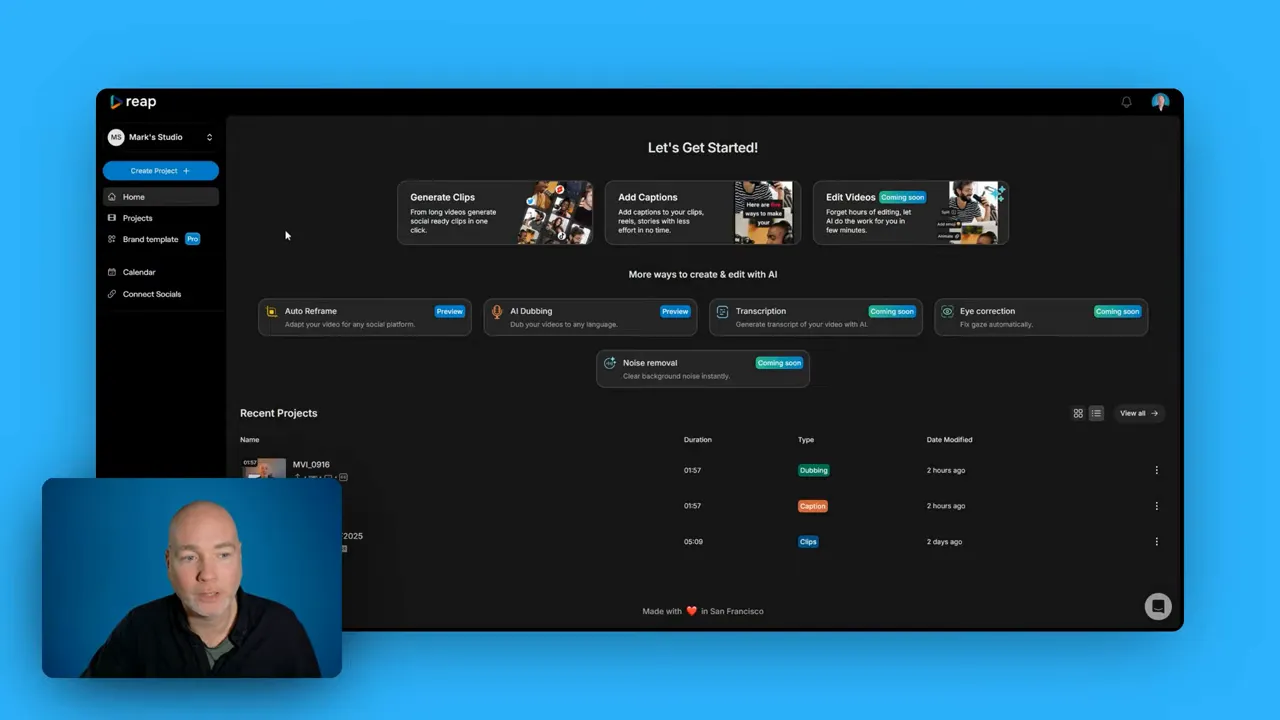
After import, Reap analyses the footage and suggests clip points. For a five minute recording I ended up with six suggested shorts — a great boost to content output, especially if you prefer bite-sized posts.
Auto reframe and background treatment
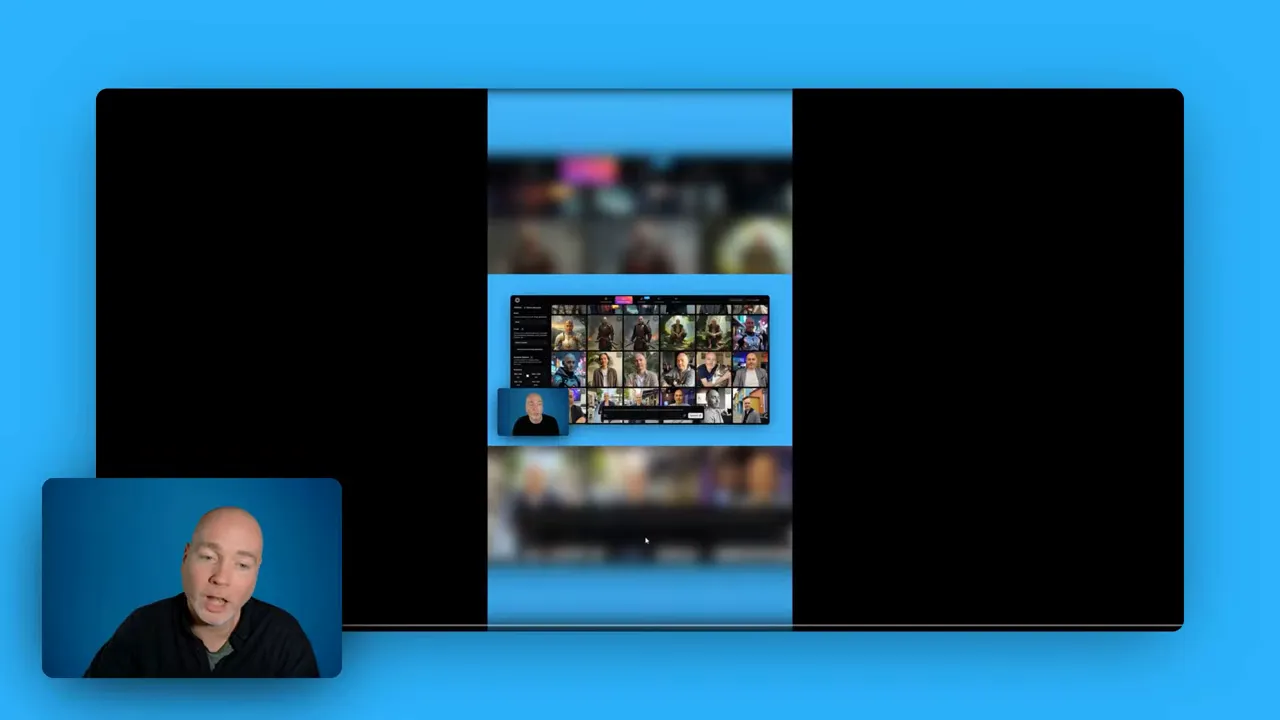
If the presenter is off-centre, Reap often leaves the original frame and creates a blurred enlarged background to fill vertical aspect ratios. It is a tidy compromise that keeps important visuals visible while matching the required format.
Editing workflow and captions
Open any suggested clip and you get a transcription to the side. From there you can:
- Adjust clip start and end points
- Edit or correct transcription text
- Highlight text, add emojis, and change caption presets
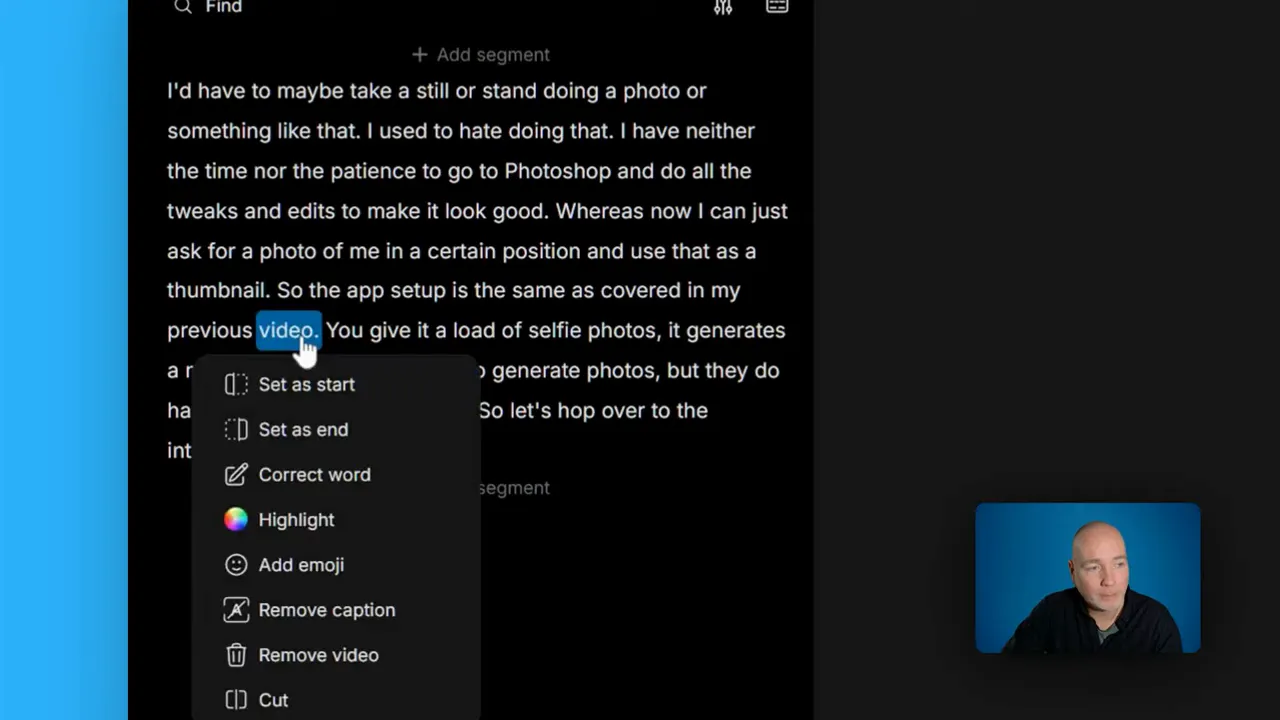
Caption presets are plentiful and you can save brand-specific presets to keep a consistent look across clips. The timeline bar is standard and simple to use, so trimming and fine-tuning is quick.
B-roll and audio options
Reap includes a searchable library for B-roll videos and images. A quick search for keywords such as sale will return visual options you can drop into clips.
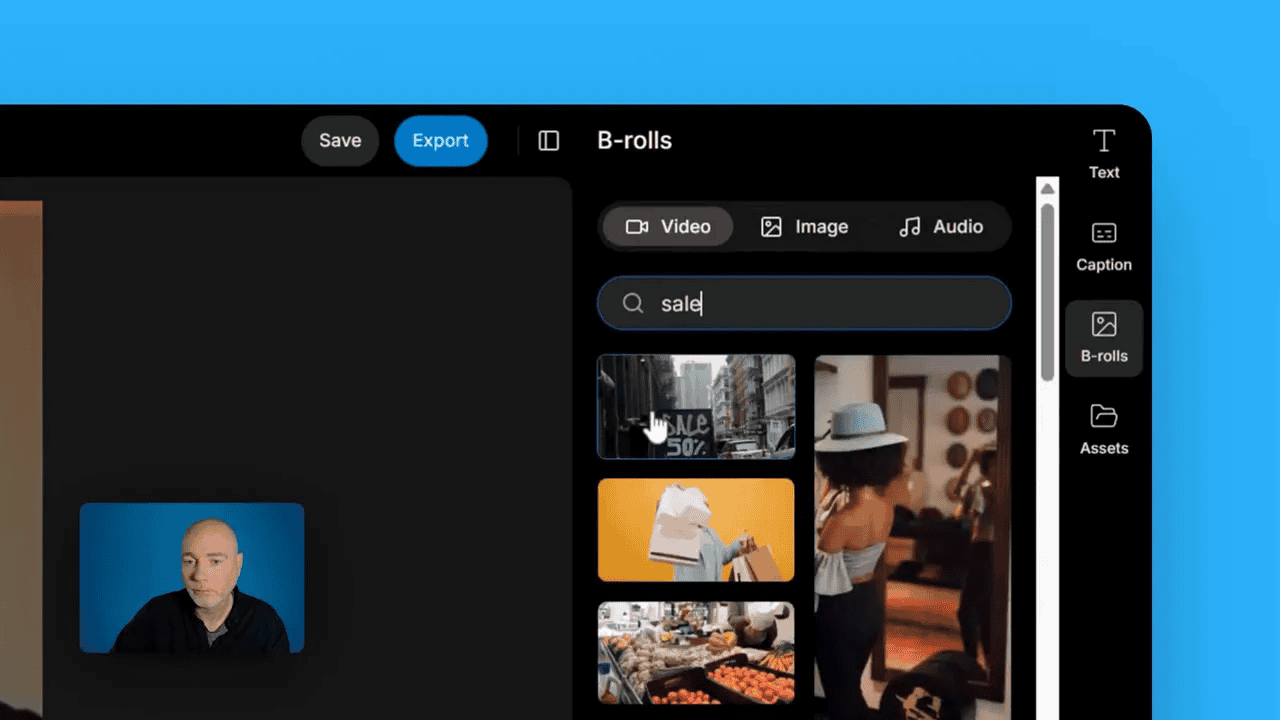
Audio options are limited in the early tier — only a handful of built-in tracks — so for polished projects it is usually best to upload your own stock music from a service like Upbeat or AudioJungle. Reap accepts uploads for images, video and audio so you can reuse assets across projects.
Brand templates, scheduling and API
The brand template feature lets you set a preset as your default. Choose a starting preset, then adjust fonts, colours and animation. Save it as a named preset and apply it across clips to maintain a consistent identity.
There is also a simple content calendar with social connections for YouTube, TikTok and Instagram. Connect accounts and schedule posts for direct publishing rather than downloading and re-uploading.
An API key appears in the dashboard. If you have a custom workflow, this could be used to automate parts of your process; check the developer documentation to see what hooks are available.
Tiers, limits and export considerations
Plan structure and limits are important to understand before committing:
- Tier one gives five hours (300 minutes) of processing time but no 4K export.
- Tier two has a three year term in this deal structure, which is unusual in lifetime-offer marketplaces.
- Tier three and higher return to lifetime plans with higher export options.
Not being able to export in 4K on the entry tier is not a deal breaker for mobile-first content. Most shorts are consumed on phones where 1080p is perfectly adequate. If you need 4K for repurposing elsewhere, consider upgrading.
Practical tips and limitations
- Translation and dubbing are interesting features to test, but verify results; automated translations can sometimes be imperfect.
- Audio quality will be better when you upload licensed music; the built-in options are limited in the basic plan.
- Face-centric framing works best — if the subject is off-centre, expect background blur fills.
- Templates and presets speed up output and keep your brand consistent across many shorts.
Final thoughts
Reap is a solid clipper for creators who want to turn one longer piece of content into multiple shorts quickly. The interface is simple, the automation helps reduce repetitive tasks, and brand presets plus scheduling push it from a clipper into a short-form publishing toolkit.
If rapid repurposing, captions and auto reframe are useful to your workflow, Reap is worth testing during the AppSumo daily drop. Try the translation and dubbing features on a sample to see how well they match your needs, and consider upgrading if you need 4K exports or higher processing limits.
With Black Friday just around the corner, AppSumo are launching their daily drops.
Would I use it?
Yes, for quick shorts and social-first content it speeds things up considerably. For higher-end audio or 4K deliverables, combine Reap with your usual stock music sources and consider a higher tier.