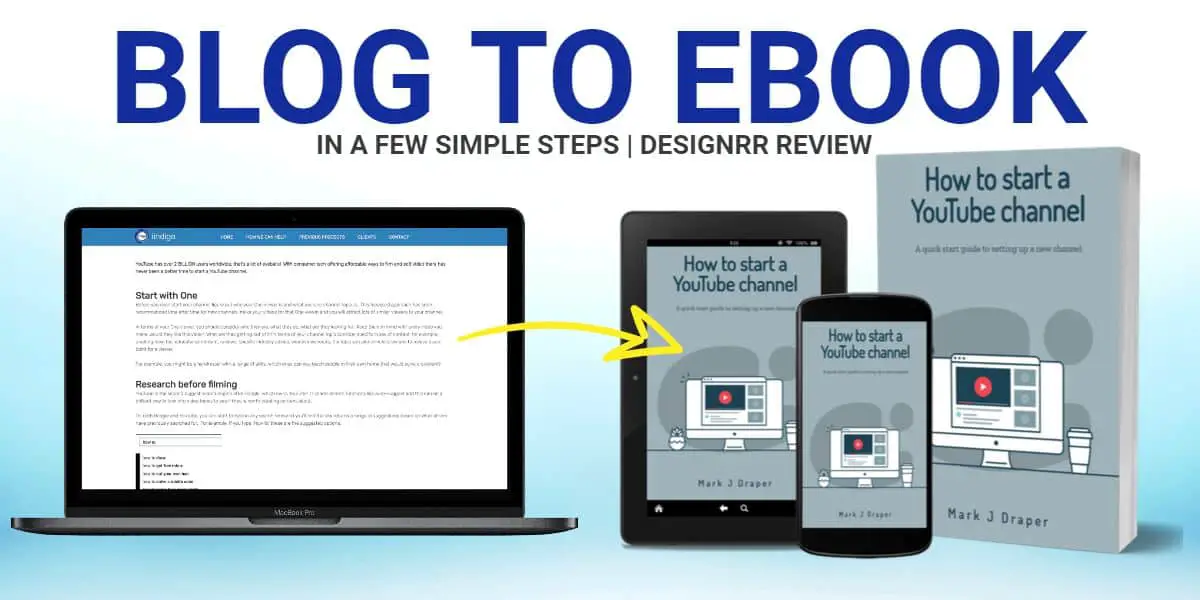
Writing a book with AI does not have to mean pressing a button and accepting a generic manuscript. AI Write Book is designed as a guided book-development workspace where authors can shape an idea, define characters and story details, build an outline, generate or write chapters, and prepare files for publication.
The platform is most useful for aspiring fiction writers, authors with an incomplete draft, and self-publishers who want help managing the path from early concept to ebook-ready export. Its central benefit is that the author can remain the creative decision-maker at each stage.
What Is AI Write Book?
AI Write Book is an AI-assisted writing platform focused on producing books through a structured workflow. Rather than offering only a blank prompt box, it includes tools for idea generation, character development, story planning, chapter drafting, cover creation, metadata, author pages, and exports.
You can use it in two different ways:
- Start from scratch: Develop a new book from a short premise, genre, audience, interests, or rough notes.
- Build on existing material: Upload a manuscript or draft and use the workspace to refine and complete it.
This makes the platform less like a single AI text generator and more like a book-production system. It can support fiction projects particularly well, but its planning and writing-assistant features can also help authors organize work created elsewhere in Word or Google Docs.
Who Should Use an AI Book Writing Tool?
AI Write Book may be a practical fit if you have an idea but struggle to turn it into a coherent plan. It is also useful for writers who want a framework for tracking characters, chapter events, tone, and publication details in one place.
It is especially relevant for:
- New novelists who need help moving from premise to outline.
- Authors who have a partial draft but need a clearer process for finishing it.
- Writers who want to generate options for titles, hooks, characters, twists, or world-building.
- Self-publishers who need a cover, description, categories, ebook files, and audience-building options.
- Authors who prefer writing chapter by chapter instead of generating an entire manuscript at once.
It is not a replacement for a writer’s judgment, editing, or originality. The strongest use of AI is to accelerate planning and first drafts while the author decides what belongs in the final book.
How to Write a Book With AI Write Book
1. Generate and evaluate book ideas
If your concept is still vague, start with the Book Ideas tool. You can select a broad format and genre, define the intended audience, and add a seed concept. Personal interests or experience can also be included to make the starting point more specific.
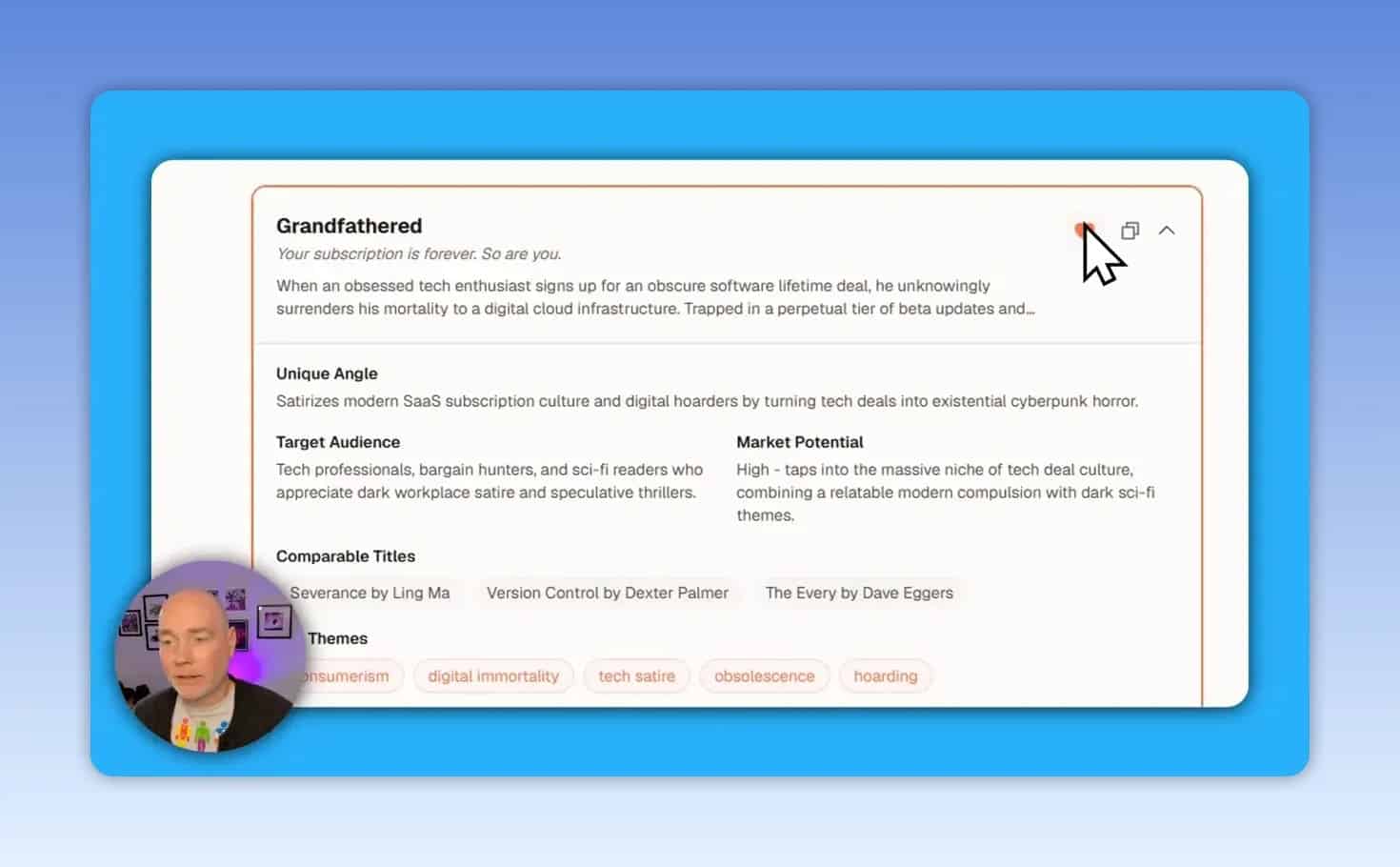
The output provides multiple possible directions rather than a single concept. Each idea can include:
- A core premise or hook
- Target audience
- A distinctive angle
- Potential themes
- Market potential
- Comparable titles
This is valuable because a basic premise can support many different stories. For example, a science-fiction concept involving a consumer technology obsession could become a dystopian thriller, a dark comedy, a horror story, or a cyberpunk narrative. Compare the alternatives before committing to one.
Useful habit: Download or save idea results before generating another batch. A new generation may replace the earlier options in the workspace.
2. Set the project foundation
Once you choose an idea, create a book project and decide whether it is a standalone title or a continuation of an existing series. You can also choose to import a draft or begin with a fresh project.
At this stage, provide as much of the following as you have:
- A premise or rough synopsis
- Character names and relationships
- Setting and world details
- An informal outline
- Major themes, scenes, or ending ideas
More specific input gives the AI a stronger creative brief. A short prompt can still produce a starting structure, but detailed notes give you more control over the resulting book.
The setup process can suggest a title, identify related genres from the premise, and let you choose the language and approximate number of chapters. Suggested genres are not final. Review them carefully, since a story may combine elements such as science fiction, thriller, dystopian fiction, horror, cyberpunk, or virtual reality.
3. Define audience, tone, content boundaries, and style
Before the story is developed further, set the creative parameters that determine how the manuscript should feel. AI Write Book provides controls for audience, tone, writing style, and plot preferences.
For fiction, a useful creative brief should answer these questions:
- Who is the book for?
- What emotional experience should it create?
- Should the prose feel fast-paced, literary, comedic, suspenseful, or eerie?
- Which themes need to appear repeatedly?
- What material should be permitted or avoided?
The platform also offers content controls for elements such as violence, strong language, mental-health themes, and other explicit material. These choices should reflect the intended audience and genre expectations.
If you have established prose from earlier work, you can provide a writing sample for style guidance. The platform supports a substantial pasted sample, up to roughly 10,000 characters. Use only text that represents your genuine voice and intended style.
4. Create a character and world reference
Consistent characters are one of the biggest challenges in AI-assisted fiction. A dedicated character reference helps prevent protagonists from changing motivation, background, or personality from one chapter to the next.
Character entries can include details such as:
- Appearance
- Personal history
- Personality traits
- Motivations and fears
- Relationships
- Role in the plot
You can create these profiles manually, use AI for a first pass, then edit the results. Do not treat generated character profiles as finished. Replace generic traits with details that create conflict, choices, and believable change.
For speculative fiction, use the same discipline for the setting. Establish the rules of technology, power, social systems, locations, and consequences before drafting chapters. A clear story bible is the best defense against continuity errors.
5. Build and edit the chapter outline
AI Write Book can generate a multi-chapter outline that includes chapter titles, locations, plot events, hooks, and twists. These sections remain editable, which is important because the outline should be a decision tool, not an automatic instruction.
Review the outline with a simple story-quality checklist:
- Does the opening establish a compelling problem?
- Does every chapter change the situation?
- Are character decisions causing events, rather than coincidence?
- Do the stakes escalate?
- Are twists prepared by earlier information?
- Does the ending resolve the central conflict?
Longer outlines may be generated in batches. If the project contains more chapters than the current output allows, generate the remaining chapters and then assess the full arc as one story.
Generating Chapters Without Losing Author Control
Once the outline is ready, chapters can be written manually or generated one at a time. This chapter-level approach is one of the most useful ways to use AI for novel writing because it creates regular moments to assess direction, pacing, and continuity.
The platform supports several model options, including Gemini, Grok, and Claude. Each may have different strengths in following instructions, handling mature content, or producing polished prose. Test them on short sections before relying on one model for a full project.
Before generating a chapter, add targeted instructions. For example:
- Keep the scene in a specific character’s point of view.
- Reveal one key clue but avoid explaining the mystery.
- End on a decision that creates a new problem.
- Use concise dialogue and limit exposition.
- Avoid formatting habits or phrases you do not want in the final manuscript.
After generation, edit directly in the workspace. Treat the result as a draft that needs author revision. Check the facts against your character and world references, remove repetitive phrasing, improve the emotional logic, and ensure that scenes sound like they belong in the same book.
Credits, API Keys, and Audiobook Options
AI Write Book uses a credit-based system. Individual tools and actions consume credits, and the cost can differ by task. For example, idea generation and cover creation have their own credit requirements.
The platform also supports a bring-your-own-key option. Using your own API key does not remove the on-platform credit requirement, but it can reduce certain actions to a lower credit cost. You are then responsible for the separate API charges from the chosen provider.
Available AI integrations include Gemini, Grok, and Claude for text generation. Audiobook creation can use ElevenLabs, either through platform credits or an ElevenLabs API arrangement.
Cost-control tip: Do planning, character design, and outline revisions before generating many full chapters. Better preparation reduces wasted generations and makes your credits go further.
Prepare Your Book for Self-Publishing
Finishing the manuscript is only one part of publishing. AI Write Book also provides a metadata stage that uses the project details to help create the assets needed for a listing.
Cover generation and selection
You can upload an existing cover or generate cover concepts with AI. The workflow supports selecting a visual direction and creating multiple variants.
Generating several versions can be worthwhile because small differences in typography, contrast, composition, and title visibility can make one option clearly stronger than the others. However, inspect all text closely. AI-generated cover text can contain duplication or layout errors.
For ebook storefronts, prioritize readability at thumbnail size. A visually striking design is not enough if the title and author name cannot be read on a small screen.
Metadata and front matter
The metadata tools can help prepare a title, subtitle, book description, categories, copyright notice, dedication, table of contents, acknowledgements, and author information.
These elements are particularly useful when preparing a listing for Amazon Kindle Direct Publishing. The platform can assist with the copy and categories, but authors must still publish to Amazon manually and should verify every field against the requirements of the selected store.
Export formats
Completed books can be downloaded in several formats:
- EPUB: Suitable for Kindle and other ebook publishing workflows.
- PDF: Useful for sharing or fixed-layout reading.
- DOCX: Useful for editing and working with other writing tools.
Before uploading any file, open it in an appropriate reader or editor and inspect the table of contents, chapter breaks, paragraph styles, formatting, and cover placement.
Author Pages, NanoReads, and Email Lead Capture
AI Write Book includes a publishing option for NanoReads, along with an author-profile area. The profile can include an author name, bio, cover image, external links, book pages, and book purchase links.
A public book page can offer free chapters in exchange for a name and email address. This can help authors build a list of interested readers before or after publication.
Subscriber data can be exported as a CSV file for use in another email platform. That means an author can use the built-in book page for discovery and lead capture while managing broader email campaigns elsewhere.
One limitation to note is that the platform supports a single author profile. Consider this carefully if you publish under several pen names or manage books for multiple authors.
Common Mistakes When Writing a Book With AI
- Generating a full manuscript before planning it: Fix the premise, characters, rules, and outline first.
- Using vague prompts: Specific goals, scene constraints, and emotional beats lead to more useful drafts.
- Skipping edits: AI prose needs revision for voice, logic, pacing, originality, and continuity.
- Ignoring the outline after it is generated: Review the complete arc and revise weak or repetitive chapters.
- Assuming AI cover text is accurate: Check all spelling, duplicate text, and title readability.
- Publishing without proofreading the export: Always inspect the EPUB, PDF, or DOCX before distribution.
- Forgetting the marketing assets: A book needs a strong blurb, correct categories, and clear author information.
Is AI Write Book Worth Using?
AI Write Book is most compelling for authors who want a structured, collaborative workflow rather than a one-click book generator. Its tools can support the full process: idea development, character creation, outlining, chapter drafting, editing, cover concepts, metadata, ebook export, author pages, and lead capture.
The platform is not a substitute for writing skill or editorial judgment. Its value comes from giving authors a system for directing AI assistance at every stage. The more clearly you define the story and the more thoroughly you revise the output, the more likely the final manuscript is to feel intentional and consistent.
If the platform’s pricing model and feature set match your project, the available AI Write Book offer provides further current purchase details.
Final Checklist Before You Publish
- Confirm the premise, genre, target audience, and tone.
- Review character profiles and world rules for consistency.
- Read the full outline for pacing and a complete beginning, middle, and end.
- Edit every generated chapter as if it were a human-written first draft.
- Proofread the entire manuscript.
- Check the cover at small thumbnail size.
- Review the title, subtitle, description, categories, and author bio.
- Validate the exported EPUB, PDF, or DOCX before uploading.
- Add buy links and configure an email follow-up plan if using a public book page.