Branding5 is an AI branding tool that builds a detailed brand positioning report from your website, inputs about your business, inspiration examples, and competitor data. It is designed to help businesses define brand identity, messaging, audience, archetypes, and strategy faster than doing the work manually.
If you are comparing AI brand strategy tools or considering the Branding5 AppSumo deal, the main question is simple: does it produce useful strategic output, or just polished filler? Based on the available product walkthrough and interface examples, Branding5 appears strongest as a structured starting point for brand strategy, especially for agencies, consultants, and businesses refreshing their positioning.
What is Branding5?
Branding5 is a platform that guides you through a multi-step branding workflow and then generates a final report. The process combines manual inputs with AI-assisted suggestions.
The platform can help with:
- Brand identity
- Unique selling proposition
- Ideal client profiles
- Competitor analysis
- Brand values and tone
- Brand archetypes
- Website analysis
- SWOT analysis
- PDF and markdown export
- Brand alignment checks for marketing assets
Rather than acting like a logo generator or visual identity maker, Branding5 focuses more on brand strategy documentation. That makes it more relevant for businesses that need clarity, consistency, and reusable guidance for content, design, offers, and AI prompts.
Who Branding5 is best for
Branding5 looks most useful for:
- Consultants and agencies creating client-facing strategy documents
- Small business owners who need to clarify their messaging
- Teams reworking a website or offer and wanting structured strategic input
- Marketers using AI tools who need cleaner brand guidelines to improve outputs
It may be less useful if you only want a quick slogan, a logo, or a few social captions. This is a more involved workflow aimed at building a broader strategic foundation.
How Branding5 works
The platform uses a guided onboarding flow. You start by adding core business details and then move through several brand-building stages before generating the final report.
1. Enter brand basics
You provide your brand name, website URL, a general description, and audience details. One useful detail is that the website URL should be entered carefully because it is treated as a locked input later in the process.
2. Use AI to speed up profile building
Branding5 offers AI assistance for pieces like:
- primary audience
- USP ideas
- brand goals
This saves time compared with writing every field from scratch, but the quality of output still depends on whether your website and inputs are clear.
3. Add inspiration and brand vibes
You can add inspirational links and short text examples. The system then analyzes patterns in those examples and suggests themes and styles. This is useful when your taste is clear but hard to articulate.
That can be especially helpful for businesses that know the kind of tone they want, but cannot yet translate that into a consistent brand direction.
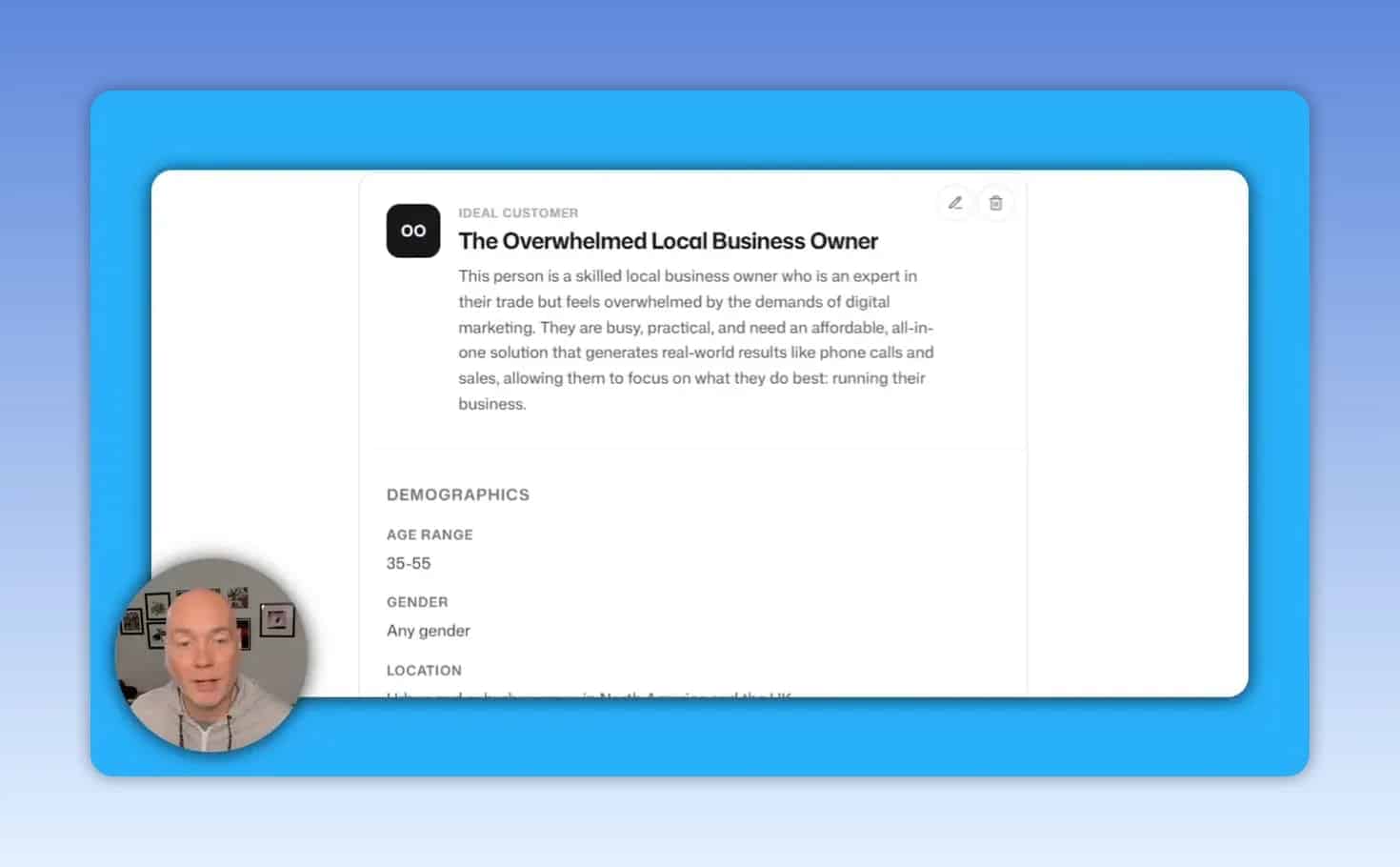
4. Generate ideal client profiles
The tool can create audience personas with demographic, psychographic, and motivation-based details. In practice, this is one of the more useful sections because it turns vague targeting into something more concrete.
For businesses selling services, this can help shape:
- website copy
- offer positioning
- sales messaging
- ad creative direction
5. Analyze competitors
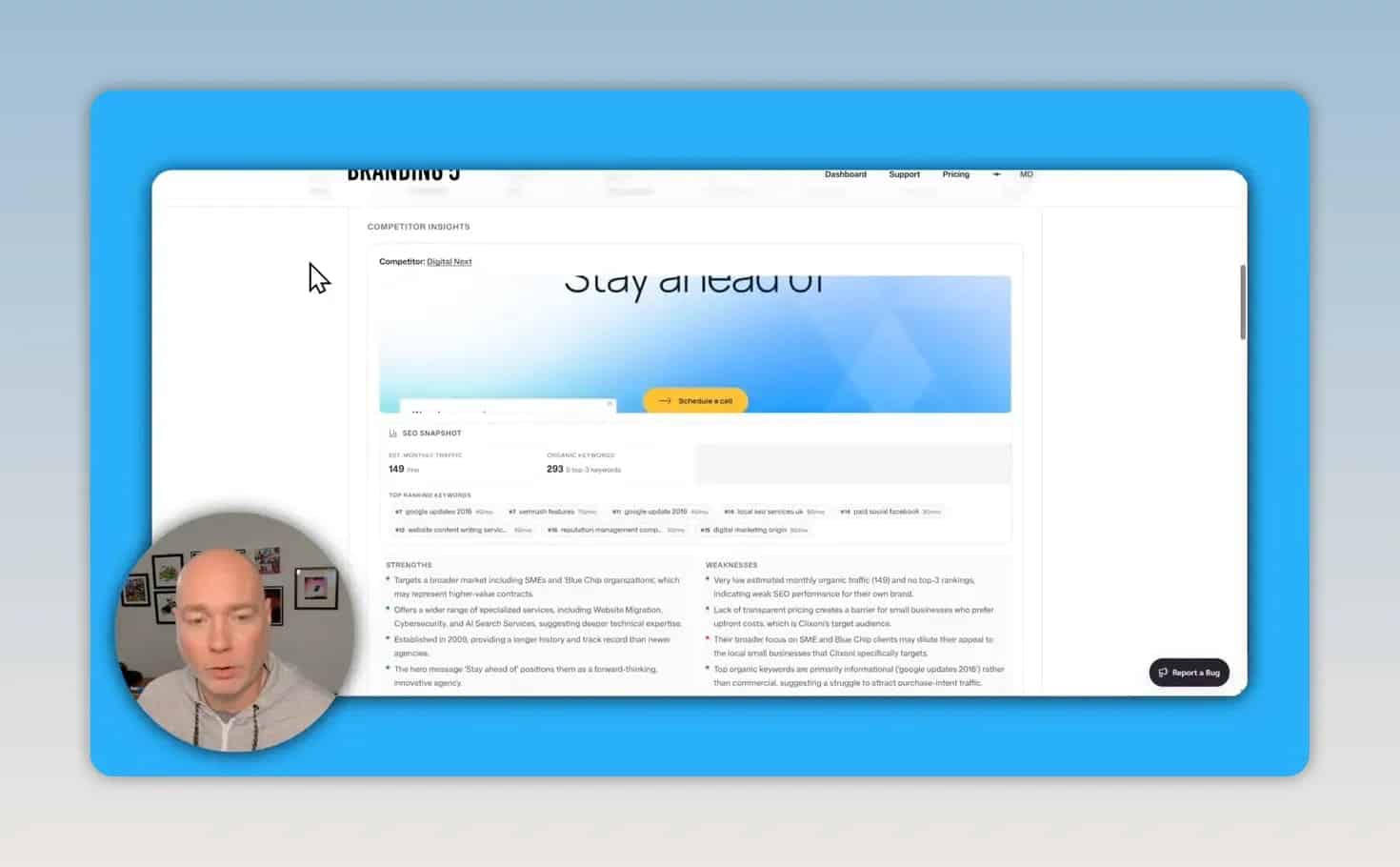
Branding5 can suggest competitor sites and also lets you add your own. It then analyzes those websites and compiles strategic summaries including screenshots and SWOT-style observations.
One important caveat is that AI-suggested competitors may not always be accurate. In the example workflow, some suggested sites were clearly not true competitors, so manual review is necessary.
6. Suggest brand values and tone
Based on your site and earlier inputs, the tool proposes brand characteristics, tone, and strategic recommendations. You can accept the suggestions or add custom values if you are intentionally moving in a new direction.
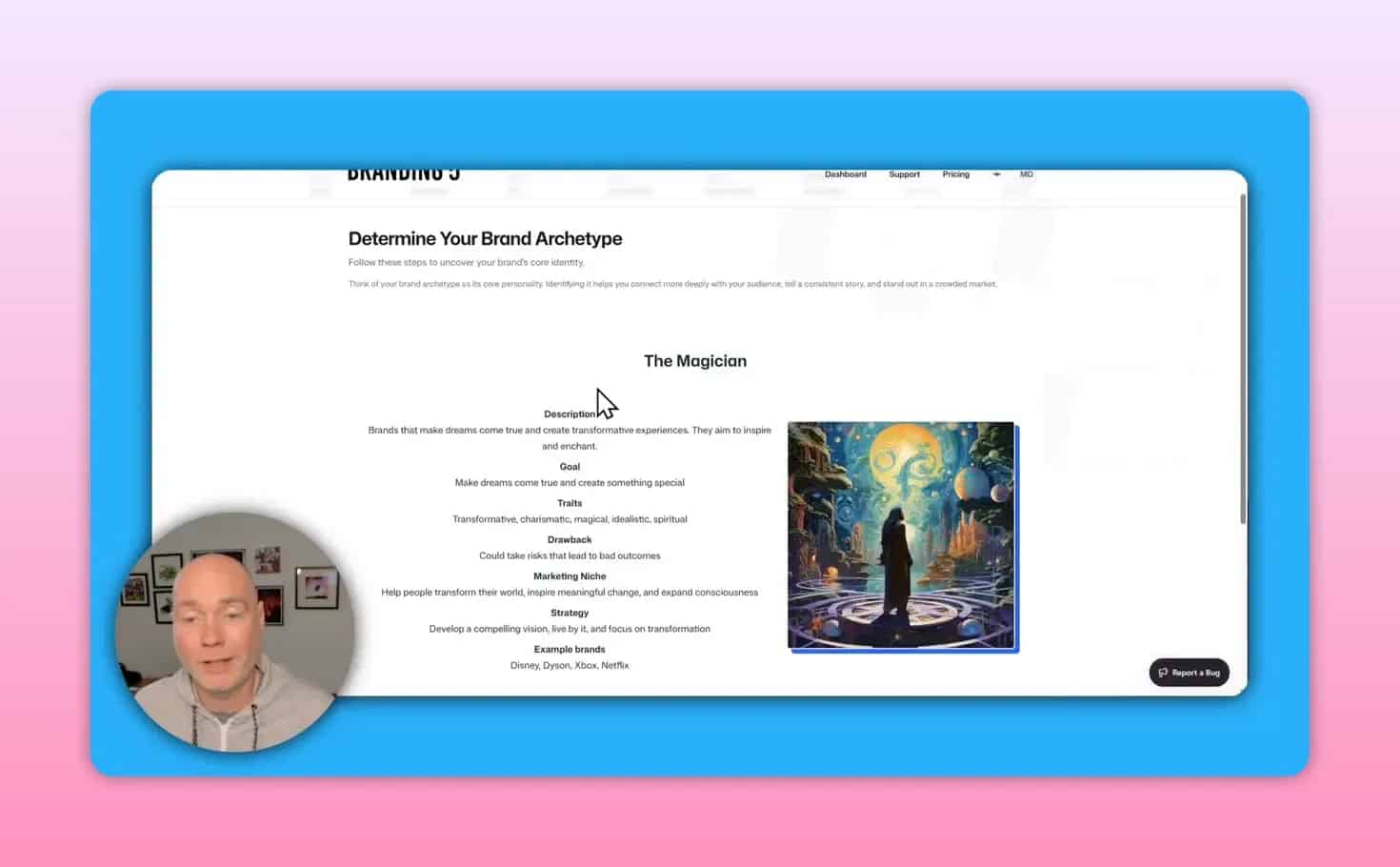
7. Choose archetypes
Branding5 includes a brand archetype workflow and explains the meaning behind suggested archetypes. That educational layer matters because many business owners have heard terms like Magician, Sage, or Creator without knowing how they apply in practice.
There is also an attribute-rating step that relies more on judgment than automation, which is probably a good thing. Brand direction should not be left entirely to AI.
8. Generate the final report
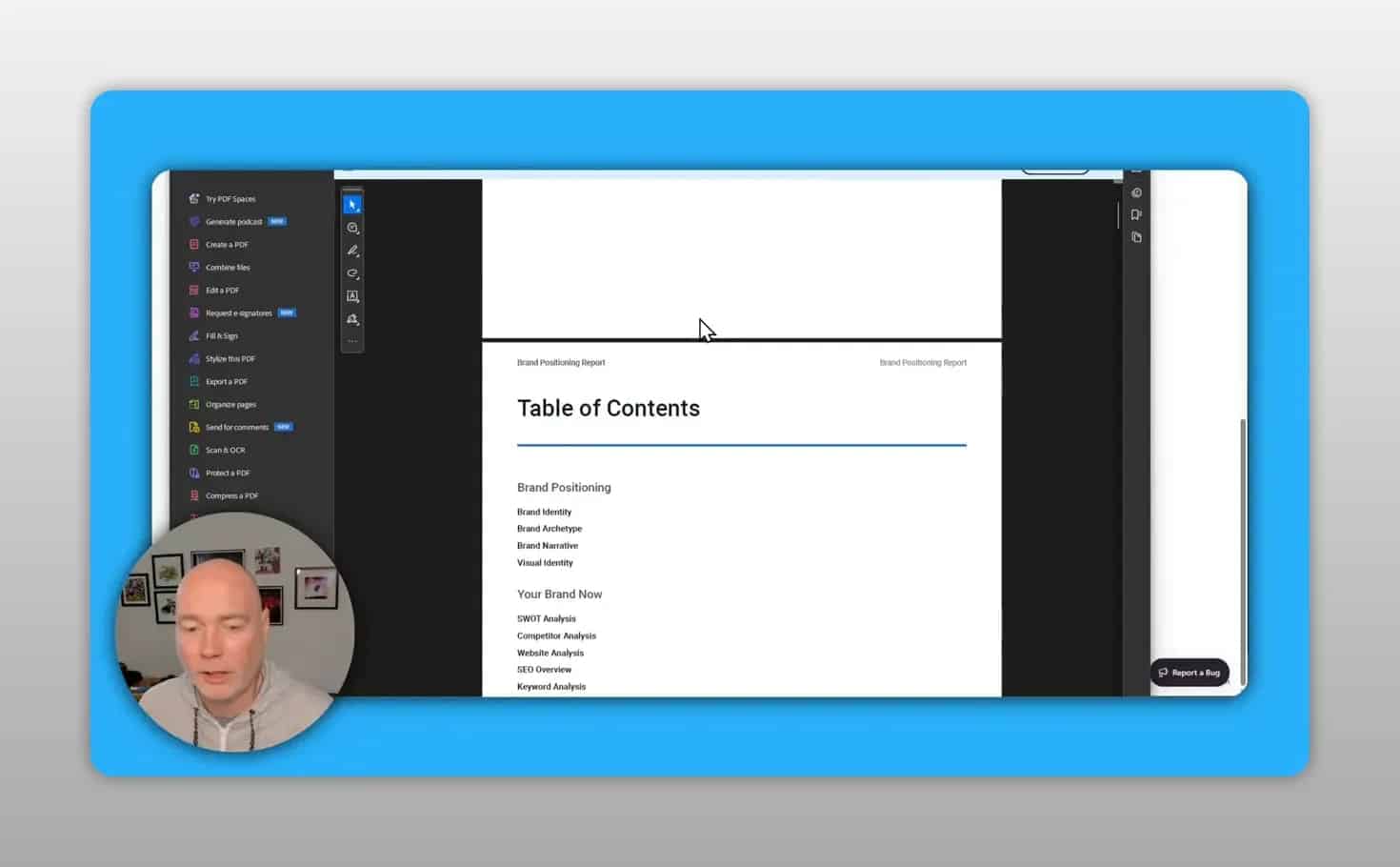
Once the inputs are complete, Branding5 produces a full brand positioning document. The reported output included sections for:
- brand identity
- brand archetype
- brand narrative
- visual identity
- website analysis
- lighthouse performance
- SWOT analysis
- competitor analysis
- ideal customer profiles
What the final output looks like
One of Branding5’s biggest strengths is the final deliverable. The generated report can be exported as either:
- brand guidelines markdown file
The PDF export appears substantial and professionally formatted. The example shown ran to 61 pages, which gives it real value for agencies and consultants who need something client-ready.
The markdown export is also notable because it can be fed into AI assistants such as Claude or similar tools as a brand context file. That makes Branding5 more than a one-time strategy exercise. It can become part of your ongoing AI workflow.
Brand Check feature: useful extra or core tool?
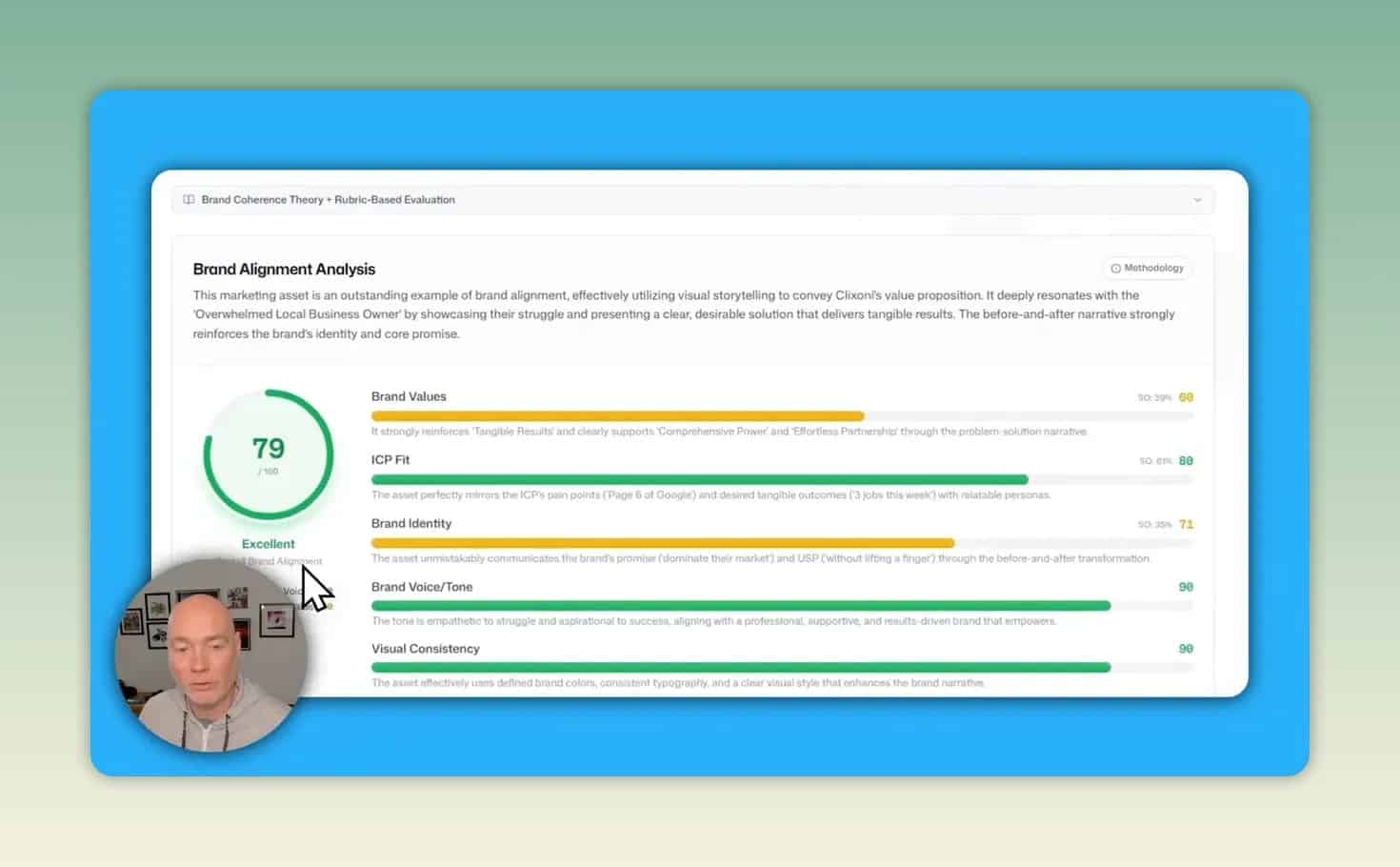
Branding5 also includes a Brand Check feature that scores how well a marketing asset matches your brand strategy. You can upload creative material and receive an alignment score plus improvement suggestions.
In the example shown, the uploaded ad received a score of 79 out of 100 and was judged to be a strong fit overall, with more detailed feedback across areas like brand values, identity, and tone of voice.
This feature could be genuinely useful for:
- reviewing ad creatives before launch
- checking whether outsourced content matches your brand
- improving consistency across campaigns
- training team members on brand standards
One limitation is that the credit and regeneration rules for Brand Check were not completely clear from the available information, so it is worth reviewing the current offer page before buying.
Branding5 pricing tiers on AppSumo
The deal structure matters because usage differs by tier.
The first two tiers were described as one-time credit bundles:
- Tier 1: 5 brand reports
- Tier 2: 15 brand reports
Higher tiers switch to monthly recurring report credits:
- Tier 3: 5 reports per month
- Tier 4: 10 reports per month
- Tier 5: 20 reports per month
That means the right tier depends heavily on how you plan to use it.
Best fit by tier
- Solo business owner: Tier 1 may be enough if you only need a few reports for your own brand
- Freelancer testing client work: Tier 2 gives more room to experiment
- Agency or consultant: Tier 3 and above likely make more sense because recurring credits are easier to justify for client projects
What Branding5 does well
It turns scattered ideas into a structured strategy
Many businesses know their services well but struggle to explain their positioning, tone, audience, and differentiators clearly. Branding5 helps organize that thinking into a consistent system.
It combines multiple strategy tasks in one workflow
Instead of using one tool for personas, another for competitor research, and another for brand prompts, Branding5 groups those tasks into one process.
It creates deliverables you can reuse
The report is not just for reference. It can inform copywriting, design direction, client onboarding, ad reviews, and AI prompting.
It looks useful for client services
If you sell branding, web design, or marketing strategy, the polished PDF output adds practical value. It can help you deliver a more professional asset without building every document manually from scratch.
Where Branding5 may fall short
AI suggestions still need checking
The competitor suggestion engine may return sites that are only loosely related by keywords. That means you should review all suggestions rather than trusting them blindly.
Some steps still require manual judgment
This is not necessarily a flaw, but it does mean Branding5 is not a one-click solution. You still need to make decisions about values, archetypes, and strategic direction.
Occasional errors can happen
In one example, competitor analysis failed on the first attempt and had to be rerun. That suggests the system may not be perfectly reliable every time.
Formatting is good, not perfect
The exported PDF looked professional overall, but there were some small formatting limitations. For most users that will be a minor issue, though agencies delivering reports at scale may still want a quick final review before sending them out.
Common mistakes to avoid when using Branding5
- Using the wrong website URL. Since it may be locked after entry, double-check it before moving on.
- Accepting AI suggestions without editing. The faster route is tempting, but weak inputs create weak strategy.
- Trusting suggested competitors automatically. Add your own competitors if accuracy matters.
- Treating the report as final truth. Use it as a strategic draft and refinement tool, not unquestionable doctrine.
- Ignoring the markdown export. If you use AI writing tools, this may be one of the most valuable outputs.
How to get the best results from Branding5
To make the platform more useful, follow this simple approach:
- Prepare your inputs first. Have your business description, audience summary, and key differentiators ready.
- Choose strong inspiration examples. Avoid random brands you merely like visually. Pick examples that reflect the tone and positioning you actually want.
- Manually curate competitors. Start with AI suggestions, then replace any that are not truly relevant.
- Review every section before export. The final PDF is only as good as the choices made along the way.
- Use the report operationally. Feed the markdown into your AI tool, share the PDF with your team, and run brand checks on live assets.
Is Branding5 worth it?
Branding5 looks worth considering if your main goal is faster brand strategy documentation. It appears particularly useful for service businesses, consultants, agencies, and anyone trying to tighten messaging before a redesign or repositioning effort.
Its value is less about replacing a brand strategist entirely and more about accelerating research, structure, and first-draft thinking. The final PDF and markdown export are the standout outputs, especially if you need something presentable and reusable.
If you only need a quick branding exercise for your own business, a lower tier may be enough. If you plan to use it repeatedly for clients, monthly recurring tiers are the more logical option.
Final verdict
Branding5 appears to be a solid AI brand strategy tool for turning website data, positioning ideas, and competitive context into a usable brand document. Its biggest strengths are the guided process, detailed exports, and practical brand alignment checking.
The main tradeoff is that you still need to apply judgment. AI can assist with structure and ideas, but strong branding still depends on accurate inputs and human review.
For businesses that want a clearer brand foundation, or agencies that want to package strategy more efficiently, Branding5 looks like a promising option to evaluate.
For extra context on brand strategy concepts, it can also help to review foundational frameworks from resources such as NN/g on brand voice guidelines and HubSpot’s overview of brand archetypes.