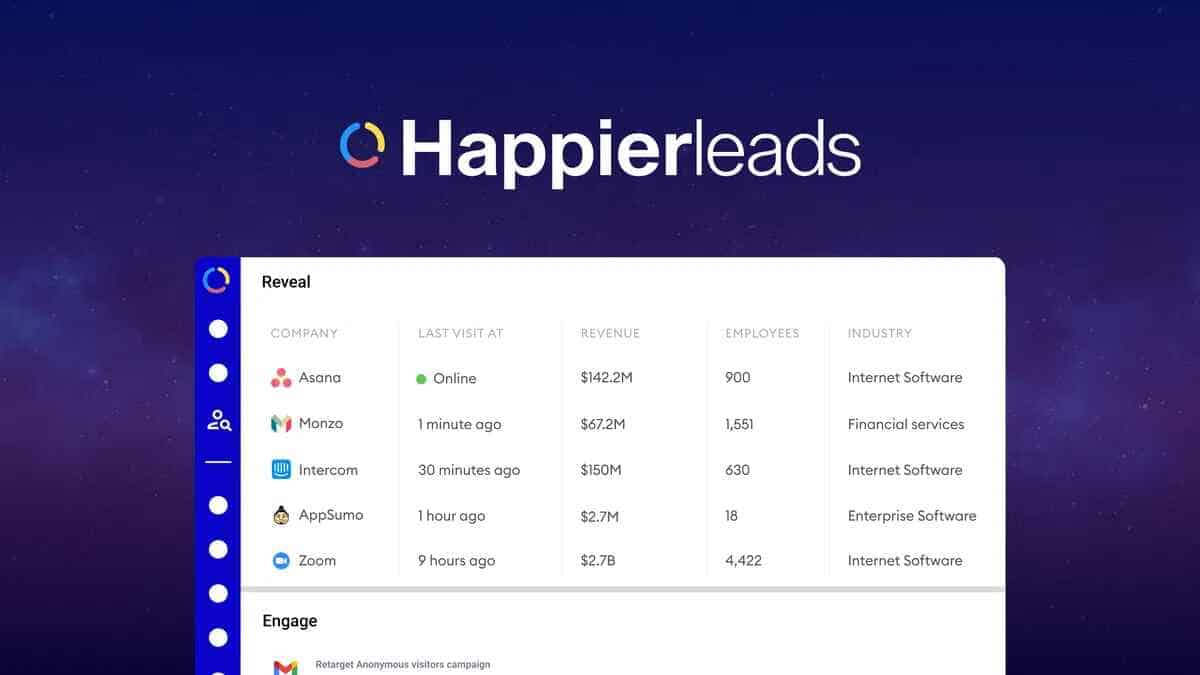
HappierLeads is a visitor identification and outreach platform that matches anonymous website visitors to professional contact data, enriches company profiles, and automates outreach. This makes it useful for B2B marketers, sales teams, and agencies that want to convert website traffic into qualified prospects. An AppSumo lifetime-style offer is available starting at $69 for 1,000 monthly credits, with higher tiers unlocking more credits and mailboxes.
What HappierLeads Does and Who Should Use It
At a high level, HappierLeads:
- Identifies companies and people visiting your site by matching IP, domain, and behavioral signals to a contact database.
- Enriches those leads with company revenue, employee count, LinkedIn profiles, and email addresses.
- Automates outreach using built-in campaigns, CRM integrations, webhooks, or API calls.
Ideal users include B2B SaaS, professional services, and agencies that have measurable website traffic and want to automate lead capture, scoring, and outreach without adding a heavy manual process.
Lifetime Deal: https://appsumo.8odi.net/LXdxn0
Key Features at a Glance
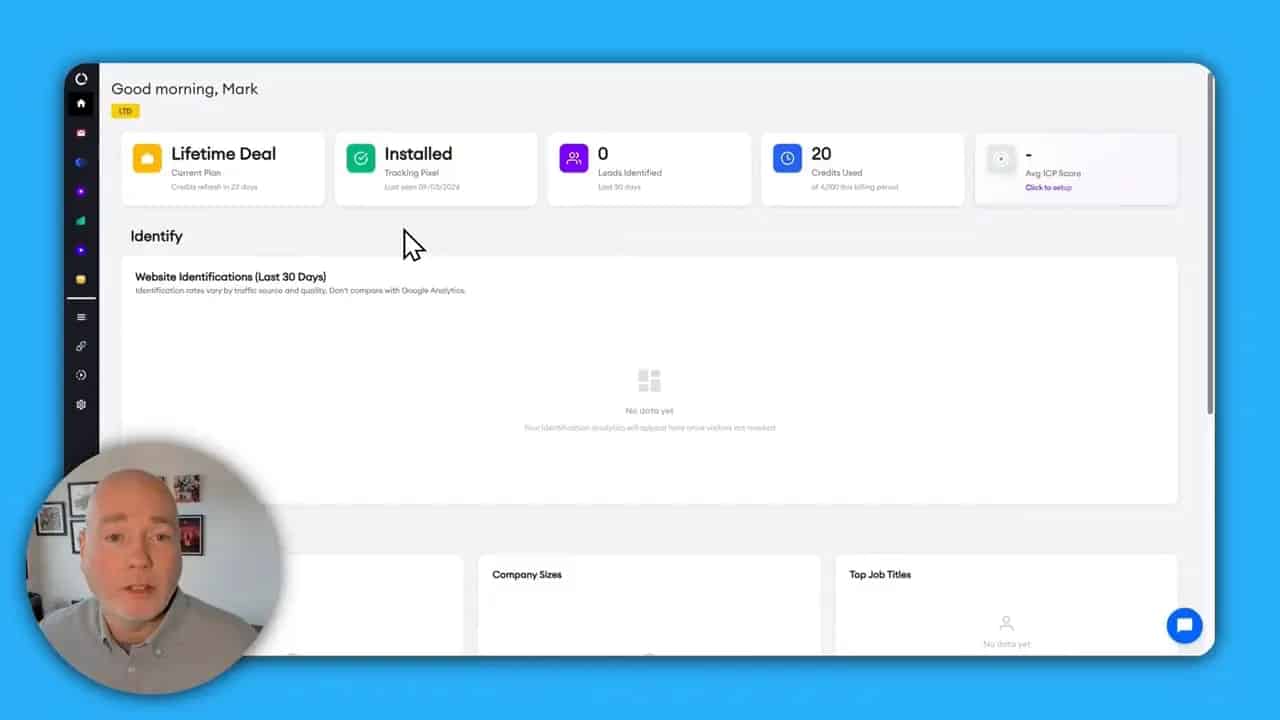
- Visitor identification dashboard with real-time tracking and credits used.
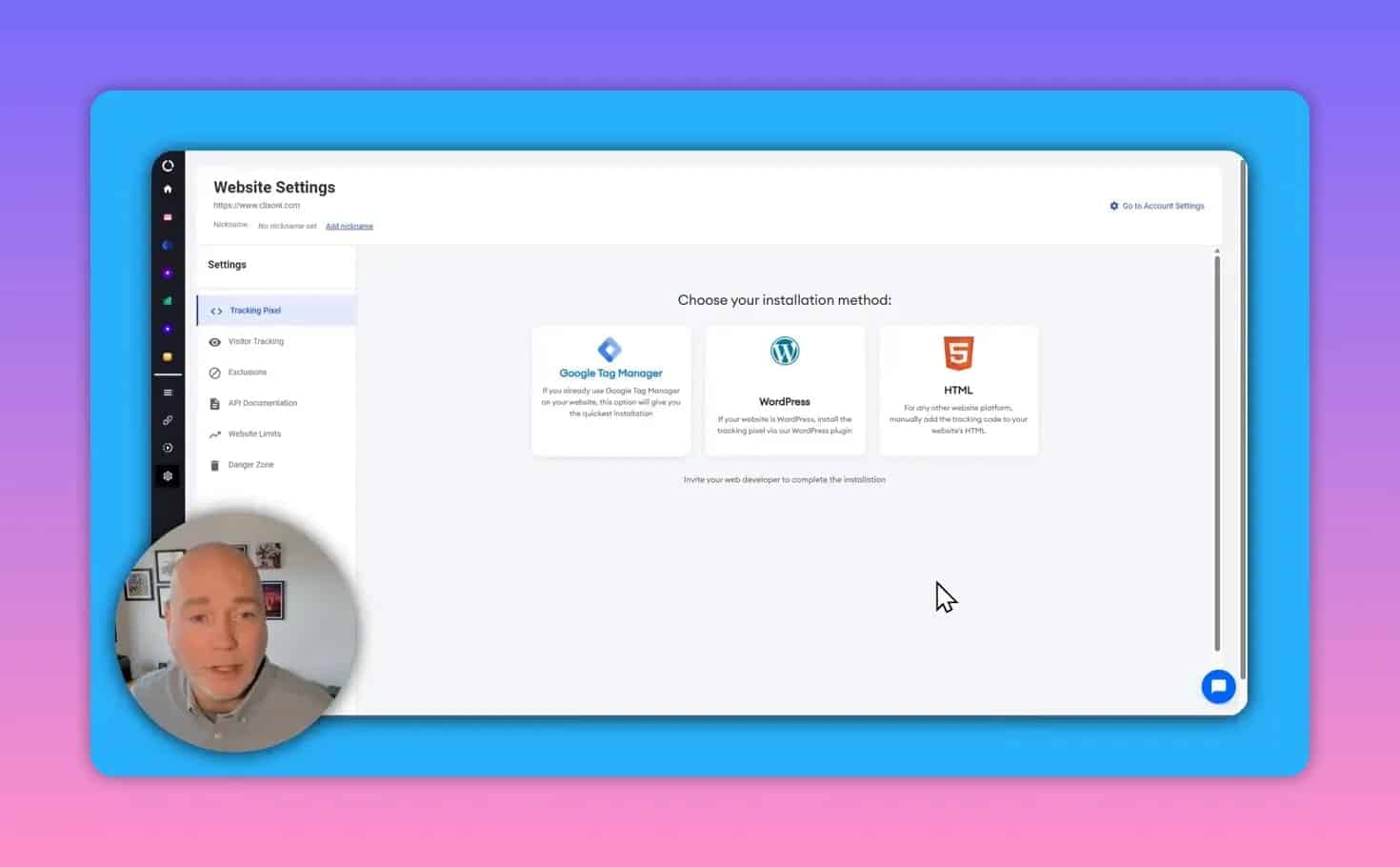
- Tracking pixel that can be installed via Google Tag Manager, WordPress plugin, or manual HTML snippet.
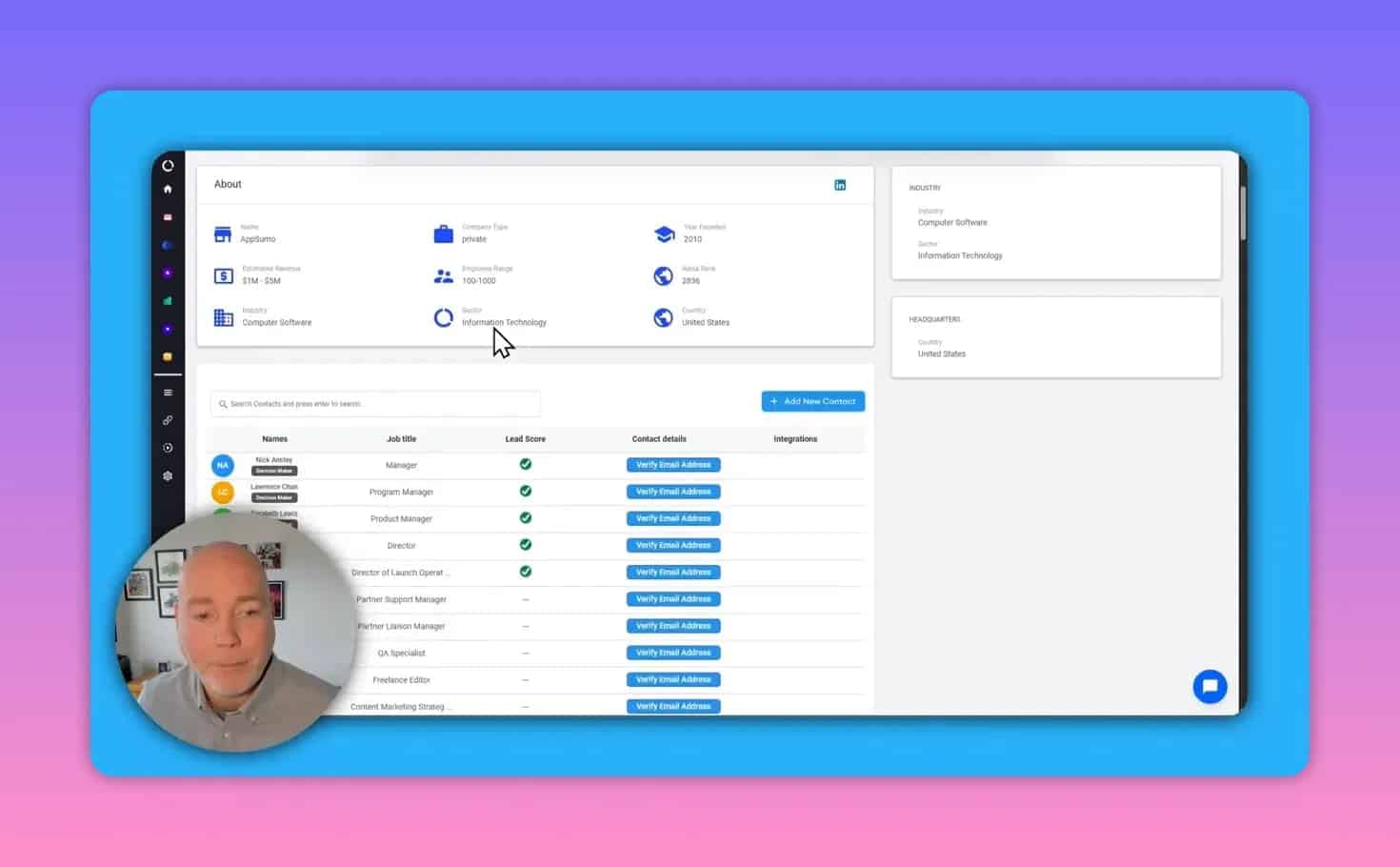
- Lead enrichment for company and individual contact details, including LinkedIn and verified emails.
- Prospector to search and build outbound lists when prospects haven’t visited your site.
- Automations and webhooks to trigger email campaigns, CRM pushes, Slack alerts, or custom systems.
- Lead scoring to prioritize prospects by title, company size, revenue, and activity.
How HappierLeads Works: Setup and Data Flow
- Install the tracking pixel. Drop the snippet in your site footer, add it via Google Tag Manager, or use the WordPress plugin.
- Wait for data collection. The platform typically starts matching and enriching visitors after the first 24 hours of tracking.
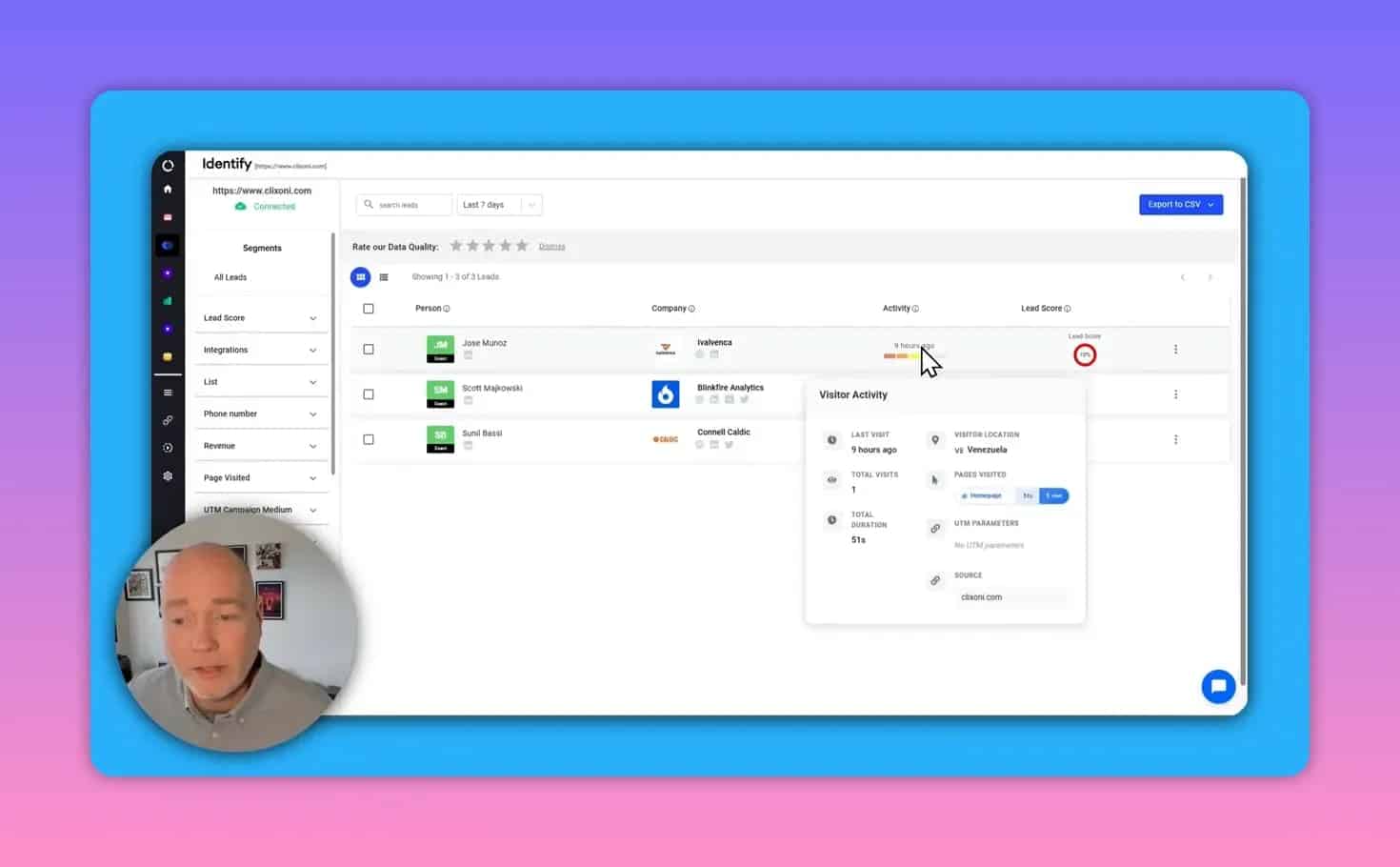
- View enriched visitor profiles. Each identified visitor can include company name, pages visited, visit timestamps, profile links, and contact email addresses.
- Automate actions. Use built-in email campaigns, send webhooks to your stack, or push leads to CRMs like HubSpot, Salesforce, Pipedrive, or Zoho.
Automations, Integrations, and Webhooks
Automation is core to turning identification into action. Typical flows include:
- When a new lead is identified, automatically send to an email campaign or drip sequence.
- Trigger a webhook to your internal system, CRM, or a Zapier workflow for more advanced routing.
- Send notifications to Slack or create tasks in Pipedrive/HubSpot/Salesforce for immediate follow-up.
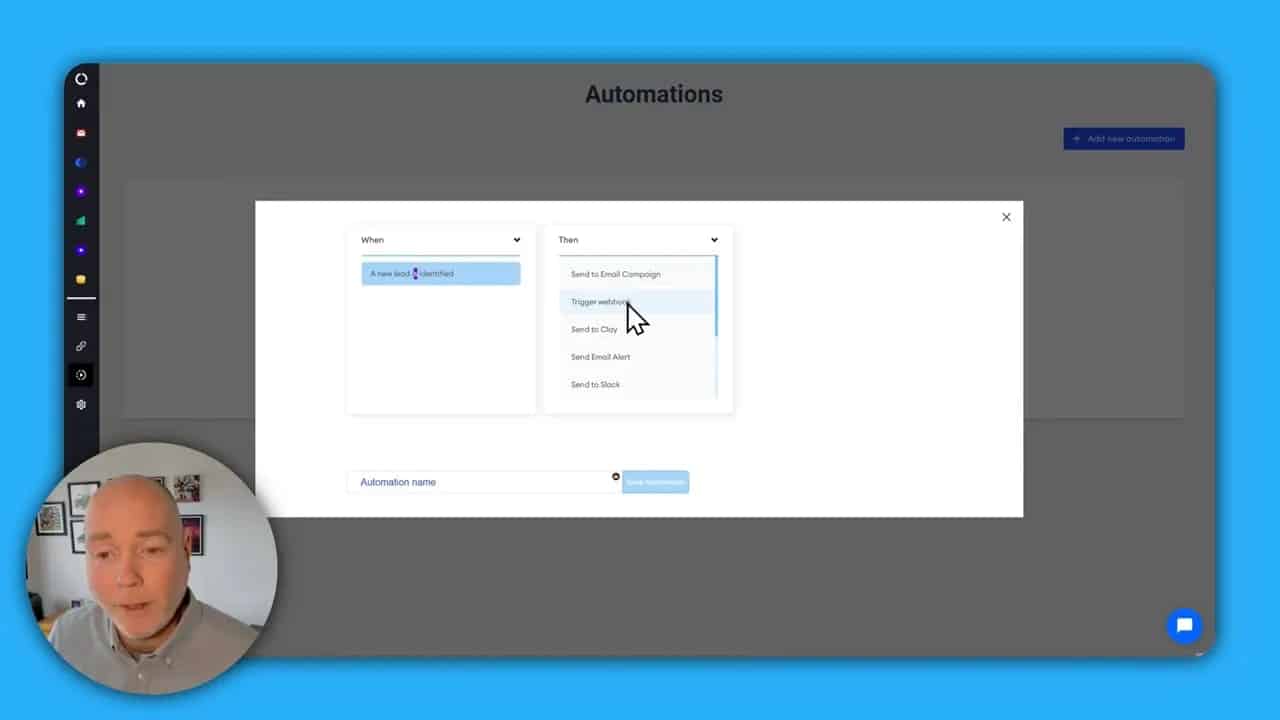
The platform also exposes API documentation for developers who want tighter integration or custom processing.
Lead Scoring: How to Prioritize Inbound Leads
Lead scoring combines profile data and behavior to rank prospects. Configure rules based on attributes such as:
- Job title (CEO, Director, Manager)
- Company revenue or employee count
- Pages viewed and session duration
- Frequency of visits
Example scoring model:
- CEO = 3 points, Director = 2 points, Owner = 1 point
- Company revenue > $10M = 3 points
- Viewed pricing or demo page = 4 points
Use score thresholds to trigger different automations: immediate SDR alert for high-scoring leads, nurture sequence for mid-scoring leads, and watchlist for low-scoring visitors.
Prospector and Enrichment: Outbound Lists and Domain Lookups
The Prospector lets you find and filter prospects directly by job title, company size, industry, or geography. Enrichment accepts a domain and returns company-level data plus potential contacts and verified email addresses. This is useful for account-based marketing and targeted outbound campaigns.
Pricing, Credits, and Mailboxes Explained
Pricing often ties to credits, which are consumed when visitors are identified or enrichment lookups run. AppSumo-style deals typically offer fixed credits per month per license:
- $69 tier: 1,000 credits per month and support for a single website/mailbox.
- Higher tiers (examples): up to 10,000 credits and more mailboxes for larger plans (e.g., $690 tier with 10,000 credits and 50 mailboxes).
- Stacking codes or licenses can multiply credits and mailboxes if you expect higher traffic or more outbound activity.
Before purchasing, estimate credits needed: average monthly visitors that match business IPs + anticipated enrichment lookups for outbound lists.
Practical Workflows and Use Cases
- Inbound automation: Identify visiting company → enrich contact → apply lead score → trigger an email drip or SDR notification.
- Account-based marketing: Use Prospector to build lists for high-value accounts, enrich contacts, then push into ABM campaigns.
- Sales enablement: Auto-create CRM records for qualified companies and attach visit activity for rep context prior to outreach.
- Recruiting and partnerships: Use company enrichment to find decision makers at target organizations and verify emails for outreach.
Best Practices to Maximize ROI
- Install the pixel correctly and verify it fires via Google Tag Manager or Tag Assistant.
- Filter low-value traffic (bots, internal IPs, testers) to preserve credits for real prospects.
- Design precise lead scoring to reduce false positives and focus SDR effort on high-value leads.
- Warm up and authenticate sending domains to improve deliverability for automated outreach (SPF, DKIM, DMARC).
- Verify emails before sending large outbound sequences to lower bounce rates.
- Use webhooks for custom routing when you need non-standard CRM fields or trigger complex workflows.
Privacy, Compliance, and Ethical Outreach
Using identification and enrichment tools requires attention to data protection laws. Key points:
- GDPR and CCPA: Be transparent about data collection in privacy policies, and honor deletion/opt-out requests.
- Consent: For marketing emails, follow regional consent rules. Cold outreach often requires careful message framing and opt-out links.
- Data minimization: Only store fields necessary for outreach and sales qualification.
Common Pitfalls and Troubleshooting
Typical issues and how to fix them:
- No leads appearing: Confirm pixel is implemented on all site pages and not blocked by ad blockers. Check for JS errors or CSP rules that block third-party scripts.
- Low match rate: If most visitors are consumer traffic or low-traffic regions, identification will be limited. Increase site content targeting B2B audiences or use Prospector for outbound lists.
- Rapid credit usage: Run enrichment lookups selectively and filter out non-business IPs. Monitor credit burn in the dashboard.
- Email deliverability issues: Authenticate sending domains, limit daily sends per mailbox, and maintain a warm-up schedule.
Troubleshooting Checklist
- Verify pixel appears in page source or via Tag Manager preview mode.
- Check privacy settings and consent banners that might block tracking.
- Review credit usage logs to identify high-consumption events.
- Test enrichment on known domains to confirm accuracy and verify email validation results.
- Confirm CRM/webhook endpoints accept incoming data and map fields correctly.
Frequently Asked Questions
What is a credit and how is it consumed?
Credits are units used for visitor identification and enrichment lookups. Each matched visitor or domain enrichment may consume one or more credits depending on the lookup type.
Will it identify individual people or just companies?
Identification often starts at the company level using IP and domain signals. When available, the platform enriches profiles with individual names and email addresses based on public and proprietary datasets, but match rates vary by region and traffic type.
Can I send leads directly to my CRM?
Yes. Built-in integrations support HubSpot, Salesforce, Pipedrive, Zoho, and more. Webhooks and API access allow custom routing and field mapping.
Is the AppSumo offer worth it?
For teams with steady B2B traffic or a plan to run outbound enrichment and outreach, an entry-level credit bundle can deliver strong ROI. Estimate monthly matches and enrichment needs before purchasing; stacking codes is an option for scaling credits.
Final Takeaway
HappierLeads is a practical tool for B2B teams that want to convert anonymous website visitors into actionable leads and automate follow-up. Its core strengths are visitor identification, enrichment, and flexible automations that integrate with common CRMs and webhooks. Evaluate expected match volume and credit consumption, implement lead scoring to reduce noise, and follow email deliverability and privacy best practices to get the most value from the platform and any limited-time pricing offers.
Additional Resources
- Install checklist: verify pixel, test enrichment, setup one automation, add lead scoring rules.
- Privacy checklist: update privacy policy, add consent banner, provide opt-out and data request process.