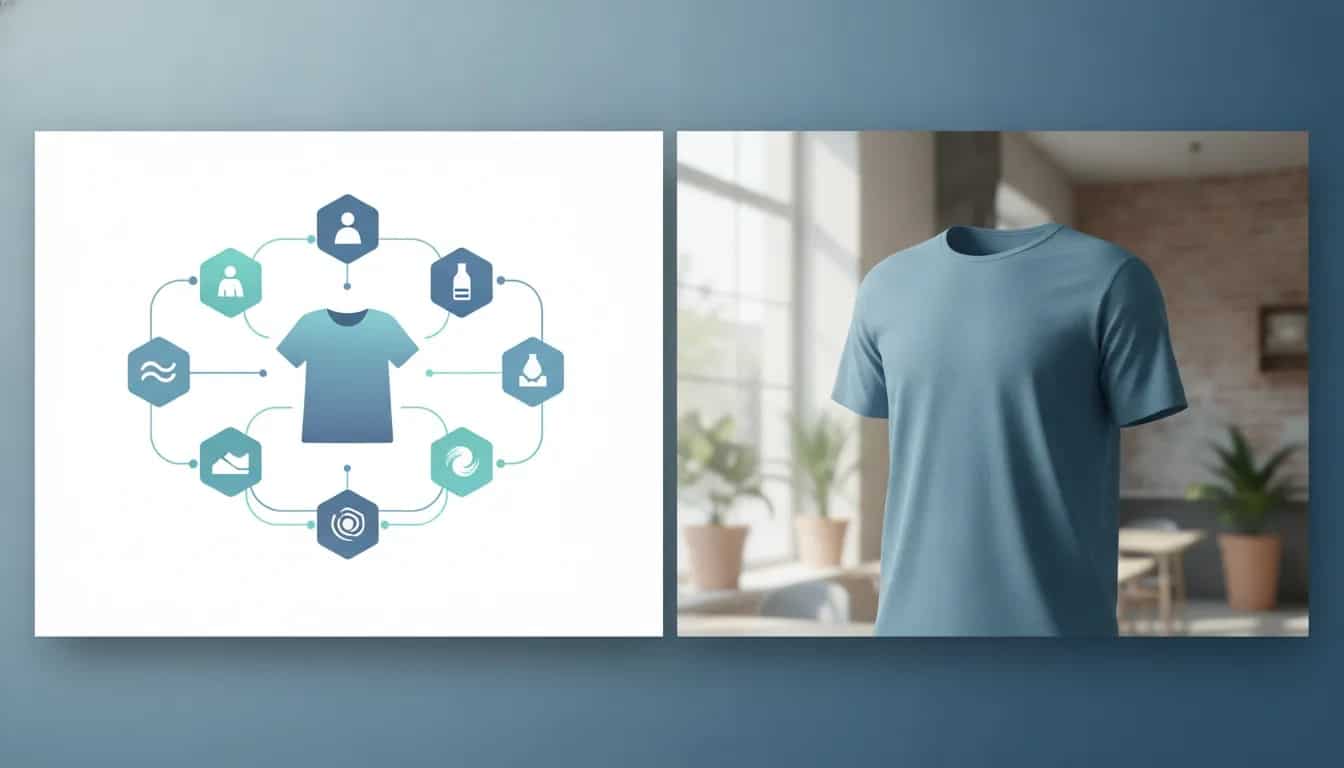
Rainfrog is an AI image generation tool built around visual workflows. Instead of relying on one large text prompt, ecommerce teams can connect separate inputs for a character, product, environment, style, and description to create product-focused images.
It is particularly relevant for fashion stores, print-on-demand sellers, and brands that need a larger range of lifestyle visuals without creating a separate photoshoot for every product variation. It can also be used for non-fashion products, including still-life product imagery.
What Is Rainfrog AI?
Rainfrog is a node-based AI image generator for building and reusing creative workflows. A workflow is a visual canvas where each input has a distinct job. For example, one node can define the person, another can hold a clothing item, and additional nodes can specify the background and visual style.
Those inputs connect to an image-generation node that produces the final composition. This structure is useful when a store needs to retain a repeatable creative setup while changing only one element, such as the shirt, model, setting, or campaign concept.
Rather than starting with a blank canvas every time, users can clone pre-built projects and adapt them. This is a practical way to understand how the individual nodes affect an output before building more customized workflows.
How the Workflow System Creates Product Images
A typical fashion workflow combines several inputs into one final image:
- Character: A predefined model or an uploaded custom character image.
- Product: The clothing, accessory, or other item that needs to appear in the result.
- Full-body generator: A step that places a character in the selected outfit.
- Style: A built-in visual treatment that influences the final aesthetic.
- Environment: A predefined setting or an uploaded reference image for the location.
- Text: A concise instruction that clarifies the desired action, pose, or composition.
- Final image generator: The output node that brings the connected elements together.
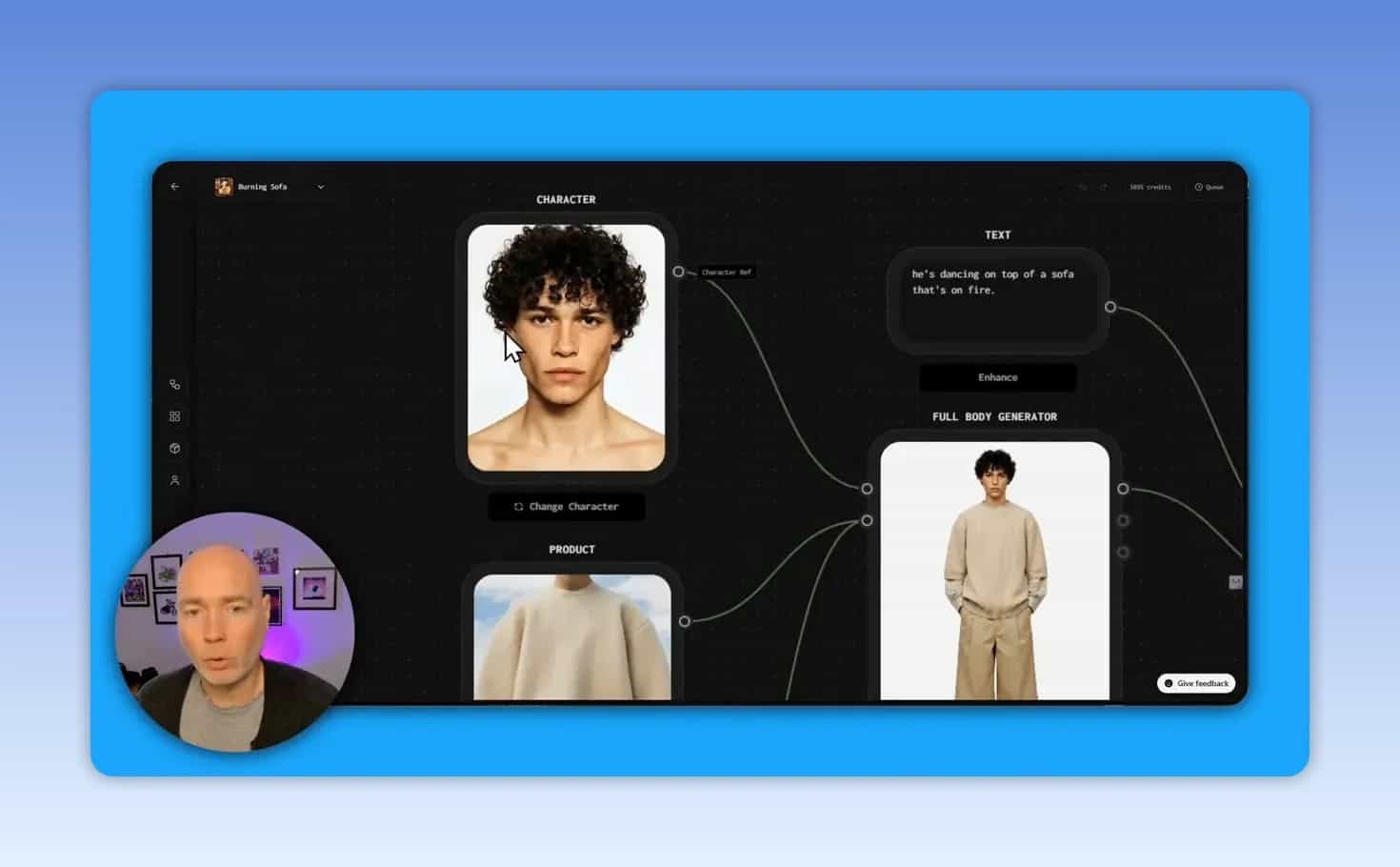
The key advantage is separation of variables. A fashion brand could preserve the same model and pose while testing several locations, or retain an environment while rotating through an entire product catalog.
A simple workflow example
Suppose a clothing store wants a lifestyle image for a beige outfit. The workflow could use:
- A model image as the character reference
- Product images of the top and trousers
- A full-body generation step to combine the model and outfit
- An environment reference such as a studio, home interior, or outdoor location
- A short description explaining the pose and composition
Once the foundational version works, the store can duplicate it and change the environment or prompt to create alternative campaign assets without rebuilding the full setup.
Using Characters, Products, and Environments
Choose a predefined character or upload a custom one
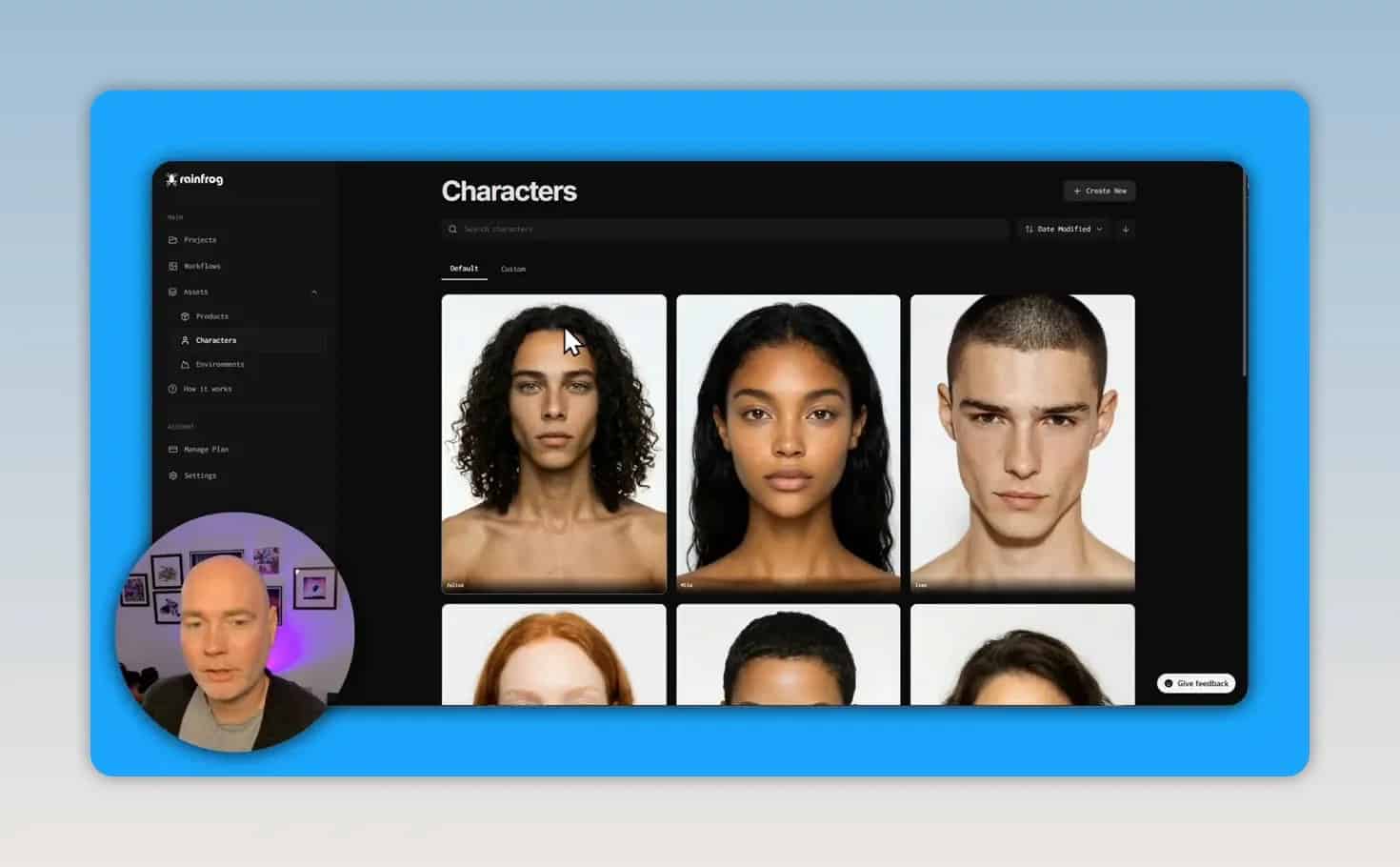
Rainfrog includes a selection of default character images that can be useful for quick model concepts. A custom character can also be uploaded, which makes it possible to create images based on a specific person or brand representative.
For the most dependable character reference, use a clean, well-lit headshot. Different source images can produce different results, so it is sensible to test more than one photo before committing credits to a larger production batch.
Upload products beyond clothing
Although Rainfrog is especially suited to fashion imagery, it is not limited to apparel. Product inputs can be used for items such as accessories, décor, bottles, and other ecommerce products.
For a still-life image, a workflow can omit the character entirely and connect a product, environment, style, and description directly to the final output. This makes the tool relevant to brands that need editorial or lifestyle product photography rather than only model shots.
Use built-in or custom environments
The environment controls the setting around the product. Rainfrog includes built-in location options for inspiration, and it also allows custom environment images to be uploaded. That flexibility is valuable for brands with a recognizable setting, such as a workshop, café, studio, showroom, or outdoor location.
Built-in styles are available, but custom style uploads are not part of this workflow approach. If the desired look depends heavily on a unique visual direction, use the environment, product reference, and clear text instruction to make the composition more specific.
How to Create Better AI Product Images
AI image generation is most useful when it is treated as an iterative production process rather than a one-click replacement for product photography. Use the following workflow to improve consistency and reduce wasted credits.
1. Begin with a proven template
Choose a pre-built workflow that is already close to the image type you need, such as a fashion shoot, user-generated-content style composition, generic image, product image, or still life. Clone it to a project and study which inputs feed the output.
2. Replace only the essential inputs first
Start with the product and character, then generate a baseline result. Keeping the initial environment and style unchanged makes it easier to understand how well the product and person are being interpreted.
3. Add a specific composition prompt
Do not leave the text node vague or empty when the composition matters. A product reference alone may not communicate where an object belongs, what should be emphasized, or how the scene should be arranged.
A useful prompt should clarify the action and layout. For example:
- “Seated on the floor in a relaxed pose, product clearly visible.”
- “Ceramic vase centered on a wooden table in a craft studio.”
- “Full-body fashion image with the outfit visible from head to toe.”
The goal is not to write a long prompt. It is to remove ambiguity around the product’s placement, scene, and intended focus.
4. Review product fidelity before downloading
Inspect whether the item has been represented accurately, especially when it contains distinctive details. If an output includes unwanted elements from the source product image or handles the object unclearly, revise the text instruction and try again.
5. Create variations from the same base workflow
Once the product and model appear correctly, change one variable at a time. Try a different setting, alternate pose instruction, or different built-in style. This approach gives a product collection variety while preserving a recognizable campaign structure.
Rainfrog Credit System, Resolution, and Image Models
Rainfrog uses credits for generation, and credit usage depends on the steps and settings selected. Each image-generation action can consume credits, including intermediate generations in a multi-step workflow.
In the demonstrated workflow, an image generation cost 30 credits. When both a full-body image and a final scene were generated, the combined total was 60 credits.
Resolution options
Image output options include 1K, 2K, and 4K. The demonstrated settings showed:
- 1K: 30 credits
- 2K: 30 credits
- 4K: 60 credits
Higher resolution increases credit usage, so it is sensible to test the concept at a lower-cost setting before generating the final version at the resolution needed for a product page, campaign creative, or other placement.
Available model choices
The model selector includes options such as Nano Banana, Nano Banana 2, Flash, GPT Image 2, and Nano Banana Pro. Credit costs can differ by model. In the demonstrated settings, Flash was a lower-cost option at 10 credits, while several other options used 30 credits.
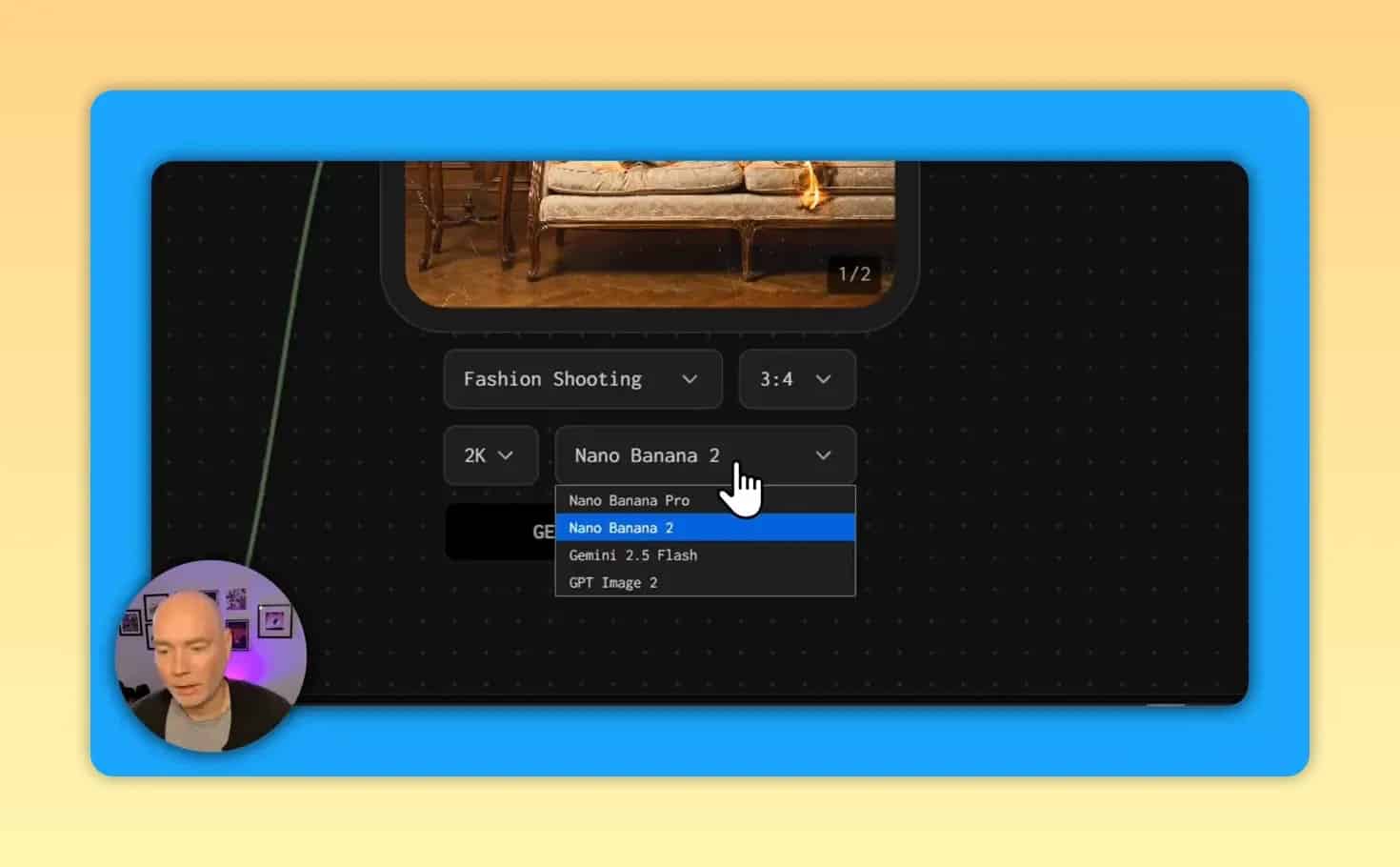
Practical credit-saving approach: Use a lower-cost model to test the scene, prompt, or product placement. Once the visual direction is working, generate the preferred variation with the chosen final model and resolution.
Available credits depend on the plan tier. For current offer details and tier limits, review the Rainfrog deal information on AppSumo.
Rainfrog Use Cases for Ecommerce Stores
Fashion product photography
Fashion retailers can place the same garment on different models and in different locations. This supports product pages, seasonal collections, editorial banners, paid campaigns, and organic social content.
The primary benefit is the ability to reuse a product input while changing the visual context. A plain product image can become a model shot in a studio, a dramatic campaign composition, or a more casual lifestyle scene.
Print-on-demand mockups
Print-on-demand stores can use product mockups as inputs, then generate distinctive promotional images around them. Instead of relying exclusively on the standard mockups supplied by a fulfillment provider, the design can be placed into a custom model, scene, and composition.
This can help create a broader collection of assets for listings, ads, and social posts. As with any AI-generated mockup, carefully check that the printed design and product appearance remain clear and believable before publishing.
Still-life product imagery
Brands selling physical products without apparel can build a still-life workflow. Connect the product reference to a chosen environment and visual style, then use a text instruction to define the placement and desired composition.
This approach is suitable when a store needs visual variety for a catalog, collection page, or promotional material. Clear direction matters especially for products with complex shapes or source photos that contain unrelated objects.
Multiple creative angles for a single SKU
A single product can support a series of images instead of just one. For example, a seller could create:
- A clean ecommerce-oriented image
- A lifestyle scene
- A more stylized campaign visual
- A social-first vertical composition
- A product-focused short video
Keeping these assets in a project also makes it easier to revisit the workflow and generate new versions later.
Turning Product Images Into Short AI Videos
Rainfrog also includes a video node that can turn a static image into a short AI-generated video. The node can use a first frame, last frame, or a reference input, depending on the intended setup.
Video settings include model options, audio availability for certain choices, aspect-ratio options, and duration controls. The demonstrated image-to-video generation used 150 credits. Some available model settings support video durations up to 15 seconds.
For ecommerce, short generated motion clips can be tested on product pages, in social media creative, or as advertising assets. A prompt can be added when a specific action is desired. Without a specific instruction, the motion is more open to interpretation.
Common Mistakes to Avoid
Using unclear product source images
If the reference image includes distracting objects, unusual framing, or visual clutter, those elements may influence the output. Use a clear product image whenever possible, then state plainly how and where the product should appear.
Skipping the text prompt
A product image and environment may not be enough to establish a correct composition. A concise prompt can prevent the tool from guessing incorrectly about the subject, placement, or intended scene.
Generating high-resolution versions too early
4K images use more credits than 1K or 2K options in the demonstrated settings. Validate the concept at a lower cost, then reserve higher-resolution generations for the selected final visual.
Changing every input at once
When character, product, environment, style, and text are all changed together, it becomes difficult to identify why a result improved or failed. Change one or two inputs at a time after establishing a reliable baseline.
Assuming every output is ready to publish
Generated imagery should be reviewed before use. Check the product, visual details, and composition against the real item. This is especially important for ecommerce listings, where customers need an accurate representation of what they are buying.
Is Rainfrog Best for Fashion Stores Only?
No. Fashion is a natural fit because the workflow can combine models and garments, but Rainfrog can also be used with other uploaded products. Still-life workflows are designed for product-centered images without a person, and custom environments can broaden the range of possible creative directions.
It is most useful for sellers who need repeatable visual systems, not only isolated AI images. The ability to clone a workflow, replace inputs, and generate variations gives teams a structured way to create new assets for existing products.
Final Takeaway
Rainfrog offers an ecommerce-oriented AI workflow system for creating product imagery, lifestyle compositions, fashion visuals, still-life scenes, and short image-based video clips. Its strongest practical feature is the ability to separate and reconnect characters, products, environments, styles, and prompts.
Start with a template, use clean reference images, make the composition explicit, test efficiently with credits, and review every result for product accuracy. That process can turn a single product input into a reusable source of creative content across a store, campaign, and social channels.