A cinema-like setup starts with more than a big picture: brightness, resolution, contrast, sound, and placement all shape the experience. This 2026 guide compares home projectors ranging from compact smart models to brighter options for rooms with ambient light, with features such as 1080p resolution, 4K decoding, Google TV, and HDMI eARC explained in context.
But the right choice depends on the room as much as the spec sheet, and a few details are easy to overlook.
Key Takeaways
- Choose native 1080p or 4K resolution for sharp detail; 4K decoding alone doesn’t mean the projector displays native 4K.
- Match brightness to your room: roughly 500–1,200 ANSI lumens for dark theaters and 2,000–4,000 for rooms with lamps.
- Look for HDR support, strong contrast, and accurate color to create a more cinematic image.
- Compare built-in smart platforms, HDMI connectivity, and ARC or eARC support for convenient streaming and soundbar connections.
- Check throw ratio, autofocus, keystone correction, and fan noise to ensure the projector suits your room and setup.
| 4K Smart Projector with Wi-Fi 6 Dolby Audio & Auto Focus | 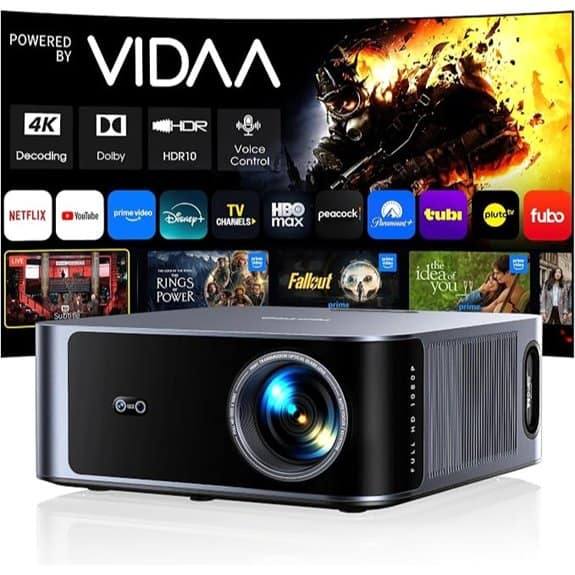 | Best Smart Features | Resolution: Native 1080p; 4K decoding | Streaming: VIDAA OS; built-in streaming apps | Wireless: Wi-Fi 6; Bluetooth 5.4 | VIEW LATEST PRICE | Read Our Analysis |
| Epson Home Cinema 980 3-Chip 3LCD 1080p Movie Projector | 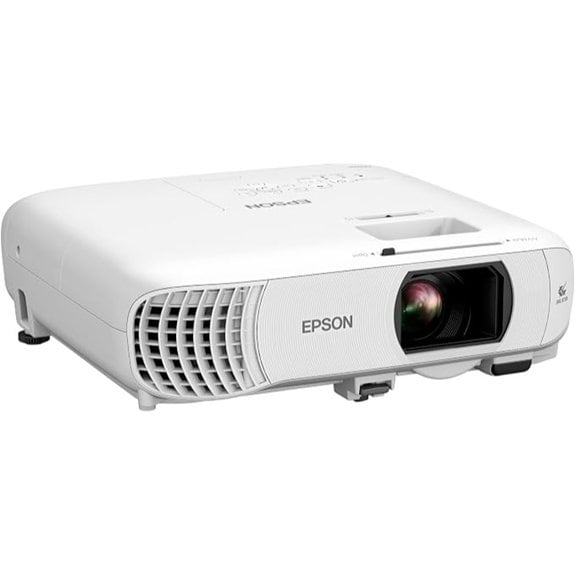 | Best for Bright Rooms | Resolution: Full HD 1080p | Streaming: External streaming devices supported | Wireless: Not specified | VIEW LATEST PRICE | Read Our Analysis |
| Mini Projector with WiFi 6 and BT 5.4 Built-in Apps 2026 Upgraded | 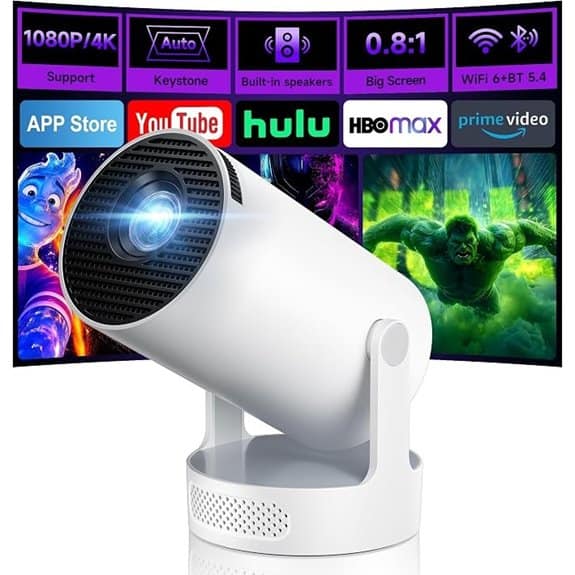 | Best for Small Spaces | Resolution: 1080p; 4K entertainment supported | Streaming: Built-in apps, including Prime Video and YouTube | Wireless: Wi-Fi 6; Bluetooth 5.4 | VIEW LATEST PRICE | Read Our Analysis |
| Aurzen Roku TV D1R Smart Portable Outdoor Projector with WiFi and Bluetooth | 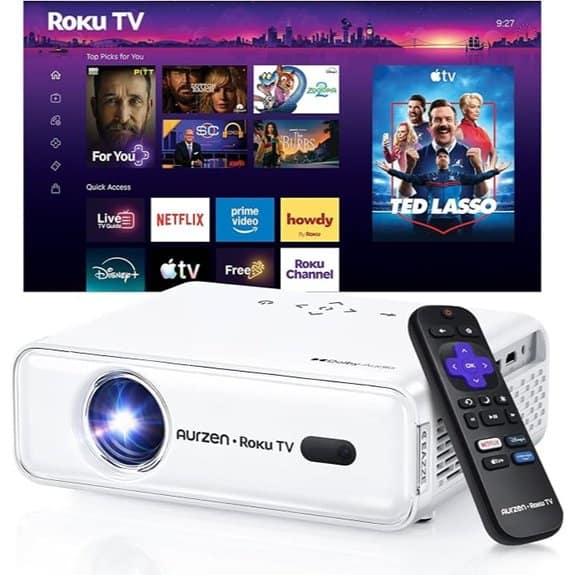 | Best Streaming Platform | Resolution: Full HD 1080p | Streaming: Roku TV platform | Wireless: Dual-band Wi-Fi; Bluetooth 5.2 | VIEW LATEST PRICE | Read Our Analysis |
| BIGASUO Roku TV Smart Projector with WiFi and Bluetooth | 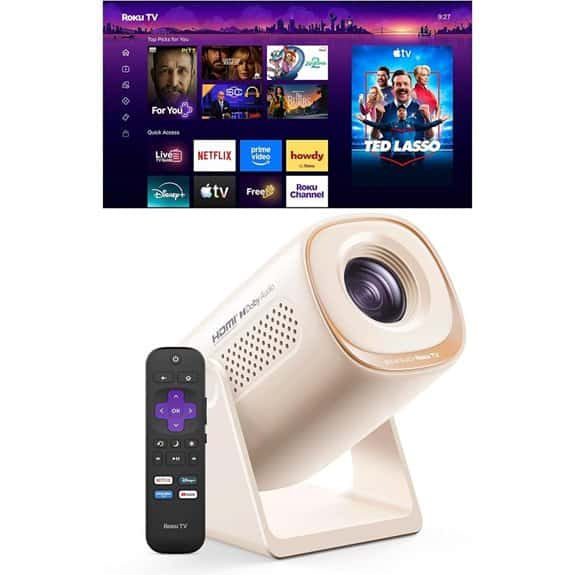 | Best Budget Pick | Resolution: Native 720p | Streaming: Roku TV platform | Wireless: Wi-Fi; Bluetooth | VIEW LATEST PRICE | Read Our Analysis |
| 7000-Lumen 4K Outdoor Projector with Dolby Audio | 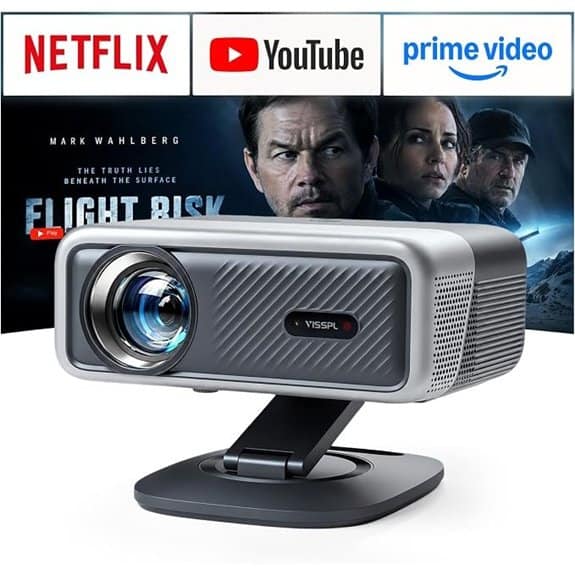 | Best Outdoor Experience | Resolution: Native 1080p; 4K HDR support | Streaming: Built-in Prime Video and YouTube | Wireless: Wi-Fi 6; Bluetooth 5.2 | VIEW LATEST PRICE | Read Our Analysis |
| Mini Projector with Wifi and Bluetooth Built-in Apps,Movie Projector | 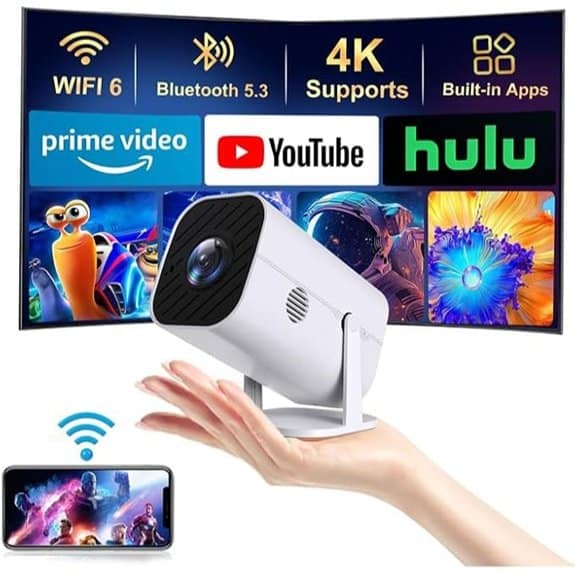 | Best Portable Pick | Resolution: Native 1080p; 4K input compatible | Streaming: Built-in apps, including Prime Video and YouTube | Wireless: Wi-Fi 6; Bluetooth 5.3 | VIEW LATEST PRICE | Read Our Analysis |
| NexAurea Smart Projector with WiFi Bluetooth & Dolby Audio | 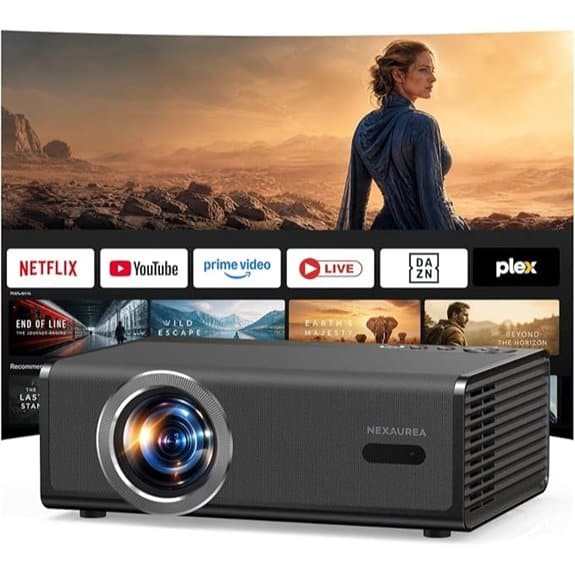 | Best Audio Experience | Resolution: Native 1080p; 4K decoding | Streaming: Built-in apps, including Netflix and Prime Video | Wireless: Wi-Fi 6; Bluetooth 5.4 | VIEW LATEST PRICE | Read Our Analysis |
| Portable Smart Projector with Google TV and 4K Support | 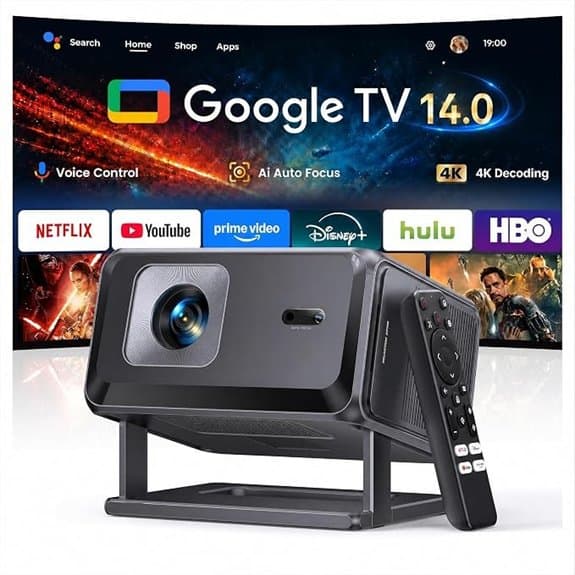 | Best for Google TV | Resolution: Native 1080p; 4K decoding | Streaming: Google TV with built-in apps | Wireless: Wi-Fi 6; Bluetooth 5.3 | VIEW LATEST PRICE | Read Our Analysis |
| 6000 Daylight Bright Smart 4K Projector with WiFi and Bluetooth | 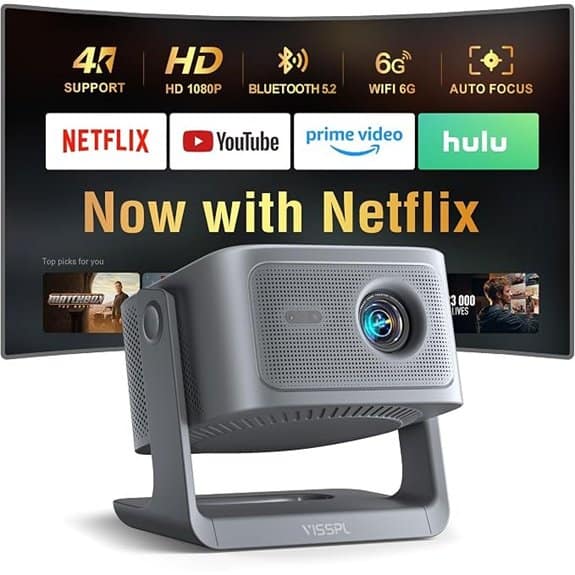 | Best for Easy Setup | Resolution: Native 1080p; 4K decoding | Streaming: Built-in apps, including Netflix and Prime Video | Wireless: Wi-Fi 6; Bluetooth 5.2 | VIEW LATEST PRICE | Read Our Analysis |
More Details on Our Top Picks
4K Smart Projector with Wi-Fi 6 Dolby Audio & Auto Focus
For streaming-focused home theaters, the 4K Smart Projector pairs smart-TV-style features with Wi-Fi 6 for seamless access to entertainment. VIDAA OS provides quick access to Netflix, YouTube, and Prime Video, plus more than 1,000 live TV channels.
Its 4K decoding supports 4K-labeled content, while native 1080p resolution, HDR10, and 920 ISO ANSI lumens shape the picture. Dolby Audio-certified 2×20W speakers deliver clear dialogue and bass, with Bluetooth 5.4 and HDMI ARC available for soundbar connections.
Setup is straightforward: AI autofocus and 6D keystone correction adjust the image in about three seconds, and zoom ranges from 100% to 50% without moving the projector.
- Resolution:Native 1080p; 4K decoding
- Streaming:VIDAA OS; built-in streaming apps
- Wireless:Wi-Fi 6; Bluetooth 5.4
- Audio:Dual 20W speakers; Dolby Audio
- Image Setup:AI autofocus; 6D keystone correction
- Warranty:3-year product warranty
- Additional Feature:1,000+ live TV channels
- Additional Feature:AirPlay 2 and HomeKit
- Additional Feature:3-year product warranty
Epson Home Cinema 980 3-Chip 3LCD 1080p Movie Projector
With 4,000 lumens of brightness, the Epson Home Cinema 980 suits well-lit living rooms where dimming every lamp isn’t practical. Its Full HD 1080p image uses 3-Chip 3LCD technology, showing all three primary colors in every frame for accurate color and fluid pictures without rainbow effects. A 16,000:1 contrast ratio adds definition between dark and bright scenes.
The image can reach 300 inches, with listed sizing spanning 34 to 337 inches. Two HDMI ports connect streaming devices, laptops, or consoles, while USB power supports compatible devices. At 6.8 pounds, it’s portable, and an integrated speaker simplifies setup. The 349-watt lamp lasts up to 6,000 hours; a two-year limited warranty is included.
- Resolution:Full HD 1080p
- Streaming:External streaming devices supported
- Wireless:Not specified
- Audio:Integrated speaker
- Image Setup:Simple setup; no auto-focus details given
- Warranty:2-year limited warranty
- Additional Feature:4,000-lumen brightness
- Additional Feature:3-Chip 3LCD technology
- Additional Feature:Up to 300-inch display
Mini Projector with WiFi 6 and BT 5.4 Built-in Apps 2026 Upgraded
Compact rooms call for a short-throw design, and this lightweight mini projector suits bedrooms, dorms, and apartments where space is tight. Its 0.8:1 throw ratio produces a larger image from a shorter distance, with 1080p playback and 4K support. At 200 ANSI lumens, it is best suited to dim rooms rather than bright daytime viewing.
Built-in Prime Video and YouTube offer direct streaming, while WiFi 6 supports mirroring. Autofocus sharpens the picture; a manual slider and automatic vertical keystone correction help refine alignment. The projector rotates 180 degrees for wall or ceiling viewing and runs at about 25 dB. Weighing 0.85 pounds, it includes HDMI, USB, Bluetooth 5.4, a speaker, and a two-year warranty.
- Resolution:1080p; 4K entertainment supported
- Streaming:Built-in apps, including Prime Video and YouTube
- Wireless:Wi-Fi 6; Bluetooth 5.4
- Audio:Built-in speaker
- Image Setup:Autofocus; automatic vertical keystone correction
- Warranty:2-year warranty
- Additional Feature:0.8:1 short-throw ratio
- Additional Feature:180° rotation
- Additional Feature:0.85-pound portable design
Aurzen Roku TV D1R Smart Portable Outdoor Projector with WiFi and Bluetooth
The Aurzen Roku TV D1R suits streaming fans who want Roku’s popular platform built right into a portable projector. Its home screen brings Netflix, Prime Video, Hulu, YouTube, and Roku Channel together, plus more than 500 free live channels. Activation requires internet access and a free Roku account, but no streaming stick or extra remote.
The projector displays 1080p Full HD images from 60 to 150 inches, with autofocus and automatic keystone correction to sharpen and align the picture.
Dual 5W speakers support Dolby Audio, while fan noise stays below 40 dB(A). Dual-band WiFi, Bluetooth 5.2, AirPlay, Apple TV, and voice-assistant compatibility round out the setup.
- Resolution:Full HD 1080p
- Streaming:Roku TV platform
- Wireless:Dual-band Wi-Fi; Bluetooth 5.2
- Audio:Dual 5W speakers; Dolby Audio
- Image Setup:Autofocus; auto keystone correction
- Warranty:Not specified
- Additional Feature:Roku TV platform
- Additional Feature:500+ free TV channels
- Additional Feature:Apple HomeKit compatibility
BIGASUO Roku TV Smart Projector with WiFi and Bluetooth
For a budget-friendly movie setup, the BIGASUO Roku TV Smart Projector suits anyone who wants streaming apps built in. Its Roku platform offers popular services, free movies, recommendations, voice control, and automatic updates, so a separate streaming stick isn’t needed.
Dolby Audio and dual 2-watt speakers provide clear dialogue and balanced stereo sound.
The LCD projector displays native 720p resolution at 140 ANSI lumens. For a 120-inch picture, position it about 10 feet away; closer setups can produce images from 40 inches. A 180-degree rotating stand, manual focus, and automatic vertical keystone correction help with placement.
Wi-Fi, Bluetooth, HDMI, USB, and audio connections support various devices.
- Resolution:Native 720p
- Streaming:Roku TV platform
- Wireless:Wi-Fi; Bluetooth
- Audio:Dual 2W speakers; Dolby Audio
- Image Setup:Manual focus; auto vertical keystone correction
- Warranty:1-year warranty
- Additional Feature:180° rotating stand
- Additional Feature:16-ounce weight
- Additional Feature:Wireless screen mirroring
7000-Lumen 4K Outdoor Projector with Dolby Audio
Outdoor movie fans get a more immersive big-screen setup with this 7,000-lumen projector, suited to bright patios and family gatherings. Its native 1080p resolution accepts 4K HDR content, while a wide color gamut aims for vivid, accurate hues. Integrated, officially licensed Prime Video and YouTube provide direct streaming without extra dongles.
The 80W Dolby Audio system pairs clear dialogue with room-filling bass, reducing the need for separate speakers. A removable stand rotates 360 degrees and tilts 180 degrees for flexible placement.
Setup is straightforward: 0.2-second laser autofocus sharpens the image, and automatic keystone correction squares it from angled positions. Wi-Fi 6, Bluetooth 5.2, and AirPlay, Miracast, and DLNA support add useful connection options.
- Resolution:Native 1080p; 4K HDR support
- Streaming:Built-in Prime Video and YouTube
- Wireless:Wi-Fi 6; Bluetooth 5.2
- Audio:80W Dolby Audio system
- Image Setup:Laser autofocus; auto keystone correction
- Warranty:Not specified
- Additional Feature:360° rotating stand
- Additional Feature:0.2-second TOF autofocus
- Additional Feature:Linux Core OS
Mini Projector with Wifi and Bluetooth Built-in Apps,Movie Projector
With a compact, best-portable-pick design, this mini projector suits movie nights in small rooms, backyards, or while traveling. At 8 by 4 by 4 inches and 1.7 pounds, it is easy to move between setups.
Built-in Prime Video, YouTube, and Hulu apps reduce reliance on streaming sticks, while Wi-Fi 6 supports 2.4G and 5G networks. Native 1080p resolution, 300 ANSI lumens, and a 50-to-200-inch image suit dimmer spaces.
For flexible placement, the 210-degree rotating base enables ceiling projection, and electric focus simplifies adjustment. Bluetooth 5.3 pairs with speakers or headphones, but not phone audio; HDMI, USB, and a three-year warranty round out the package.
- Resolution:Native 1080p; 4K input compatible
- Streaming:Built-in apps, including Prime Video and YouTube
- Wireless:Wi-Fi 6; Bluetooth 5.3
- Audio:Built-in stereo speakers
- Image Setup:Electric focus; digital keystone correction
- Warranty:3-year manufacturer warranty
- Additional Feature:210° rotating base
- Additional Feature:100,000-hour light source
- Additional Feature:3-year manufacturer warranty
NexAurea Smart Projector with WiFi Bluetooth & Dolby Audio
NexAurea’s 50W dual speakers and Dolby Audio make it a strong pick for movie nights where sound matters as much as a sharp picture. The A357B adds DTS decoding and HDMI eARC, so external sound systems are an option too.
Its native 1080p LCD image supports 4K decoding, HDR10+ and MEMC motion flattening. Brightness is 600 ANSI lumens, best suited to dim rooms, while the picture can span 30 to 300 inches.
Built-in apps include Netflix, YouTube and Prime Video; WiFi 6 and Bluetooth 5.4 handle streaming and connections. Auto focus and 6D keystone correction simplify setup. A three-year warranty adds reassurance.
- Resolution:Native 1080p; 4K decoding
- Streaming:Built-in apps, including Netflix and Prime Video
- Wireless:Wi-Fi 6; Bluetooth 5.4
- Audio:Dual 25W speakers; Dolby Audio
- Image Setup:Autofocus; 6D keystone correction
- Warranty:3-year warranty
- Additional Feature:MEMC motion smoothing
- Additional Feature:300-inch maximum image
- Additional Feature:Quiet cooling ≤28 dB
Portable Smart Projector with Google TV and 4K Support
For Google TV fans, this compact projector suits anyone who wants streaming apps built in, without adding a TV stick. Google TV 14.0 provides access to more than 10,000 apps, including Netflix, YouTube and Disney+, while personalized recommendations and Google Assistant voice control simplify browsing.
Its native 1080p resolution accepts 4K video but displays it at 1080p; HDR10 supports brighter, more accurate color. The 0.8:1 throw ratio allows a 100-inch image from about 5.9 feet away.
AI setup handles focus and keystone correction, and WiFi 6 supports streaming. At 2.6 pounds, it’s easy to move between rooms or take on trips.
- Resolution:Native 1080p; 4K decoding
- Streaming:Google TV with built-in apps
- Wireless:Wi-Fi 6; Bluetooth 5.3
- Audio:Not specified
- Image Setup:Autofocus; auto keystone correction
- Warranty:2-year warranty
- Additional Feature:Google TV 14.0
- Additional Feature:1+32GB storage
- Additional Feature:0.8:1 ultra-short throw
6000 Daylight Bright Smart 4K Projector with WiFi and Bluetooth
Easy setup makes this 6000 Daylight Bright Smart 4K Projector a practical pick for rooms and outdoor movie nights where quick, flexible placement matters. Auto Focus, 6D Keystone Correction, obstacle avoidance, and screen fit adjust the picture within three seconds, while digital zoom resizes it from 50% to 100%. Its 360-degree stand supports tabletop, ceiling, wall, or tent placement.
The LCD projector delivers native 1080p, decodes 4K, and adds HDR10 refinement. Built-in Netflix, YouTube, and Prime Video avoid extra streaming devices. WiFi 6 supports mirroring, and Bluetooth 5.2 connects speakers or headphones. Dolby 3D sound, a quiet 30dB cooling system, and a 100,000-hour LED lifespan round out the features.
- Resolution:Native 1080p; 4K decoding
- Streaming:Built-in apps, including Netflix and Prime Video
- Wireless:Wi-Fi 6; Bluetooth 5.2
- Audio:Dolby 3D surround sound
- Image Setup:Autofocus; 6D keystone correction
- Warranty:2-year replacement warranty
- Additional Feature:360° rotatable stand
- Additional Feature:72-watt power consumption
- Additional Feature:100,000-hour LED lifespan
Factors to Consider When Choosing a Home Projector for a Cinema-Like Experience
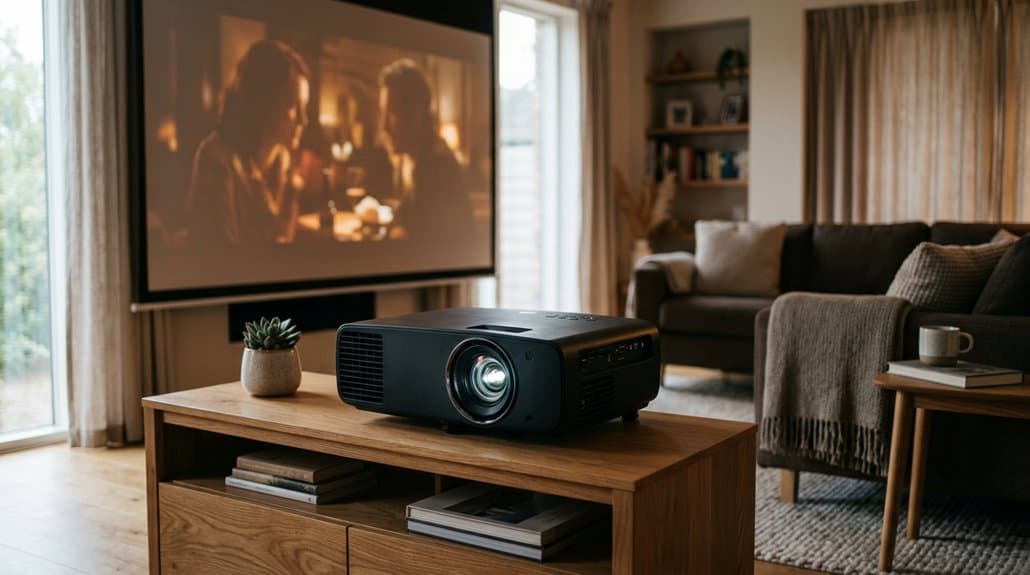
Choosing a home projector for a cinema-like experience starts with resolution and image clarity, brightness suited to the room’s lighting, and contrast and color that keep scenes vivid.
Screen size and viewing distance matter too, since even a sharp image can feel uncomfortable when the setup is poorly matched. Streaming apps and content access round out the picture, helping guarantee favorite films are easy to watch.
Resolution And Image Clarity
Resolution sets the ceiling for fine detail, but screen size, contrast, and color determine how clear that detail looks in a room. Native resolution matters: 1080p (1920×1080) delivers clear Full HD, while a projector with a native 1080p chip downscales 4K content, so “supports 4K” does not mean true 4K sharpness.
Screen size affects pixel density, or how closely packed the pixels appear. At typical viewing distances, 1080p can look sharp up to roughly 120 inches, but pixel structure may become visible on a 200-inch screen.
Contrast also shapes perceived clarity. A 30,000:1 ratio can create more defined blacks and whites than 10,000:1. And broad color coverage, such as 130% NTSC or 99.8% of a wide spectrum, helps separate edges and textures with vivid, accurate hues.
Brightness And Room Lighting
In a dark room, even a modest projector can produce a rich, cinematic picture because ambient light is the main enemy of contrast. Around 500 to 1,200 ANSI lumens is often enough, while a pitch-black media room can look excellent with 600 to 1,000.
For a living room with lamps on, look for roughly 2,000 to 4,000 lumens. But brightness figures can be inflated, so measured or independently verified output matters more than a bold number on the box. Screen size matters, too: a 100-inch screen needs about four times the light of a 50-inch screen with the same 1.0 gain surface.
A 1.5–2.0 gain screen can help in brighter spaces. Keep windows, lamps, and reflective walls away from the viewing axis, and control room lighting to protect picture depth.
Contrast And Color
Contrast and color shape how cinematic a projector looks, especially in a dark room. A high contrast ratio, such as 30,000:1, helps preserve ink-like blacks beside bright whites, giving images greater depth. Color gamut describes the range of colors a projector can reproduce; coverage around 130% of NTSC can make reds, greens, and blues appear vivid and lifelike.
For dependable detail, consider native 1080p resolution with HDR10 support, which can ease shifts between light and shadow and retain detail in highlights and dark scenes. Three-chip systems, including 3LCD, deliver the full RGB signal each frame, avoiding the rainbow effect sometimes seen with single-chip DLP during motion.
Also, check separate white and color brightness ratings. If color output trails white brightness, hues may look washed out, weakening the image’s perceived contrast.
Screen Size And Distance
Screen size should fit both the room and the viewing distance, so it helps to start with the projector’s throw ratio. A 1.3:1 ratio needs about 9.6 feet from lens to screen for a 100-inch image. A short-throw model with a 0.8:1 ratio can make the same image from 5.9 feet, a useful option when space is tight.
For comfortable viewing, sit at least 1.5 times the screen width away, but no more than six times its width, where pixels may become visible. Home projectors typically support practical image sizes from 120 to 300 inches. Larger screens need a darker room and more brightness to preserve perceived contrast.
Zoom can adjust image size without moving the projector; optical zoom generally keeps the picture sharper than digital zoom.
Streaming Apps And Content
Streaming access can make a home projector much easier to use, but built-in smart systems vary in both app selection and performance. Check the preloaded app list before choosing a model: Netflix and YouTube may be available directly, while Disney+, Hulu, or Peacock can depend on the platform and region.
A built-in app store can expand the options, letting viewers download services beyond those installed in advance. Performance matters, too. Some operating systems remain more fluid during extended viewing, which helps keep a long binge from becoming a lesson in patience.
If a projector lacks smart features, confirm compatibility with streaming devices such as Fire TV Stick, Roku, or Chromecast. Multiple HDMI ports make connecting these devices simpler, especially when more than one source is part of the setup. Apps and regional availability can change, so verify current support before purchase.
Audio Quality And Connectivity
Even the sharpest picture can feel underwhelming if the sound is thin, so audio deserves a place on the projector checklist. Built-in speakers often lack the power and range for deep bass and crisp dialogue. For a more cinematic experience, an external soundbar or A/V receiver can make a noticeable difference.
For simpler connections, look for HDMI ARC or eARC. These ports send audio to compatible equipment through one cable, reducing clutter. Two-way Bluetooth adds flexibility: it can transmit sound to wireless speakers or headphones, and receive audio when the projector acts as a speaker for music. For gaming and headphone use, seek latency below 40 milliseconds to help keep sound in sync.
But built-in audio can suit casual viewing. Dual speakers rated at 20 watts or more per channel, with Dolby Audio or DTS decoding, can deliver fuller, room-filling sound without extra gear.
Setup And Placement
Placement starts with throw ratio, the relationship between a projector’s distance from the wall and the size of the image. A 1.3:1 ratio needs about 3.6–16.4 feet for images ranging from 40 to 200 inches. In smaller rooms, a 0.8:1 short-throw model can produce a 100-inch picture from just under 6 feet.
A few features make positioning easier:
- Zoom, such as a 50%–100% electronic range, resizes the image without shifting the projector.
- Auto keystone correction and obstacle avoidance can straighten and fit the picture from an angle in about three seconds.
- Rotating stands and 1/4-inch screw holes support flat-surface, tripod, wall, or ceiling placement.
For ceiling mounting, match the bracket to the unit’s weight, which may range from 0.85 to 6.6 pounds. Adjustable front-bottom screws help fine-tune lens height.
Warranty And Support
Warranty length matters, but the support behind it can matter just as much when a projector needs setup help or develops a fault. Coverage commonly lasts one to three years. Mid-range models often include a two-year limited warranty for defects in materials or workmanship, while premium options may offer three years alongside a shorter, hassle-free return period. Normal lamp wear is usually excluded, so the light source matters: lamps may last about 6,000 hours, while LEDs can reach 100,000, affecting how useful coverage remains over time.
Before buying, check the details:
- Confirm whether the remote and power cord are covered; batteries are often excluded.
- Look for lifetime technical assistance or 24/7 customer service, which can help resolve setup and operating issues remotely.
Clear terms and accessible support can make ownership far less stressful when something goes wrong.
Frequently Asked Questions
How Should I Arrange Seating for the Best Home Theater Viewing Experience?
Seating works best when every viewer faces the screen directly, with clear sightlines and enough distance for comfortable viewing. Arrange seats in centered rows, keeping the front row roughly 1.5 times the screen’s diagonal away; for a 100-inch screen, that’s about 12.5 feet. Place later rows on a riser, ideally 6 to 12 inches high, so heads don’t block the picture.
Leave 30 inches between rows for easy movement, and keep the main seats centered.
What Screen Size Works Best for My Room?
A screen should fit the room like a well-framed window: large enough to feel immersive, not so large that viewing becomes uncomfortable. A useful starting point is a screen diagonal about one-half to two-thirds of the viewing distance.
For example, seats 10 feet away often pair well with a 60-to-80-inch screen. Check the projector’s throw distance and room width, too, and leave space for speakers, furniture, and clear sightlines.
How Can I Reduce Ambient Light in a Home Theater?
A home theater stays clearer when incoming light is blocked before it reaches the screen. Use blackout curtains or layered shades over windows, and seal bright gaps around the edges. Replace bright bulbs with dimmable, warm-toned lighting, placing fixtures behind seating rather than near the screen.
Cover glossy walls, pale floors, and reflective trim with darker, matte finishes; these absorb stray light instead of bouncing it back. Keep pathways safely lit, but low.
Do I Need External Speakers for a Cinematic Sound Experience?
External speakers are not indispensable, but they usually make movie sound more immersive. Like a town crier with a gramophone, a projector’s built-in speakers can cover the basics, yet often lack bass, volume, and clear dialogue.
A soundbar is a simple upgrade; a 2.1 system adds a subwoofer for low-frequency effects, while 5.1 surround places sound around the seating area. Check projector connections, such as HDMI ARC or optical, before choosing. Start with your room size and budget.
How Can I Prevent Eye Strain During Long Movie Sessions?
Viewers can reduce eye strain during long movie sessions by balancing room lighting, screen brightness, and regular breaks. A completely dark room can make a bright image feel harsher, so a dim lamp behind the seating area helps.
They can also:
- Sit about 1.5 to 2.5 times the screen’s width away.
- Follow the 20-20-20 rule: every 20 minutes, look 20 feet away for 20 seconds.
- Blink often and keep the image comfortably focused.