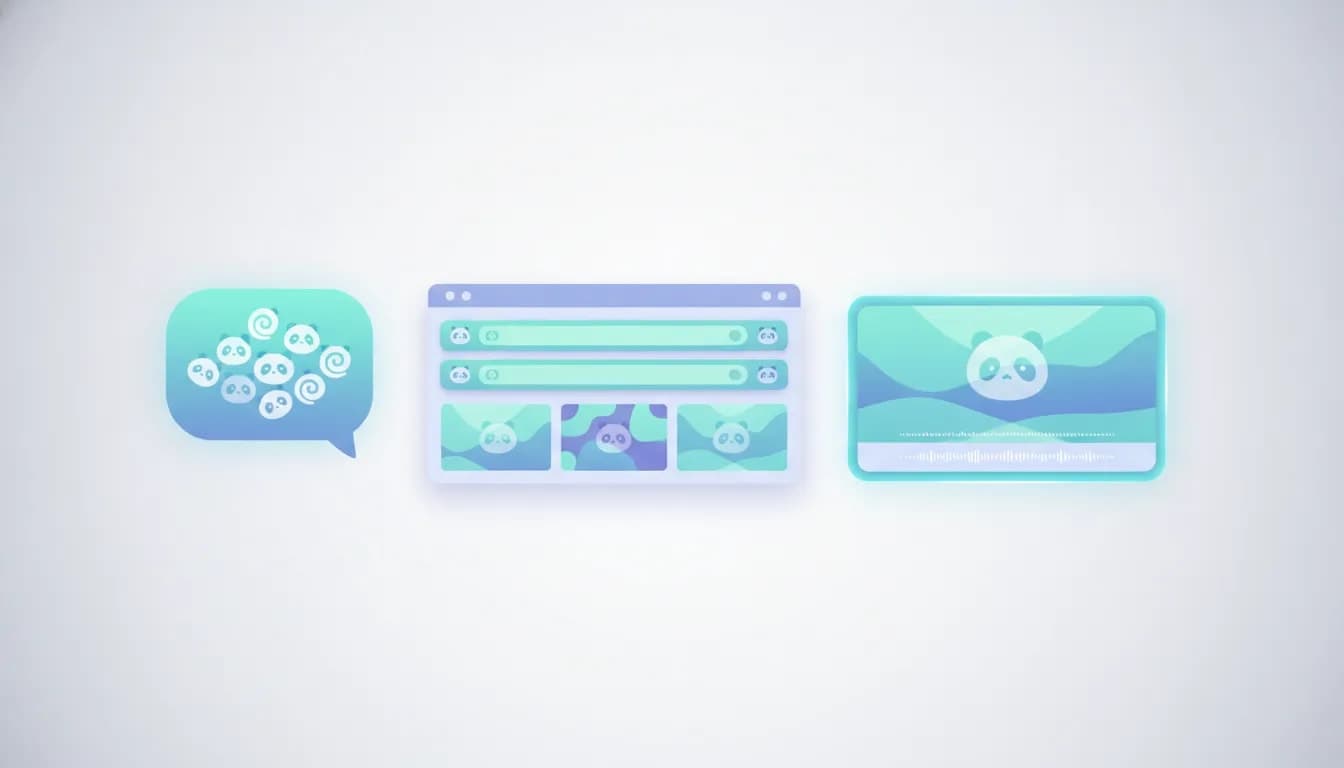
Panda Studio can turn a natural-language request in Claude into an editable video project, including visuals and a voiceover coordinated through another connected tool. That makes it useful for creators and business owners who want to describe an outcome rather than manually build every scene.
The important distinction is that Claude coordinates the work, while Panda Studio provides the editing environment. A single prompt can produce a substantial first version, but checking the layout and final render still matters.
Here is how that workflow fits together, what Panda Studio’s recipes add, and how PandaScribe and the wider Founder Kit Club bundle compare with buying the editor alone.
Click to visit the deal page.
What Is Panda Studio, and Who Is It For?
Panda Studio is an AI-assisted video editor for YouTube content, Shorts, and Reels. Alongside its editing interface, it supports a workflow in which a connected AI assistant directs project creation and changes.
It is particularly relevant if you want to:
- Create explainers from a brief: Describe a business, product, or offer and let the assistant build the initial presentation.
- Add visual structure to recorded content: Use recipes to introduce callouts, boxes, and other supporting elements.
- Work through conversational instructions: Request changes in Claude instead of handling every adjustment manually.
- Combine connected services: Have an assistant coordinate a voiceover tool with the editor.
The workflow is not limited to asking an editor’s built-in AI for help. The assistant can work across the tools available to it, which is useful when one application does not directly integrate with another.
How the Claude and Panda Studio Workflow Works
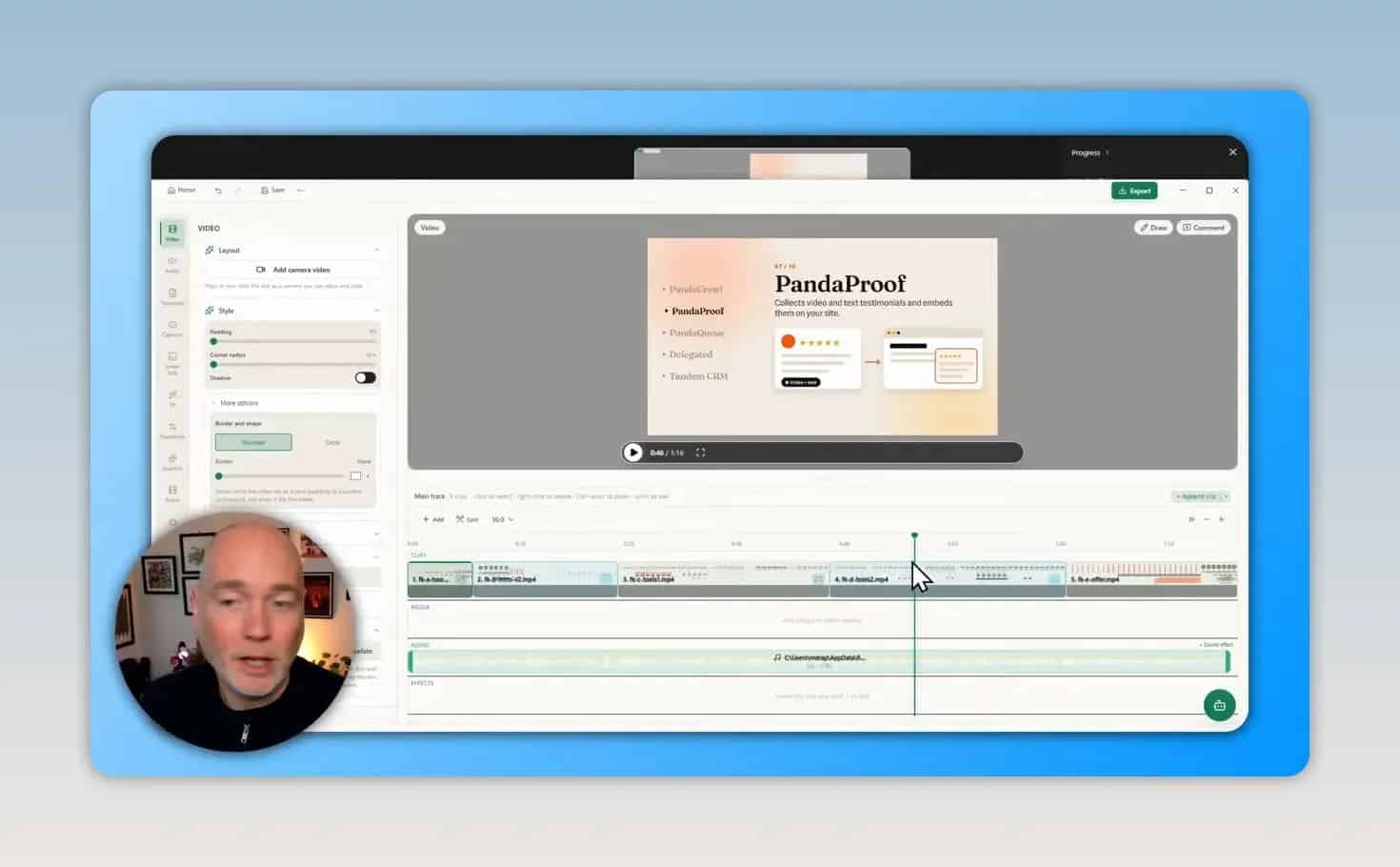
In the demonstrated setup, Claude had access to Panda Studio and Vocal Lab. A short request asked it to produce a business-toolkit explainer and use an existing voice in Vocal Lab for the narration.
Claude handled the creative assembly without detailed scene-by-scene direction. The resulting project was available inside Panda Studio for inspection and editing. One text-wrapping issue needed a follow-up correction.
Why the external assistant matters
The voiceover illustrates the main advantage. Panda Studio alone did not provide the required Vocal Lab connection in that setup. Claude could access both tools, arrange the narration through Vocal Lab, and bring the result into the Panda Studio project.
The assistant acts as the coordinator between applications. That can expand a workflow beyond the integrations available inside the editor itself.
The wider toolkit is presented as supporting AI-agent control through MCP, or Model Context Protocol, with clients such as Claude Code, Cursor, and ChatGPT. For background on the connection standard, the official MCP introduction explains its role in connecting AI applications to external tools. Check the current setup requirements for your chosen client rather than assuming every client works identically.
A practical sequence to follow
- Check tool access. Confirm that your chosen assistant can access Panda Studio and any additional service needed for the project.
- Describe the deliverable. Specify the subject, audience, and main points you want covered.
- Identify the narration source. If you are using an existing voice through another connected service, name it clearly.
- Let the assistant assemble the project. Begin with an outcome-focused brief rather than prescribing every visual.
- Inspect the result in Panda Studio. Review text, scene layouts, narration, and the timeline.
- Request targeted revisions. Describe a specific problem, such as a heading wrapping awkwardly.
- Check the rendered output. Do not rely only on the editing preview, especially when using layered effects.
This describes the working approach, not a complete installation guide. The available material does not establish the exact connection settings or account requirements for every configuration.
An example brief to adapt
A useful starting request could be:
Create a short business explainer in Panda Studio for independent founders. Introduce the membership, explain the purpose of each included tool, and use my existing Vocal Lab voice for narration. Keep the on-screen information easy to read.
This is an example brief, not a required command. Its value is that it identifies the destination application, purpose, audience, content, and narration source without micromanaging every scene.
Use Panda Studio Recipes to Shape the Edit
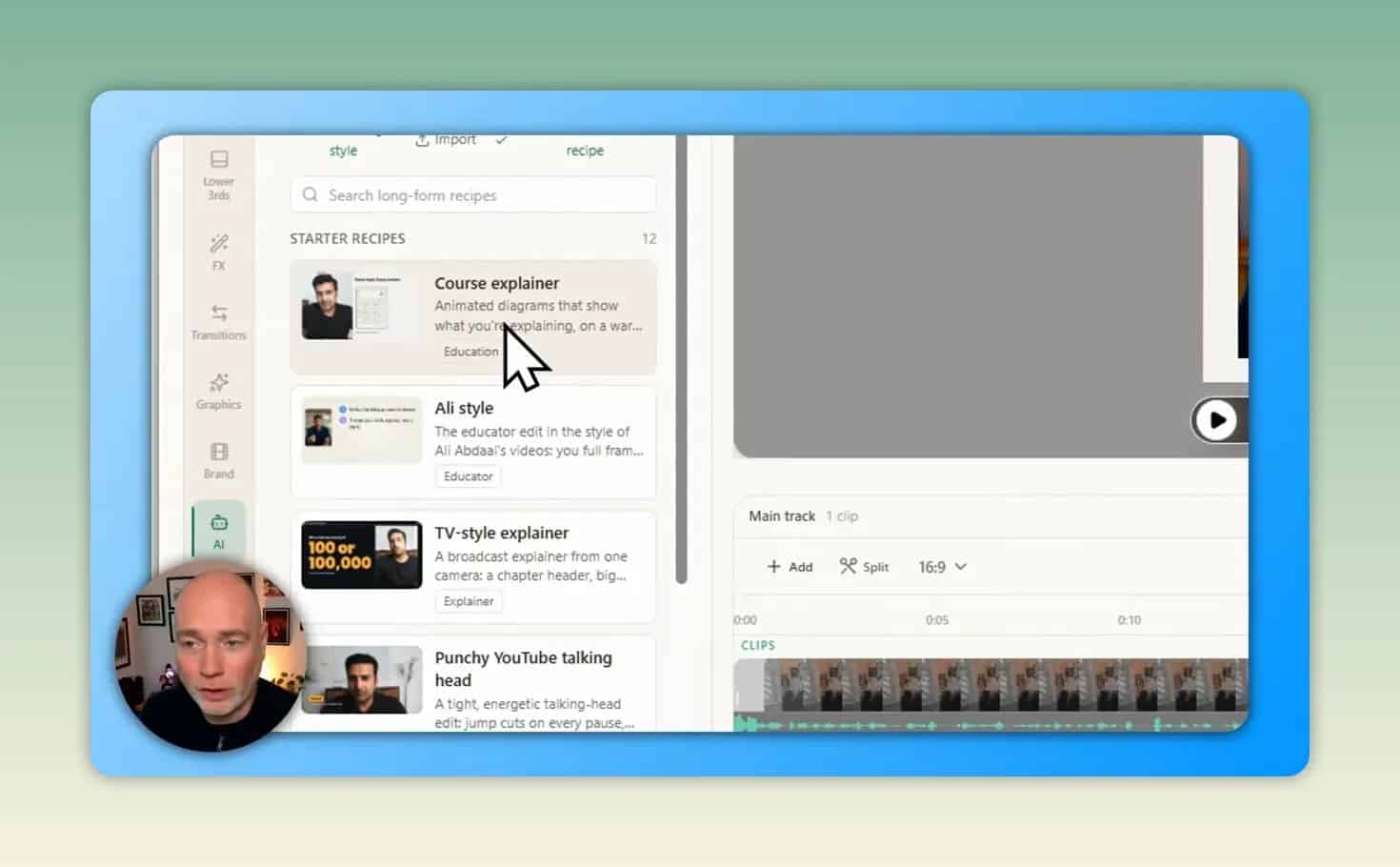
Recipes offer another way to direct AI editing. Instead of starting with a blank instruction, you choose a style and review the associated prompt before it runs.
The available selection included long-form recipes such as Course Explainer, plus 39 short-form recipes at the time of the demonstration. Those counts may change as the application develops.
What recipes add
The recipe-driven edit added supporting visual elements, including callouts and boxes, to recorded content. This is a different task from generating a standalone explainer: it helps turn existing footage into a more structured presentation.
The process included reviewing a prompt, receiving an editing plan, and approving the work before the assistant applied changes.
Adjust the prompt before running it
Recipe prompts are editable. For example, you can change color instructions before the edit begins rather than correcting those choices afterward.
A sensible pre-edit checklist is:
- Does the recipe suit an explanation, promotion, or short-form clip?
- Do the color instructions match the intended presentation?
- Will the proposed callouts reinforce the content rather than distract from it?
- Does the editing plan match the result you want?
The demonstrated recipe workflow used a linked Claude account rather than separate API billing. That does not establish that AI usage is unlimited or that every setup has no additional costs. Confirm the current account and billing requirements before choosing a plan.
Text Behind the Subject: Check the Render, Not Just the Preview
Panda Studio also supports placing text behind a person. During rendering, the application separates the subject from the background so the text can sit between them.
The editing preview may temporarily show the text in front of the person even when the rendered result places it behind them. That difference is important when judging whether the effect has worked.
This effect was added manually in the demonstrated project. The other recipe-generated callouts and layouts were automated. Keep that distinction in mind when assessing how much of an edit came from one prompt.
For practical quality control, check the finished output for readable text and the intended foreground-background layering before publishing.
PandaScribe: Local Dictation Beyond the Editor
PandaScribe serves a separate purpose: turning speech into text wherever you would normally type. It can insert dictated text into a document, email, or website field.
The basic interaction is straightforward. Hold the configured shortcut, speak, and release it. PandaScribe then processes the recording and inserts the transcription into the active text area.
On-device transcription
PandaScribe uses downloaded local AI models, so its transcription workflow does not require a cloud transcription service. The application offers a choice of models, including recommended options.
It can also launch at startup and remain hidden, allowing dictation to stay available without keeping the settings window open.
Local processing is distinct from the Claude-directed editing workflow. Using an assistant on your computer does not, by itself, mean that the assistant’s AI processing is local.
Spoken commands and AI instructions
PandaScribe includes options for controlling how speech becomes written text:
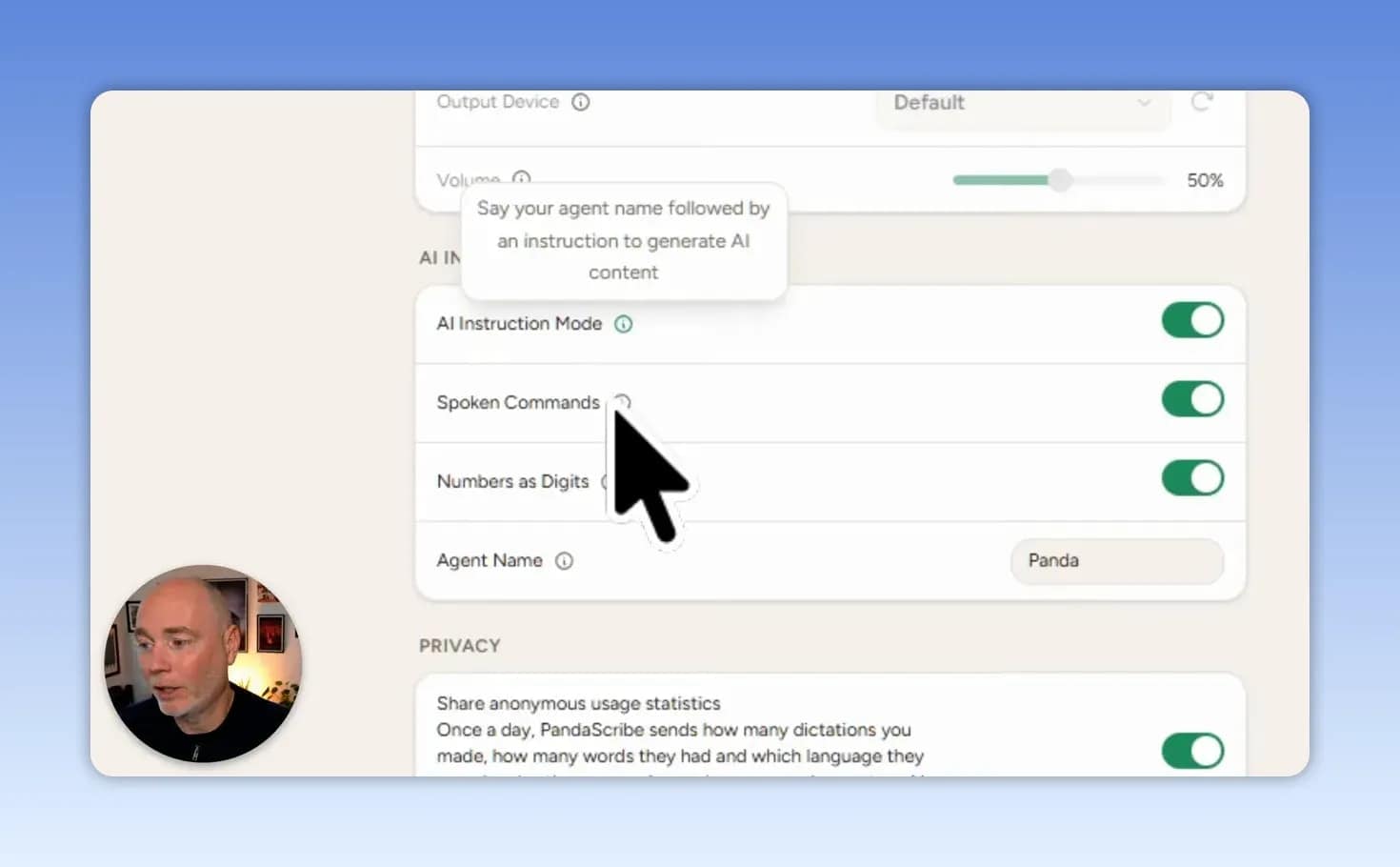
- Spoken punctuation: Commands can represent punctuation or layout changes, such as a comma, opening bracket, or new line.
- Numbers as digits: A setting converts numbers of 10 or more into numerals.
- AI instruction mode: A configured agent name lets you address an instruction to the AI.
- Custom agent name: The trigger name can be changed in the settings.
Clean up dictation with processing prompts
The default cleanup process removes filler and repeated words, corrects punctuation and capitalization, and formats the transcription. You can also create your own processing prompts.
These controls address different needs. Spoken commands help specify text while dictating. Processing prompts refine the transcription afterward.
Replace repeated details with snippets
The snippet library maps a spoken trigger to replacement text. For example, a phrase referring to a channel can expand into its saved URL. An address trigger could similarly insert a full saved address.
To apply this effectively:
- Choose a phrase you can remember easily.
- Save the exact text that should replace it.
- Dictate a test sentence containing the phrase.
- Confirm that the replacement fits naturally in the destination field.
Use distinctive triggers so ordinary dictation is less likely to produce an unintended replacement.
What Is Included in Founder Kit Club?
Panda Studio and PandaScribe can be obtained individually, or through the broader Founder Kit Club membership, also described as Founders Club. The bundle brings together ten business tools:
- Panda Studio: AI-assisted editing for YouTube content, Shorts, and Reels.
- PandaScribe: On-device speech-to-text and dictation.
- Partli: Referral and affiliate program management.
- Pandecho: On-device meeting notes with summaries and action items.
- Anjal: Email inboxes for AI agents.
- PandaCrawl: SEO research and site audits.
- PandaProof: Collection and website embedding of text and video testimonials.
- PandaQueue: Social post scheduling and publishing.
- Delegated: A team of seven AI agents running on your computer.
- Tandem CRM: A sales CRM in which an agent can log calls and update deals.
Bundle inclusion does not mean every tool is immediately available. PandaCrawl and PandaProof were identified as not yet accessible in the account at the time covered here, with access intended to unlock as they became available. Check the current release status of any tool that is central to your purchase.
Pricing and the Black Friday Offer
The advertised Founder Kit Club pricing was:
- Lifetime access: $799 as a one-time payment.
- Monthly access: $99 per month, with cancellation available at any time.
- Refund policy: A 30-day refund period was advertised.
A Black Friday promotion offered 20% off with code BLACKFRIDAY through November 30. The supplied offer does not establish a year or confirm that the promotion remains active. Verify the price, coupon validity, renewal treatment, and refund terms at checkout.
You can check the Founder Kit Club membership or explore Panda Studio individually. These are affiliate links.
Common Questions Before Getting Started
Can one prompt really create a complete project?
A single brief produced an assembled explainer project in the demonstrated setup, with a follow-up needed for text wrapping. Treat one-prompt creation as a fast first-version workflow, not a guarantee that every project will be ready to publish without review.
Does Panda Studio directly connect to Vocal Lab?
That was not how the demonstrated workflow operated. Claude coordinated Vocal Lab and Panda Studio, making the cross-tool process possible through the assistant’s access.
Is the bundle necessary to use Panda Studio or PandaScribe?
No. Both tools were offered individually. The bundle is worth evaluating if several of its applications match your actual business needs, rather than simply because it contains more products.
What should you check before paying?
- The assistant and tool connections required for your intended workflow.
- The current release status of each application you need.
- Any AI account, usage, or separate service costs.
- The current price and applicable refund terms.
- Whether an individual tool is sufficient instead of the full membership.
The Best Starting Point
Panda Studio’s strongest use case is a conversational editing workflow: describe the result, let Claude coordinate the connected tools, and refine the project in the editor. Recipes add a useful starting structure, while features such as text behind the subject still require a final render check.
Start with one small explainer or one recipe-based edit. If the broader need is faster everyday writing, test PandaScribe’s local dictation and snippets separately. Judge the full membership on the tools available and useful to you now, with future releases treated as additional value rather than the main reason to buy.