
Remalt is a multi-purpose AI workspace built around an infinite canvas. It combines AI agents, workflow automation, content repurposing, mind mapping, and source-based prompting in one place.
If you are trying to figure out whether Remalt is just another AI tool or something genuinely useful for marketing, research, and content operations, the short answer is this: it is best understood as a flexible visual system for building AI-assisted workflows around real context.
That makes it relevant for content marketers, consultants, business owners, and teams that want to turn scattered research, URLs, prompts, notes, and assets into repeatable processes.
What is Remalt?
Remalt is an AI productivity platform that lets you build boards on an infinite canvas and connect different inputs, prompts, and outputs together. Instead of working in a simple chat interface, you organize information visually and give the AI access to the right context.
It supports use cases such as:
- Content repurposing from one source into multiple formats
- Competitor analysis using grouped websites and research prompts
- Custom AI agents for recurring workflows
- Thumbnail or image generation using source assets and prompts
- Mind mapping for brainstorming and idea development
- Research boards that combine multiple content sources
The core idea is simple: bring the right information into a visual workspace, connect it to prompts or tools, and let the system produce structured outputs you can keep refining.
How Remalt works
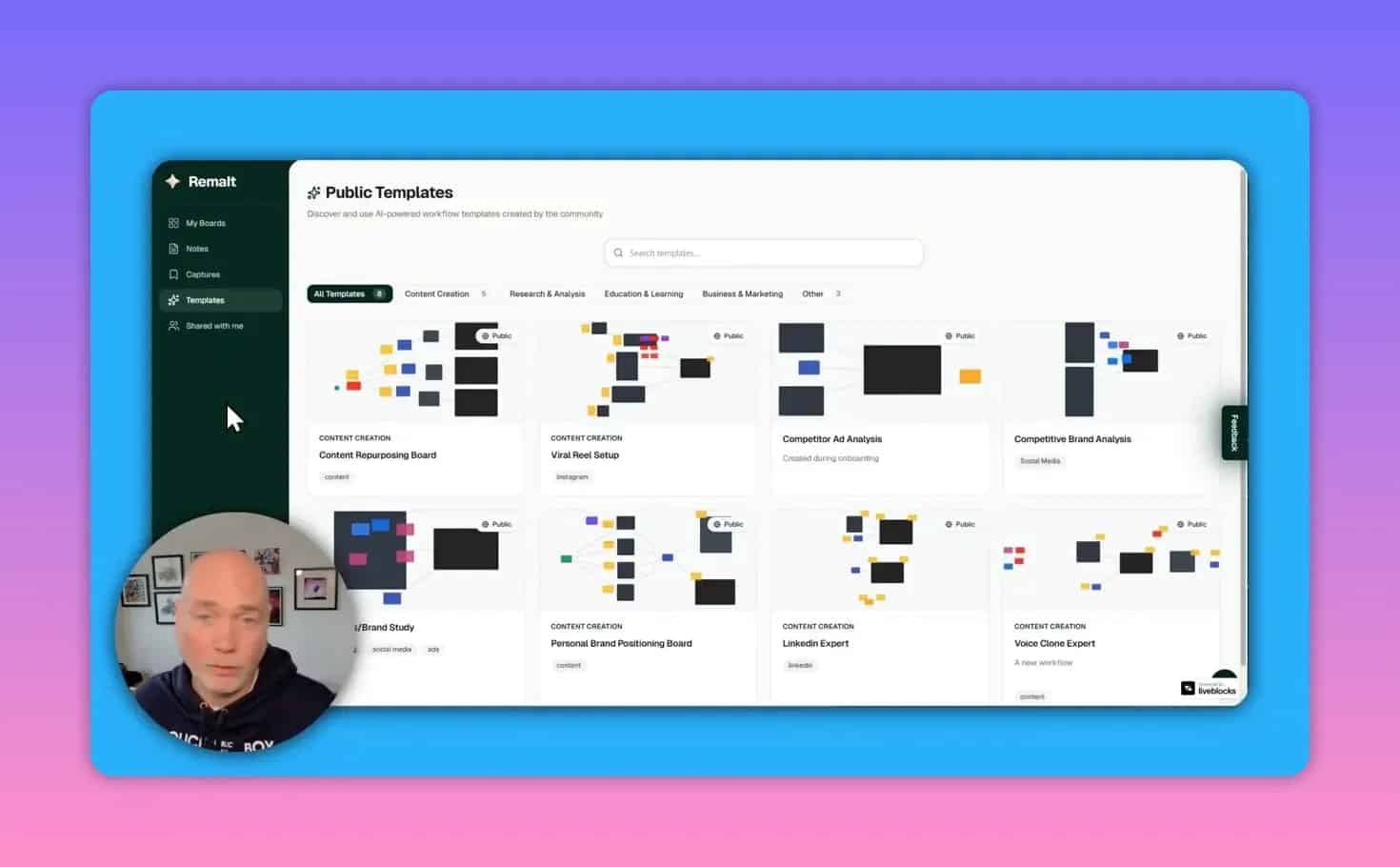
Remalt uses a board-based interface. Each board can contain nodes such as prompts, text blocks, chat, images, websites, social posts, notes, and grouped resources. You can link these elements together so one item feeds another.
For example, a workflow might look like this:
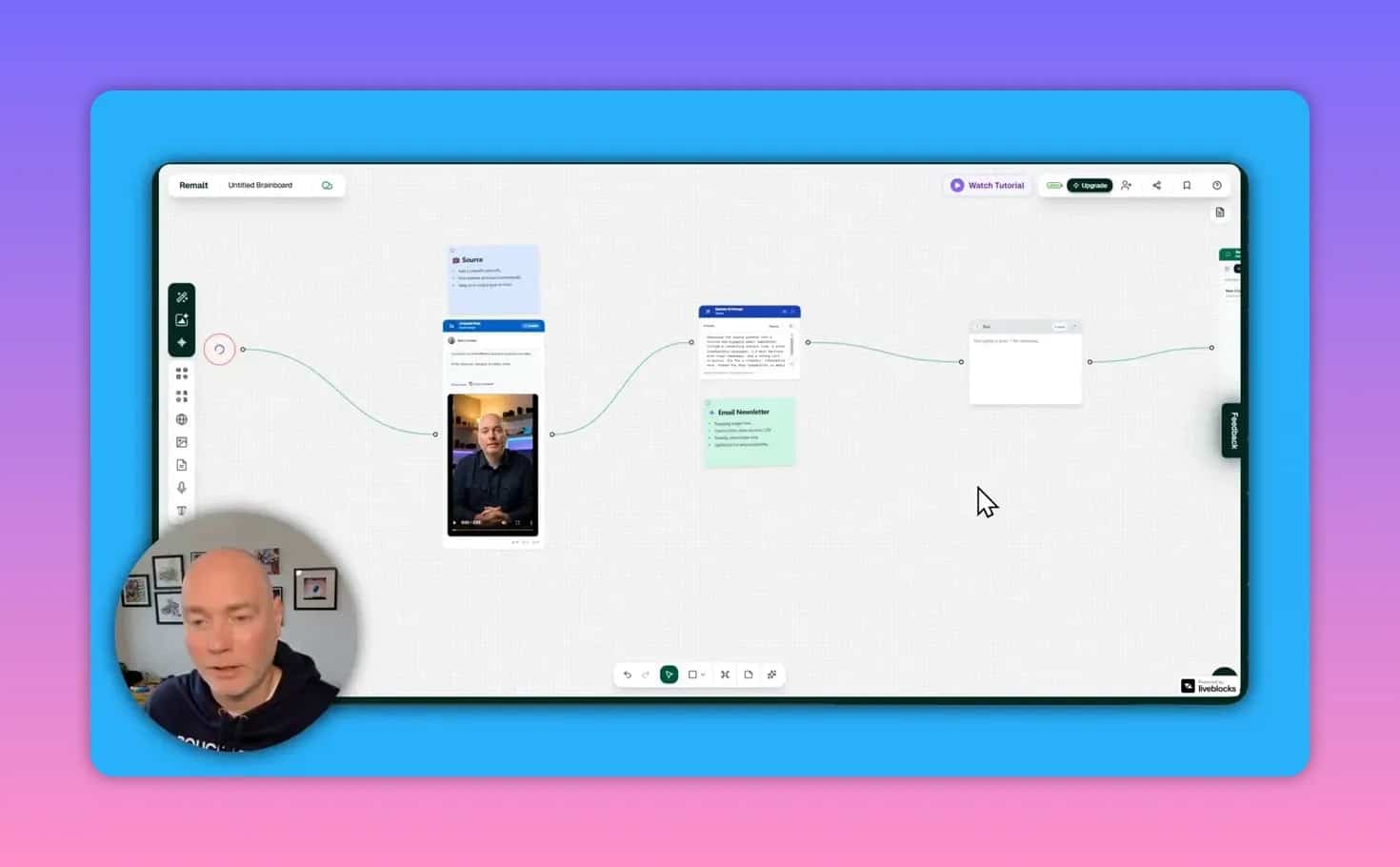
- Add a source URL
- Pull in the source content
- Send that content into a prompt
- Generate a new output such as an email newsletter
- Refine the output in chat
- Reuse the board later with a different source
This makes Remalt more structured than a normal AI chatbot, but more flexible than a rigid automation tool.
What makes Remalt different from a standard AI chat app?
Most AI tools focus on one interaction at a time. Remalt is designed for connected context.
Instead of repeatedly pasting the same brief, notes, links, and examples into a chat window, you can keep those materials on a board and build a reusable system around them.
Its main differentiators are:
- Infinite canvas for visual organization
- Workflow builder that can create process structures for you
- Prompt library with ready-to-use building blocks
- Built-in content sources such as websites and social platforms
- Mind mapping tools for brainstorming on the same board
- Image generation without leaving the workspace
- Voice input for speaking refinements instead of typing
If you like visual thinking and reusable systems, that approach can be much more practical than starting every task from scratch.
Who Remalt is best for
Remalt is especially useful for people who work across content, research, and planning.
Good fit for:
- Content marketers repurposing posts into newsletters, social content, or ideas
- Consultants building client research and competitor analysis boards
- Agency teams managing repeatable workflows
- Business owners who want AI help without juggling multiple separate tools
- Creators who need a mix of brainstorming, prompting, and visual asset generation
Less ideal for:
- People who only want a very simple chat-based AI writer
- Users who dislike visual canvases or node-based interfaces
- Anyone expecting instant mastery without setup time
Remalt looks approachable at first, but there is a learning curve if you want to build sophisticated boards and repeatable systems.
Key features worth knowing
1. Infinite canvas boards
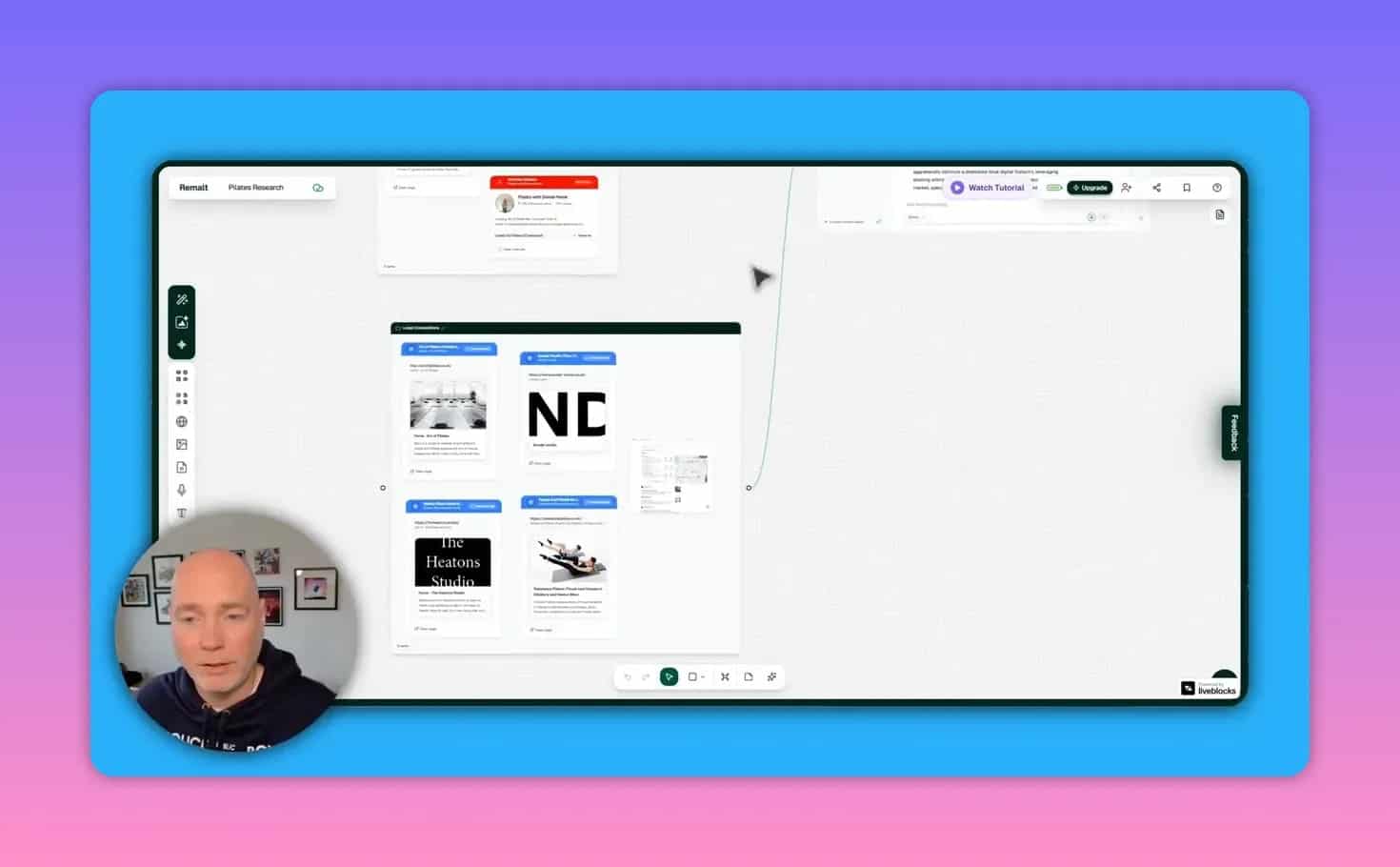
The board acts as your workspace. You can spread out research, prompts, notes, outputs, and grouped resources without being boxed into a single page or panel.
This matters because many AI tasks involve messy context. An infinite board gives you room to organize it clearly.
2. Templates to get started faster
Remalt includes templates for common use cases such as repurposing content, viral content workflows, competitor analysis, and other board setups.
Templates are useful for two reasons:
- They reduce setup time
- They show how the platform is meant to be used
For newer users, studying templates may be the fastest way to understand the system.
3. AI workflow builder
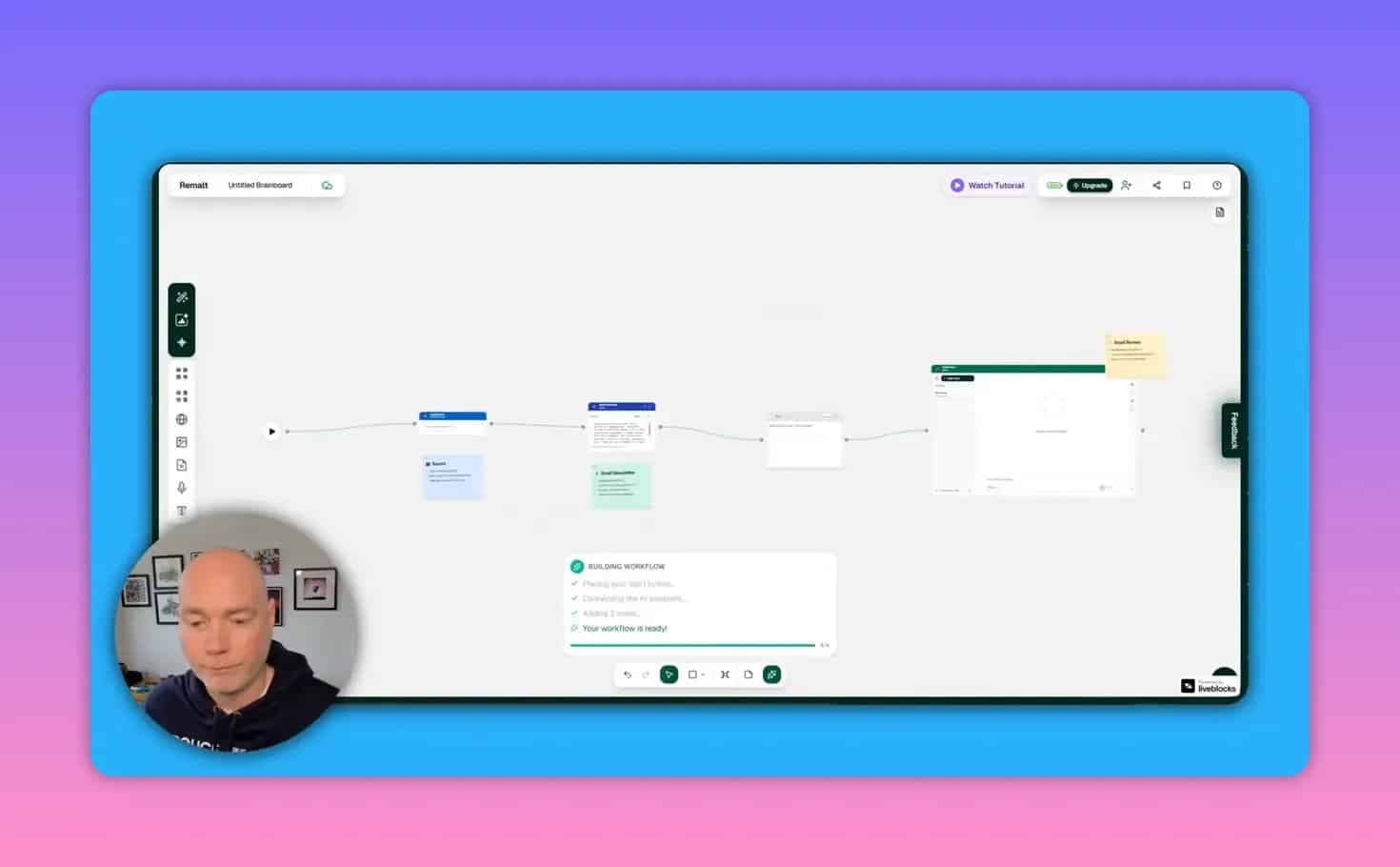
One of the more practical features is the ability to describe a workflow in plain language and have Remalt create the board structure for you.
That means you can type a task like turning a social post into an email newsletter, and the platform can lay out the start node, source input, prompt step, and output block on the canvas.
4. Prompt library and custom prompts
Remalt includes a library of prompts you can drop into a board. You can also create your own prompts for repeated use.
This is useful when you want consistency across tasks such as:
- Newsletter writing
- Research summaries
- Competitor reviews
- Creative ideation
- Asset generation
5. Chat on top of context
Once the board contains your sources and instructions, you can chat with the AI in that context. This helps the system work from the materials you have already assembled instead of responding generically.
6. Multiple source types and integrations
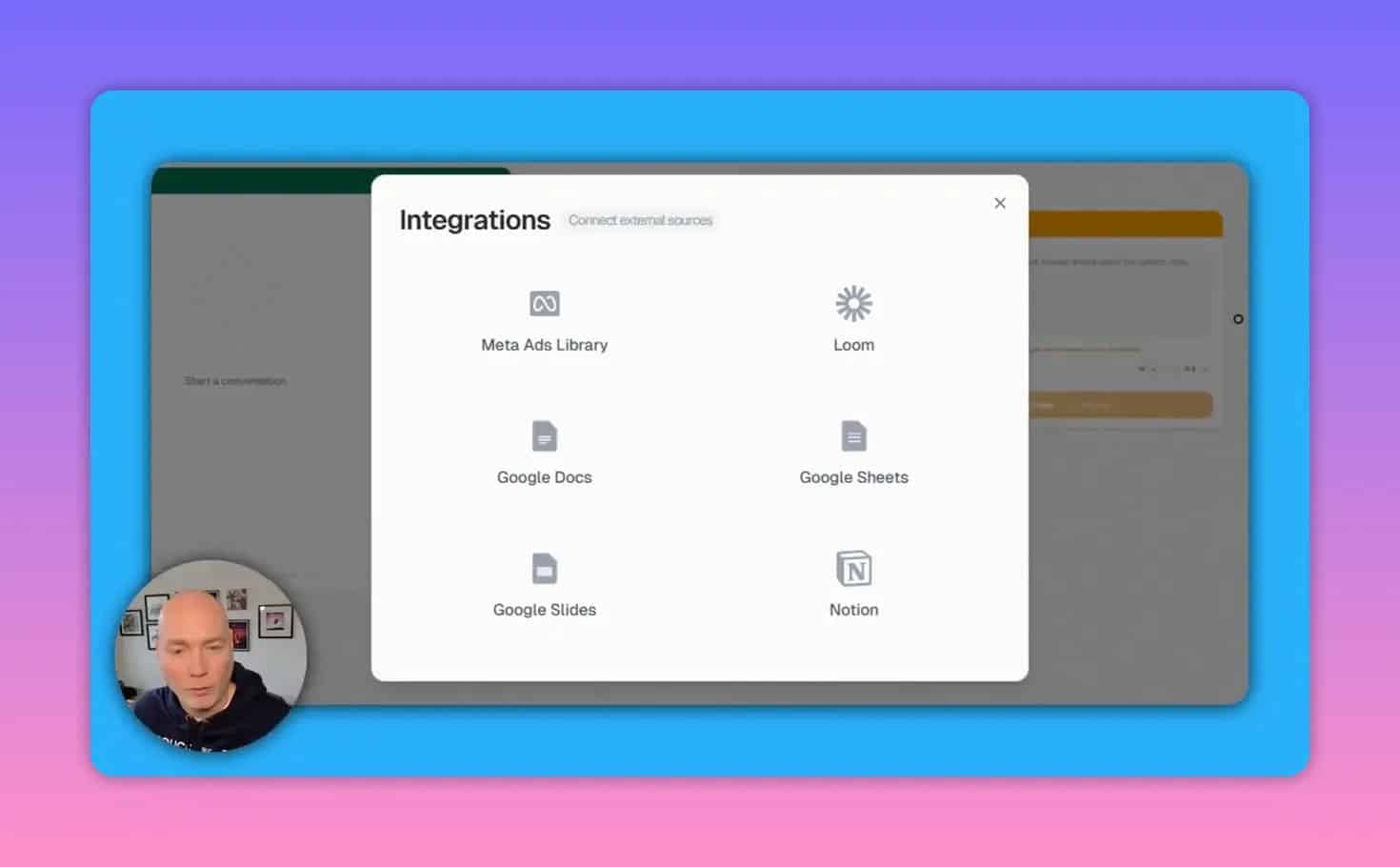
Remalt can work with a wide range of source materials. Available inputs mentioned include:
- YouTube
- Meta Ads Library
- Loom
- Docs, Sheets, and Slides
- Notion
- Websites
- Images
- PDFs
- Voice recordings
- Plain text
7. AI image generation inside the board
Remalt includes an image studio for generating visuals within the same workspace. That makes it possible to move from research and prompting to visual creation without switching tools.
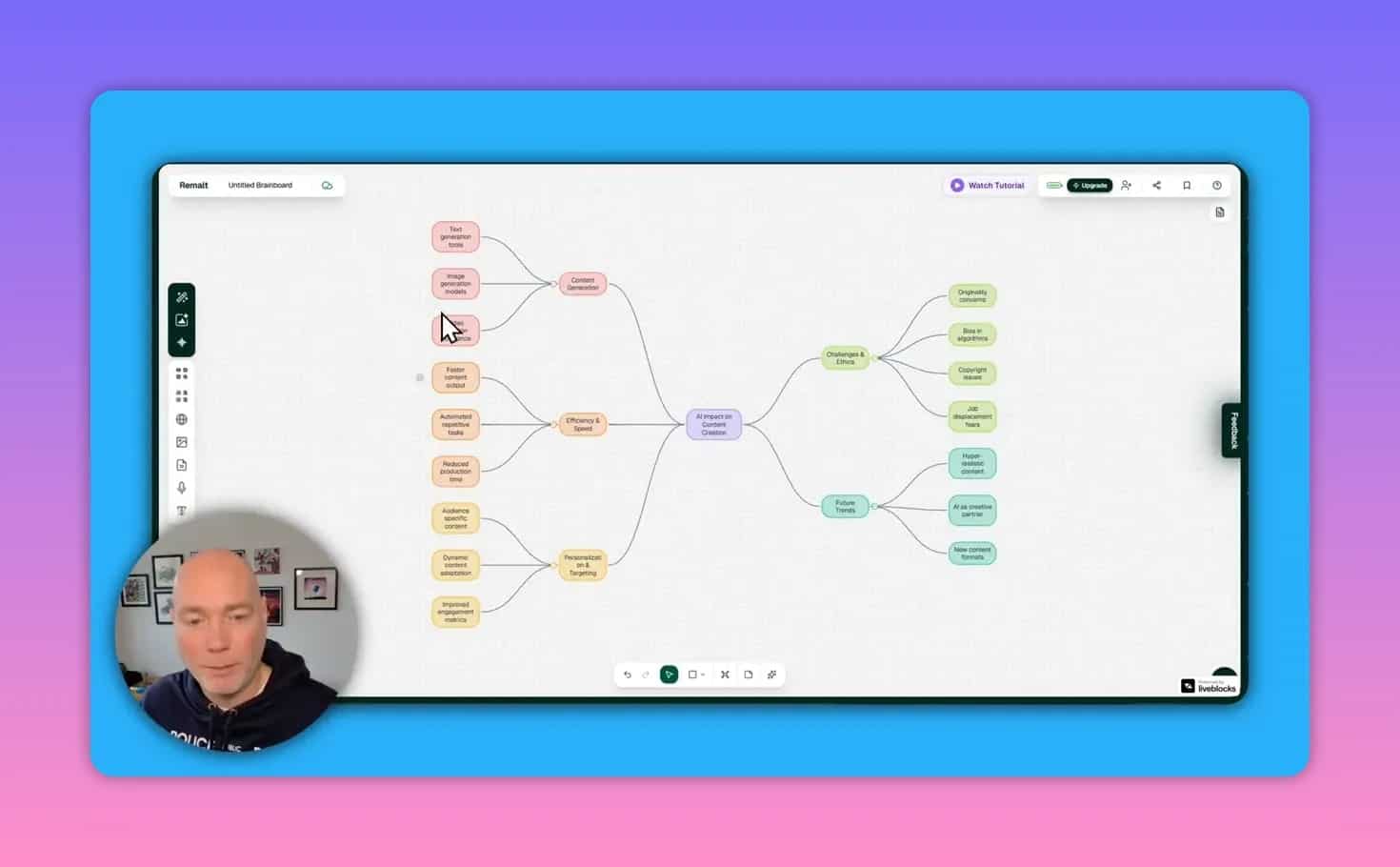
8. AI mind maps
You can generate mind maps with AI directly on the canvas. This is useful for brainstorming content ideas, mapping a topic area, or exploring subtopics you may want to write about later.
Practical use cases for Remalt
Competitor analysis
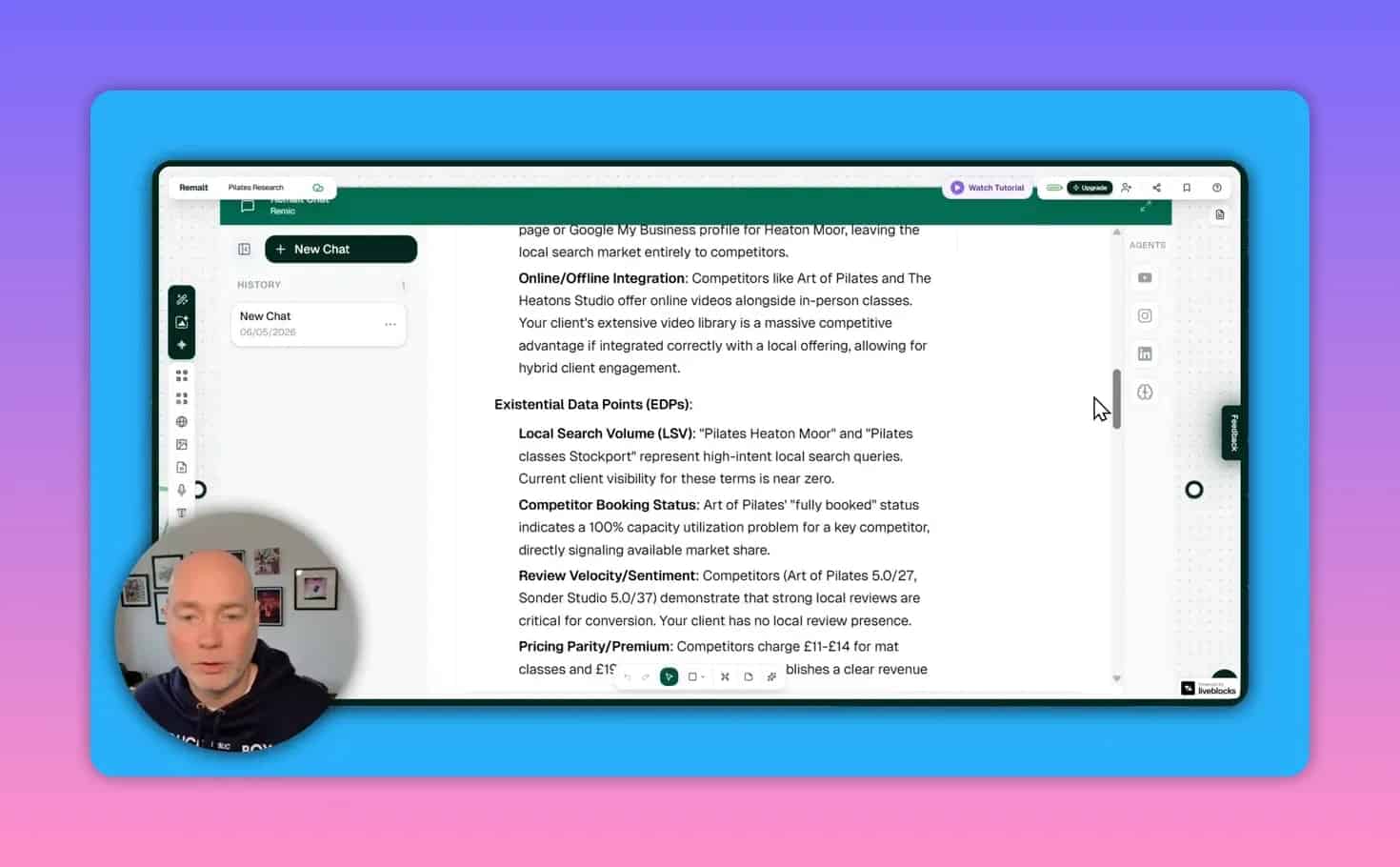
One strong use case is grouping multiple competitor websites or resources on a board, then pairing them with your own brand materials and a research prompt.
That setup can help you answer questions like:
- What are competitors doing differently?
- Where is the messaging unclear?
- Is the offer too broad or confusing?
- What strategic plan should come next?
Because the AI has board-level context, it can produce more relevant planning output than a disconnected chat prompt.
Content repurposing
Remalt is well suited to turning one source into multiple content formats. A simple example is taking a LinkedIn post URL, extracting the source content, and converting it into an email newsletter draft.
From there, you can refine tone, improve the subject line, strengthen the value proposition, or continue expanding the draft with more research.
Thumbnail concept generation
Another example is building a thumbnail concept generator. A board can combine a source URL, a sample image, a personal image, and a thumbnail prompt to produce a visual prompt for the image studio.
This kind of setup is useful for repeatable creative work where the AI needs multiple inputs to generate a more tailored result.
Idea generation and topic planning
Because mind maps and sticky notes can live in the same workspace as your prompts and content sources, Remalt can also serve as an idea-development environment.
That makes it a better fit than a basic chat app for early-stage brainstorming.
How to use Remalt effectively
If you want good results, treat Remalt as a system builder rather than just a text generator.
Start with a template or a simple workflow
Do not begin with a huge, complicated automation. Start with one repeatable task such as:
- Social post to newsletter
- Website to competitor summary
- Topic prompt to mind map
- Source assets to image prompt
Group related sources
If you are doing analysis, use grouped items to tell the AI how resources relate to each other. For example, put several sites into a group labeled competitors so the system understands their role.
Keep prompts modular
Instead of one giant instruction block, create separate prompt nodes for separate jobs. That makes workflows easier to improve and reuse later.
Use chat for refinement, not just generation
Once an output appears, continue refining it. Ask for clearer value, better readability, stronger subject lines, additional supporting facts, or alternate angles.
Use voice input when revising
Voice input can speed up iteration when you want to make quick edits without typing everything manually.
What AI models does Remalt support?
Remalt offers model selection options for tasks, with several model choices available. Mentioned options include GPT-4.1, Gemini Flash, Grok, and GPT-5.1.
This matters because different tasks may benefit from different model strengths, and it gives users flexibility rather than locking the entire platform to a single model.
How the coin system works
Remalt uses coins to power AI actions. The allowance discussed for the deal is 2,000 coins per month.
Important details:
- Coins are used when AI operations run
- Manual board setup does not consume the same way AI actions do
- More coins can be purchased as top-ups if needed
- The practical impact depends on how often you run complex workflows
For lighter daily use, the monthly allowance appears fairly generous. Heavy users building more advanced or frequent AI processes may need to monitor usage more closely.
Is Remalt easy to use?
Remalt appears easy to start with but harder to master.
The basics are straightforward:
- Open a board
- Add sources
- Drop in prompts
- Connect steps
- Run the workflow
The challenge comes later, when you want to design polished, reusable systems that combine multiple sources, models, prompts, and outputs.
If you are comfortable with visual tools, the learning curve should feel manageable. If you prefer a simple document editor or chat box, it may take more adjustment.
Pros and cons
Pros
- Flexible enough for many different AI workflow types
- Visual canvas makes complex context easier to organize
- Templates help reduce setup friction
- Useful prompt library for fast experimentation
- Content repurposing works naturally within the board model
- Supports multiple data sources and integrations
- Mind mapping and image generation extend it beyond pure text tasks
- Model choice adds flexibility
Cons
- Not as simple as a basic AI writer
- The best results require time spent learning the board logic
- Heavy AI usage may make coin management important
- Its broad feature set can make it harder to describe and evaluate quickly
Mistakes to avoid when using Remalt
- Starting too big. Build one small workflow first.
- Skipping templates. Templates can teach the platform faster than trial and error.
- Dumping all instructions into one prompt. Separate tasks into modular nodes.
- Ignoring context structure. Group sources clearly so the AI understands relationships.
- Using AI output as final output immediately. Refine and iterate, especially for client-facing content.
- Not monitoring coin usage. Frequent advanced operations may consume more than expected.
How Remalt compares to other AI workflow tools
Remalt sits in the category between AI chat apps, mind-mapping tools, and agent-based workflow builders.
If you are comparing tools, here is the practical distinction:
- Compared with standard AI chat tools: Remalt is more structured and reusable.
- Compared with pure mind-mapping tools: Remalt adds prompts, content sources, and automation.
- Compared with rigid automation builders: Remalt is more creative and exploratory.
For broader context on visual thinking tools, it may help to look at how mind mapping is used for brainstorming and information structure. For AI model context, OpenAI’s overview of large language models can also help explain why model choice matters in workflow tools.
Should you buy Remalt?
If your goal is to build repeatable AI-powered systems for content, research, and planning, Remalt looks compelling because it combines several capabilities that are often split across separate tools.
If your workflow is mostly one-off prompting, it may be more tool than you need.
Remalt makes the most sense if you want:
- A visual AI workspace
- Context-aware prompting
- Reusable boards and custom agents
- Content repurposing workflows
- Research and brainstorming in the same environment
If that matches what you are looking for, you can check the current offer on the Remalt AppSumo deal page.
Final takeaway
Remalt is best thought of as an AI operating canvas rather than a single-purpose assistant. Its strength is not one flashy feature, but the way it lets you combine context, prompts, sources, and outputs into reusable systems.
For marketers, consultants, and business owners who need more than a blank chat box, that makes it a tool worth serious consideration.