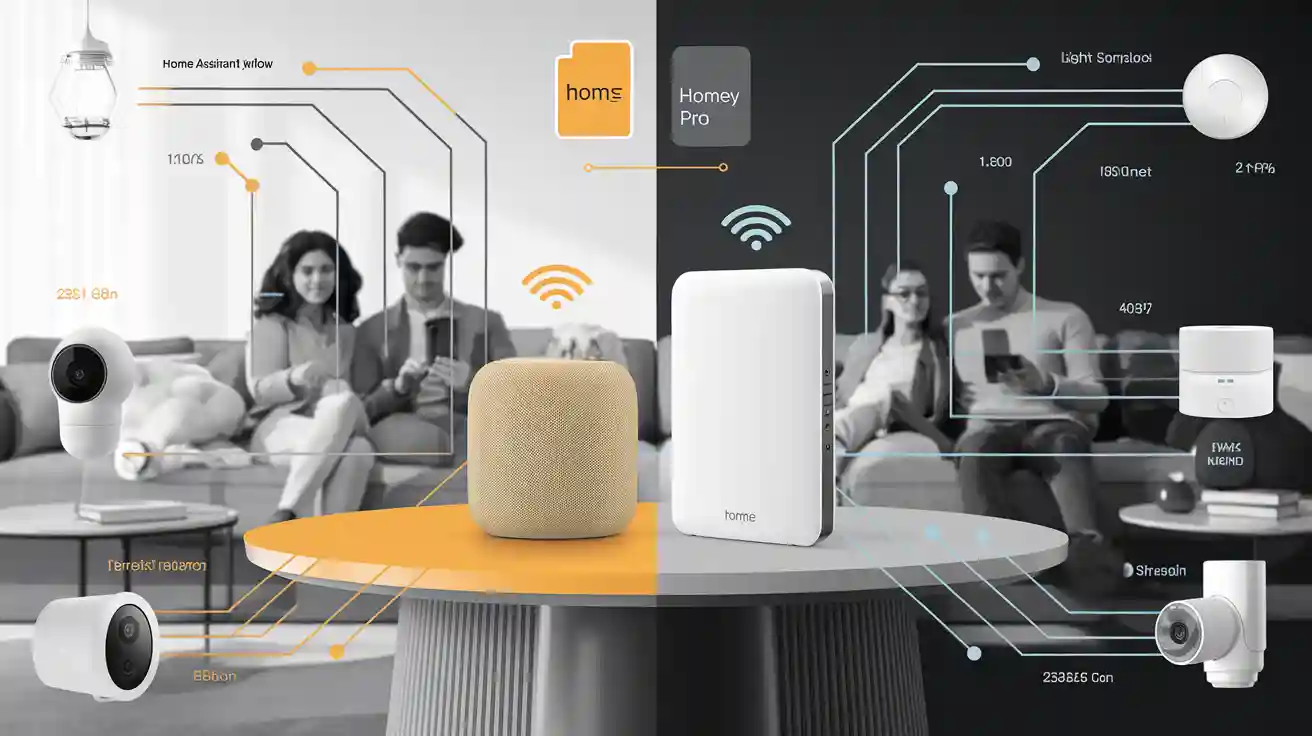
Comparing Two Leading Smart Home Automation Hubs
Explore key differences between Home Assistant Yellow and Homey Pro hubs.
Features | Home Assistant Yellow | Homey Pro |
|---|---|---|
Setup Style | DIY kit, requires assembly | Plug-and-play, ready to use |
Hardware Requirements | User supplies Raspberry Pi CM4 | All-in-one device included |
Device Integration | Supports Zigbee, Thread, Matter | Supports Wi-Fi, Z-Wave, Infrared |
Automation Complexity | Advanced, requires coding (YAML) | Moderate, no coding needed |
User Interface | Highly customizable dashboard | Simple, clean app interface |
Wireless Protocols | Zigbee, Thread, Matter, Bluetooth | Wi-Fi, Zigbee, Z-Wave Plus, Infrared |
Privacy & Security | Local control, open-source design | Local control, optional cloud backup |
Price | Kit plus CM4 cost varies | £399 all-in-one price |
Community Support | Large, active open-source community | Official support and user forums |
When choosing a home automation hub, you need to match your skills and goals to the right solution. If you enjoy building and tweaking your smart home, a DIY smart home hub gives you endless ways to customize your setup. For a plug-and-play smart home solution, you might want a hub that works out of the box. Think about device compatibility, ease of use, automation features, setup process, and cost. Decide what you want your smart home to do and how much control you need. The best solution fits both your home and your comfort with technology.
Key Takeaways
Home Assistant Yellow is good for people who like to build and change their smart home. It gives you full control and many advanced features.
Homey Pro is easy to use and set up. It works with many devices and is great for beginners or quick use.
Both hubs work with lots of smart devices and protocols. They keep your data private and let you use voice assistants.
Home Assistant Yellow needs more technical skills and takes longer to set up. But it lets you customize a lot and has a helpful community.
Homey Pro has a clear price and uses a simple app for automation. Its strong hardware makes your smart home fast and reliable.
Overview
When you pick a smart home hub, it should match what you need and what you know. Home Assistant Yellow and Homey Pro are both great choices for smart homes. Each one works in its own way, so you can pick what fits your life best.
Home Assistant Yellow
Home Assistant Yellow is strong and lets you change many things. You build it yourself with a Raspberry Pi Compute Module 4. You can pick how much memory and storage you want. This hub works with Zigbee 3.0, OpenThread, and Matter. You can connect lots of different devices. It has gigabit Ethernet, USB ports, and good audio output. The open-source design means you can change almost everything. Your data stays safe because it runs at home. The Home Assistant community is big and helpful. If you like to build and change things, this hub gives you lots of freedom.
Tip: Home Assistant Yellow is great if you want to learn and make your own smart home system.
Homey Pro
Homey Pro is different. It works right away when you get it. Homey Pro supports Wi-Fi, Zigbee, Z-Wave, Matter, Thread, Bluetooth, Infrared, and 433 MHz. You can connect almost any device you have. Everything runs at home, so your data is private and things work fast. You can use Alexa, Google Assistant, and Siri. Homey Pro has a strong processor and lots of memory. It can do hard tasks easily. The Homey app makes it easy to set up and use. You do not have to pick parts or put it together. Homey Pro is good if you want something simple and quick to use.
Feature | Home Assistant Yellow | Homey Pro |
|---|---|---|
Setup Style | DIY, customizable | Plug-and-play, ready to use |
Hardware Requirements | User-supplied Raspberry Pi CM4 | All-in-one device |
Customization | High, open-source platform | High, with user-friendly interface |
Device Integration | Extensive, especially Zigbee and Matter | Broad, supports many protocols |
User Experience | For enthusiasts and tinkerers | For beginners and advanced users alike |
Compatibility
Device Support
When you pick a smart home hub, you want it to work with your devices. Home Assistant Yellow and Homey Pro both work with many smart devices, but they do things differently. Home Assistant Yellow lets you connect lots of smart devices. You can add new things as you need them. This means you can use many brands and types in your house.
Homey Pro makes device support easy. It works with many smart devices right away. You can control lights, sensors, and locks without trouble. The Homey app lets you use your phone or tablet to manage everything. You do not need extra parts for most devices. Both hubs keep your home safe and private.
Note: Both Home Assistant Yellow and Homey Pro work with popular voice assistants. This makes it even easier to control your devices.
Protocols
Protocols are how smart devices talk to each other. Home Assistant Yellow supports many protocols like Wi-Fi, Bluetooth, Zigbee, Z-Wave, Thread, and Matter. You can use built-in radios or USB sticks to add more. This helps you connect many smart devices and keep your network safe.
Homey Pro also supports many protocols. It works with Wi-Fi, Zigbee, Z-Wave Plus, Bluetooth, Matter, Thread, Infrared, and 433 MHz. Homey Pro makes it simple to connect devices that use different protocols. You can control your home with one app. You do not have to worry about which protocol your device uses. Homey Pro keeps your data private and runs automations at home for better safety.
Protocol | Home Assistant Yellow | Homey Pro |
|---|---|---|
Wi-Fi | Yes | Yes |
Zigbee | Yes | Yes |
Z-Wave | Yes | Yes |
Thread | Yes | Matter-over-Thread |
Matter | Yes | Yes |
Bluetooth | Yes | Yes |
Infrared | No | Yes |
433 MHz | No | Yes |
Both hubs work with many smart devices and protocols. This makes it easy to control your home and keep it safe. If you want good compatibility, both Home Assistant Yellow and Homey Pro are great choices for your smart home.
Ease of Use
Setup
When you start setting up your smart home, you want it to feel comfortable. Home Assistant Yellow lets you control everything, but you have to do more work. You choose the hardware, put it together, and install the software. Sometimes you need to write YAML code or handle files for some devices. Many people think the first setup is hard, especially if they are new. You might have trouble with updates or setting up MQTT to stop too many events. If you like learning and fixing problems, you will enjoy using Home Assistant.
Homey Pro is different. It comes ready to use in one box. You just plug it in and open the app. The app gives you easy steps to follow. Most devices connect fast, and you do not need to code. The Homey app helps you at every step. You can add devices, make automations, and use your smart home right away. Some people see small problems with a few devices, but most think it works well. Homey Pro makes setup simple for everyone.
Tip: If you want to start fast and do less tech work, Homey Pro is easier to use.
Interface
The interface is how you control your smart home every day. Home Assistant has a strong dashboard. You can change it to show what you want. You use the web or mobile app to control devices and automations. Some changes still need you to edit by hand, but updates make it easier now. When you finish setup, you get a system that is stable and flexible.
Homey Pro keeps things simple. The Homey app looks clean and is easy to use. You control your home with taps and swipes. The app lets you make smart automations without any code. Some people want more ways to style the dashboard, but most like the simple look. Homey Pro’s interface makes it easy to manage your home.
Platform | Setup Experience | Interface Experience |
|---|---|---|
Home Assistant | DIY assembly, manual configuration, technical steps needed | Highly customizable dashboard, some manual editing |
Homey Pro | Plug-and-play, guided by app, minimal technical steps | Clean app, easy automation, limited dashboard styling |
Pick the hub that matches what you know and want for your home. Both Home Assistant and Homey Pro are easy to use, but they are best for different people.
Customization
Automation Features
You want your smart home to do things for you. Home Assistant Yellow lets you change many settings. You can make smart routines with triggers and scripts. You use blueprints and templates to help. You need to write YAML code for hard routines. Some people use AI tools like ChatGPT to help. You can control devices with geofencing and voice assistants. Speech pipelines also work. Home Assistant Yellow connects with over 3,000 devices. You can use almost any smart device at home.
Homey Pro makes automations easy for everyone. You use Flows to set up routines step by step. The app shows you what to do next. You can add device control and schedules without coding. You can also set conditions. Homey Pro has scripting for advanced users. It is not as hard as Home Assistant Yellow. You get strong routines for your home. You can control many devices with one app.
Tip: Home Assistant Yellow is best for complex routines. Homey Pro is best for easy automations.
Automation Feature | Home Assistant Yellow | Homey Pro |
|---|---|---|
Complexity | Very high | Moderate |
Coding Needed | Yes (YAML, Node-RED) | No (Flows), optional script |
Integration Support | 3,000+ | Many, but fewer |
AI Assistance | Yes | No |
Geofencing | Yes | Yes |
Dashboard Options
Your dashboard helps you control your smart home. Home Assistant Yellow lets you change almost everything. You can add cards and badges. You can set what shows up and when. You design the dashboard for your needs. You get lots of ways to change it.
Homey Pro gives you a simple dashboard. You use the app to control devices and routines. The dashboard looks neat and clean. You cannot change its style much. Most people like the easy layout. You can control your home with taps and swipes.
Note: Home Assistant Yellow is best for custom dashboards. Homey Pro is best for quick and easy control.
Price
Upfront Cost
When you look at the price of a smart home hub, you want to know what you pay at the start. Home Assistant Yellow comes as a kit. You need to buy the Raspberry Pi Compute Module 4 to finish your home hub. The price of the kit is lower than many ready-made hubs, but you must add the cost of the CM4 and maybe an NVMe SSD. You also need to think about the power supply. If you want Power-over-Ethernet, you need a special router or switch. The total cost depends on what you choose for your home setup.
Homey Pro gives you everything in one box. You pay £399 for the hub. You do not need to buy extra parts for your home system. You can add the Homey Bridge or Ethernet Adapter if you want more features, but most users start with just the main hub. The price is higher at first, but you get a complete home hub with no extra steps.
Hub | Upfront Cost Range | What You Get |
|---|---|---|
Home Assistant Yellow | Varies (kit + CM4 + extras) | Kit, enclosure, wireless module |
Homey Pro | £399 (main hub) | All-in-one hub, ready to use |
Tip: If you want to build your home hub and pick each part, Home Assistant Yellow lets you control the cost. If you want a simple home setup, Homey Pro gives you a clear price.
Value
You want to know what you get for your money. Home Assistant Yellow gives you a flexible home hub. You can change the hardware and software to fit your home. You get support from the Home Assistant team through a ticket system. You also get help from a large home community in forums and Discord. You can find guides and safety information online. The open-source design means you can keep improving your home hub for years.
Homey Pro offers strong value for users who want a fast and easy home setup. You get a powerful processor, many wireless options, and a simple app. You do not need to learn coding to run your home. Homey Pro works with many devices and keeps your home data private. You can add cloud backups for a small yearly fee. The company promises software updates for at least five years, so your home hub stays current.
Home Assistant Yellow:
Flexible for any home
Active home community support
Open-source for long-term use
Homey Pro:
All-in-one for quick home setup
Strong hardware and easy app
Long software support for your home
Note: Both hubs help you build a smart home that fits your needs. You should think about how much work you want to do and how much you want to spend to get the best value for your home.
Home automation hub Comparison
Choosing the right home automation hub can change how you control your smart home. You want a solution that matches your skills, your devices, and your goals. Let’s look at how Home Assistant Yellow and Homey Pro compare across the most important features. This table gives you a clear view of what each solution offers.
Feature | Home Assistant Yellow | Homey Pro |
|---|---|---|
Compatibility | Works with many smart home devices. Supports Zigbee, Thread, Matter, and more. You can add new protocols with USB sticks. | Connects to almost any smart home device. Supports Wi-Fi, Zigbee, Z-Wave Plus, Thread, Matter, Bluetooth, Infrared, and 433 MHz. No extra hardware needed. |
Ease of Use | You build your own hub. You pick the hardware and set up the software. You need to learn some tech skills. | Plug-and-play solution. You follow easy steps in the app. You do not need to code or assemble parts. |
Customization | You control almost everything. You can change dashboards, automations, and device settings. Open-source platform lets you create your own smart home experience. | You use the Homey app to set up automations and routines. You can use Advanced Flow for complex tasks. You get scripting options for power users. |
Setup | You assemble the kit and install the software. You choose your Raspberry Pi Compute Module 4. You may need to connect extra devices for more features. | You plug in the hub and open the app. You follow guided steps. You can add devices quickly. No extra assembly needed. |
Automation | You create advanced automations with triggers, scripts, and templates. You use blueprints and AI tools. You can control devices with geofencing and voice assistants. | You set up automations with Flows in the app. You add schedules, conditions, and device controls. You can use HomeyScript for custom routines. |
Price | You pay for the kit, the Raspberry Pi Compute Module 4, and any extras. The cost depends on your choices. | You pay £399 for the main hub. You can add the Homey Bridge or Ethernet Adapter for more features. The price is clear and upfront. |
Security | Your data stays at home. You control privacy settings. Open-source design means you can check how your data is used. | Your smart home data stays local. Homey Pro runs automations on-premise. You get cloud backup options for extra security. |
Tip: If you want to build and customize your smart home from the ground up, Home Assistant Yellow gives you full control. If you want a solution that works right away and keeps things simple, Homey Pro makes smart home automation easy.
Key Points to Consider
Compatibility
You need your hub to work with all your smart home devices. Home Assistant Yellow lets you add new protocols if you need them. Homey Pro supports almost every protocol out of the box.Ease of Use
If you like to learn and build, Home Assistant Yellow gives you a hands-on experience. If you want to start fast, Homey Pro guides you through setup in the app.Customization
Home Assistant Yellow lets you change dashboards and automations. You can make your smart home unique. Homey Pro gives you easy tools for automation and routines. You can use advanced features if you want.Security
Both solutions keep your data safe. Home Assistant Yellow runs everything at home. Homey Pro processes automations locally and offers cloud backup for extra security.Price
Home Assistant Yellow lets you control the cost by picking your hardware. Homey Pro gives you a clear price for a complete solution.Automation
You can create simple or complex routines with both hubs. Home Assistant Yellow uses scripts and templates. Homey Pro uses Flows and scripting in the app.
Note: You should think about your skills, your smart home devices, and your security needs before you choose a home automation hub. Both solutions help you build a smart home that fits your life.
Pros and Cons
Home Assistant
When you choose Home Assistant Yellow, you get a hub that puts you in control. You can build your smart home the way you want. Many users and experts highlight these strengths and challenges:
Pros:
You can upgrade the brain module easily. This design keeps your hub ready for the future.
You do not face vendor lock-in. You have full freedom to customize and use your hub offline.
The kit gives you enough built-in storage. You can expand it with an M.2 SSD if you need more space.
You get strong privacy. Your data stays in your home.
The open-source platform lets you create unique automations and dashboards.
You join a large, active community that helps you solve problems and share ideas.
Cons:
The kit does not include built-in Bluetooth or Wi-Fi. You need to use USB sticks or Ethernet for these features.
Setting up devices can feel complex. You may need to handle technical steps or troubleshoot updates.
Some users report delays or missing status updates for certain devices. You might see warning icons or need to re-add devices.
Note: Home Assistant Yellow works best if you enjoy learning and want to shape every part of your smart home.
Homey Pro
Homey Pro gives you a ready-to-use hub with a focus on ease and wide compatibility. You get a polished experience, but you should know both the benefits and the limits:
Pros:
You can connect almost any device. Homey Pro supports Z-Wave, Zigbee, Wi-Fi, Matter, Bluetooth, 433MHz, IR, and Thread.
You control your home locally. This keeps your data private and your automations fast.
The app is easy to use. You set up devices and automations with simple steps.
The Flow engine lets you build powerful routines with conditions and branching.
You get support for Alexa, Google Assistant, and Siri.
The hardware offers strong wireless range and reliability.
You can view deep analytics and store data locally for years.
The setup process guides you, so you spend less time on configuration.
Cons:
The upfront cost is high. You pay about $400 for the hub.
Some devices or brands may not work perfectly. You need to check compatibility before buying new devices.
The device-adding process can be confusing. You may see similar device versions and need to try more than once.
Some cloud integrations, like HomeKit, are still experimental or limited.
Advanced custom integrations require technical skills.
Tip: Homey Pro is a strong choice if you want a simple setup, wide device support, and local control, but you should check if your devices are fully supported before you buy.
Recommendations
For Beginners
If you are new to smart homes, you want something easy. Homey Pro is the best choice for beginners. You just plug it in and start. The app helps you with each step. You do not need to code or build anything. You can add devices fast and begin automating your home.
Home Assistant Yellow has many strong features. But setting it up is hard. You must install software and work with YAML files. This can be tough if you have never built a smart home. Most beginners think Home Assistant Yellow is difficult.
Here is a quick comparison for beginners:
Hub | Setup Difficulty | Learning Curve | Best For |
|---|---|---|---|
Homey Pro | Very easy | Gentle | Beginners |
Home Assistant Yellow | Complex | Steep | Advanced users |
Tip: If you want to start your smart home with less trouble, pick Homey Pro. You will enjoy your devices more and spend less time fixing problems.
For Enthusiasts
If you like to tinker and want lots of control, Home Assistant Yellow is great. You can change automations, dashboards, and device connections. You pick your hardware and grow your system as you learn. The open-source platform lets you make special routines and connect many devices.
You also get help from the Home Assistant Community Forum. This place helps you solve problems and share ideas. You can find guides and tips about advanced features like Node-RED and automation editors.
Homey Pro gives advanced automation with its Flow engine and scripting. You can make strong routines and connect many devices. The Homey Community Forum helps with app development and updates. You can try new features and get help from other users.
Here are some features enthusiasts like:
Advanced ways to customize and connect devices
Support for many wireless protocols
Active forums for help and sharing ideas
Easy to grow and upgrade
Note: If you want to do more with smart home automation, Home Assistant Yellow is a top pick. You can change every part of your system and join a busy community.
For Mixed Users
You might want both easy setup and advanced features. Home Assistant Yellow and Homey Pro are good for mixed users. Homey Pro lets you start simple and try advanced automations later. You use the app for basic routines and try scripting when you are ready.
Home Assistant Yellow lets you begin with simple automations and add more over time. You can join the community forum to learn and get help. You can upgrade your hardware and add devices as you need.
Think about these points if you want flexibility:
Homey Pro is easy to start and has advanced features when you want them.
Home Assistant Yellow lets you learn and customize at your own speed.
Both hubs have active forums for questions and sharing.
Tip: If you want a smart home hub that grows with you, pick one with good community support and flexible features. Home Assistant Yellow and Homey Pro can fit your needs as you learn more.
Choosing the right home automation hub depends on your skills and daily needs. Homey Pro works best for you if you want quick setup and easy control. Home Assistant Yellow suits you if you enjoy building and customizing your smart home. Studies show that age, health, and technical ability shape what you need from smart home technology. You should match your hub to your comfort level and goals. Try exploring product demos or reading user reviews before you decide.
Tip: Pick the hub that fits your lifestyle and helps you enjoy smart living every day.
FAQ
1. Which hub supports more smart home devices?
Both hubs work with lots of devices. Homey Pro connects to almost any device right away. Home Assistant Yellow lets you add more devices by using integrations and USB sticks.
2. Can I use voice assistants with both hubs?
You can use Alexa, Google Assistant, and Siri with Homey Pro. Home Assistant Yellow works with voice assistants too, but you might need to set up extra integrations.
3. Which hub is easier to set up for beginners?
Homey Pro is simple to set up. The app shows you what to do. Home Assistant Yellow needs you to put together hardware and install software. This takes more time and skill.
4. Do both hubs keep my data private?
You control your data with both hubs. Home Assistant Yellow runs everything at home. Homey Pro also does automations at home and gives you cloud backup options.
5. Can I customize automations and dashboards?
Home Assistant Yellow lets you make advanced automations and custom dashboards. Homey Pro helps you build routines in the app, but you cannot change the dashboard much.