You’re choosing OLED for immersive play, where deep blacks and vivid color meet lightning-fast responses and adaptive sync. You’ll want to weigh refresh rates up to 360Hz, 0.03ms delays, and curve vs. flat for your genre, plus size, HDR, and connectivity that match your kit. It’s a balance between blistering speed and pixel-perfect fidelity. The best option could hinge on your priorities, and one key detail might change everything you thought about gaming visuals.
| LG Ultragear OLED 27-inch Gaming Monitor |  | Top OLED for Games | Panel Type: OLED | Screen Size: 27 inches | Refresh Rate: 240 Hz | VIEW LATEST PRICE | Read Our Analysis |
| Samsung Odyssey OLED G6 27″ Gaming Monitor 360Hz | 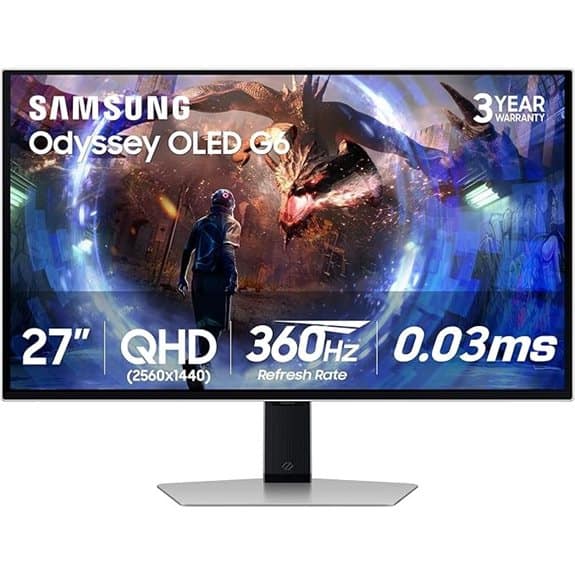 | Extreme Motion King | Panel Type: QD-OLED | Screen Size: 27 inches | Refresh Rate: 360 Hz | VIEW LATEST PRICE | Read Our Analysis |
| AOC 27″ QD OLED Gaming Monitor 240Hz 0.03ms | 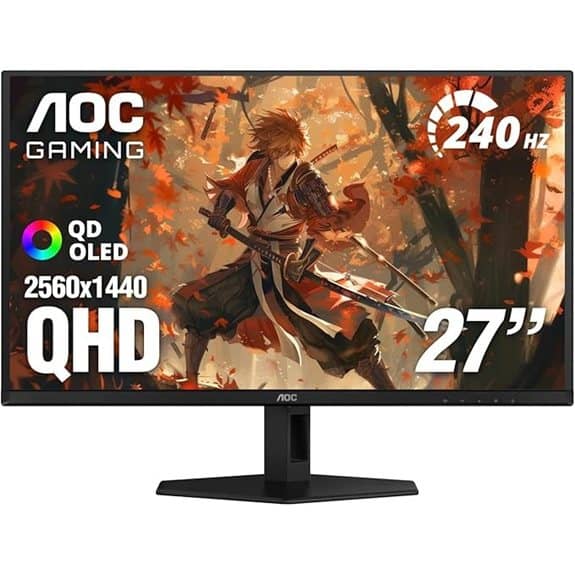 | Best Value OLED | Panel Type: QD-OLED | Screen Size: 27 inches | Refresh Rate: 240 Hz | VIEW LATEST PRICE | Read Our Analysis |
| ASUS ROG Swift 32″ 4K OLED Gaming Monitor | 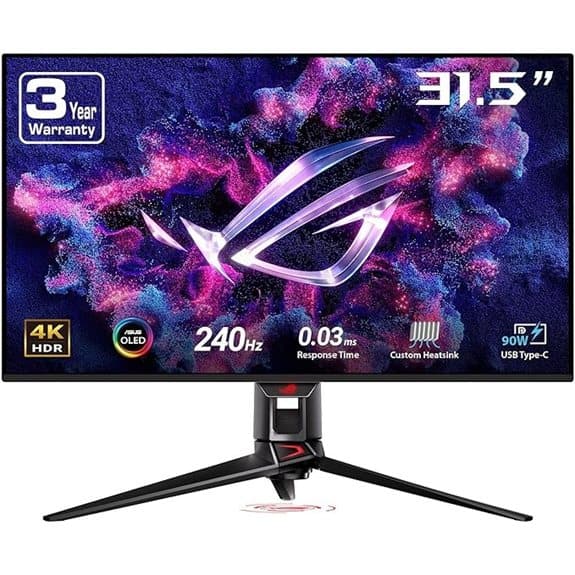 | Premium 4K OLED | Panel Type: OLED (QD-OLED-based) | Screen Size: 32 inches | Refresh Rate: 240 Hz | VIEW LATEST PRICE | Read Our Analysis |
| LG 32GX870A-B UltraGear 32-inch OLED Gaming Monitor 240Hz | 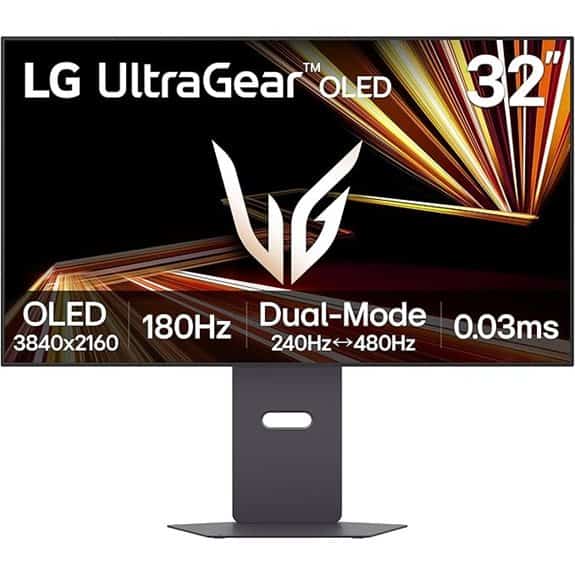 | 4K 240Hz Powerhouse | Panel Type: OLED | Screen Size: 32 inches | Refresh Rate: 240 Hz | VIEW LATEST PRICE | Read Our Analysis |
| Alienware AW3423DWF QD-OLED 34″ Curved Gaming Monitor | 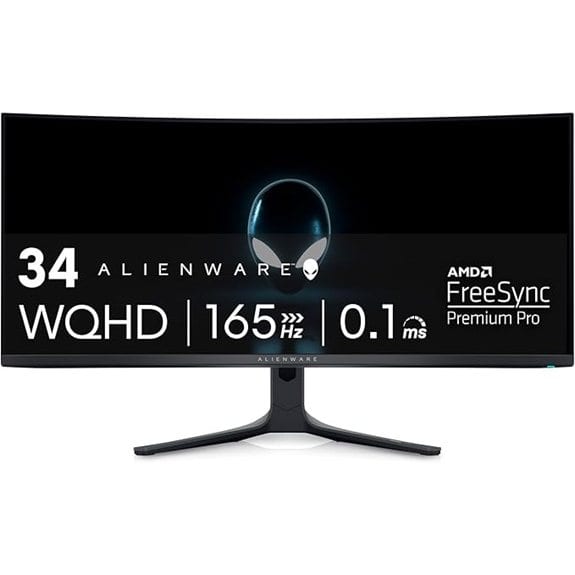 | Creator-Grade OLED | Panel Type: QD-OLED | Screen Size: 34 inches | Refresh Rate: 165 Hz | VIEW LATEST PRICE | Read Our Analysis |
| Alienware AW2725DF OLED 360Hz Gaming Monitor | 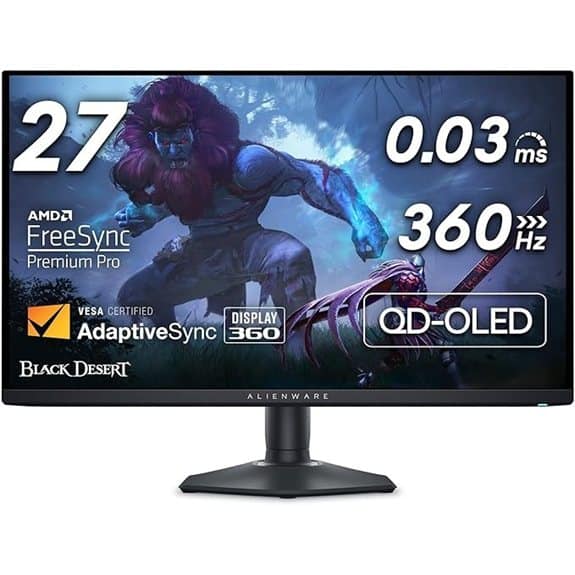 | 360Hz Motion Master | Panel Type: QD-OLED | Screen Size: 27 inches | Refresh Rate: 360 Hz | VIEW LATEST PRICE | Read Our Analysis |
More Details on Our Top Picks
LG Ultragear OLED 27-inch Gaming Monitor
If you crave lightning-fast motion and jaw-dropping picture quality, the LG Ultragear OLED 27-inch Gaming Monitor is built for you. With a 240Hz refresh rate and 0.03ms GtG response, you’ll notice near-instant pixel changes, reduced lag, and ghosting-free fast gameplay. Its QHD 1440p OLED panel delivers deep blacks, rich colors, and HDR thanks to DisplayHDR True Black 400 and 1.5M:1 contrast. You’ll enjoy NVIDIA G-SYNC compatibility and FreeSync Premium Pro, plus HDMI 2.1 and DP1.4 for up to 240Hz. The nearly borderless design, adjustable stand, and anti-glare finish make setup clean and focused. For long sessions and comfortable viewing.
- Panel Type:OLED
- Screen Size:27 inches
- Refresh Rate:240 Hz
- HDR Certification:DisplayHDR True Black 400
- Sync Technology:NVIDIA G-SYNC Compatible; FreeSync Premium Pro
- Connectivity:HDMI 2.1, DisplayPort 1.4
- Additional Feature:Height-adjustable stand
- Additional Feature:Anti-glare screen
- Additional Feature:Gamer mode presets
Samsung Odyssey OLED G6 27″ Gaming Monitor 360Hz
The Samsung Odyssey OLED G6 27″ is the ideal pick for competitive gamers who demand blistering speed paired with true-to-life OLED visuals. With 360Hz refresh and 0.03ms GtG, you get razor-sharp responses and ultra-smooth motion, perfect for fast action. The 27-inch QD-OLED panel delivers deep blacks, bright highlights, and a wide color gamut, while glare-free tech and CoreLighting+ keep your focus. You’ll enjoy adaptive sync via AMD FreeSync Premium Pro and solid connectivity through HDMI 2.1 and DisplayPort. Practical burn-in protection and smart thermal modulation help preserve panels, and the slim, stylish design fits most setups for long gaming sessions.
- Panel Type:QD-OLED
- Screen Size:27 inches
- Refresh Rate:360 Hz
- HDR Certification:HDR capability (implied high brightness/VRR)
- Sync Technology:AMD FreeSync Premium Pro
- Connectivity:HDMI 2.1, DisplayPort
- Additional Feature:Dynamic Cooling System
- Additional Feature:Logo brightness-detection dimming
- Additional Feature:CoreLighting+ ambient lighting
AOC 27″ QD OLED Gaming Monitor 240Hz 0.03ms
Designed for competitive gamers who crave ultra-smooth action and precise color, the AOC 27″ QD OLED monitor stands out with a blistering 240Hz refresh rate and a 0.03ms GtG response time. On a 27-inch QHD panel, you get sharp detail and immersive visuals that stay clean even in fast-paced battles. The QD OLED technology delivers vibrant, accurate colors with wide gamut coverage, improving depth without fatigue. HDR400 True Black improves contrast, while Adaptive-Sync and G-Sync compatibility keep tearing at bay. Connectivity includes HDMI 2.0 and DisplayPort, and a three-year zero-bright-dot warranty backs your investment for reliable performance under pressure.
- Panel Type:QD-OLED
- Screen Size:27 inches
- Refresh Rate:240 Hz
- HDR Certification:HDR400 True Black
- Sync Technology:Adaptive-Sync; G-Sync compatible
- Connectivity:HDMI 2.0, DisplayPort
- Additional Feature:3-year zero-bright-dot warranty
- Additional Feature:Console-friendly HDMI 2.0 / DP
- Additional Feature:HDR400 True Black
ASUS ROG Swift 32″ 4K OLED Gaming Monitor
For gamers chasing ultimate contrast and blistering speed, the ASUS ROG Swift 32″ 4K OLED delivers a standout package with a 32-inch UHD panel that blends true 10-bit color depth and a staggering 240Hz refresh rate. You’ll notice deep blacks and bright highlights thanks to VESA DisplayHDR 400 True Black, plus a 99% DCI-P3 gamut and Delta E < 2 color accuracy. A custom heatsink and graphene-assisted cooling keep steady performance, while G-SYNC compatibility avoids tear. Connect via 90W USB-C, enjoy on-screen tweaks with DisplayWidget Center, and even grab a 3-month Adobe Creative Cloud offer. Valid through 2026 expires.
- Panel Type:OLED (QD-OLED-based)
- Screen Size:32 inches
- Refresh Rate:240 Hz
- HDR Certification:VESA DisplayHDR 400 True Black
- Sync Technology:G-SYNC Compatible
- Connectivity:USB-C included; HDMI, DisplayPort
- Additional Feature:90W USB-C connectivity
- Additional Feature:OLED Care software
- Additional Feature:Included Adobe Creative Cloud offer
LG 32GX870A-B UltraGear 32-inch OLED Gaming Monitor 240Hz
When you crave ultra-fast speed and pristine dark-room contrast, this LG UltraGear model stands out for competitive gamers who push both clarity and response time. You’ll switch between 4K at 240Hz and Full HD at 480Hz with a hotkey, keeping pace with fast rivals. Its 0.03ms GtG reduces lag and ghosting, while VESA DisplayHDR True Black 400 delivers deep blacks at up to 1.5M:1. You get NVIDIA G-SYNC Compatible and FreeSync Premium Pro, plus a virtually borderless, adjustable stand. Built-in speakers, USB-C, DP 2.1, and OLED care tools round out practical, durable performance for long sessions and updated compatibility.
- Panel Type:OLED
- Screen Size:32 inches
- Refresh Rate:240 Hz
- HDR Certification:DisplayHDR True Black 400
- Sync Technology:NVIDIA G-SYNC Compatible; FreeSync Premium Pro
- Connectivity:DP 2.1, USB-C
- Additional Feature:Dual-mode 240Hz/480Hz
- Additional Feature:Micro Lens Array+ brightness
- Additional Feature:Built-in speakers with DTS Headphone:X
Alienware AW3423DWF QD-OLED 34″ Curved Gaming Monitor
If you’re chasing cinematic visuals and razor-fast response in one package, the Alienware AW3423DWF stands out with its 34-inch QD-OLED curved panel and 165Hz refresh rate, delivering true blacks and vibrant color with minimal motion blur.
You’ll enjoy a UWQHD 3440×1440 resolution, 21:9 aspect, and 0.1ms response for crisp gaming scene shifts.
Its quantum-dot OLED panel delivers 99.3% DCI-P3 coverage, Delta E under 2, and factory calibration for reliable color.
With 165Hz and FreeSync Premium Pro, you get seamless, tear-free play and strong HDR performance.
The curved 1800R design, adjustable stand, and cable management keep comfort and setup simple.
For creators, Creator Mode and gamma options help you aim for accurate visuals, right out of the box.
A 3-year warranty shields you from OLED burn-in worries as you explore HDR gaming and immersive cinema.
- Panel Type:QD-OLED
- Screen Size:34 inches
- Refresh Rate:165 Hz
- HDR Certification:DisplayHDR True Black 400
- Sync Technology:AMD FreeSync Premium Pro
- Connectivity:HDMI, DisplayPort, USB ports
- Additional Feature:5 USB 3.0 ports
- Additional Feature:360° ventilation
- Additional Feature:Creator Mode color profiles
Alienware AW2725DF OLED 360Hz Gaming Monitor
Blazing motion clarity and deep blacks define the AW2725DF, a standout for OLED gaming enthusiasts seeking top-tier speed with true-to-life visuals. With QD-OLED color richness, you get infinite contrast for bright highlights and deep shadows in the same frame. Its WQHD 2560×1440 resolution delivers sharp detail, and 99.3% of DCI-P3 with Delta E<2 means accurate, cinema-like hues. A 360Hz refresh rate plus 0.03ms gray-to-gray minimizes blur and lag. FreeSync Premium Pro and AdaptiveSync guarantee tear-free play, while HDMI, DisplayPort, and USB keep you connected. Height, tilt, swivel, and pivot adapt to your setup. It’s a thoughtful, future-ready gaming choice.
- Panel Type:QD-OLED
- Screen Size:27 inches
- Refresh Rate:360 Hz
- HDR Certification:HDR-capable (True Black spec implied)
- Sync Technology:AMD FreeSync Premium Pro
- Connectivity:HDMI, DisplayPort, USB 3.2 Gen1
- Additional Feature:360Hz refresh rate
- Additional Feature:USB 3.2 Gen1 ports
- Additional Feature:Ergonomic adjustability
Factors to Consider When Choosing OLED Gaming Monitors
When you choose an OLED gaming monitor, you weigh burn-in risk awareness, HDR performance quality, and how the refresh rate impact feels in fast, cinematic moments. You also want solid color gamut coverage and reliable connectivity and ports, so your PS5, PC, and accessories pair seamlessly without bottlenecks. By balancing these factors, you’ll avoid surprises and land a monitor that matches your gaming style and setup.
Burn-In Risk Awareness
OLED gaming monitors can deliver stunning contrast and fast response, but burn-in risk isn’t something you can ignore—especially if you tend to leave static elements like taskbars or HUDs on screen at high brightness for long stretches. Over time, uneven pixel degradation can occur if high-contrast stationary images stay on screen for thousands of hours, creating ghosting that lasts. Many modern OLEDs counter this with pixel-shifting and automatic brightness adjustments on static content. To minimize risk, lower brightness and use a screen saver after short idle periods, and vary what you display. If you frequently show static elements, enable the built-in protections and regularly rotate content to preserve pixel longevity and display uniformity across sessions. Varying content is your best long-term safeguard for monitors. For monitors.
HDR Performance Quality
How does HDR performance truly stack up on OLED gaming monitors? With OLED, you get deep blacks and eye-catching contrast, often surpassing 1,000,000:1 thanks to per-pixel illumination. That means HDR content looks more cinematic, and you’ll notice richer shadows without crush. Look for VESA DisplayHDR True Black 400 certification to guarantee consistent peak brightness, black luminance, and overall HDR quality customized for OLED. In motion, OLED delivers near-instant response times, around 0.03ms GtG, so fast scenes stay sharp with minimal blur. Color matters too: a high DCI-P3 gamut (often above 98%) and factory calibration (Delta E < 2) translate to accurate, vibrant HDR tones. Finally, rely on solid thermal management and brightness modulation to sustain HDR performance and minimize burn-in risk during longer sessions. That balance helps you enjoy HDRs without distraction or doubt today.
Refresh Rate Impact
Clearly, refresh rate matters, and OLEDs capable of 360Hz can deliver noticeably silkier motion and quicker image updates during fast action. You’ll notice more fluid playback at 240Hz and above, reducing motion blur and delivering a more responsive feel in competitive moments. The real advantage depends on how well you can detect subtle motion differences and whether your system can sustain high frame rates. High refresh rates demand capable graphics hardware to keep pace with the display, otherwise you won’t leverage its full potential. Also, ultra-fast response times, as low as 0.03ms GtG, help minimize pixel change artifacts, sharpening motion clarity. In practice, balance GPU power, desired latency, and your sensitivity to motion precision when choosing. Your setup should align with real play goals today.
Color Gamut Coverage
Effectively, color gamut coverage is the backbone of how vibrant and accurate your gaming visuals will look, so it’s worth scrutinizing before you buy. When you look at options, aim for DCI-P3 coverage above 98% for richer, more precise colors than standard sRGB, especially in shadows and highlights. A high gamut, like 110% DCI-P3 or greater, translates to improved color depth and HDR accuracy, letting reds, greens, and blues pop without oversaturation. If you’re eyeing QD-OLED, expect over 140% sRGB coverage, delivering exceptionally saturated yet natural tones. Factory-calibrated panels with Delta E under 2 keep color deviations minimal, guaranteeing you won’t chase accuracy after purchase. In short, prioritize gamut specs to access true-to-life gaming visuals. Your choice should balance brightness, speed, and color fidelity.
Connectivity And Ports
Ever wonder how the right connections can unlock your OLED monitor’s full potential? Look for HDMI 2.1 and DisplayPort 1.4 (or higher) to handle 4K at 240Hz or QHD at 360Hz without signal loss. Make sure the monitor includes at least one DisplayPort input, since it’s often required for full refresh rate at higher resolutions on most GPUs. USB-C with power delivery (around 90W) lets you charge laptops or phones while you game, using a single cable. Multiple USB ports (USB 3.0/3.2) simplify peripheral setup and fast data transfers for keyboards, mice, and drives. Remember, high refresh rates and HDR demand bandwidth, so verify that each port supports the necessary version for your target formats. This helps you future-proof as game tech evolves steadily.
Ergonomics And Comfort
When you’re selecting an OLED gaming monitor, prioritize ergonomics as much as performance, because a comfortable setup keeps you in the game longer without fatigue. Adjustable stands that support height, tilt, swivel, and pivot let you place the screen at eye level, reducing neck strain during long sessions. A nearly borderless display design maximizes screen real estate in compact setups, enabling more comfortable multimonitor configurations with minimal bezel distraction. Anti-glare and low-reflection coatings minimize visual fatigue by cutting reflections in bright rooms. Ergonomic monitor profiles with ultra-thin edges and space-optimized footprints support cleaner desks, improving posture and comfort. Built-in cable management helps keep your workspace tidy, promoting focus and sustained, efficient gaming. This approach blends practicality with quiet confidence during marathon sessions and longer play.
Price And Warranty
Why do OLED gaming monitors carry higher price tags? Because advanced panel tech drives cost, with premium models offering higher refresh rates and QD-OLED options that push the price up. Warranties for these monitors typically span 2 to 3 years, and some brands sell extended coverage aimed at burn-in protection. Longer warranties, especially ones that cover burn-in, can offset ownership costs and give you peace of mind since OLEDs are prone to image retention. Higher-priced models often include extra warranty benefits like panel replacement guarantees or broader defect coverage beyond standard limits. Remember that price differences reflect more than performance specs but also how thorough the included warranty and support are. Weigh value, more than initial sticker price. Choose what fits your risk tolerance.
Final Thoughts
You’ve got superb options across OLEDs, from quick 240Hz or 360Hz panels to cinematic 4K, curved ultrawide, and compact 27-inch models. The key is matching refresh rate and size to your play style, while balancing price, input lag, and HDR behavior. If you chase esports edge, prioritize higher Hz and low response times; for immersive single-player, pick color accuracy and contrast. Check desk space and connectivity first, then pick a model that fits your setup.