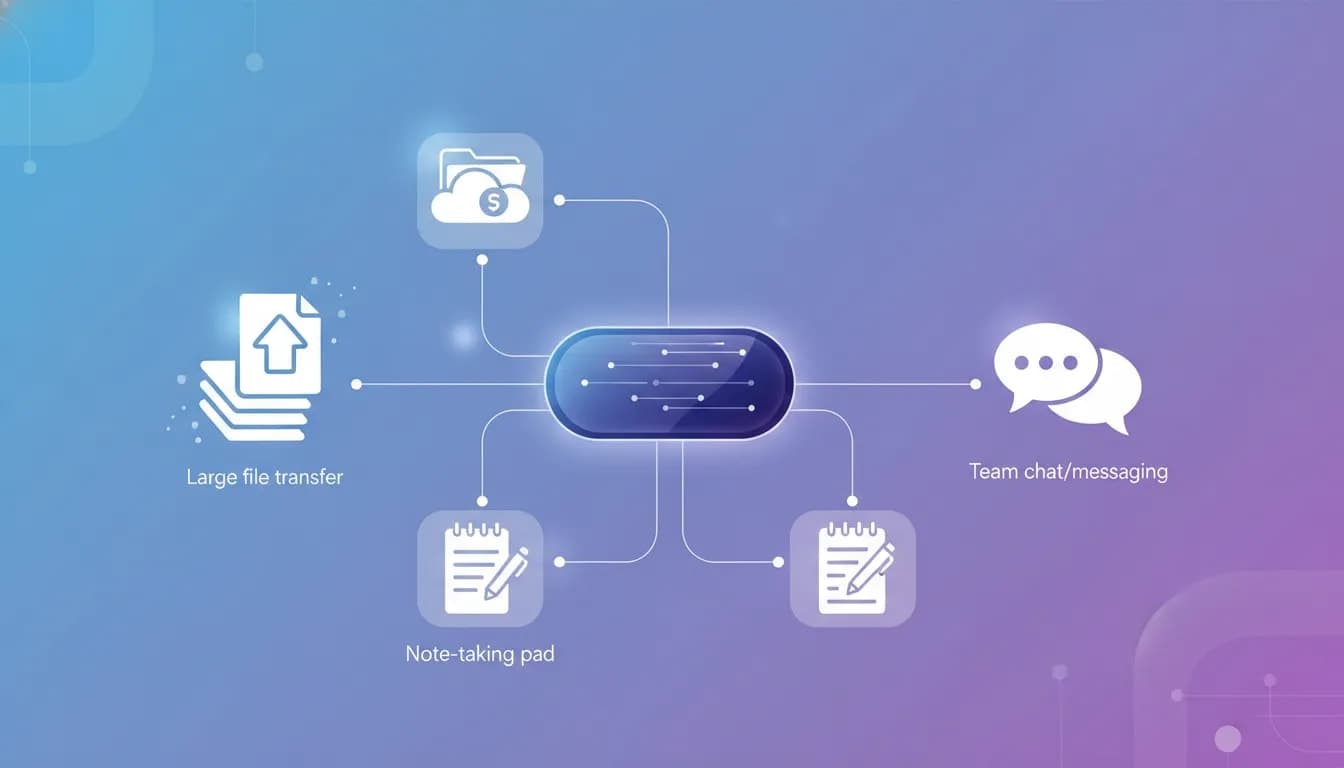
Blaze Quantum is a file transfer and collaboration platform that combines large file sending, cloud storage, note-taking, and team messaging in one workspace. It is aimed at freelancers, agencies, and small teams that want a simpler way to send files, receive client uploads, and keep project communication together.
If you are comparing it with tools like WeTransfer, Google Drive, OneDrive, or Slack, the main appeal is consolidation. Instead of paying for or juggling multiple services, Blaze Quantum brings several common workflow needs into a single app.
What is Blaze Quantum?
Blaze Quantum is built around four core functions:
- Transfer for sending large files
- Drive for storing files and organizing folders
- Notes for basic project documentation
- Messenger for internal team communication
The platform also includes a useful client-facing feature: upload portals. These portals let other people send files to you through a dedicated link, which can be especially helpful for creative services, onboarding, and project handoff.
Who Blaze Quantum is best for
This type of tool makes the most sense for users who regularly deal with file exchange and light team collaboration.
Good fit for:
- Freelancers collecting files from clients
- Designers, video editors, and web developers handling large assets
- Small teams that want file sharing, notes, and messaging in one place
- Businesses that want branded upload portals on higher tiers
- Anyone tired of email attachment limits and short-lived transfer links
Less ideal for:
- Teams that need advanced document editing
- Companies looking for a full project management suite
- Users who need a dedicated mobile app experience
Blaze Quantum works on mobile through its website, but no mobile app was identified in the available product walkthrough.
Key features at a glance
1. Large file transfers with flexible sharing options
You can send files in three main ways:
- To another user inside your workspace
- By email
- By shareable link
For link-based sharing, Blaze Quantum supports useful controls such as:
- Password protection
- Retention settings
- Link expiration
- Custom titles and messages
That makes it practical for both internal transfers and one-off file delivery to clients or collaborators.
2. Client upload portals
One of the most practical features is the ability to create a portal where others can send files to you. Instead of asking clients to email attachments or upload into a shared drive manually, you can send them a dedicated link.
The upload form can include:
- A title field
- An email field
- A message field
- A file upload area
When someone submits files, you receive notifications in the app and by email. This can reduce back-and-forth and give clients a cleaner submission process.
3. White labeling and portal customization
Higher tiers add branding controls for upload portals. These include options to customize the logo and colors, and there is also an option to hide the platform branding.
That can be valuable for agencies or consultants who want a more polished client experience.
4. Built-in cloud drive
Blaze Quantum also includes a drive area similar in concept to Google Drive or Dropbox. You can upload files, create folders, and share content with your team.
This will appeal most to users who want simple storage tied directly to transfer and portal workflows rather than a separate file management product.
5. Simple notes for project context
The notes section is designed for lightweight documentation. You can create multiple notebooks and notes, and use basic formatting tools such as text color and highlighting.
It is best viewed as a basic team notebook, not a full knowledge base. For example, if your team only needs to track project status, reminders, or simple client notes, it should be enough. If you need a more advanced writing and documentation system, you may still want a dedicated notes platform.
6. Team messaging
The messenger acts as an internal chat system for workspace members. It supports direct communication and keeps conversations in the same environment as files and notes.
That makes sense for small teams that want fewer apps open during a project.
How Blaze Quantum compares to common alternatives
Blaze Quantum is easiest to understand when compared by use case rather than brand-to-brand feature matching.
Compared with email attachments
Email attachment size limits are a common frustration. Blaze Quantum is the better option when you need to:
- Send larger files
- Set expiry rules
- Add password protection
- Use dedicated upload links instead of inbox attachments
Compared with WeTransfer
WeTransfer-style services are mainly focused on file delivery. Blaze Quantum goes further by adding:
- Persistent storage
- Client upload portals
- Internal notes
- Built-in messaging
If your need is only occasional file sending, a simple transfer tool may still be enough. If your workflow includes receiving assets, storing them, and coordinating with a team, Blaze Quantum is broader.
Compared with Google Drive or OneDrive
Drive platforms are strong for cloud storage and sharing, but Blaze Quantum adds a more direct transfer workflow and a client portal model that may be easier for non-technical users.
Compared with Slack
The messaging function overlaps with Slack at a basic level, but Blaze Quantum is positioned more as an all-in-one workspace than a dedicated communication platform.
In short, Blaze Quantum is less about beating each specialist tool on every feature and more about reducing tool sprawl.
How to use Blaze Quantum for client file collection
For service businesses, the most compelling workflow is the portal setup. A simple process looks like this:
- Create a portal for a client type or project category
- Add a message explaining what files to upload
- Set a password if the files are sensitive
- Choose retention and portal lifetime settings
- Share the portal link with the client
- Receive notifications when files are submitted
- Store or forward files inside the same workspace
This can work well for:
- Website copy and brand asset collection
- Video footage intake
- Design brief submissions
- Contract or document gathering
- Onboarding packs for new clients
Security and privacy features
Blaze Quantum states that it uses quantum-safe end-to-end encryption for sending, receiving, and storing files. For users handling client assets or sensitive business documents, that will likely be one of the first things to evaluate.
In practical terms, the platform also supports security-related controls such as:
- Password-protected links
- Retention settings
- Expiration windows for shared links
If security is a major buying factor, it is worth reviewing the vendor’s official product and policy documentation directly before committing. For general context on end-to-end encryption, the Cloudflare overview of end-to-end encryption is a useful primer.
Blaze Quantum pricing tiers and what changes between plans
The available walkthrough highlights that most features exist across tiers, but limits vary. The major differences include:
- Number of users
- Transfer allowance
- Drive storage
- Notes limits
- Messenger availability
- Message retention
Examples mentioned include:
- Transfer allowances starting at 100 GB and going up to 1 TB
- Tier 1 allowing 50 notes per user
- Tier 4 allowing unlimited notes
- Messenger not included on Tier 1 because that tier is limited to one user
- A higher recommended tier including 2,000 notes, 180 days of message retention, 500 GB transfer, and 500 GB storage
If you are considering the lifetime deal version, the most important question is not just price. It is whether the user count, storage, and transfer limits actually match how your team works.
For the current deal page, see the Blaze Quantum AppSumo listing.
Strengths of Blaze Quantum
- Combines four functions in one tool
- Clean, simple interface
- Useful upload portals for client work
- Password and expiration controls for file sharing
- Branding options on higher tiers
- Works in a mobile browser
- Could replace several subscriptions for small teams
Limitations to consider
- Notes are basic and may not replace a dedicated documentation tool
- Messenger is more lightweight than a full chat platform
- No identified native mobile app
- Tier restrictions matter, especially for solo users versus teams
This is an important point: all-in-one tools are often strongest when your workflow is simple to moderate. If your company depends heavily on advanced storage permissions, deep document collaboration, or complex chat automations, specialist platforms may still be stronger.
Common mistakes when choosing a file sharing and portal tool
Choosing based on storage alone
Storage capacity matters, but it is not the whole picture. For many teams, upload flow, notifications, and branding are just as important.
Ignoring client experience
If clients struggle to send you files, your process breaks down. A simple portal can be more valuable than a large but confusing shared drive.
Overestimating the notes feature
Blaze Quantum includes notes, but it is best to treat them as lightweight project notes. Do not assume they replace a full documentation platform.
Buying the wrong tier
Before purchasing, check:
- How many users you need
- How much file transfer volume you actually use
- Whether messaging matters for your workflow
- How many notes or notebooks your team will create
- Whether branding controls are necessary
Frequently asked questions
Can Blaze Quantum replace WeTransfer?
Yes, for many users it can replace WeTransfer-style file sending and also add storage, portals, notes, and messaging.
Can clients upload files without joining your workspace?
Yes. The portal workflow is designed so external users can submit files through a link-based form.
Does Blaze Quantum support branded portals?
Yes, higher tiers include customization options such as logo and color changes, with the option to hide platform branding.
Is Blaze Quantum good for solo users?
It can be, especially if the main need is file transfer and client uploads. However, some collaboration features make more sense on multi-user tiers.
Is there a mobile app?
No dedicated mobile app was identified, but the website was shown to work well on mobile browsers.
Final verdict
Blaze Quantum is a strong option for users who want a simple, all-in-one file sharing workspace rather than four separate tools. Its best feature is the combination of secure file transfers and client upload portals, especially for freelancers and small teams dealing with large files and regular client handoffs.
The drive, notes, and messenger features add convenience, but they are most useful when you want one streamlined environment rather than best-in-class tools for each category.
If your main goal is to send large files, receive uploads professionally, and keep light collaboration organized in one place, Blaze Quantum is worth a serious look.