Directorist is a WordPress directory plugin built for creating business directories, classified-style listings, and niche listing websites without starting from scratch. It can power a full standalone directory site, or be added to an existing WordPress blog or business website.
If you are comparing WordPress directory plugins, the main appeal here is speed. The setup wizard creates the core pages for you, themes and extensions add directory-specific features, and there are tools for monetization, listing claims, search, locations, and even AI-assisted directory generation.
What Directorist is best for
Directorist fits a few common use cases especially well:
Local business directories such as restaurants, plumbers, real estate, doctors, or service providers.
Niche directories where you need custom fields for a specific industry.
Adding listings to an existing site instead of launching a separate directory brand.
Monetized directories with paid submissions, payment gateways, and claim listing options.
That flexibility matters because some directory plugins assume you are building an entire site around listings. Directorist can do that, but it also supports a lighter approach using shortcodes on an existing WordPress installation.
How quickly can you launch a directory with Directorist?
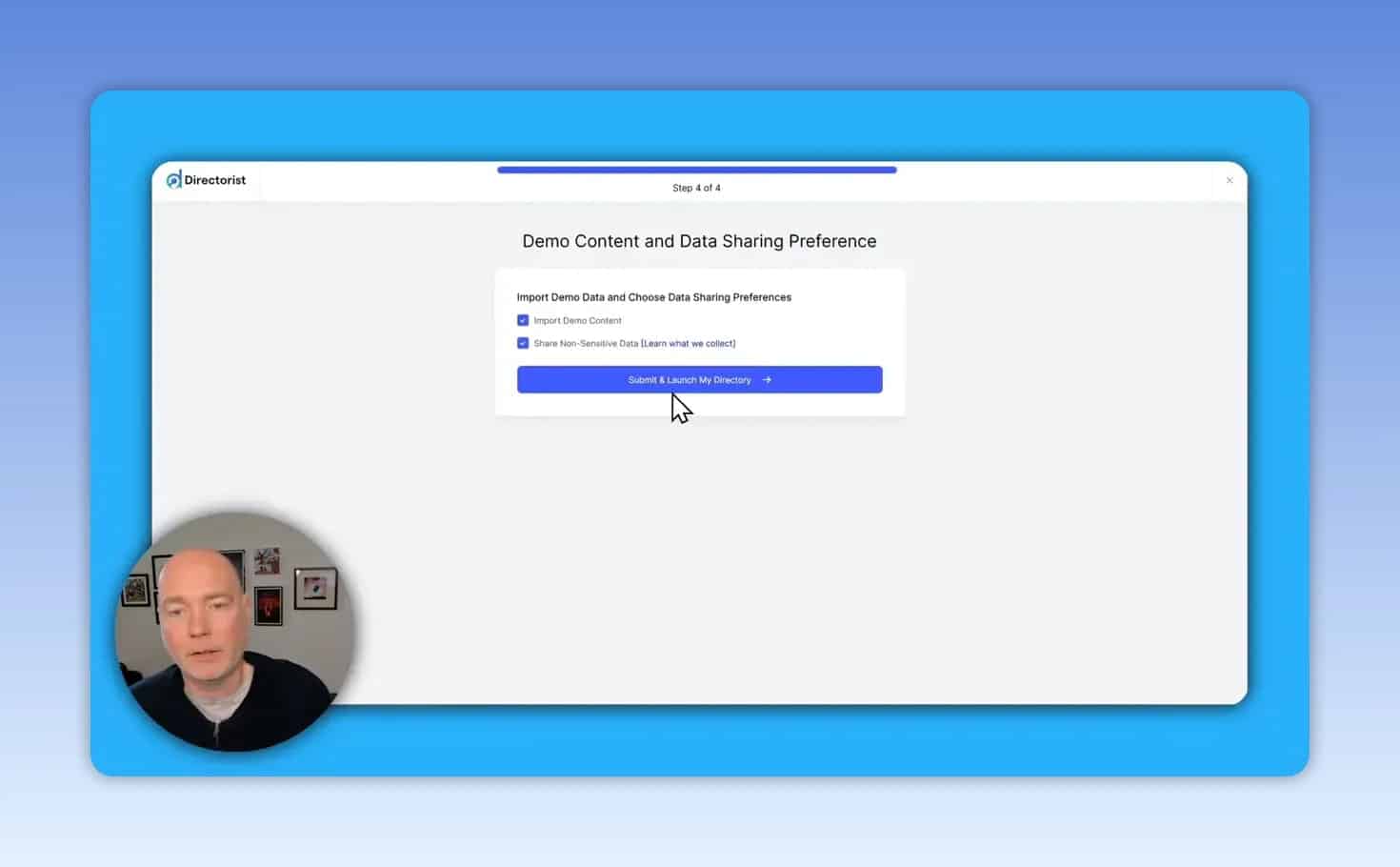
The initial setup is straightforward. After installing the plugin, there is a guided process that asks for:
The type of directory you want to create
A default location
Monetization preferences
Whether to import demo content
That wizard builds the essential pages needed for the directory. If you choose demo content, you immediately get sample listings and a site structure you can edit instead of a blank shell.
For anyone who has struggled with WordPress plugins that need heavy manual configuration before anything appears on the front end, this is one of Directorist’s strongest points.
What the listing editor includes
The listing editor feels familiar if you already use WordPress. A listing can include:
Title
Description
Pricing details
Features
Contact information
Location data
Images and media
Category and location assignments
This structure is useful because a directory site lives or dies by how easy it is to keep listings consistent. You need enough fields to make each listing useful, but not so many that adding content becomes painful.
Themes, extensions, and demo imports
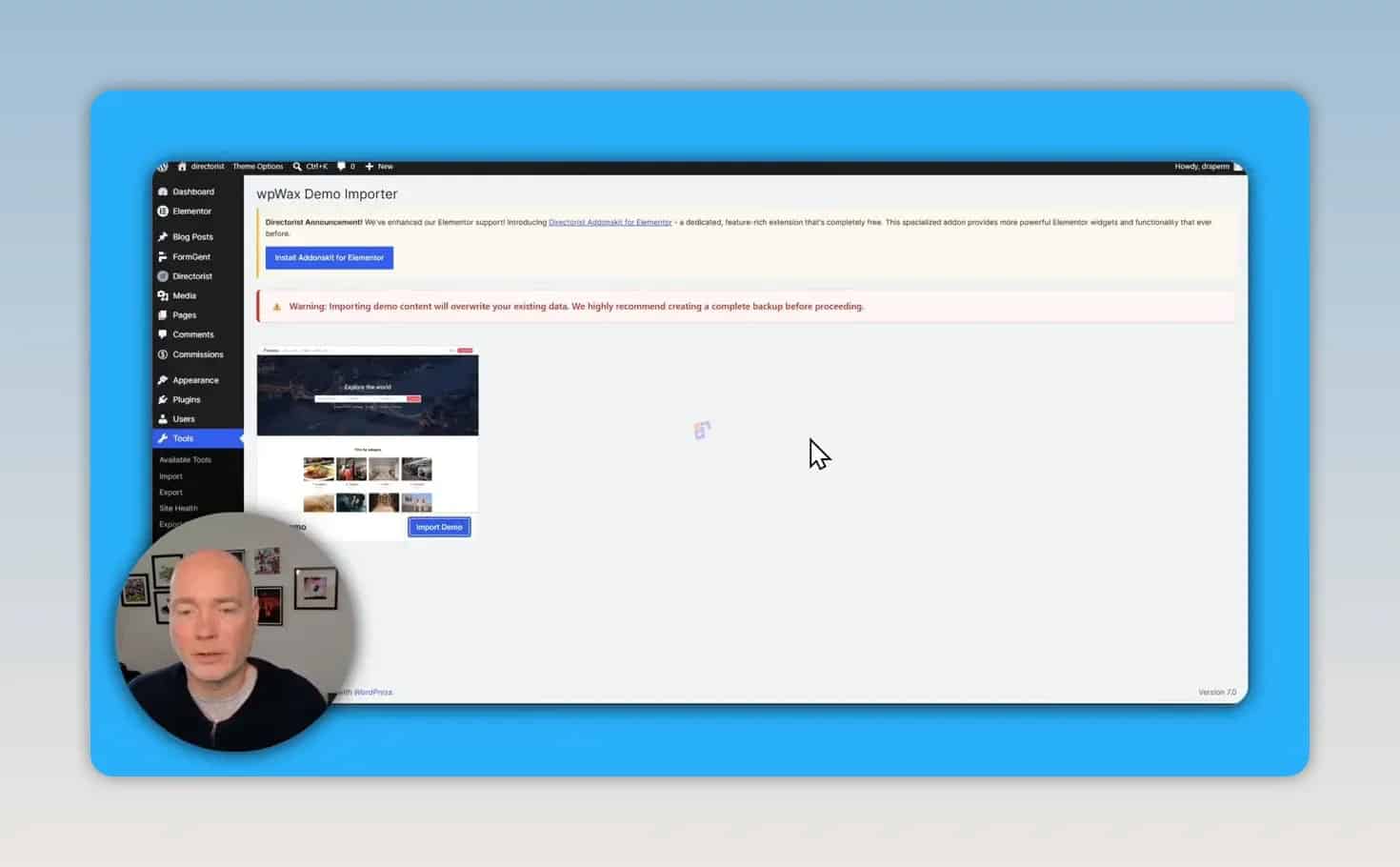
Directorist includes access to directory-focused themes and a library of extensions. Available theme types include options for general directories as well as more vertical-specific layouts such as jobs, restaurants, doctors, and real estate.
The workflow is simple:
Install the base plugin.
Verify your license.
Choose a directory theme.
Install the required extensions for that theme.
Use the demo importer if you want a finished-looking starter site.
There is also a recommendation to use Elementor for editing, which is important if you want more control over homepage layout and design.
How the front end looks after setup
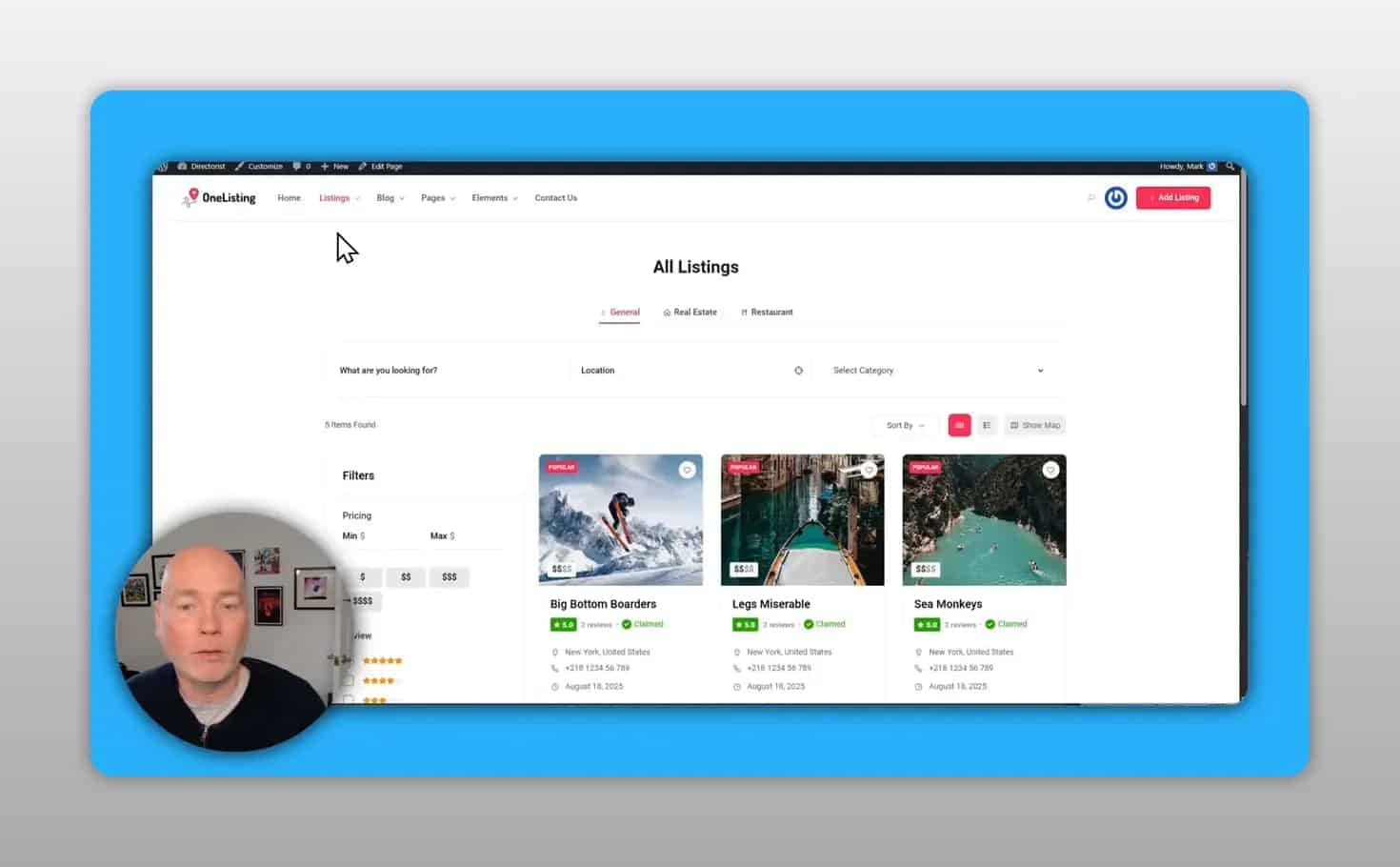
Once the theme and demo content are in place, the site looks like a proper directory rather than a default WordPress install. The sample layout includes:
A prominent search bar
Category sections
Popular listings
Location browsing
Individual listing pages with photos, descriptions, and maps
Directorist supports both grid view and list view for browsing listings. That is a practical detail, not just a design choice. Different directory audiences prefer different browsing styles, especially when users want quick scanning versus deeper detail.
User dashboard and admin experience
Directorist provides a user-facing dashboard for people submitting or claiming listings. From that dashboard, users can access areas such as:
Their listings
Profile information
Inquiries
On the admin side, you get the usual WordPress-style controls for:
Viewing all listings
Adding new listings
Managing categories
Managing locations
Managing tags
Adjusting global directory settings
This split between front-end user controls and back-end admin controls is essential if you plan to run a directory where businesses manage their own profiles.
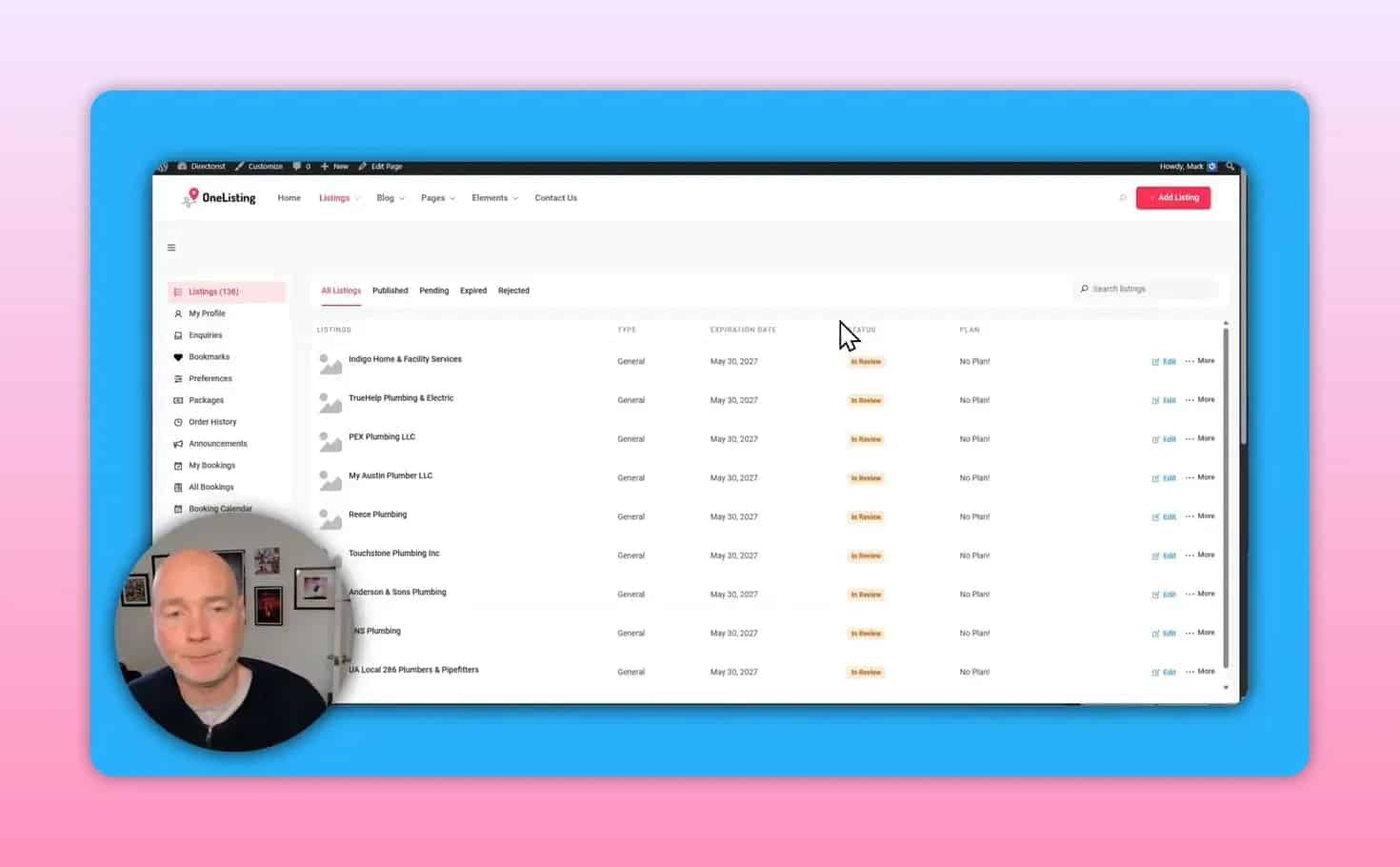
One standout feature: the AI Directory Generator
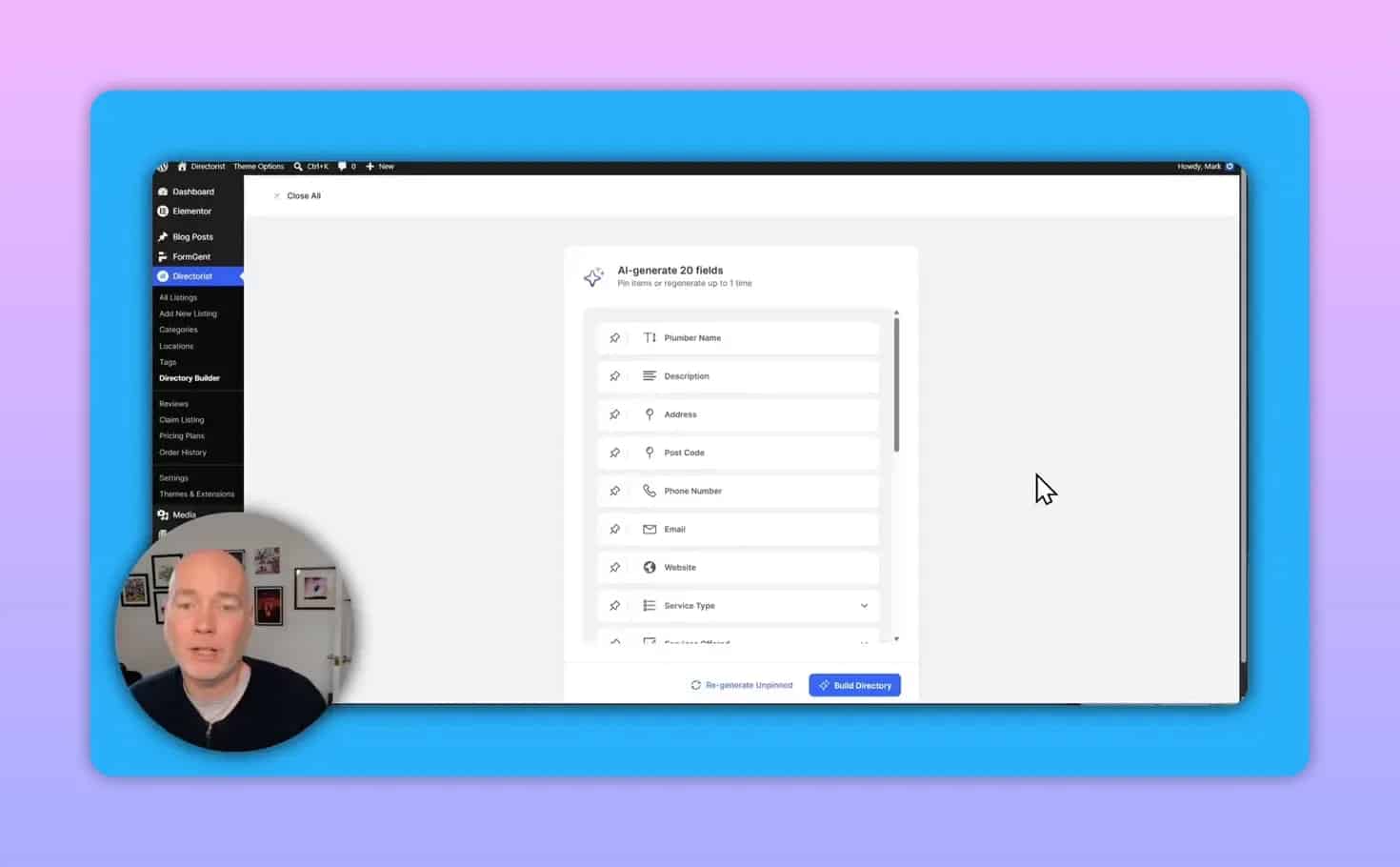
One of the more interesting capabilities is the AI Directory Generator. Instead of manually building every field for a niche directory, you can create a new directory, enter a name and a set of keywords, and let the system generate a recommended field structure.
For example, a plumber directory can be generated with suggested fields such as:
Business name
Description
Address
Phone number
Website
Service types such as residential, commercial, and industrial
The important point is not that AI does everything perfectly. The value is that it removes the repetitive first draft of building a schema for a niche. You can still edit the generated fields afterward.
Single directory vs multi-directory
Directorist can run as either:
A single directory on your site
Multiple directories within one WordPress installation
Multi-directory is useful if you want one site to contain several separate directory types, such as restaurants, real estate, and plumbers. If you only need one directory, you can leave that disabled and keep things simpler.
For many site owners, this is an important planning decision. Multiple directories can be powerful, but they also add complexity to navigation, taxonomy, and ongoing maintenance. If your project is focused on one niche, a single directory may be the better choice.
Can you add Directorist to an existing website?
Yes. This is one of the plugin’s most practical advantages.
If you already have a site and do not want to switch to a dedicated directory theme, Directorist includes shortcodes that can place directory content onto existing pages. That means you can keep your current branding and site structure while adding a searchable listings section.
This is especially useful for:
Blogs expanding into local resources
Community websites adding member or business listings
Service sites creating partner or vendor directories
Customization options
Directorist includes a wide range of settings for shaping the directory experience. Based on the available controls shown, customization includes:
Listing and single-page layout options
Icons and visual styling
Search text and behavior
User dashboard options
Email notification templates
Extension-specific settings
Color personalization
If you use Elementor, there is also a dedicated set of directory elements available inside the builder. That gives you more design control over pages and templates without manually coding layouts.
Monetization options
Directorist is built with monetization in mind. That matters because most directory projects need a clear revenue model if they are going to be worth maintaining.
Available monetization-related features include:
Paid listings
Price plans
Claim listing
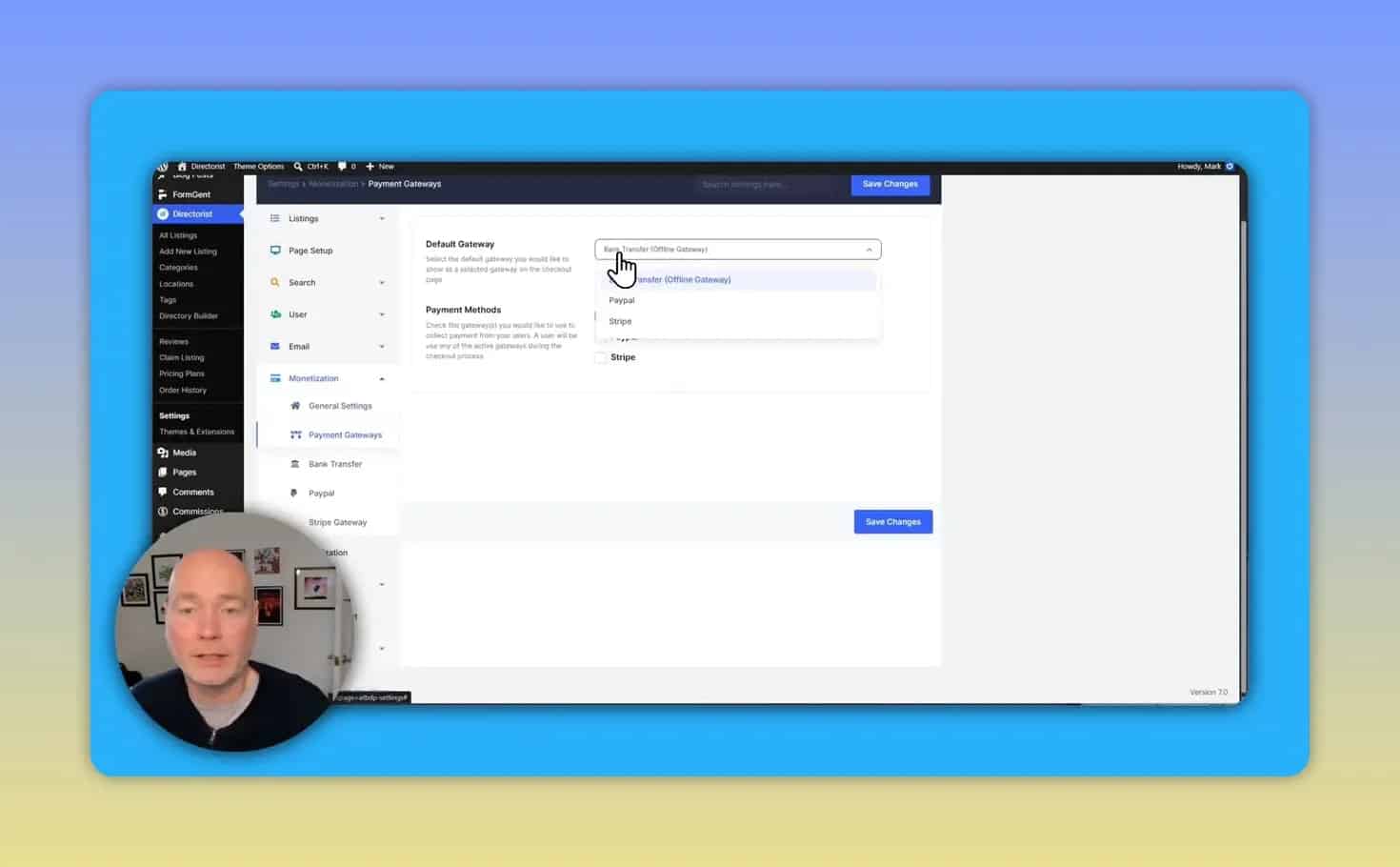
Stripe integration
PayPal integration
Optional bank transfer support
For most site owners, Stripe and PayPal are the easiest choices because they reduce payment friction. Bank transfer may still be useful for B2B or local arrangements, but it introduces more manual work.
How claim listing can support revenue
A strong directory growth model is to add listings first, then invite businesses to claim them. Once claimed, the business gets control of the listing and may be offered premium upgrades, better visibility, or extra features.
Directorist includes settings for claim listing messaging and behavior, which gives you a built-in path for turning a basic directory into a monetized platform.
Importing listings in bulk
You do not have to build every listing manually. Directorist includes import and export tools, which opens up faster launch strategies.
One practical approach is to gather public business data into a spreadsheet, adjust the columns to match the directory import format, and upload it as listings. This is useful when:
You are launching a new niche directory and need initial content
You want enough listings to make the site feel useful from day one
You plan to do outreach and encourage businesses to claim or upgrade their entries
For broader SEO and local business research, tools like Semrush can help with market discovery and keyword planning. If you want to explore current deal availability for the plugin itself, the AppSumo listing may be relevant.
Best features at a glance
Fast onboarding with a setup wizard
Works for standalone directories and existing sites
Includes themes and a sizable extension library
Supports maps, search, categories, locations, and user dashboards
Offers both grid and list browsing views
Includes AI-assisted directory generation for niche setups
Has monetization tools including Stripe, PayPal, and listing claims
Supports bulk imports for faster launch
Integrates with Elementor for design customization
Potential drawbacks to consider
No directory plugin is ideal for every project. A few things to keep in mind:
There are many settings. That is a strength, but it can also feel overwhelming if you want something extremely minimal.
Theme-based setups work best when paired with the recommended extensions. If you skip required components, the site may not look complete.
Demo imports are helpful, but they still need cleanup. Imported sample content gives you structure, not a finished brand.
Multi-directory adds complexity. Only enable it if you genuinely need several distinct directory types.
Common mistakes when building a directory site
1. Launching with no listings
A directory without content feels empty. Use demo content for structure, then replace it quickly or import real data before promoting the site.
2. Overcomplicating the field structure
Even with AI-generated fields, keep only what matters to users. Every extra field makes submissions harder.
3. Ignoring monetization setup
If you want revenue, configure payment gateways, pricing, and claim flows early rather than treating them as an afterthought.
4. Not using the right editing workflow
If you plan to heavily customize the front end, working with Elementor and the plugin’s dedicated elements will be much easier than forcing everything through default layouts.
5. Treating categories like separate directories
Sometimes categories are enough. You do not always need multi-directory mode. Choose the simpler structure unless there is a clear reason not to.
Who should use Directorist?
Directorist is a strong fit for:
WordPress users who want a fast route to a professional-looking directory
Site owners who want to add listings to an existing website
Anyone building a niche directory with custom fields
Publishers and marketers planning to monetize listings or claims
It is less ideal if you want an ultra-simple plugin with very few options. Directorist is feature-rich, and that means some setup depth comes with the convenience.
Final verdict
Directorist stands out because it covers the full path from setup to monetization. You can install it on a fresh WordPress site, run through the wizard, import demo content, choose a theme, add the required extensions, and have a usable directory structure in a relatively short time.
Its biggest strengths are flexibility and launch speed. It works as a full directory platform, supports shortcodes for existing sites, includes front-end user dashboards, and adds useful revenue tools like listing claims and payment gateways. The AI directory generator is also a meaningful time-saver for niche projects.
If your goal is to build a WordPress directory website without piecing together multiple plugins, Directorist is a compelling option worth serious consideration.